
Conversation Starters - how to set up
Learn how to set up Conversation Starters - quick prompts that guide users into meaningful interactions with your agent. Configure dynamic AI-generated starters or reuse FAQ entries for fixed, curated responses. A simple feature that boosts engagement and shapes the first moments of every conversation.
Conversation Starters help you guide users toward the most important or valuable queries from the very first interaction. You can create fully dynamic starters powered by AI, or reuse your existing FAQ items when you want to provide a fixed, curated answer. Here’s how to set them up:
Your Agent's Conversation Starters
1. Open the “General” tab in your Agent Settings
From the Agent dashboard, navigate to General → Agent Skills and select Conversation Starters.
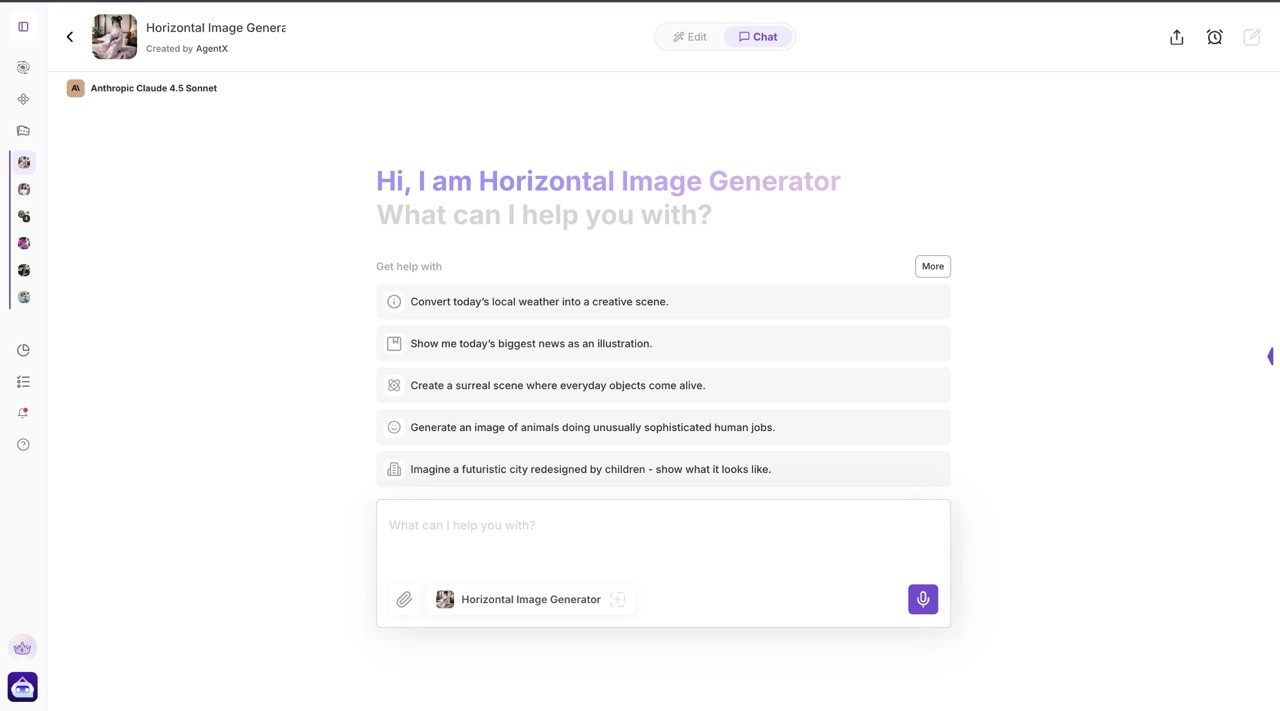
This is where you configure all entry-point prompts that appear above the chat window.
2. Add new Conversation Starters
You can create as many starters as you want.
For each starter, you can:
Add a title / user-visible question
Choose an icon
Set the display order (drag & drop)
These starters do not include predefined answers - the agent will generate a natural, contextual reply dynamically.
Examples of dynamic Conversation Starters (AI-generated responses):
“How can you help me automate my daily tasks?”
→ Agent generates a personalized explanation of capabilities based on your setup.“What’s happening on the stock market today?”
→ The agent retrieves up-to-date market insights, highlights key movers, summarizes trends, and guides the user toward deeper analysis or related financial tools.
3. Use FAQ items as Conversation Starters (optional)
If you want a starter that always returns a controlled, fixed answer, you can reuse a FAQ entry.
Just toggle “Use FAQ response” when choosing your starter.
This is ideal for precise definitions, marketing answers, or compliance-critical information.
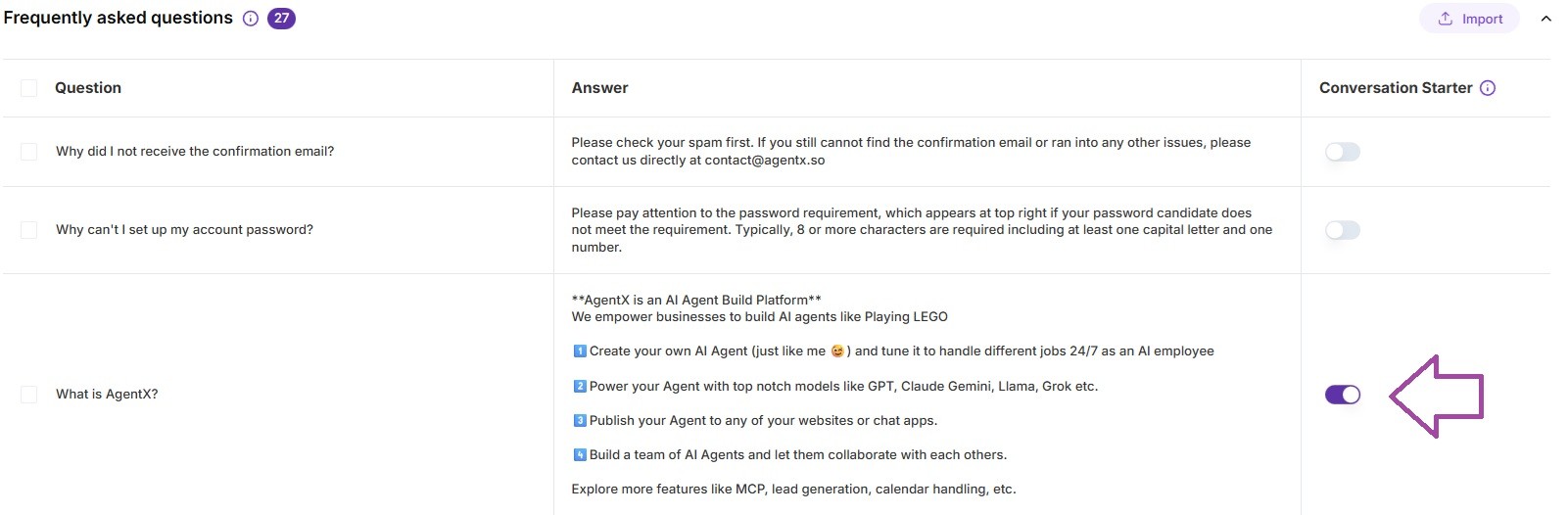
Examples of FAQ-based Starters (static responses):
Q: “What is the best platform for building AI agents?”
A: AgentX empowers developers and businesses with a full multi-agent environment, RAG, MCP integrations, and cross-channel deployment - all without complex engineering. It’s the fastest way to move from idea to production-grade AI workflows.Q: “How do I integrate this agent with WhatsApp?”
A: A step-by-step, predefined FAQ instruction ensures users always get accurate, non-hallucinated guidance.
Summary
Conversation Starters give you two powerful ways to shape first impressions:
Dynamic starters → The agent generates natural responses, perfect for discovery and exploration.
FAQ starters → You provide a controlled answer, ideal for brand messaging, instructions, and SEO-rich content.
Add a few, set the order, choose icons - and your chat experience becomes dramatically more guided and user-friendly.
