
Office Generators Tutorial – How Your Agent Creates Documents, Charts, and More
Office Generators is an integration tool that empowers your AI Agent to automatically create professional documents, spreadsheets, presentations, charts, and PDFs based on conversation content. Instead of manually copying information from chat into documents, your Agent can generate ready-to-use files on demand - saving time and streamlining workflows.
Office Generators Overview
Office Generators is an integration tool that empowers your AI Agent to automatically create professional documents, spreadsheets, presentations, charts, and PDFs based on conversation content. Instead of manually copying information from chat into documents, your Agent can generate ready-to-use files on demand - saving time and streamlining workflows.
How to enable and configure:
Navigate to Integrations in agent edition
Click the Enable button on the Office Generators card
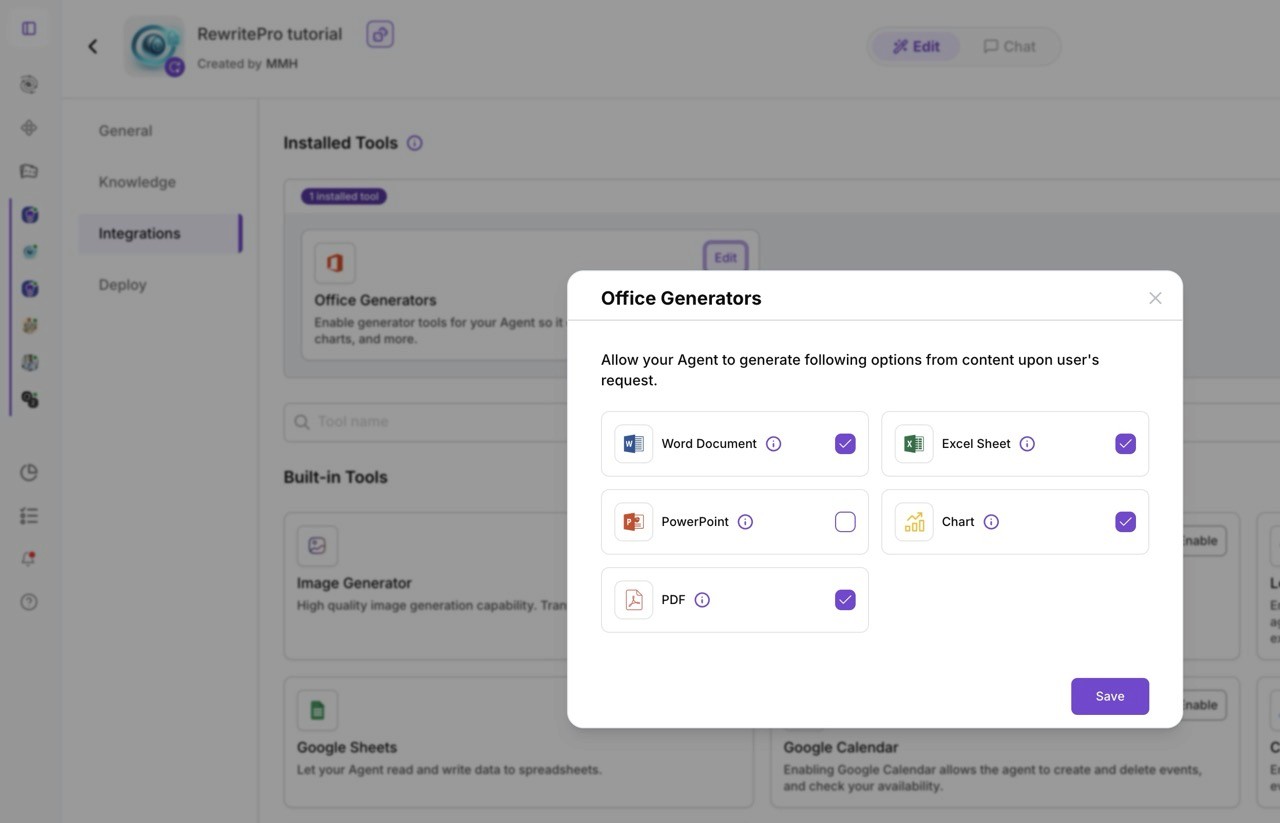
A modal dialog titled "Office Generators" will appear with the instruction: "Allow your Agent to generate following options from content upon user's request."
You'll see five selectable generator options, each with an icon, label, and checkbox:
Word Document - Generate Word documents from content
Excel Sheet - Generate Excel spreadsheets from data
PowerPoint - Generate PowerPoint presentations
Chart - Generate visual charts and graphs
PDF - Generate PDF documents
Select the generators you want to enable and click the Save button.
How users request files:
Once enabled, users can ask your Agent to create files naturally in conversation:
"Can you create a Word document summarizing this conversation?"
"Generate a PDF report of the data we discussed."
"Make an Excel sheet with this list of items."
"Create a chart showing these sales figures."
"Build a PowerPoint presentation with these key points."
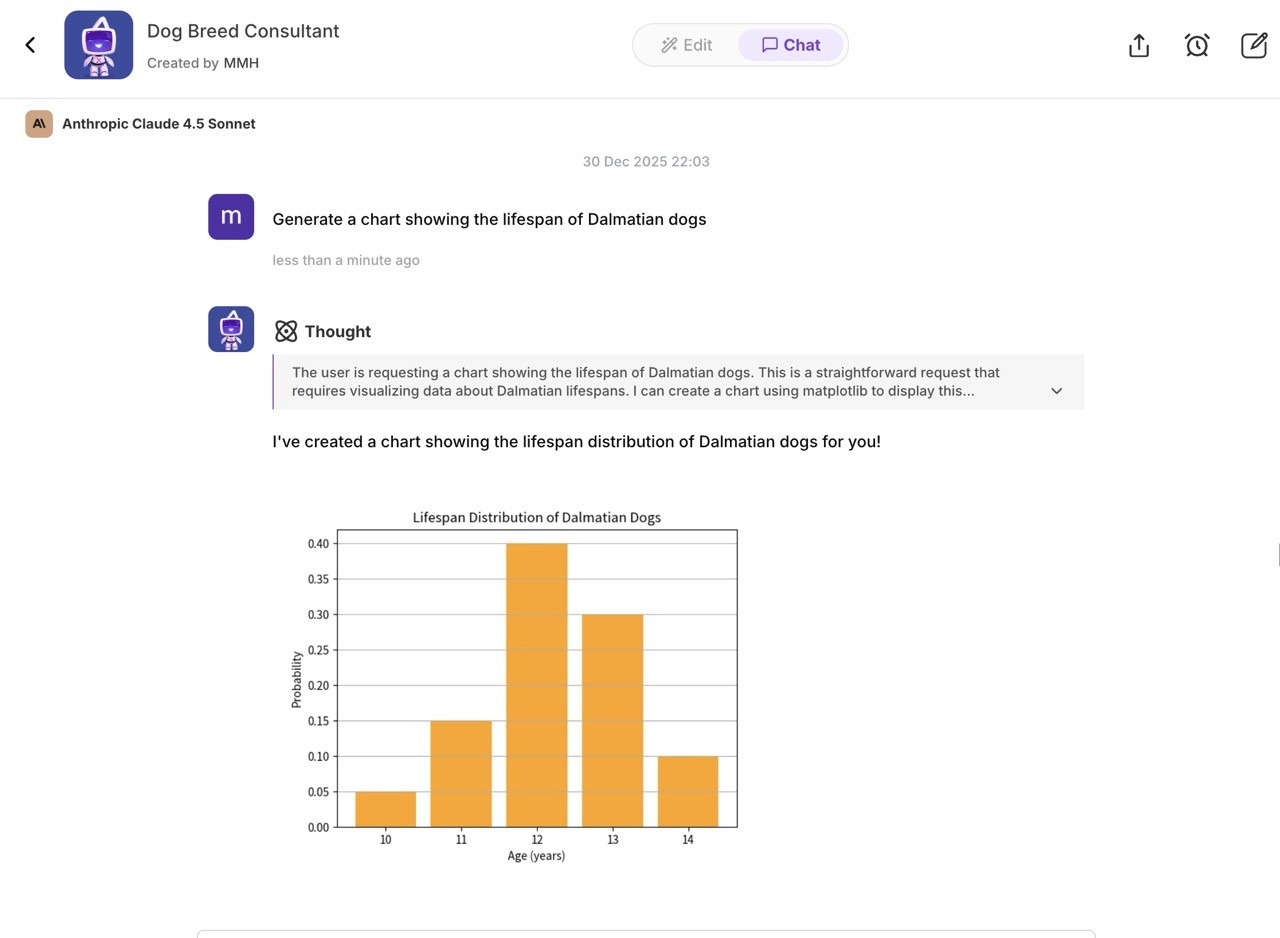
Your Agent will recognize the request, use the appropriate generator (if enabled), create the file from the conversation content, and provide a download link or attachment.
Note: You can modify your generator selections anytime by returning to the Integrations section and reconfiguring Office Generators.
Helpful links
AI Document Search and Workflow Automation - Get Answers Instantly with GPT QA - Learn how to enhance your Agent with document search capabilities
How to Build an AI Agent - Beginner's Guide - Complete guide to creating your first Agent from scratch
Set Up a Lead Generator to Collect Leads to Email (and More) - Learn how to integrate lead collection with your Agent
Pro Tip: Combine Office Generators with other integrations (like email or CRM tools) to create powerful automation workflows. For example, generate a PDF report and automatically email it to stakeholders - all from a single conversation with your Agent.
