
How to export conversation history?
Learn how to export Agent conversation history as a shareable HTML file or schedule automatic email reports for your clients and team.
Share Agent Conversation History as an HTML Report (Manual + Scheduled)
AgentX lets you export conversation history for selected Agents as a single .html document - perfect for sharing progress, support logs, or delivery updates with clients.
If you’re a maker building Agents for customers, you can also schedule these exports to be emailed automatically (e.g., weekly status reports).
Option A - Download instantly
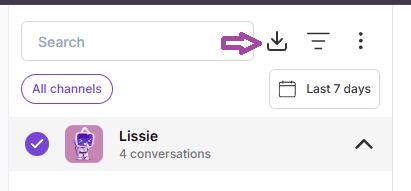
Go to Statistics → Conversations
Find the conversation(s) you want
Click Download
Select the Agents you want included in the export
Download the .html report and share it with anyone
Option B - Schedule automatic email reports
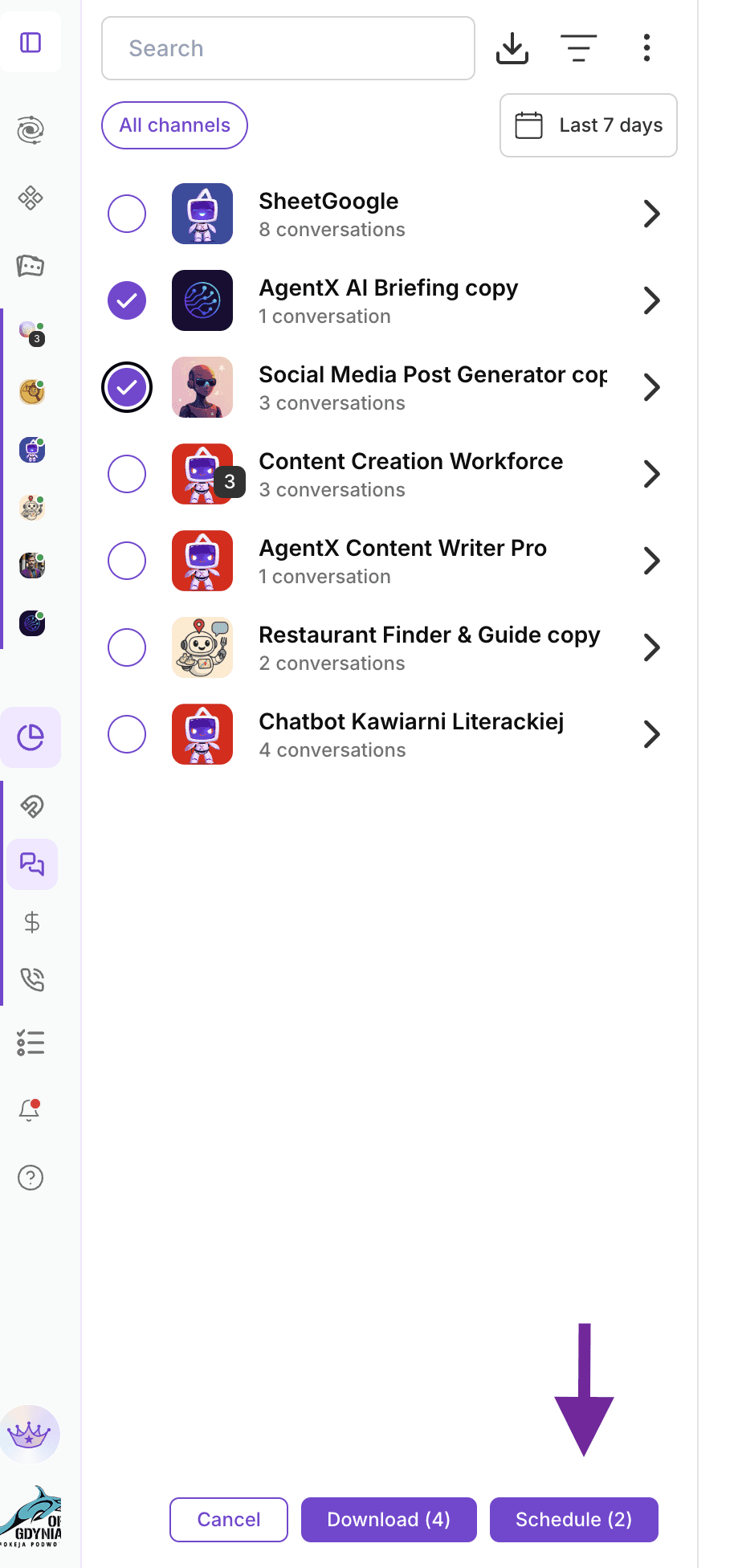
Go to Statistics → Conversations
Click Download icon
Select the Agents you want included
Click Schedule
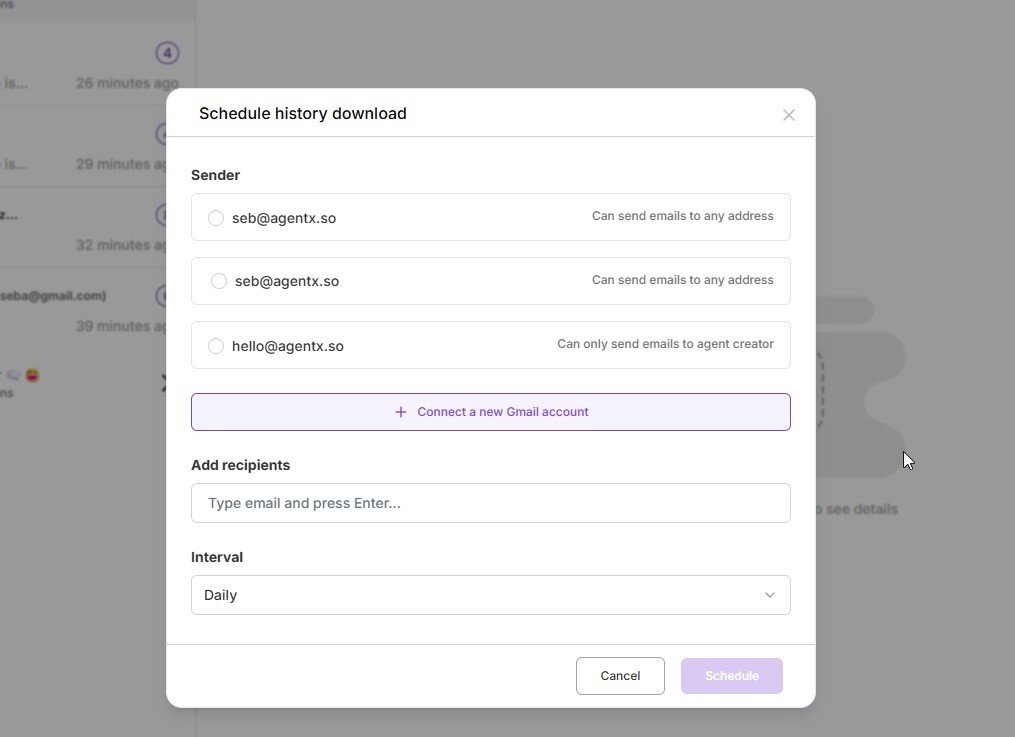
Choose the sender email address
Add recipient(s) and set the interval (e.g., daily / weekly / monthly)
Done - AgentX will send the HTML conversation history automatically 🎉
✏️ Managing Scheduled Downloads (Edit or Delete)
Once you’ve set up scheduled conversation exports, you can manage them at any time from the Scheduled downloads panel.
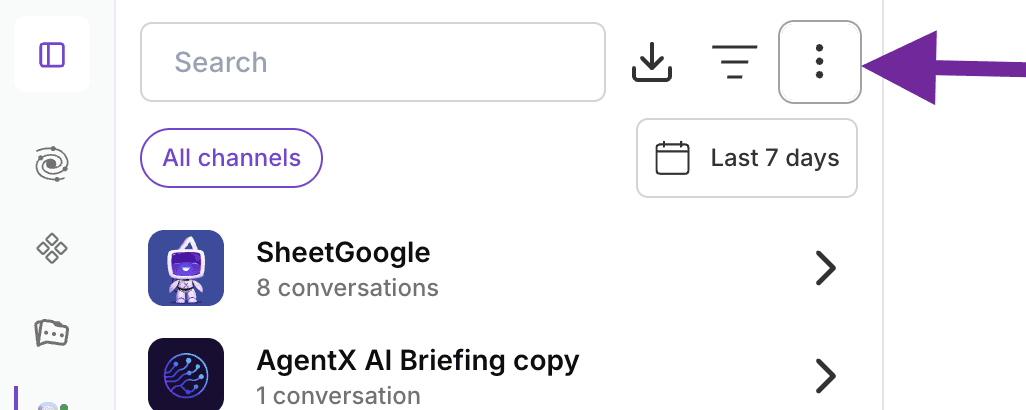
How to Edit or Remove a Scheduled Download
Go to Statistics → Conversations
Click the three-dot menu (⋮) in the top-right corner
Click the "Scheduled downloads"
Choose one of the available actions:
Edit – update recipients, sender email, or delivery frequency
Delete – permanently remove the scheduled download
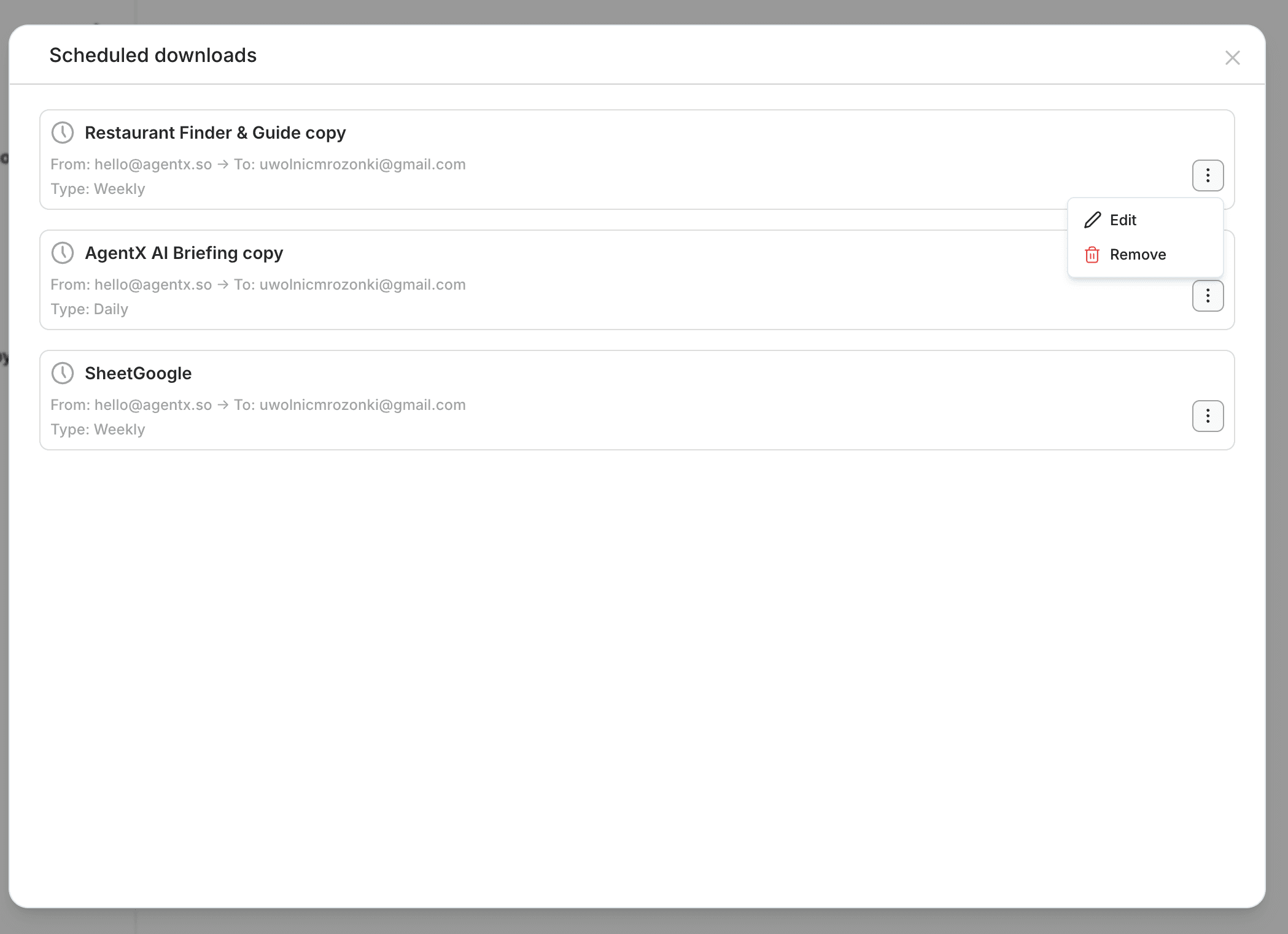
Any changes you make are applied immediately. Deleted schedules will stop sending future emails.
This gives you full control over recurring conversation exports - whether you need to adjust reporting cadence, change recipients, or clean up unused schedules.
When This Is Useful
Updating client email addresses
Switching from weekly to monthly reports
Pausing or removing outdated delivery automations
Managing multiple client-facing Agents at scale
With scheduled downloads and easy management, AgentX makes sharing conversation history effortless - both manually and automatically.
