
Workforce settings explained
Your Workforce can function as a tightly coordinated AI team - or as a fast, lightweight routing layer - depending on how you configure its settings. This guide explains every available option and helps you choose the best setup for your use case.
Workforce Settings Overview
Your Workforce can function as a tightly coordinated AI team - or as a fast, lightweight routing layer - depending on how you configure its settings. This guide explains every available option and helps you choose the best setup for your use case.
Context
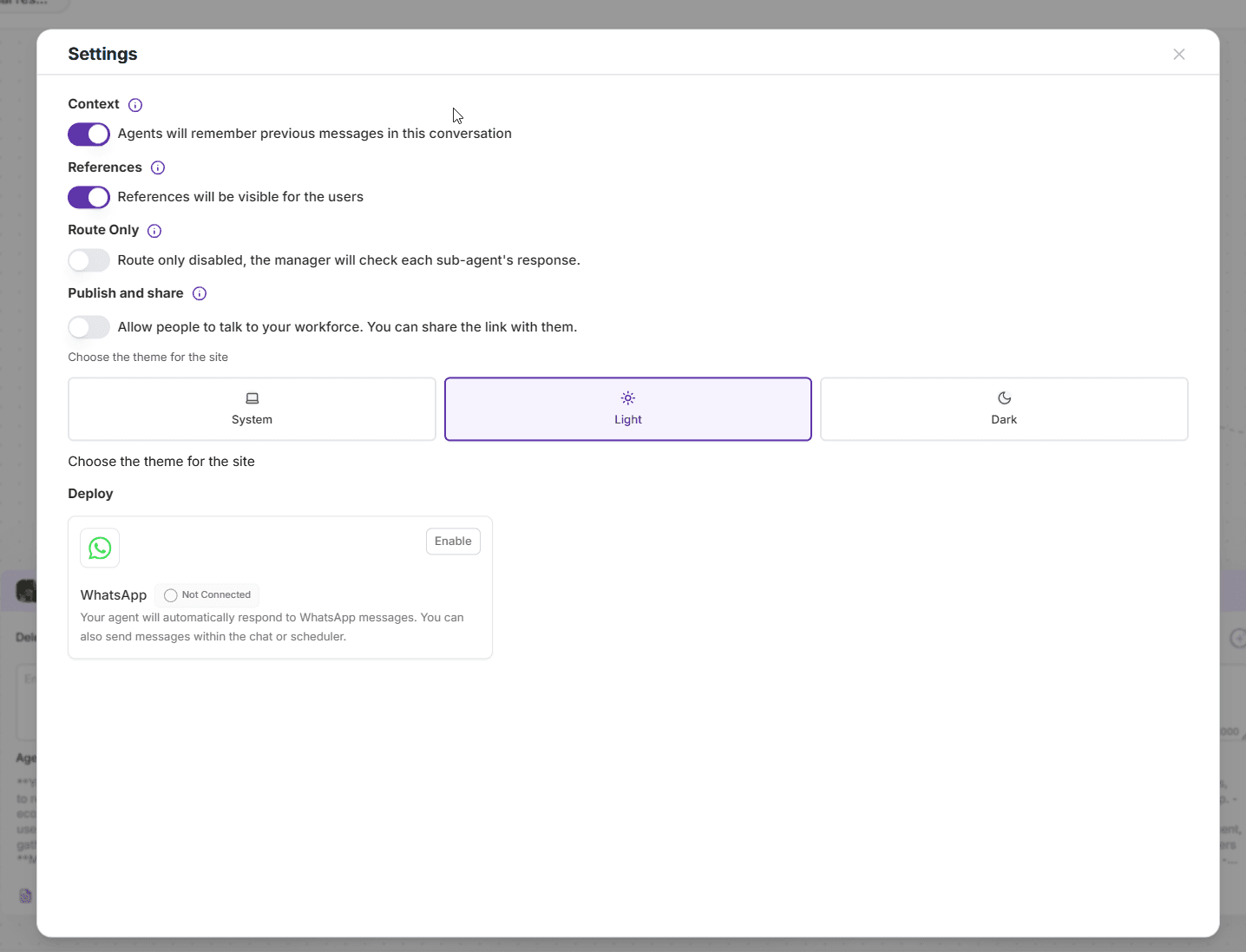
When enabled:
Your agents will remember previous messages in the conversation. This allows them to maintain continuity, understand user intent over time, and collaborate more effectively.
Recommended for:
Customer support
Multi-step workflows
Conversations where context builds over time
References
When enabled:
Your Workforce can access and use references (documents, URLs, uploaded knowledge sources) to provide more accurate answers.
Recommended for:
Knowledge bases
Procedural workflows
Research, analysis, and compliance tasks
Route Only
This setting controls how deeply your agents collaborate internally before responding to the user.
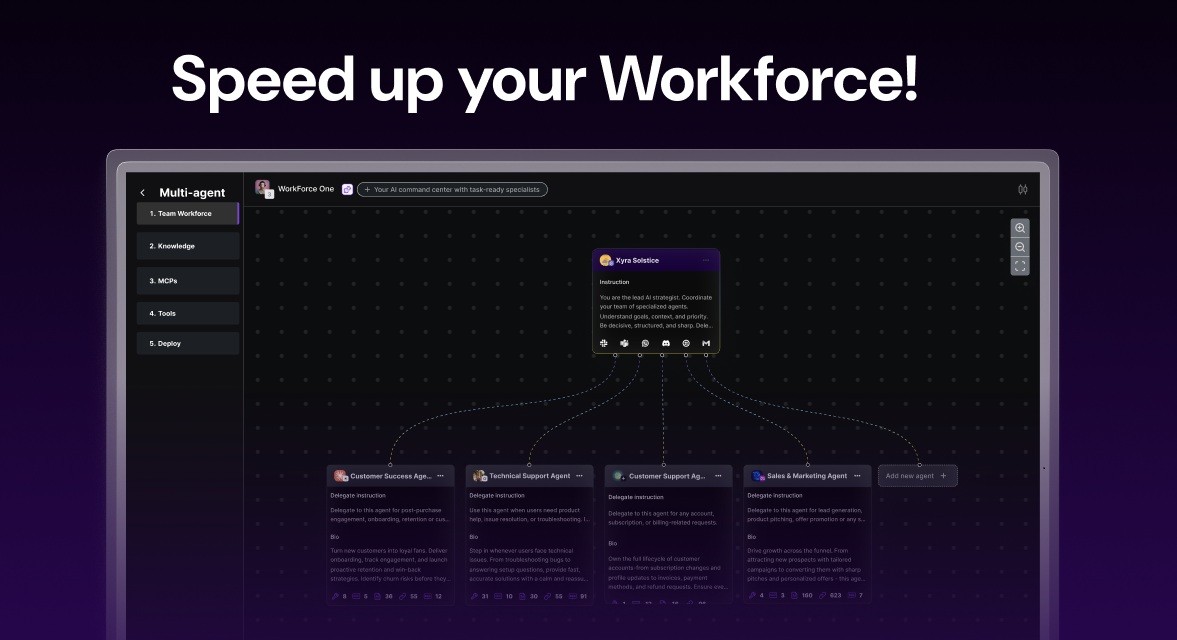
When Route Only is ON

The Manager acts purely as a router - no internal discussions between agents.
How it works:
User asks a question
Manager instantly picks the most relevant agent
The chosen agent answers directly
Responses can be up to 5× faster
Best for:
Fast, direct answers
Teams with clearly defined agent roles
Real-time chat experiences
Example:
A user writes:
“Translate this sentence to French.”
The Manager immediately routes the request to the Language Agent, which replies instantly - no multi-agent reasoning required.
When Route Only is OFF

The Manager becomes an orchestrator and decision-maker, allowing deeper collaboration:
Delegates tasks to multiple agents
Agents can communicate with each other
The Manager gathers insights
Produces a unified, high-quality final answer
Best for:
Research
Complex problem-solving
Analytical tasks requiring multiple perspectives
Example:
A user asks:
“Prepare a competitive analysis of the AI healthcare market.”
The Research Agent gathers data, the Analyst Agent interprets it, the Writing Agent structures the final summary, and the Manager delivers the complete answer.
Publish & Share
Enable this option to allow external users to interact with your Workforce.
Share a public link
Create a custom URL for your team
Great for demos, onboarding, and client-facing assistants
Theme
Choose how your embedded agent or public Workforce page appears:
System - follows the user’s device
Light - clean and bright
Dark - sleek, modern
This affects only the UI theme, not functionality.
WhatsApp Deployment
You can connect your Workforce to WhatsApp so it automatically responds to messages from your WhatsApp number.
Once connected, your agents respond in real time - perfect for support, onboarding flows, or automated customer conversations.
A full WhatsApp integration tutorial is provided separately.
