
Sending Emails with AgentX
Learn how to enable your AgentX agents to send automated emails- from personal reminders to business follow-ups and executive briefings - directly to any inbox.”
One of the most powerful features in AgentX is the ability to let your agents send emails directly on request. Whether you want quick reminders delivered to yourself or professional messages sent to external contacts, you can set it up in just a few steps.
What can your agent do?
Send emails to yourself (perfect for personal reminders or briefings).
Send emails to any external address once you connect your Google account (Gmail or Google Workspace).
⚙️ How to Enable Email Sending
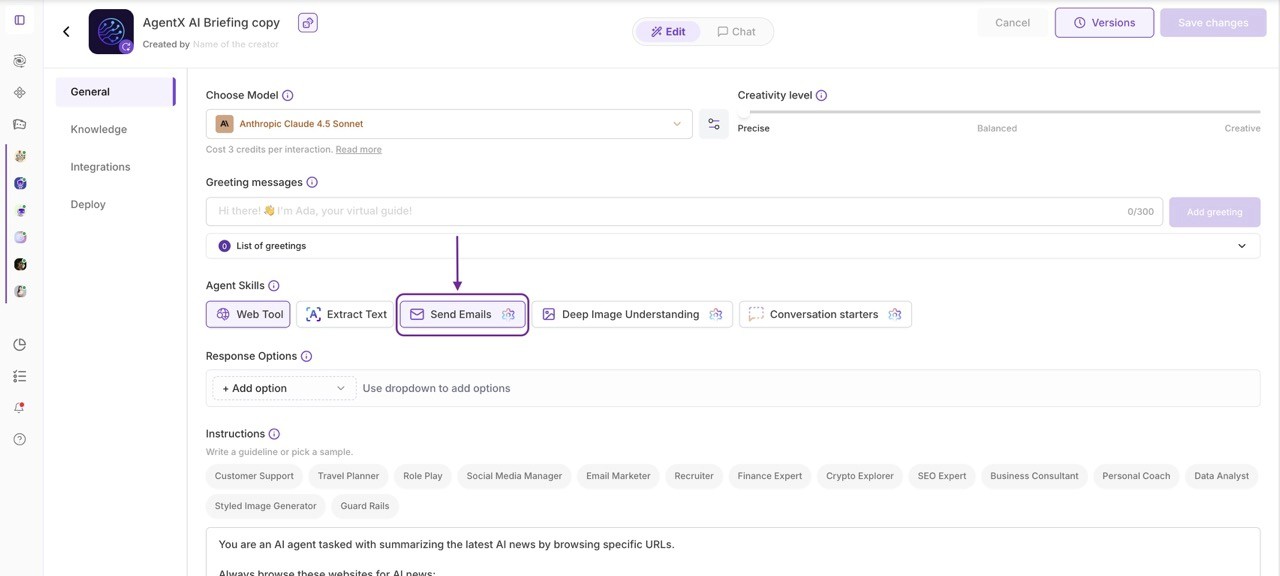
1️⃣ Open Agent Settings
Go to your Agent → General tab.
Scroll down to Agent Skills → click Send Emails to enable it → click Send Emails again to configure the settings.
2️⃣ Choose How Your Agent Sends Emails
When you add the Send Emails skill, you’ll see two options:
Option | Description |
|---|---|
AgentX Email from [email protected] | Default system address. Your agent will only send emails to the creator’s account |
E-mail from your connected account like [email protected] | Uses your Gmail account, allowing the agent to send messages to any external address. |
💡 Note: You can’t delete the default AgentX address - but you can switch to your Gmail or connect a new one anytime.
3️⃣ Connect a New Gmail Account
If you want sending e-mails to other people's addresses, and haven’t connected Gmail yet:
Click “+ Connect a new Gmail account” under Send Emails.
Sign in with your Gmail or Google Workspace account.
Once connected, select it from the dropdown.
🪄 Now your agent can send emails to anyone - just use a command like:
“Email me today’s summary to [email protected].”
⚠️ Common Issues & Fixes
Problem | Cause | Fix |
|---|---|---|
Emails always go to your address | You’re still using AgentX Email (default) | Switch to your connected Gmail account |
“Thought” shows the correct address, but message arrives elsewhere | Default AgentX mode overrides external sends | Connect Gmail - then re-select it |
You want to remove [email protected] | This address is system-default | It can’t be deleted - but doesn’t need to be used |
✅ Quick Summary
Task | Default Mode | Gmail Mode |
|---|---|---|
Sends to agent creator only | ✅ | ❌ |
Sends to any address | ❌ | ✅ |
Requires Google sign-in | ❌ | ✅ |
Can be deleted | ❌ | ❌ |
Testing your setup
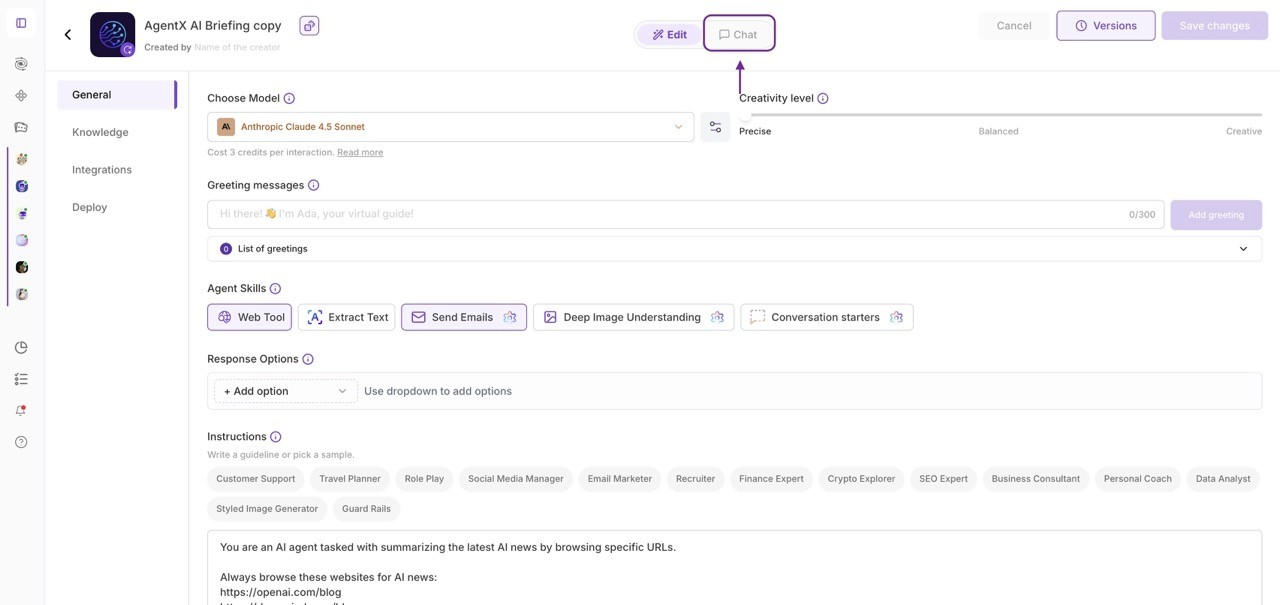
Let’s walk through a simple example. Imagine you’ve just hired the “AgentX AI Briefing” agent - a helper that can send you a curated summary of the latest AI news at whatever frequency you choose.
After hiring the agent, go to Edit. The email-sending skill will already be connected to your account.
Open the Chat View and type:
run.Within seconds, your inbox will receive your very first email briefing-automatically prepared and sent by your agent.
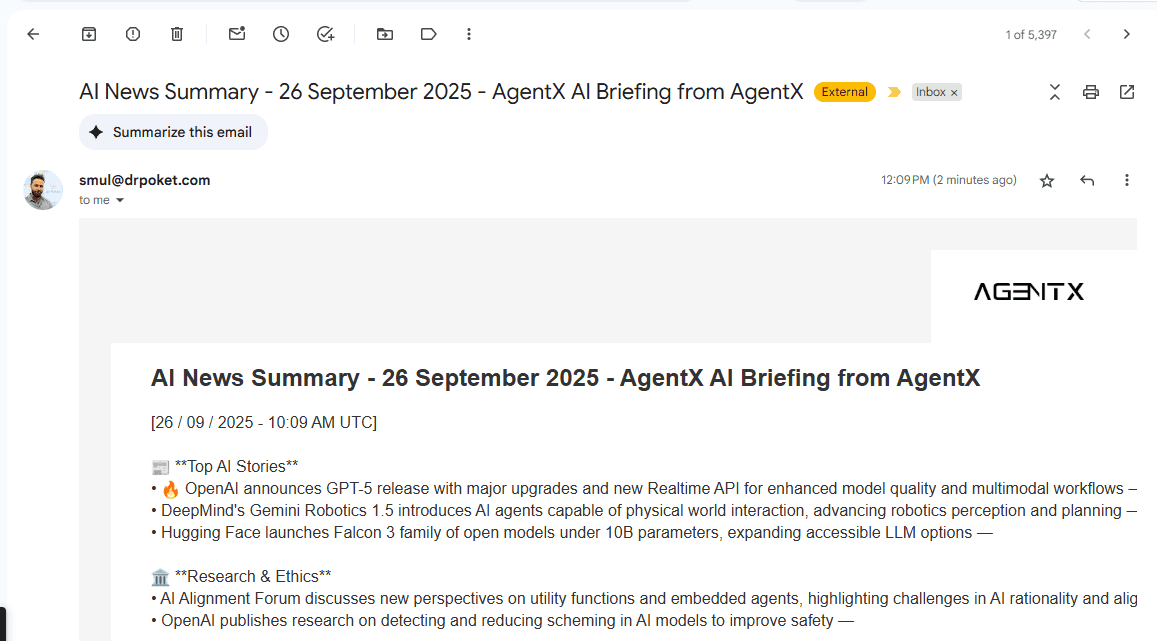
Going further: Automate it
Instead of running the agent manually each time, you can fully automate email delivery. This way, your agent becomes a hands-off assistant that drops daily, weekly, or custom-timed updates straight into your inbox.
Other Business Use Cases for Email-Sending Agents
Once your agent can send emails, the possibilities go far beyond personal reminders. Here are some practical business scenarios where this feature shines:
Sales Follow-ups - Your sales agent can automatically send polite, personalized follow-up emails to leads after a call or meeting.
Customer Support Summaries - After a chat, the agent can send a transcript or summary of the conversation directly to the customer’s inbox.
Internal Team Notifications - Agents can email your team when certain triggers happen (e.g., a new lead arrives, an important ticket is created, or a project status changes).
Marketing Updates - Automatically send weekly product updates, promotional offers, or event invitations to segmented customer lists.
Executive Briefings - Create agents that generate daily or weekly reports (e.g., market trends, KPIs, or AI news) and deliver them straight to leadership.
Meeting Prep & Recaps - An agent can email agendas before a meeting and send a recap with action points afterward.
