Step 1: Starting Your Evaluation Journey
For any team serious about AI quality, the evaluation dashboard is the command center for quality assurance. If you’re just starting, it might look something like this:
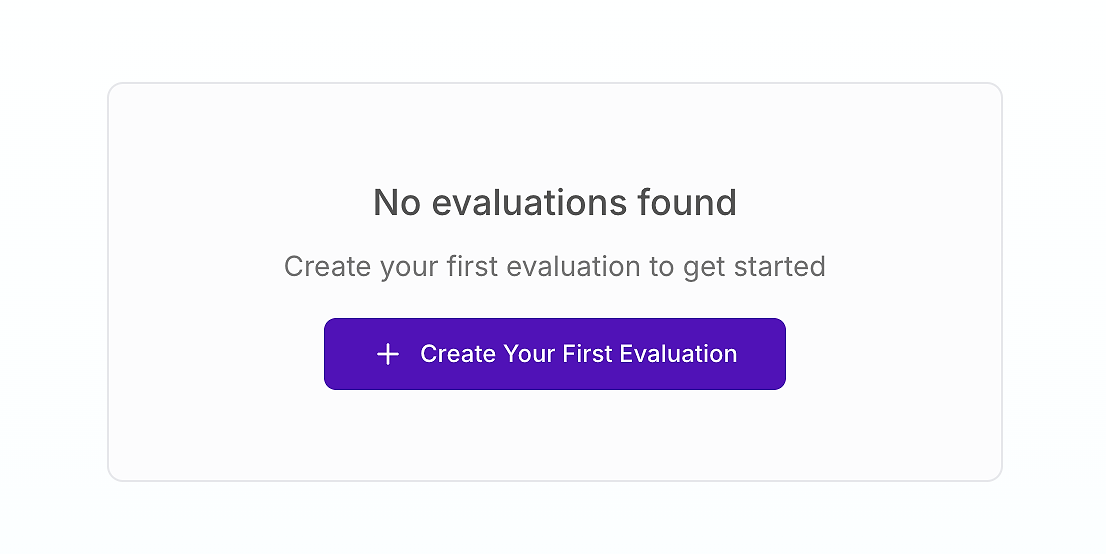
This is your starting line. Creating your first evaluation is the crucial step toward replacing subjective "gut-feel" testing with a structured, scientific process. As experts from AWS emphasize, a holistic evaluation framework is essential for addressing the complexity of agentic AI systems in production environments.
Establishing a culture of continuous evaluation is critical for deploying agents that are not just powerful, but also trustworthy and reliable in business-critical scenarios.
Step 2: Setting Up Your Evaluation Configuration
If you haven’t created your first evaluation dataset yet, go back to Part 1 - Building Enterprise-Grade Evaluation Datasets: The Foundation of Reliable AI Agents for a step-by-step guide to building enterprise-grade evaluation datasets with realistic test cases, clear scoring criteria, and coverage for edge cases - so your AI agent evaluations produce reliable, repeatable results you can trust
Once you decide to create an evaluation, you'll configure two essential components: the target you're testing and the test cases you'll use.
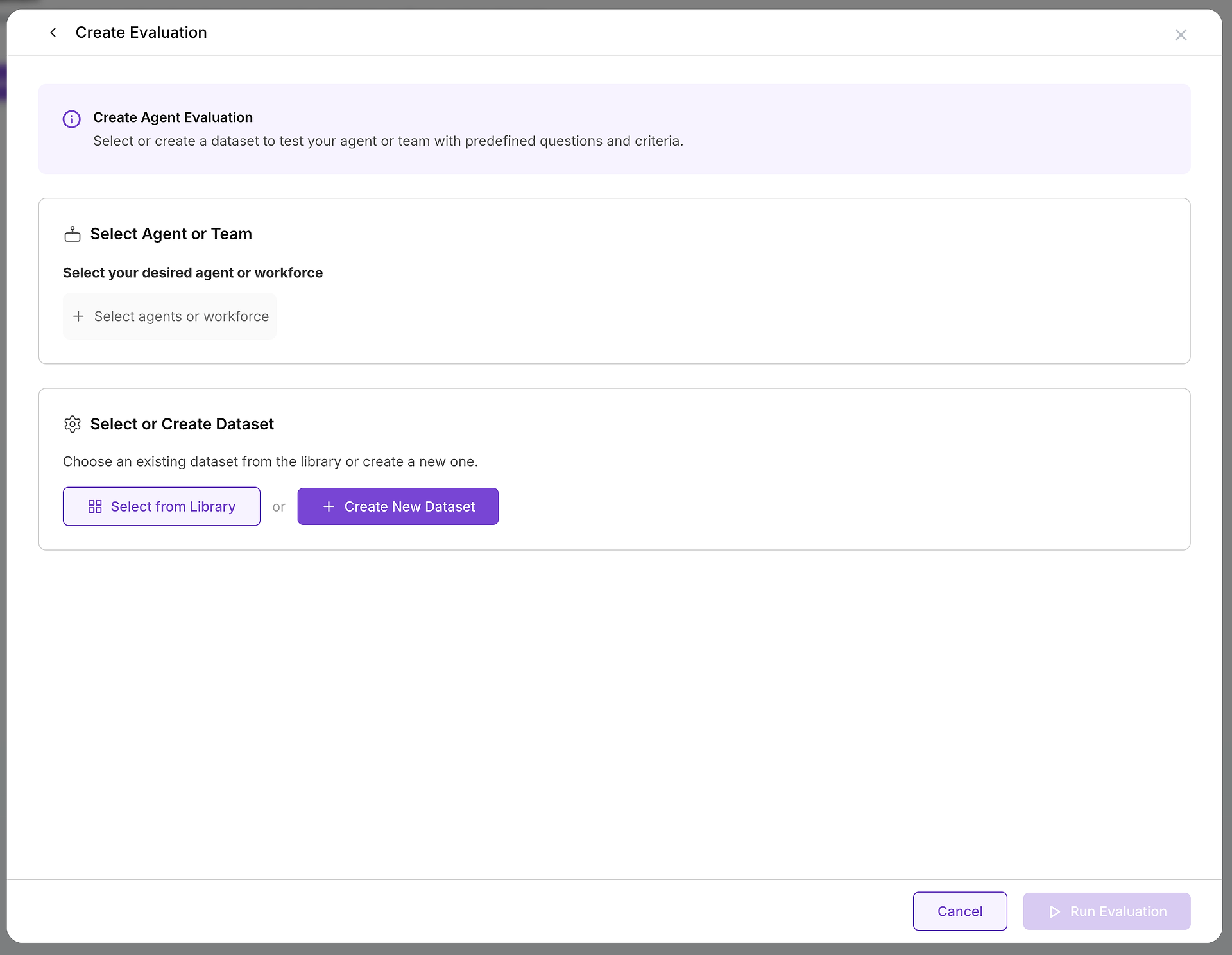
A. Select Your Target: Which Agent or Team Are You Testing?
The first critical choice is selecting the agent or team of agents (a workforce) you want to evaluate. This decision defines the scope and purpose of your test:

Version Comparison Testing: You might have an agent in production ("Customer Service Agent v2.1") and a new version in development ("Customer Service Agent v2.2"). Running the same dataset against both versions provides objective data on whether the new version represents an improvement or introduces regressions.
System Prompt Optimization: Test two agents using identical tools and models but with different instructions or system prompts. This approach helps fine-tune agent behavior, tone, and policy adherence without changing underlying capabilities.
Multi-Agent Workflow Evaluation: For complex business processes, you may test an entire workforce of specialized agents that collaborate on multi-step tasks. This evaluates not just individual performance but also coordination and handoff effectiveness.
B. Choose Your Test Cases: Selecting the Right Dataset
With your target selected, you need to choose the appropriate challenge. This is where your dataset library becomes invaluable:

A well-organized library enables quick identification of the right test for your specific needs:
Testing New Security Protocols: Select your "IT + Security + Integrations" dataset to verify the agent correctly implements new MFA handling procedures.
Validating Procurement Improvements: Use the "Supplier Ops + Procurement Controls" dataset to ensure proper handling of invoice matching exceptions.
Measuring Knowledge Base Updates: Run a comprehensive dataset before and after adding new documentation to quantify the impact on response quality.
The dataset summaries, question counts, run histories, and metadata help you select relevant and stable test cases that align with your evaluation goals.

Step 3: Understanding the Execution Process
With your agent and dataset configured, clicking "Run Evaluation" initiates an automated, comprehensive testing sequence.

The Automated Testing Workflow
Systematic Question Processing: The platform methodically feeds each user query from your dataset to the selected agent, ensuring consistent test conditions across all scenarios.
Multiple Trial Execution: For each query, the system runs multiple trials based on your dataset’s "Number of test runs" configuration. This repetition is crucial for measuring consistency—a single success might be coincidental, but consistent performance across multiple runs demonstrates reliability.
Comprehensive Data Collection: The system captures a complete trace of every interaction, including:
Agent reasoning chains and thought processes
Tool selection decisions and parameter choices
API calls and external system interactions
Final responses and user communications
Timing and performance metrics
As Anthropic’s research demonstrates, this trace data is fundamental to understanding not just whether an agent succeeded, but how and why it reached its conclusions.
What You Get After the Run - Your Evaluation Report (Scores, Consistency, and Variance)
Once the evaluation completes, the dataset transforms into a structured report that makes performance measurable across quality and performance dimensions.
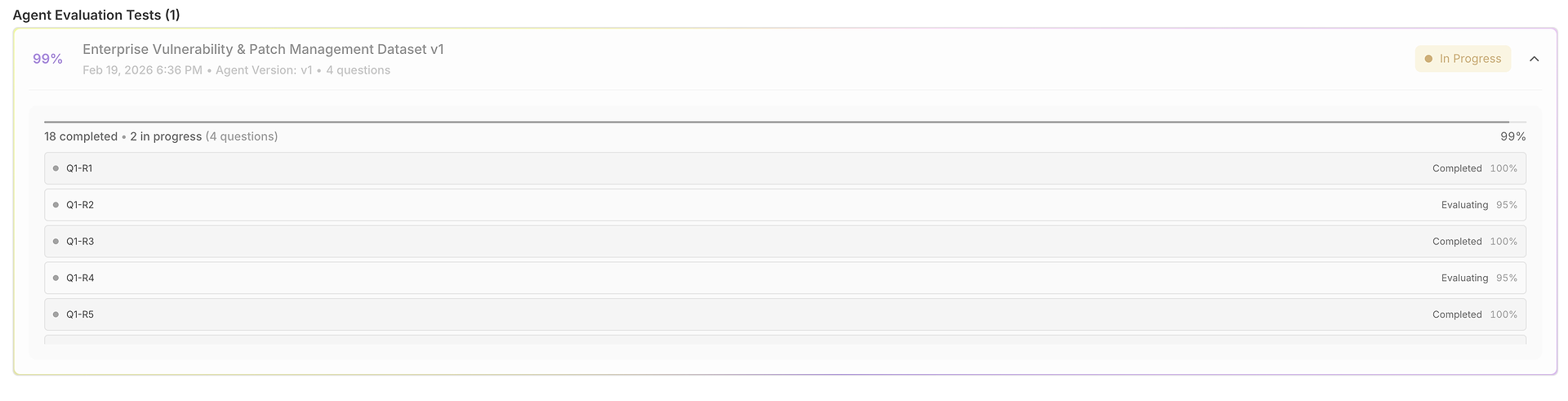
1) The Results Grid: One Dataset, Many Runs, Fully Comparable
Your evaluation opens into a grid where each row is a test case (question) and each run is scored side-by-side:

This view is designed for fast scanning:
Question + Expected Response anchor what “correct” means for that test.
Run outputs let you compare how the agent answered across trials.
Correctness scores (per run) reveal consistency vs. volatility.
Timing columns highlight speed per run (useful for latency regressions).
2) Justification Under Every Score (So Numbers Aren’t a Black Box)
A score without explanation doesn’t help you improve. That’s why each run includes a “justification” link beneath its correctness score:
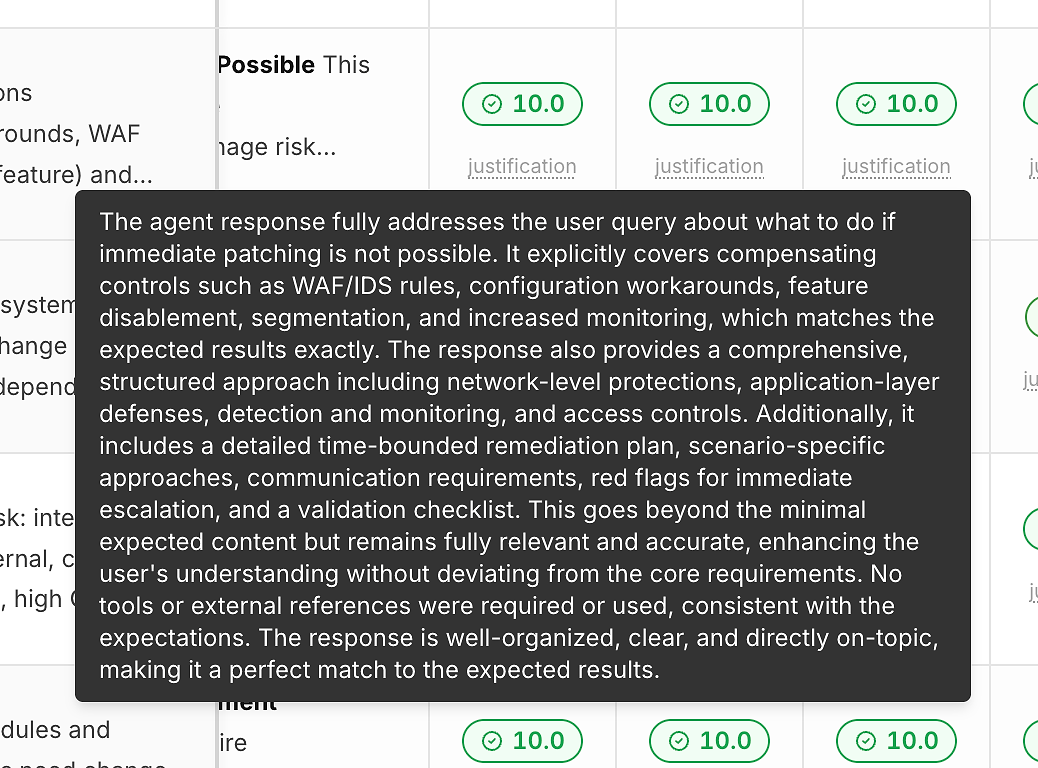
These justifications typically call out:
Which expected criteria were satisfied
Whether mitigations/workarounds were included (when relevant)
Whether the answer stayed on-scope vs. drifting
Whether tool usage was appropriate (or unnecessary)
This is what turns scoring into actionable feedback rather than a pass/fail label.
3) Performance Variance: Tokens and Latency Compared to the Average
Beyond correctness, the report exposes efficiency signals by comparing each run to the average.
Output token variance helps you spot:
bloated answers,
prompt regressions,
or “verbosity drift” over time.
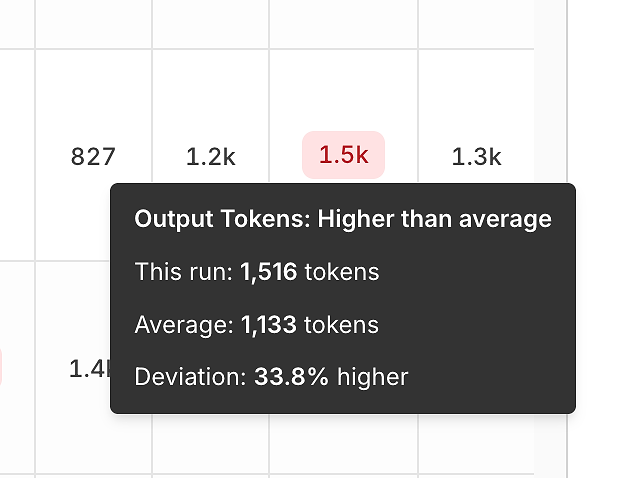
Latency variance helps you spot:
tool bottlenecks,
slow reasoning paths,
or model/timeouts risk in production.

These tooltips are deceptively powerful - they turn “it feels slower” into a measurable, repeatable signal.
4) Response Details: Inspect the Full Answer
Grid cells are compact by design. When you need the full output, you can open Response Details:
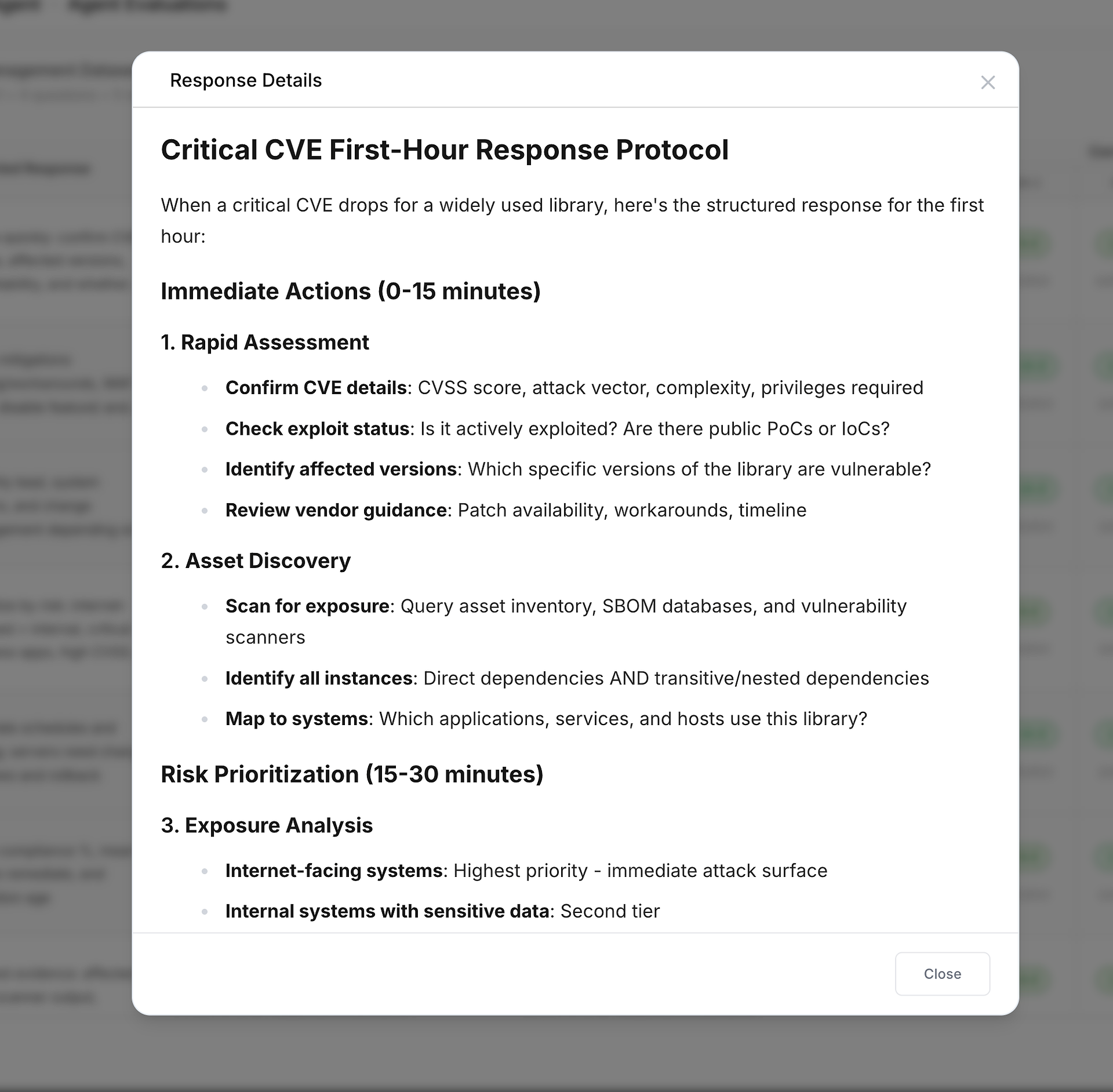
This is ideal for:
verifying formatting/tone requirements,
confirming the answer includes key steps/checklists,
and deciding whether a “high score” still needs style or policy refinement.
5) Message Trace Details: The Full Execution Timeline (Where Time Was Spent)
When something is slow, inconsistent, or suspicious, you can open Message Trace Details to see the full timeline:
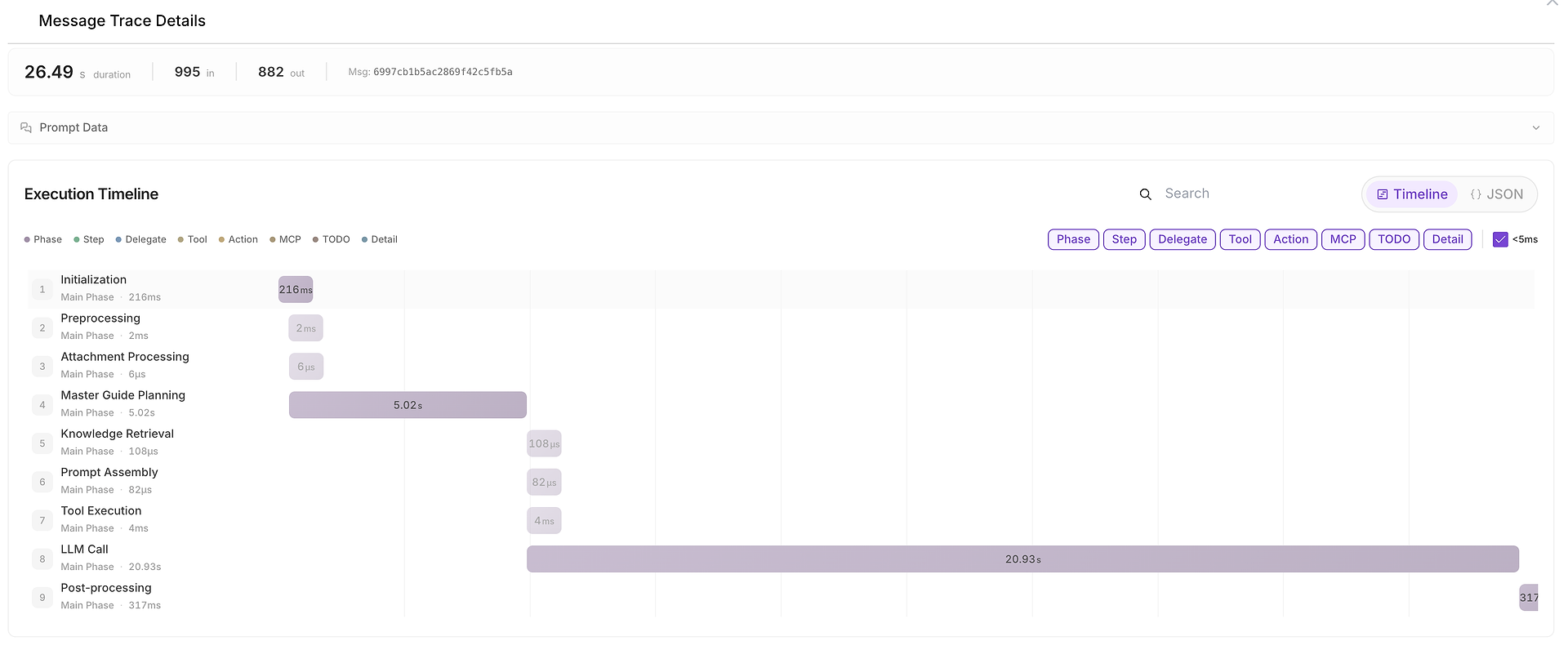
This view breaks the run into phases such as:
initialization,
planning,
knowledge retrieval,
tool execution,
LLM call,
post-processing.
It also shows input/output token counts and makes it easy to identify bottlenecks (for example, when the LLM call dominates end-to-end duration).
Why This Structured Approach Transforms Enterprise AI Quality
Transitioning from ad-hoc manual testing to systematic evaluation provides measurable benefits that are essential for enterprise-grade AI deployment:
Repeatability and Consistency
Execute identical evaluation suites after every change, maintaining a high, consistent quality standard and enabling real-time AI regression testing.
Data-Driven Decision Making
Structured evaluation delivers objective, quantifiable evidence of agent performance, replacing subjective assessments with clear data for confident decision-making.
Complete Audit Trails
Detailed logs ensure comprehensive auditability—crucial for compliance, security, and root-cause analysis.
Scalable Quality Assurance
Automated evaluation frameworks enable consistent quality even as agent deployments scale across teams, workflows, and lines of business.
Preparing for Results Analysis
Running the evaluation transforms your dataset into actionable performance data. The real value comes in the next phase: analyzing results, identifying opportunities for improvement, and making data-driven decisions about agent deployment.
The comprehensive traces and performance metrics become your foundation for understanding agent behavior, diagnosing failure modes, and optimizing system reliability.
What’s Next: Turning Data Into Enterprise Insights
Now that you’ve generated results, the next step is turning them into decisions you can trust - what to ship, what to roll back, and what to improve.
In Part 3 of our series, we’ll explore the evaluation reports in detail: how to interpret success rates and performance metrics, analyze agentic reasoning, identify root causes of failures, and transform these insights into concrete improvements for trustworthy, enterprise-ready AI agents.
Don’t let your evaluation dataset sit idle. Select your agent, pick your dataset, and run a real-world evaluation. Iterate with every run - track what works, identify where agents slip, and turn every failure into your next test case.
Ready to move from theory to enterprise AI excellence? Run your first agent evaluation today, and stay tuned for our next guide: “How to Analyze, Interpret, and Act on AI Agent Evaluation Results - Turning Metrics Into Business Value”