Who Uses Discord?
Discord has rapidly become one of the most popular communication platforms for gamers, communities, and businesses alike. Its versatile and user-friendly interface allows users to create servers, engage in voice and text chats, and share multimedia content effortlessly.
Traditional Discord Bot
Traditional Discord bots are similar to rule-based chatbots. Their functions can range from detecting and handling inappropriate content, automatic greeting, scheduled announcement, playing music, etc.
Creating a Discord bot traditionally involves writing code in programming languages like Python or JavaScript, and managing various API interactions manually. While powerful, this approach can be time-consuming and complex, especially for those who are not seasoned developers.
Unlocking Discord AI Agent with AgentX
AgentX is a platform designed to simplify the process of creating and deploying Agents powered by generative AI. Besides websites, you can now deploy our AI Agents in Discord. AgentX offers a user-friendly interface and powerful tools that enable both beginners and experienced developers to build AI Agents quickly and efficiently. With AgentX, you can focus on the functionality and creativity of your AI Agent without getting bogged down by the technical complexities.
Step-by-step Guide
Below introduces the process of deploying AI Agent into Discord. The AI Agent can be powered by a variety of world-class large language models, such as GPT-4, GPT-4o, Gemini Pro, Gemini 1.5 Pro, Anthropic Claude 3, Meta Llama 3, etc. By following these instructions, you will be able to enhance your server's capabilities and provide a more dynamic experience for your Discord audience.
Step 0:
Sign up for a free plan and build an AI Agent for yourself.
Step 1:
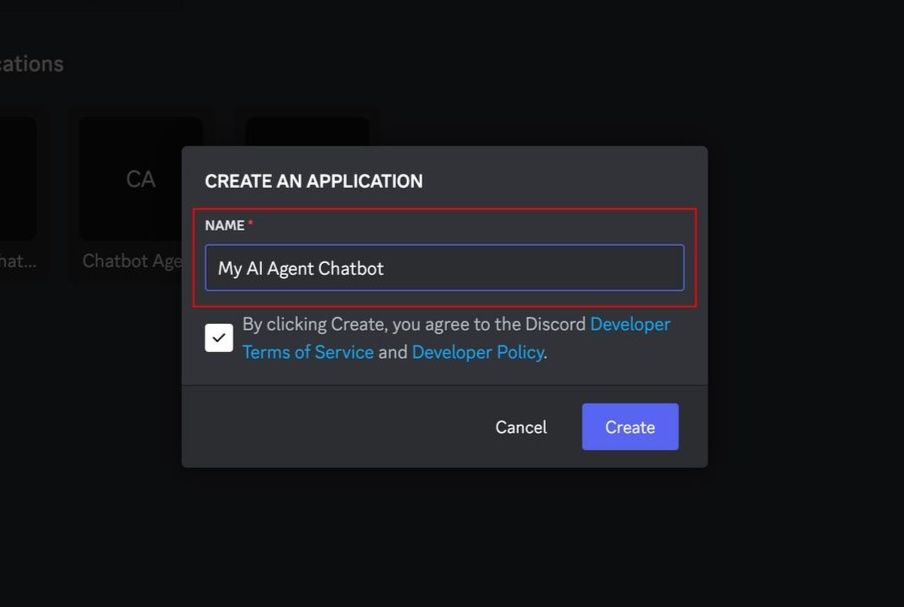
Navigate to https://discord.com/developers/applications and select “New Application.” Give your application a name and click “Create.”
Step 2:
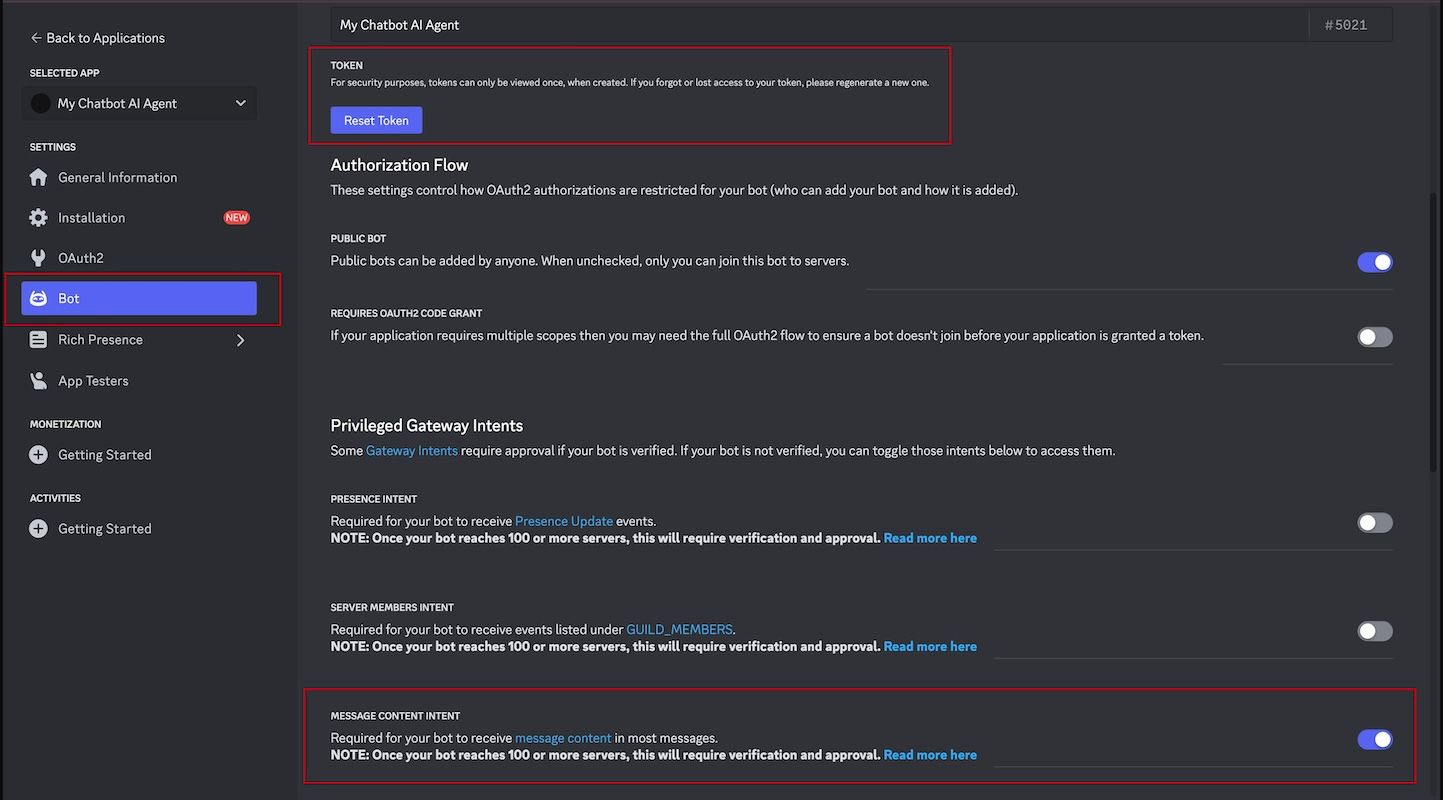
When your new Application is ready, go to the "Bot" tab.
- Enable "Message content intent" to allow receiving message content.
- ClickSave nowto save this change before proceeding.
Next, if you do not have Token, generate one by clicking "Reset Token".
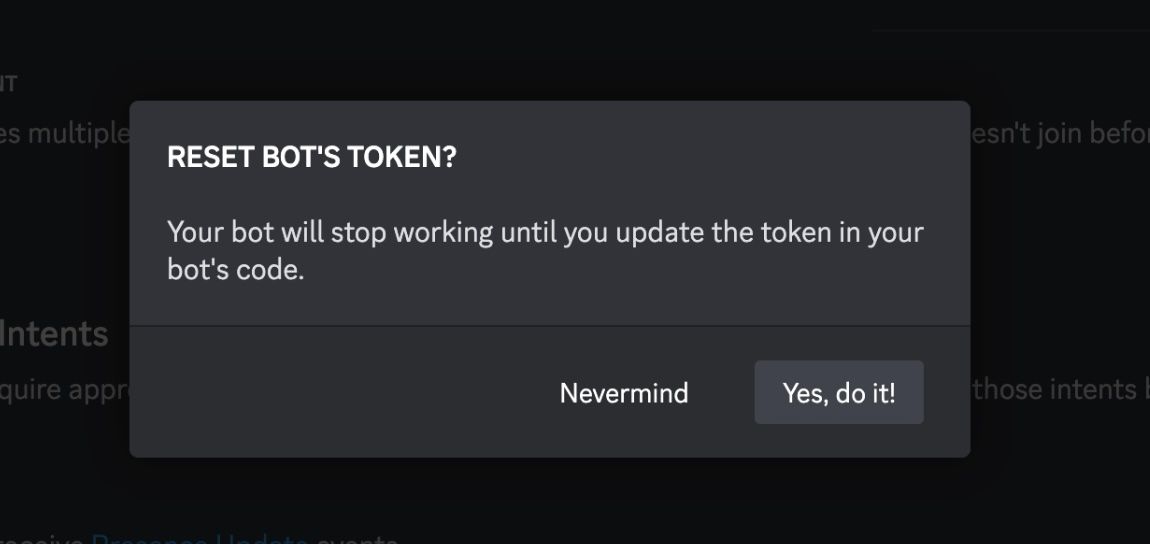
Confirm “Yes, do it!” to create a new token, and then copy the token.
Step 3:
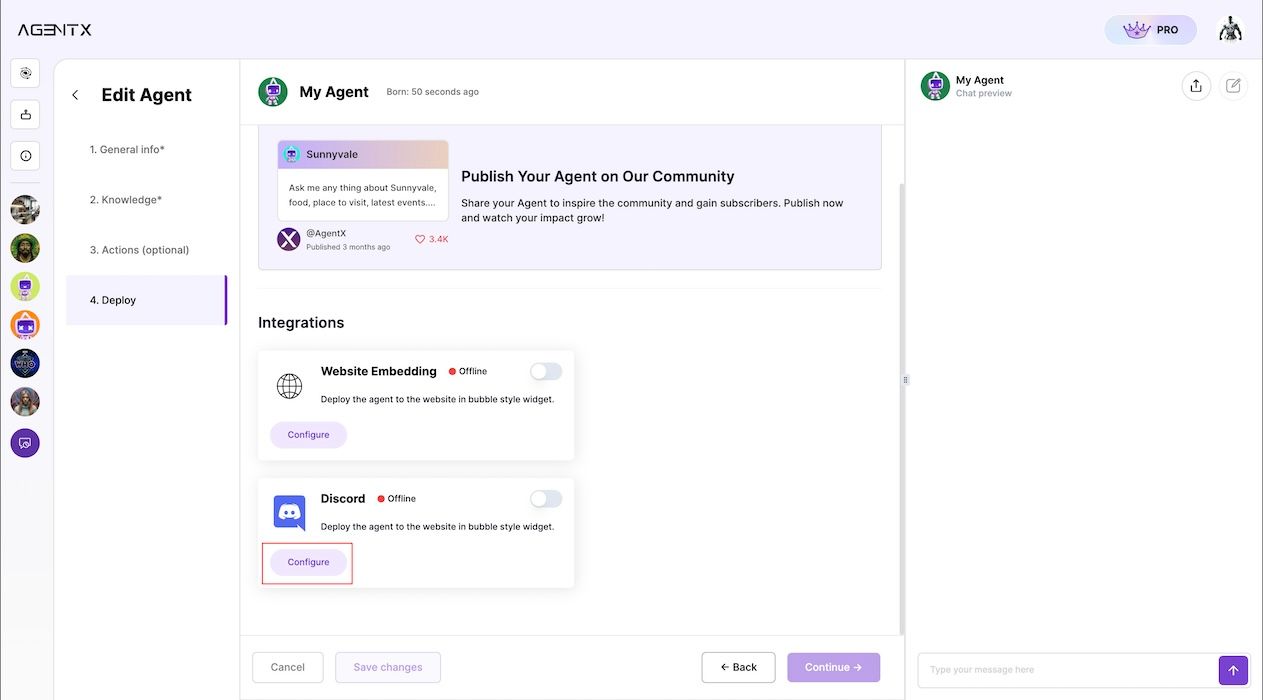
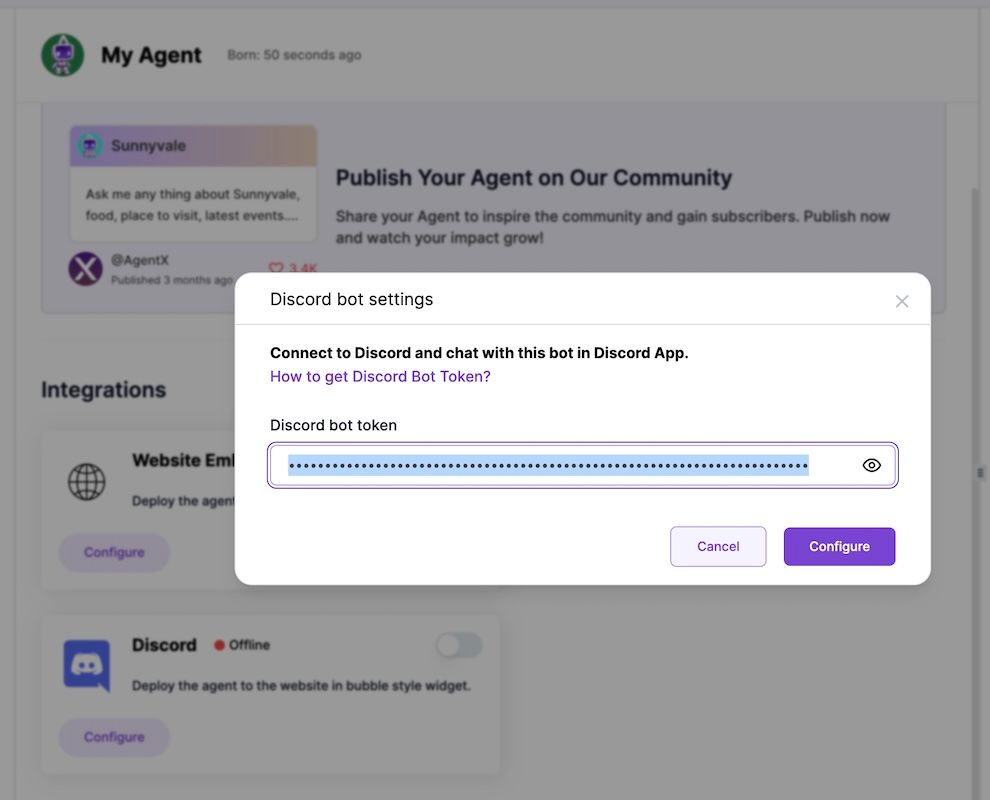
Return to your AgentX account. Under the “Deploy” tab of Agent build flow, select the "Discord" tile under “Integrations.” Click the "Configure" button, and paste the Discord token copied in Step 2.
Step 4:
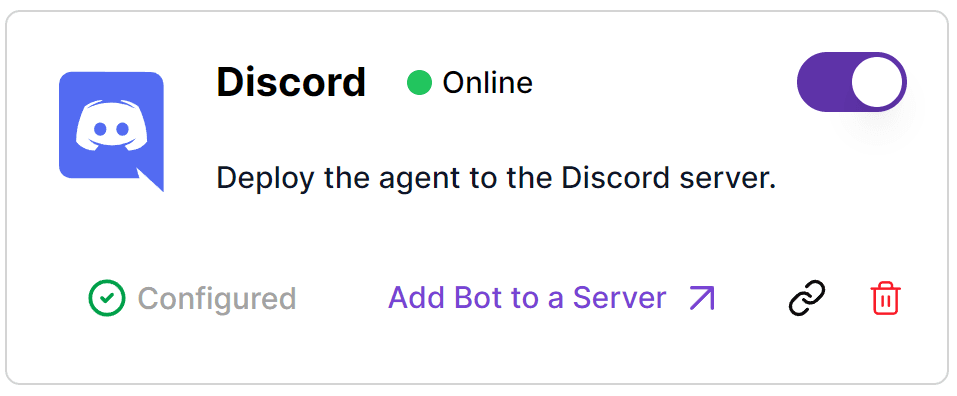
After the integration is successfully configured, you can add the Agent to your server by clicking "Add Bot to a Server".
To do so, you need to be a server admin. Learn more about creating a server here.
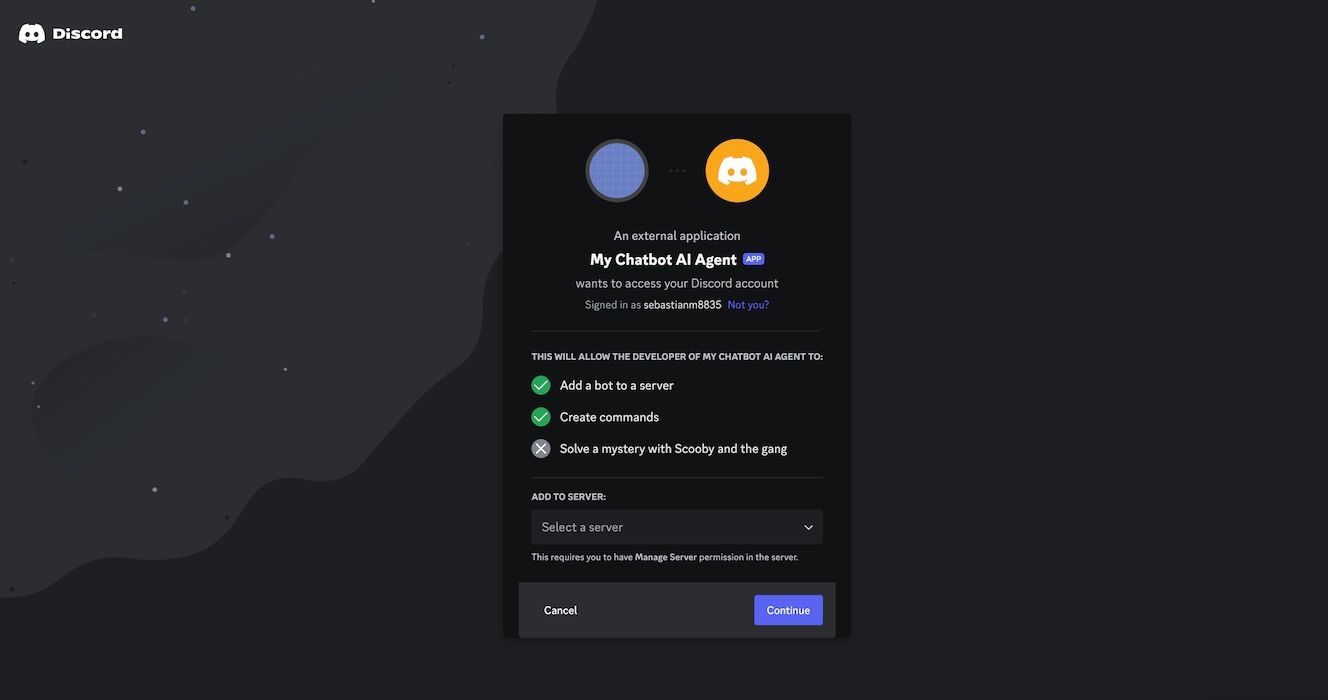
The link will redirect you to your Discord panel, where you need to choose one of your servers to place your AI Agent.
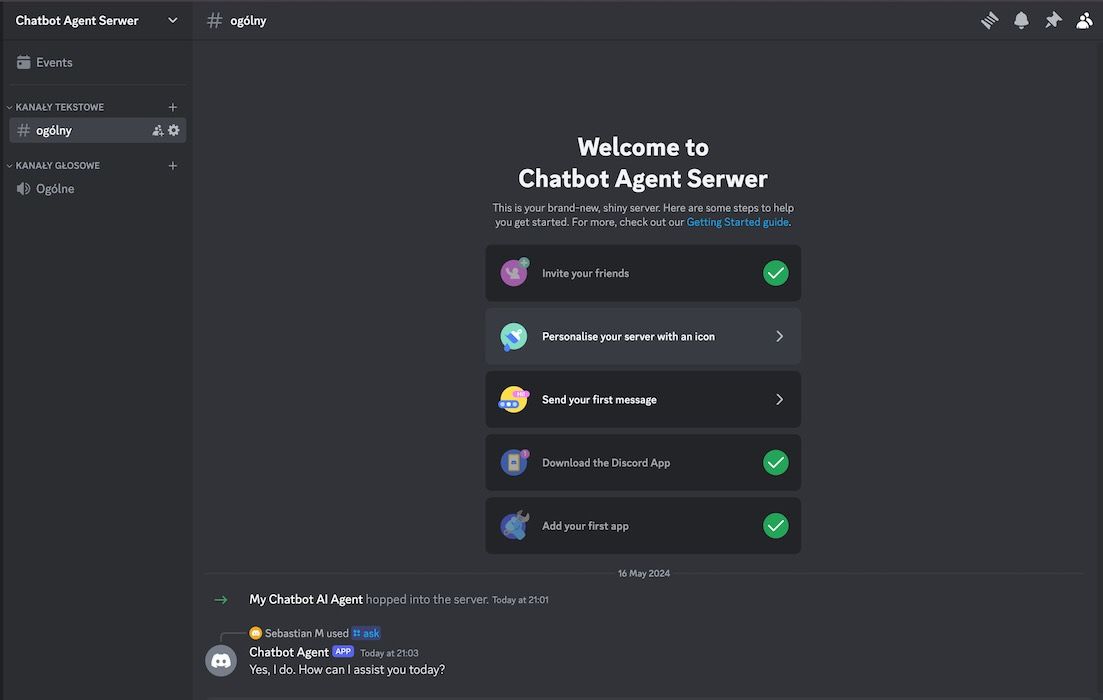
Voilà, your Discord Chatbot Agent is ready!
You can now talk to your AI Agent in group chat using the /ask function or chat directly via Direct Message!
Conclusion
Discord AI Agents have the potential to transform your server, adding automation, engagement, and functionality. With AgentX, creating a powerful and customized Discord AI Agents has never been easier. They can read and send messages, react to events, and interact with users in real-time, elevating your community engagement and streamline interactions.
Embrace the power of automation and take your Discord server to the next level with AgentX. Ready to get started? Visit AgentX and unlock the full potential of your Discord server today.