This post is about how to onboard your AI Agent to SquareSpace website. Read here if you want to learn how to build an AI Agent
Ready to publish your new AI Agent to a Square or Squarespace website? This blog provide you a step by step guide from the beginning to the end.
Goals:
- Creating an AI agent by training an AI model with your knowledge.
- Publishing the AI agent to a Square or Squarespace website, serving its audience
Step-by-step Guide:
Step 1: Log In and select agent
Log in to your AgentX account, and find the agent that you want to deploy.
(If you do not have a built agent yet, seehereto learn how to build one.)
Step 2: Deploy to website with embedding snippet
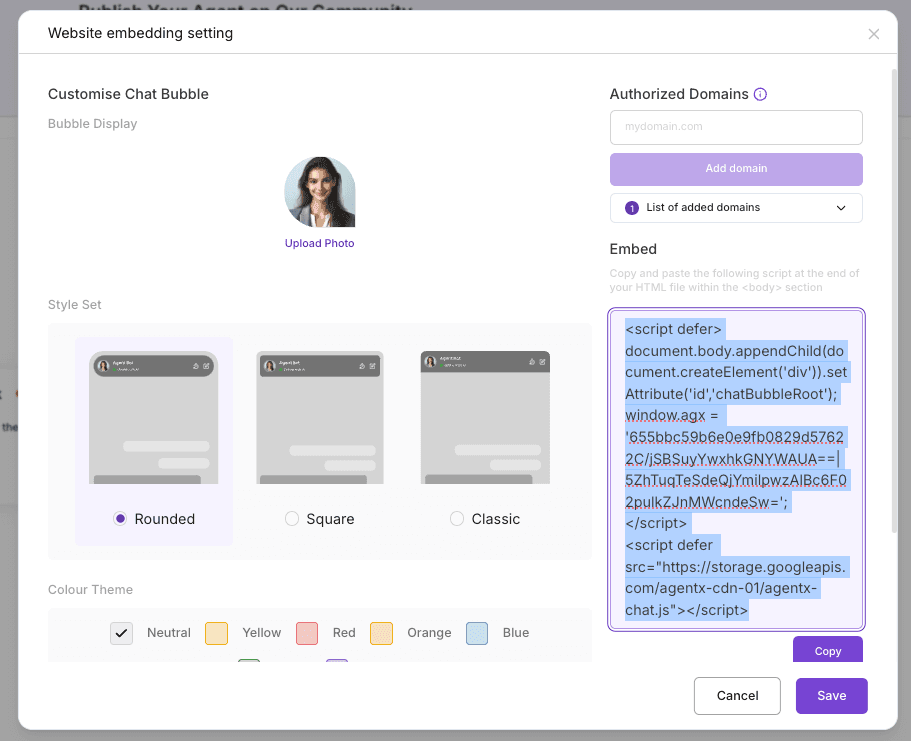
Navigate to the agent and click three dots icon and click Edit. Then select Deploy tab. You will see a Website Embeddingoption in Other Deployments section, and enable it by flip it on. After that, you will see the screen looks like below:
Step 3: Copy embedding snippet
You can click Copy button to copy the code snippet, or you can select and copy by yourself.
We are almost there!
Now go to your Square/SquareSpace account to complete the final step.
Step 4: [in Square] Paste Copied embedding snippet code
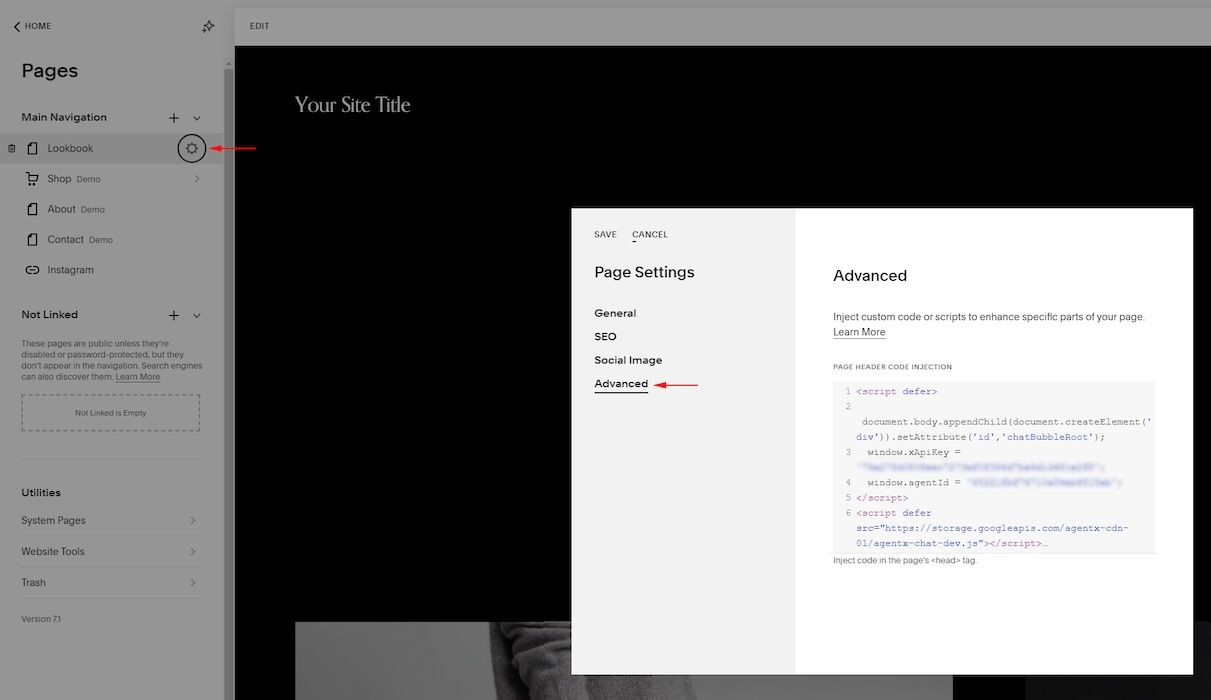
Enter page settings ⚙️, choose “Advanced” and then paste the JavaScript code.
Now, Visit Your Website to Watch Your AI Agent Chatbot in Action 😍
Creating an AI chat agent on AgentX is a straightforward process, beginning with logging into AgentX, navigating to the "Build" page, inputting agent details, and training the agent. Integrating this agent into a Square/Squarespace webpage is just as simple. This integration can significantly enhance user engagement and customer service on your website, providing benefits like 24/7 support, personalization, and valuable insights.
To experience these advantages and improve your website's interactivity, consider starting with AgentX. Ready to transform your website with AI? Create your account on AgentX and begin your journey toward a more dynamic online presence.
Running into any issues? Contact us to onboard your business!