
Text Extraction
Extract text from images, PDFs, and scanned documents using AI. Automatically recognize, structure, and process document content directly within your AgentX agent.
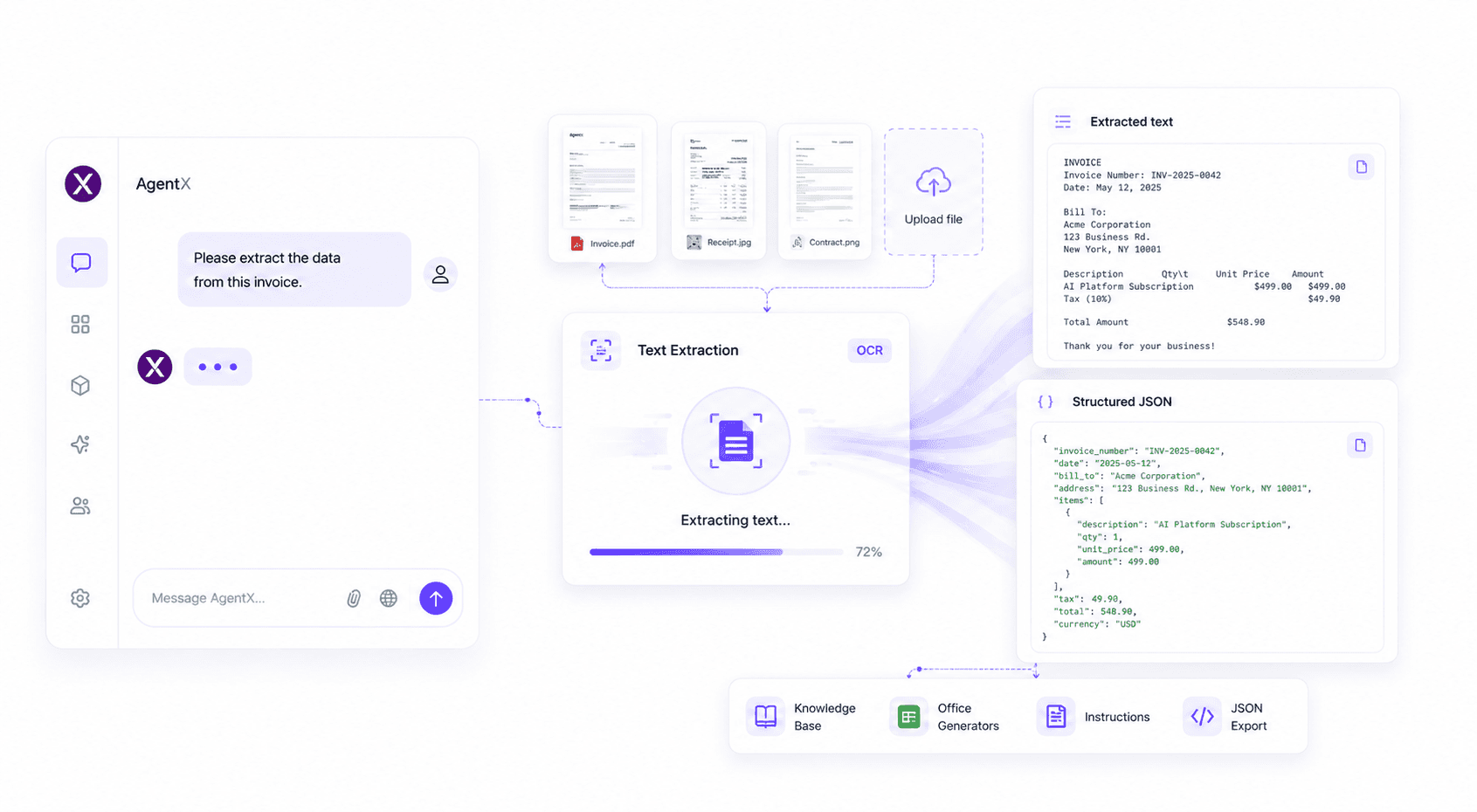
The Text Extraction tool enables your AI agent to read text from uploaded images and documents using advanced OCR technology. It's perfect for processing invoices, receipts, contracts, forms, screenshots, scanned documents, and other files that contain text.
Features
The Text Extraction tool enables your AI agent to:
Extract text from images and scanned documents
Read PDF files and uploaded documents
Recognize printed text using AI-powered OCR
Process invoices, receipts, contracts, and forms
Convert extracted content into structured formats such as JSON
Combine extracted data with your Instructions to automate document processing workflows
Use extracted information together with your Knowledge Base for richer AI responses
How to use
Text Extraction is enabled by default for all AgentX agents.
Simply upload an image or document during a conversation, and your AI agent will automatically extract the text before processing your request.
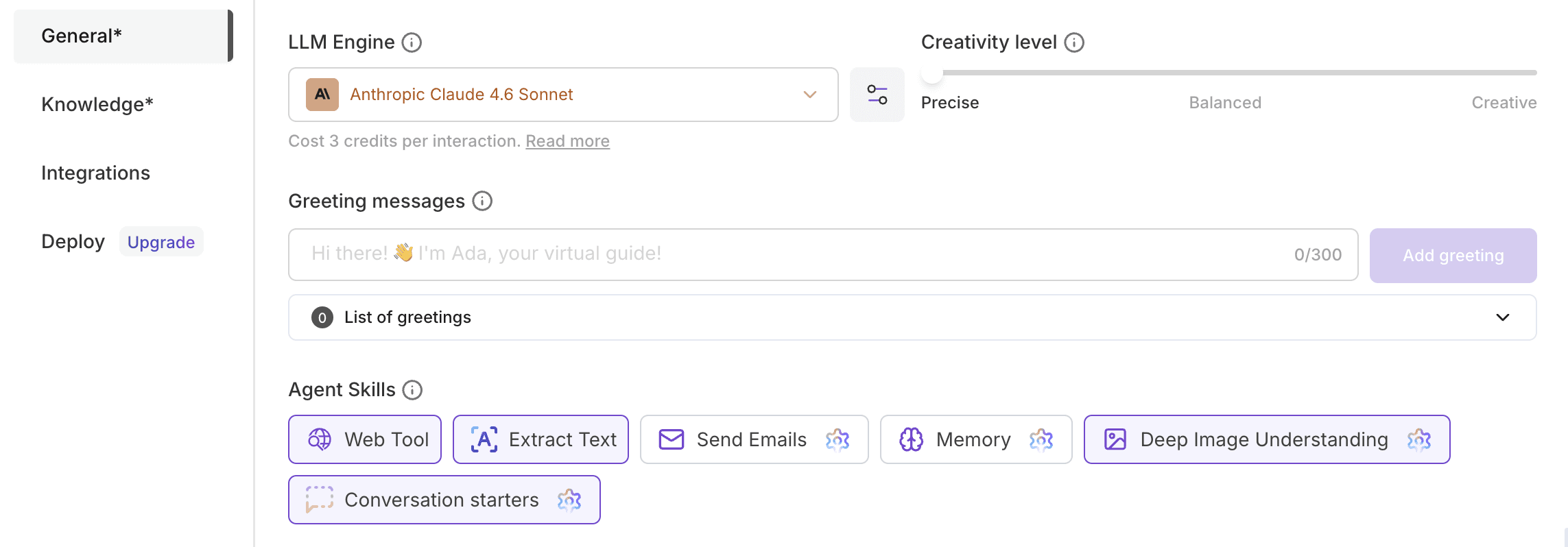
💡 Want to automate document processing? Learn how to configure your AI agent in our AI Agent Tutorial.
Limits
Included with every AgentX agent
Supports documents up to 20 MB
Contact us if you need higher upload limits
Best practices
Upload high-quality scans or images for the best OCR accuracy.
Combine Text Extraction with Instructions to automatically convert extracted information into JSON or another structured format.
Store extracted knowledge in your Knowledge Base for future conversations.
Combine with Office Generators to automatically generate reports, summaries, or spreadsheets from extracted data.
Common use cases
Text Extraction is commonly used for:
Invoice processing
Receipt digitization
Contract analysis
OCR for scanned documents
Extracting text from screenshots
Reading forms and applications
Converting PDFs into structured JSON
Automating document workflows
FAQ
Do I need to enable Text Extraction?
No. Text Extraction is available for all AgentX agents by default.
What file types are supported?
Your AI agent can extract text from images, scanned documents, screenshots, and PDF files uploaded during a conversation.
Is there a file size limit?
Yes. The default upload limit is 20 MB per file. If you require larger limits, please contact our team.
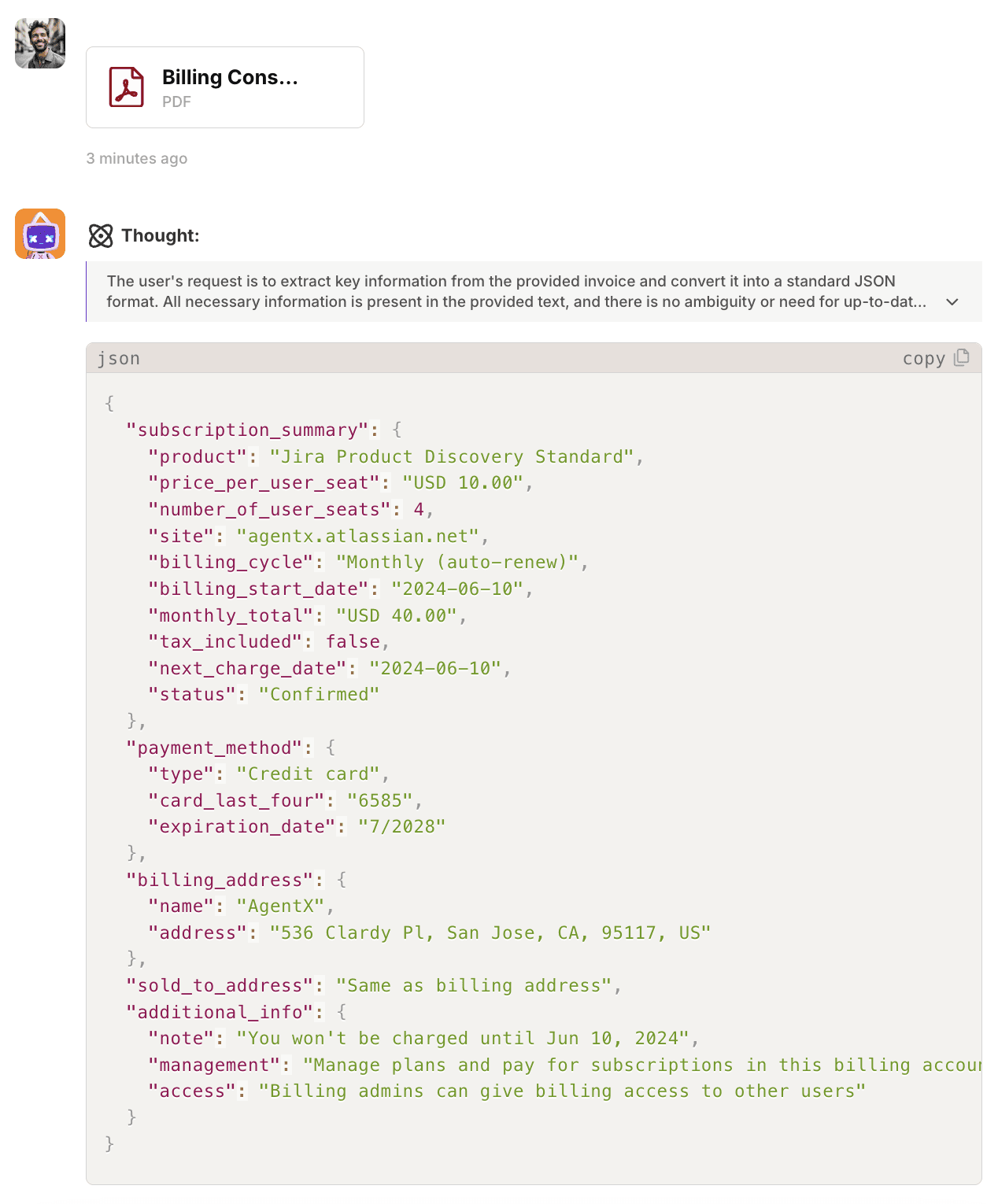
Can my AI agent return structured JSON?
Yes. By combining Text Extraction with Instructions, your agent can transform extracted text into structured JSON, CSV, Markdown, or other formats.
Can I automate document processing?
Absolutely. Many users combine Text Extraction with Office Generators, Knowledge Base, and custom workflows to build AI-powered document automation.
🚀 Ready to automate document processing?
Upload documents, extract text instantly, and let your AI agent turn unstructured files into actionable data.