🚀 Introducing Flux 2 PRO
Flux 2 PRO isn’t just an upgrade - it’s built for people who need beautiful, repeatable, production-ready visuals without wrestling with complicated settings. Whether you create ads, product photos, portraits, or branded visuals, Flux 2 PRO gives you the power to control your scene, refine your subject, and produce premium-quality images with incredible reliability.
Below are the four core improvements that matter most for everyday creators - demonstrated through the examples you’ll use in the article.
1️⃣ Reliable Consistency & Controlled Modifications
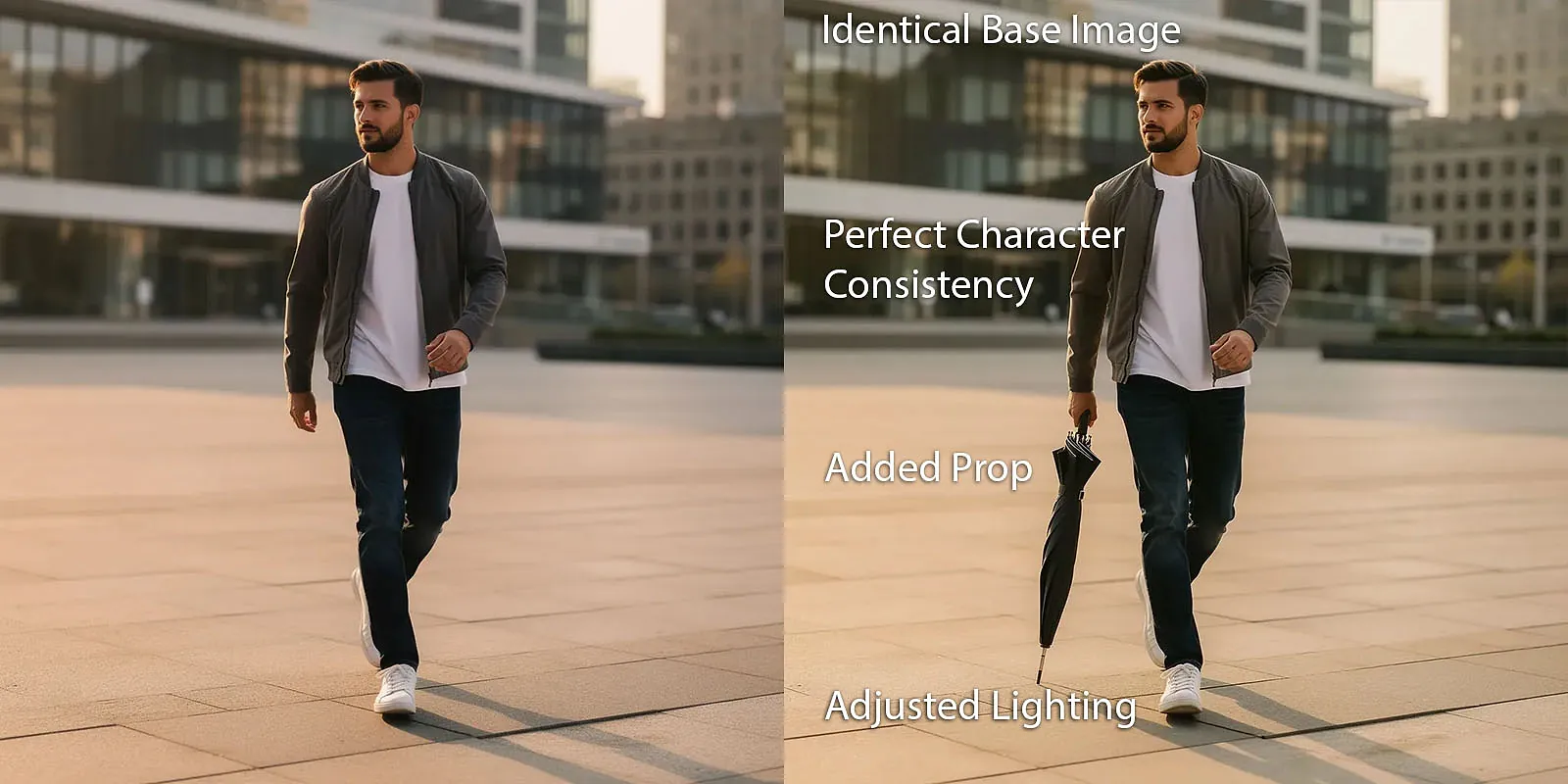
One of the biggest challenges in image generation is maintaining character consistency while introducing creative changes. Flux 2 PRO solves this elegantly.
As shown in the first example, the model reproduces the same subject with exceptional accuracy - the face, clothing, proportions, and pose stay identical, even when you change the lighting or add new elements like an umbrella.
This means you can build entire campaigns around a single character or pose and generate endless variations without losing identity. It’s ideal for:
✔ lifestyle banners
✔ ad campaigns
✔ brand consistency
✔ multi-version creative sets
Flux 2 PRO keeps the image stable while giving you room to experiment.
2️⃣ Creative Styling: Change Hair, Makeup, and Environment With Precision

Flux 2 PRO gives you unprecedented control over styling, environment, and lens behavior.
The second example shows the same woman rendered in two completely different contexts - a street scene vs. a studio backdrop - while also changing hairstyle, makeup, and focal length.
This level of control lets you:
✔ restyle characters
✔ adjust lighting tone / ambience
✔ change backgrounds or environments
✔ shift perspective or camera lens properties
And the best part?
The face remains perfectly consistent, allowing creative direction without losing recognizability.
3️⃣ Ultra-Detailed Close-Ups That Capture True Texture
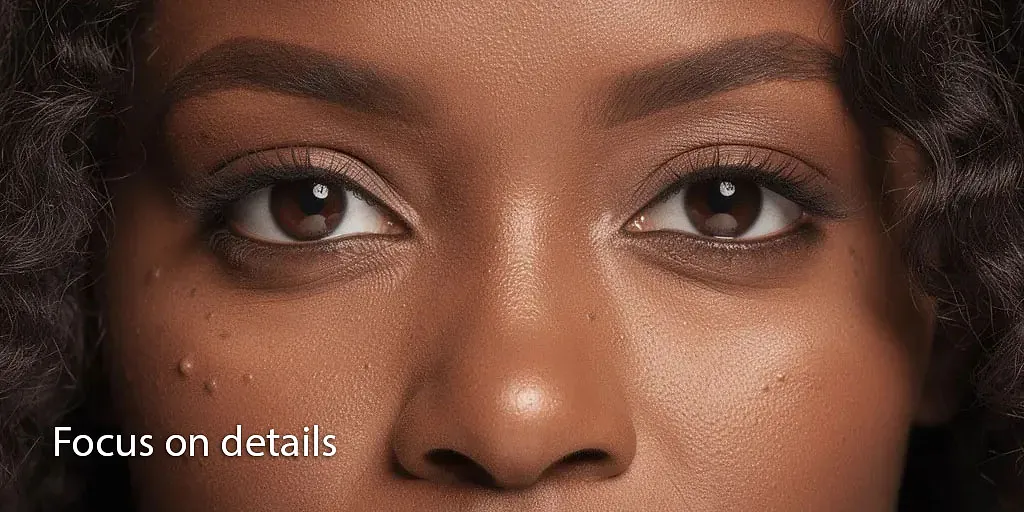
Flux 2 PRO’s upgraded rendering engine brings hyper-realistic micro-detail to portraits.
In close-up shots, you’ll see natural textures: pores, fine wrinkles, subtle shadows, highlights, and lifelike color tones. The results are comparable to high-end beauty photography - making the model perfect for:
✔ cosmetics brands
✔ editorial imagery
✔ professional headshots
✔ skin texture studies
✔ any project where realism matters
The example highlights just how much detail Flux 2 PRO can reveal without harshness or distortion.
4️⃣ High-End Product Visuals With Realistic Material Behavior
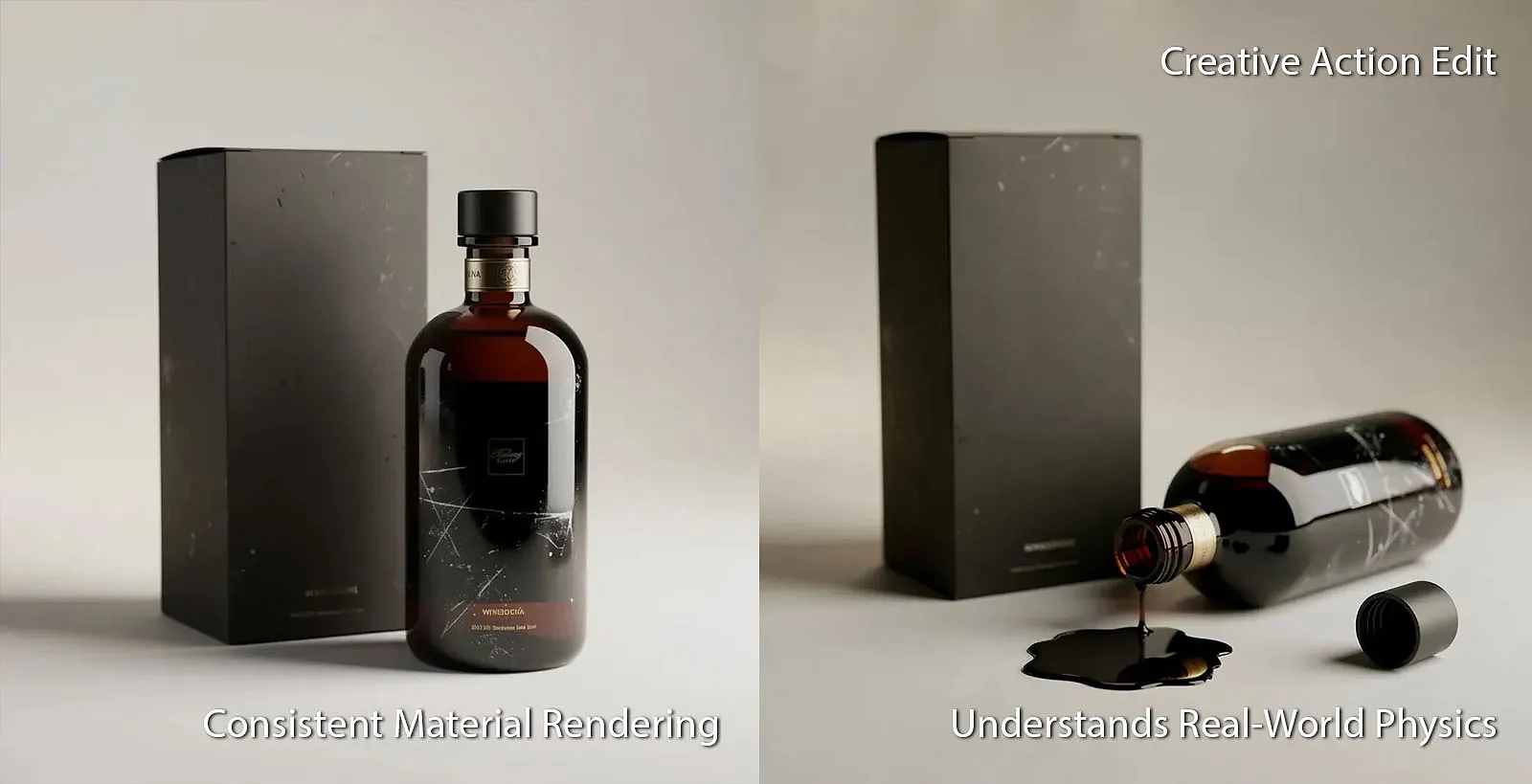
Flux 2 PRO also excels at commercial product imagery, giving designers full control over material accuracy, reflections, shadows, and scene variations.
In the last example, the same product is shown upright in a clean studio shot, then again in a dynamic version with liquid spilled from the bottle. Both images maintain consistent lighting, color reproduction, and brand fidelity.
Use it for:
✔ e-commerce photos
✔ packaging visualization
✔ advertising renders
✔ creative product scenarios
✔ concept-to-final visual pipelines
Flux 2 PRO produces polished, repeatable results that look ready for real campaigns.
🎉 Flux 2 PRO Is Now Available in AgentX
Getting started with Flux 2 PRO inside AgentX is simple. If you want the fastest path, you can use our ready-to-go image generation agent available directly in your workspace — no setup required. Just open the base model here and start creating here.
If you prefer a customized workflow, you can also enable Flux 2 PRO inside your own agent.
Just open your agent → Edit Agent → Integrations and toggle on the Image Generator tool.
From there, your agent can generate images on demand, use prompts within workflows, or even automate image creation as part of your larger processes.

AgentX gives you full flexibility: explore, experiment, or embed Flux 2 PRO directly into your creative pipeline.
No complicated settings.
No unpredictable outputs.
Just beautiful, reliable, commercial-quality images, every time. Try it now!