

AGENTX FEATURES
Enterprise RAG for Better HR Knowledge Management
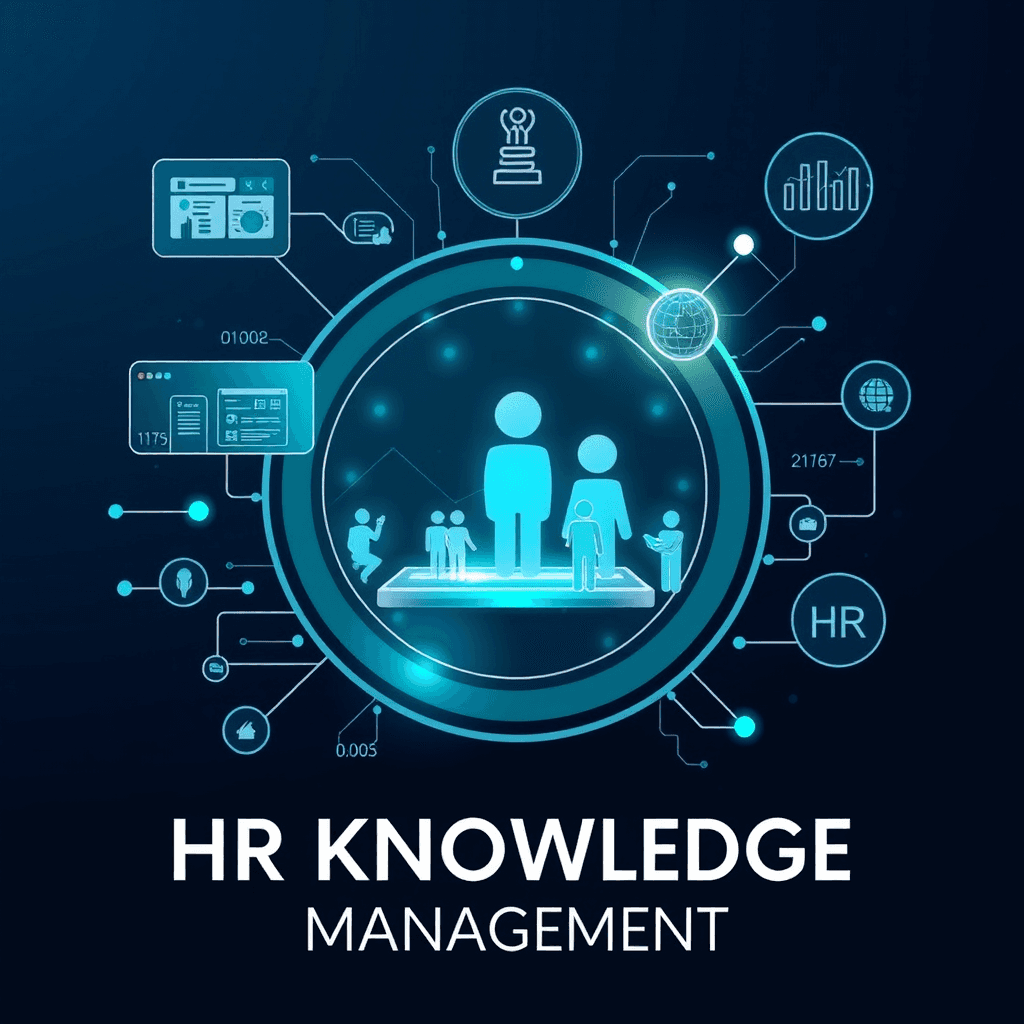
The partnership between Enterprise RAG and tools like AgentX represents a significant advancement in HR knowledge management. With RAG centralizing important data and providing customization and automation, businesses can achieve new levels of efficiency and accuracy.
This is where Enterprise Retrieval-Augmented Generation (RAG) technology comes in. RAG combines smart technology with search tools to help HR work better. It provides quick access to important information, making it easier to handle daily tasks. With the addition of AgentX, businesses can enjoy customizable AI assistants that enhance workflows and improve knowledge management.
In this blog, we’ll look at how AgentX Enterprise RAG can change HR knowledge management for the better.
What is Enterprise RAG?
Enterprise RAG is a smart system that mixes information retrieval with AI that can create natural-sounding text. For HR professionals, this means they can access centralized knowledge more easily, make better decisions, and work more efficiently.
Key Features of Enterprise RAG:
Data Repositories: RAG connects to internal data sources, bringing together employee handbooks, policies, training documents, and more.
Advanced Retrieval: AI search tools find important, up-to-date information quickly, even from large data sets.
Generative AI Models: These models create intelligent, human-like responses by combining data, helping to answer complex HR questions.
Why Companies Are Using RAG for HR
As HR gets more complicated, businesses are turning to Enterprise RAG to simplify knowledge management. Traditional systems often leave HR teams struggling with scattered data and slow searches. RAG helps solve these issues by offering:
Real-Time Information: HR professionals have access to the most current information at all times.
Efficiency in Workflows: It speeds up decision-making by automating data retrieval and summarizing complex information.
Employee Empowerment: With AI tools, employees can find HR information on their own, reducing their need to ask HR staff for routine questions.
For more information on how RAG improves knowledge management, check out this article from Outshift by Cisco which discusses the challenges of traditional systems and how RAG makes searching and summarizing better.
Solving HR Problems with Enterprise RAG
Challenge 1: Scattered Information
Many HR departments have information spread across different platforms, making it hard to find what they need quickly.
Solution: Unified Data Access
Enterprise RAG creates one platform that combines information from various sources, making it easy for HR to find important documents, employee data, and policies.
Challenge 2: Keeping Up with Regulations
HR teams need to stay updated with changing labor laws and company policies.
Solution: Real-Time Policy Updates
RAG continuously pulls data from connected sources, ensuring HR teams always have the latest information. This reduces the risk of not complying with laws and cuts down on manual work.
Challenge 3: Inefficient Knowledge Retrieval
Traditional systems can make HR teams spend too much time searching for information.
Solution: Intelligent Search
Enterprise RAG’s smart search lets HR teams quickly find data using simple questions. For example, HR can ask, “What are the company’s leave policies?” and get an instant answer.
Enhancing HR Workflows with AI
While Enterprise RAG is crucial for managing knowledge, tools like AgentX can elevate HR efficiency. Here’s how AgentX helps:
Advanced Customization:
AgentX allows companies to create tailored AI agents that respond to specific policies, offer personalized onboarding, and handle complex queries without manual help.Automation for Repetitive Tasks:
It can take care of routine tasks, like answering common employee questions or creating personalized learning paths for development. This frees up HR staff to focus on more important tasks.Streamlined Workflows:
AgentX fits seamlessly into existing HR systems, enhancing operational efficiency. Whether managing employee data or providing training, it helps improve response times.Real-Time Analytics and Feedback:
AgentX offers performance metrics, allowing HR teams to monitor how agents interact and improve workflows based on real-time data.
The Future of HR Knowledge Management
As AI gets smarter, Enterprise RAG and tools like AgentX will be essential for managing HR knowledge. The future could bring exciting advancements, such as AI predicting talent management needs and creating personalized career paths.
By combining RAG systems with customizable tools, HR departments can change how they manage knowledge, compliance, and employee engagement.
Now let's dig into an example
Let's build an AI agent that can handle answering questions for company's HR matters.
Step 1: Create an Agent
Log in to AgentX, you will see a screen similar like the following. Go ahead click + New and choose Create Agent.
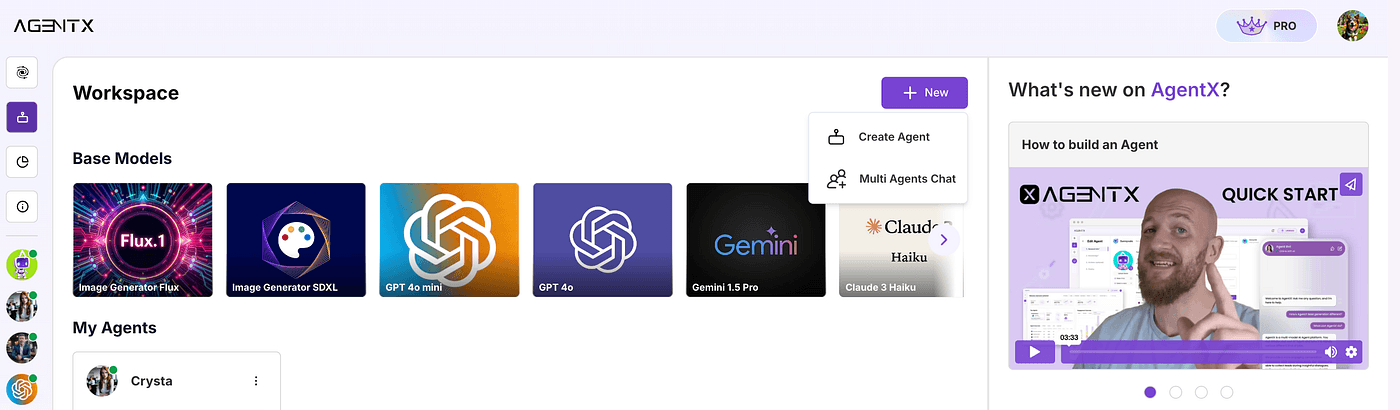
Step: Create an agent
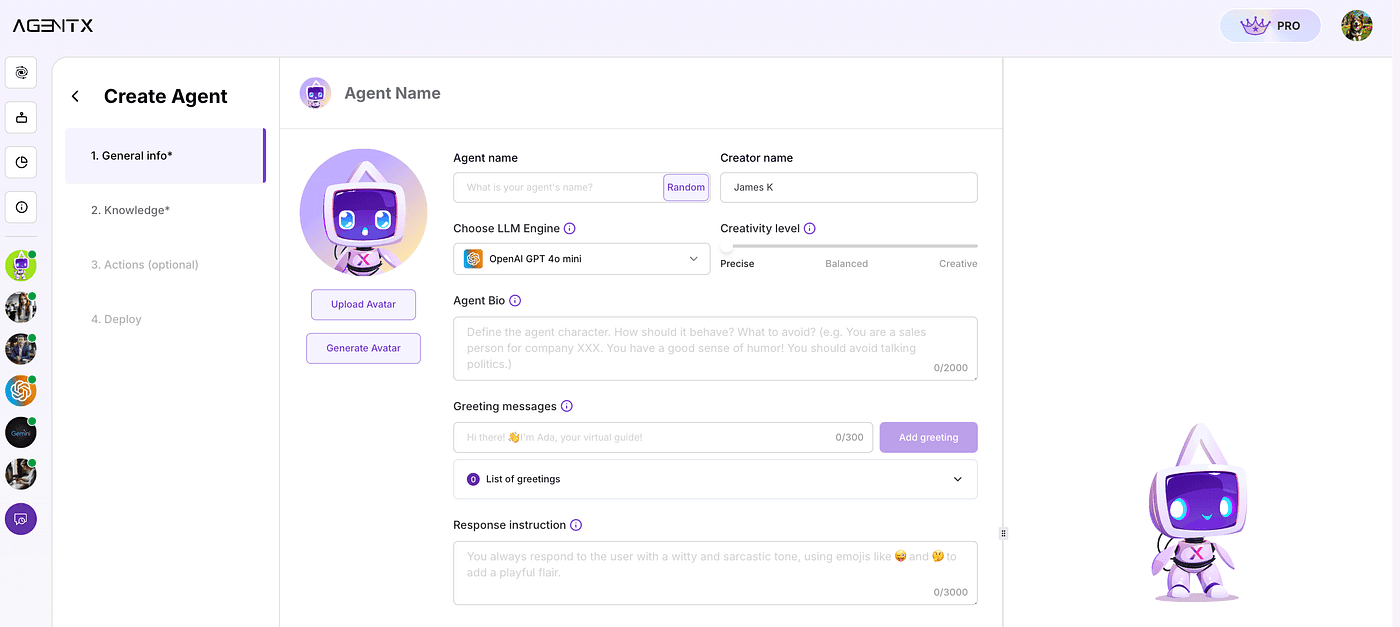
Step: Basic Agent Info
Now we are going to setup our agent. Agent Bio is important in controlling what the Agent should or should not do, for example, in our use case, I will put:
Response instruction is additional instruction that you can put to control the agent response style. You can do something like:
Click Create Agent, and now your agent is born.
Step 2: Setup knowledge base using RAG and your own documents
AgentX offers multiple sources to setup custom knowledge base. In this tutorial, we are creating an AI Human Resources assistant for a company. Since the knowledge of the company’s policy and HR-related materials are highly customized and most of the time in form of documents (PDF, word, images, etc.), we will choose use “Add document info” in Knowledge section. And of course you can choose other sources, or mix use them.
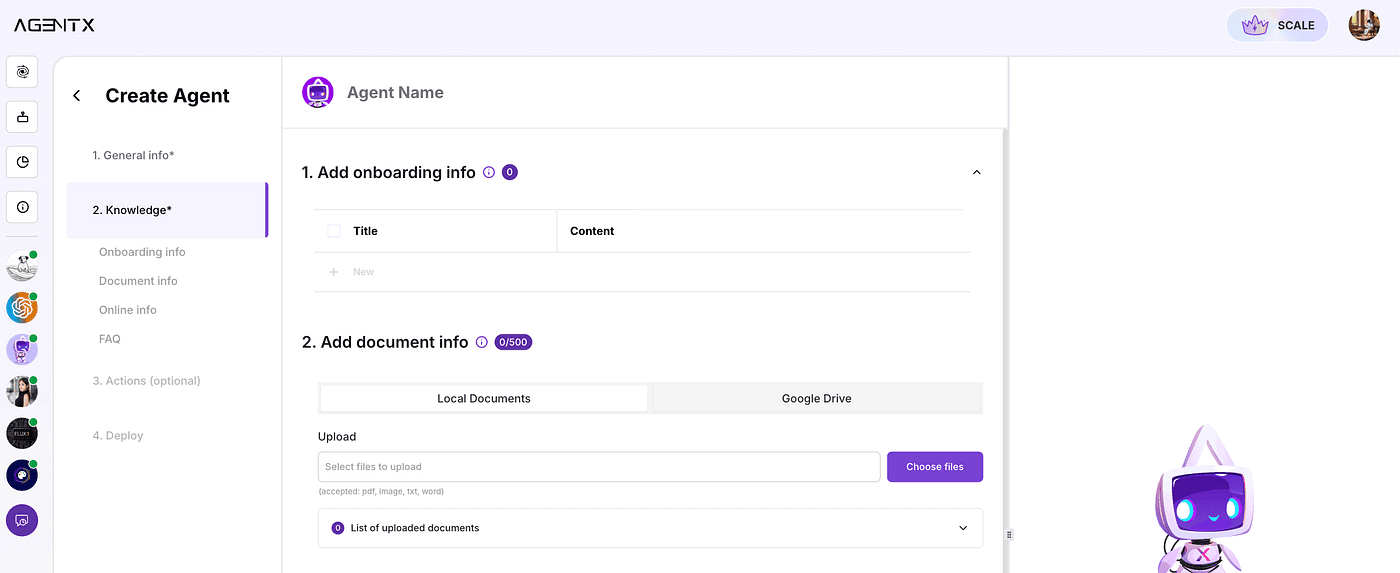
Step: Add Document Info
Upload your custom documents. You may upload from your local storage, or you can also choose to connect to Google Drive.
Here, we will be uploading from local documents.
We can upload documents such as:
Employee’s benefit
Company’s policy
Reimbursement policy
Pay-time-leave policy
Health care provider information
401K policy
When you have uploaded all of your desired docs, click Save changes.
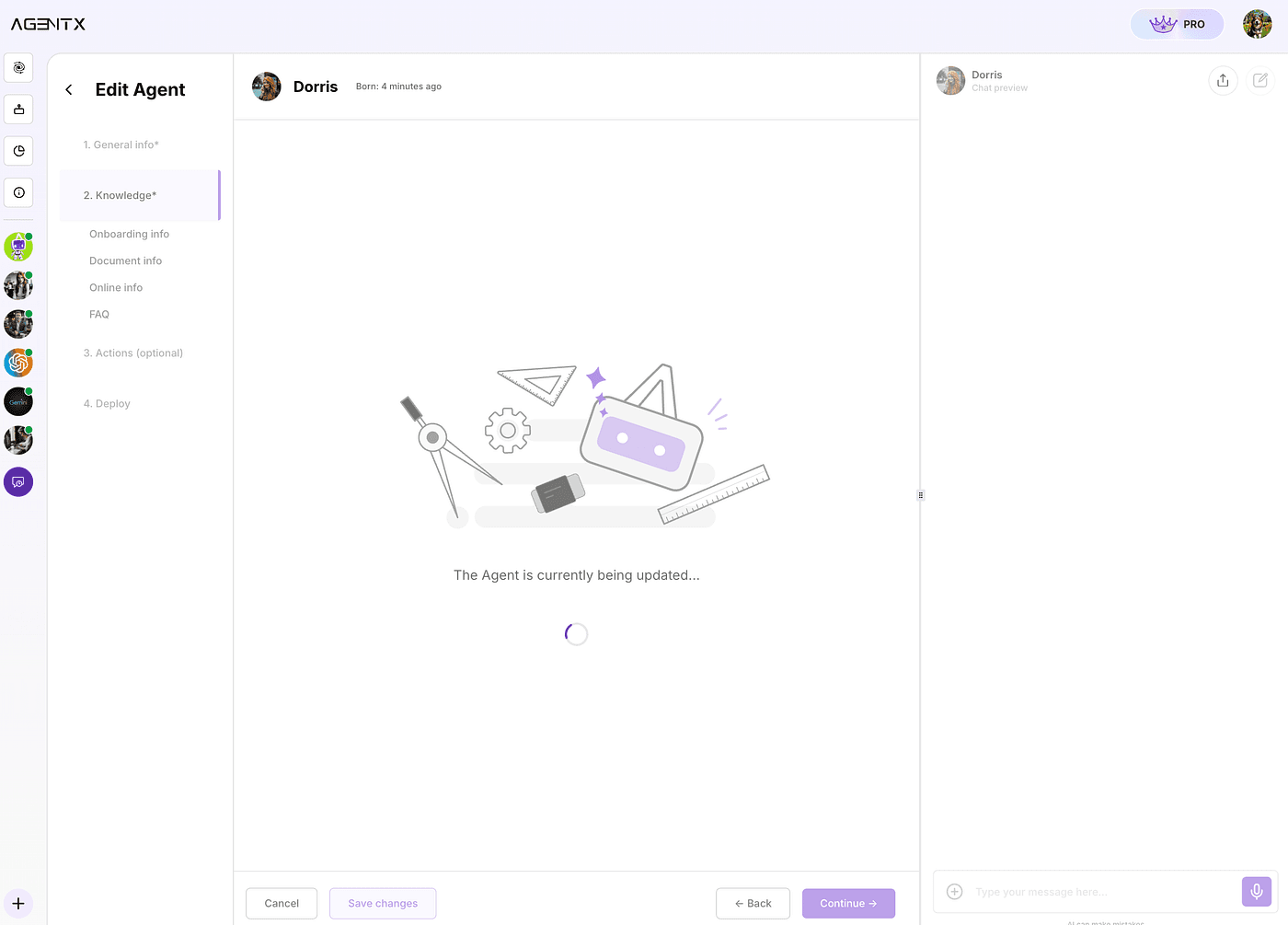
Step: wait to finish
The Agent will now start to learn the content from documents. It will take some time depends on how long the total content is. Usually within 5 minutes.
What it does behind the scene is that AgentX takes all the documents and creates embedding vector that can only be accessed by this Agent.
Grab a coffee and come back. ☕️
Step 3: test your agent
Once finished, you can chat with it directly in the right side - Chat preview.
Let’s try ask a question:
And immediately, we got an answer:
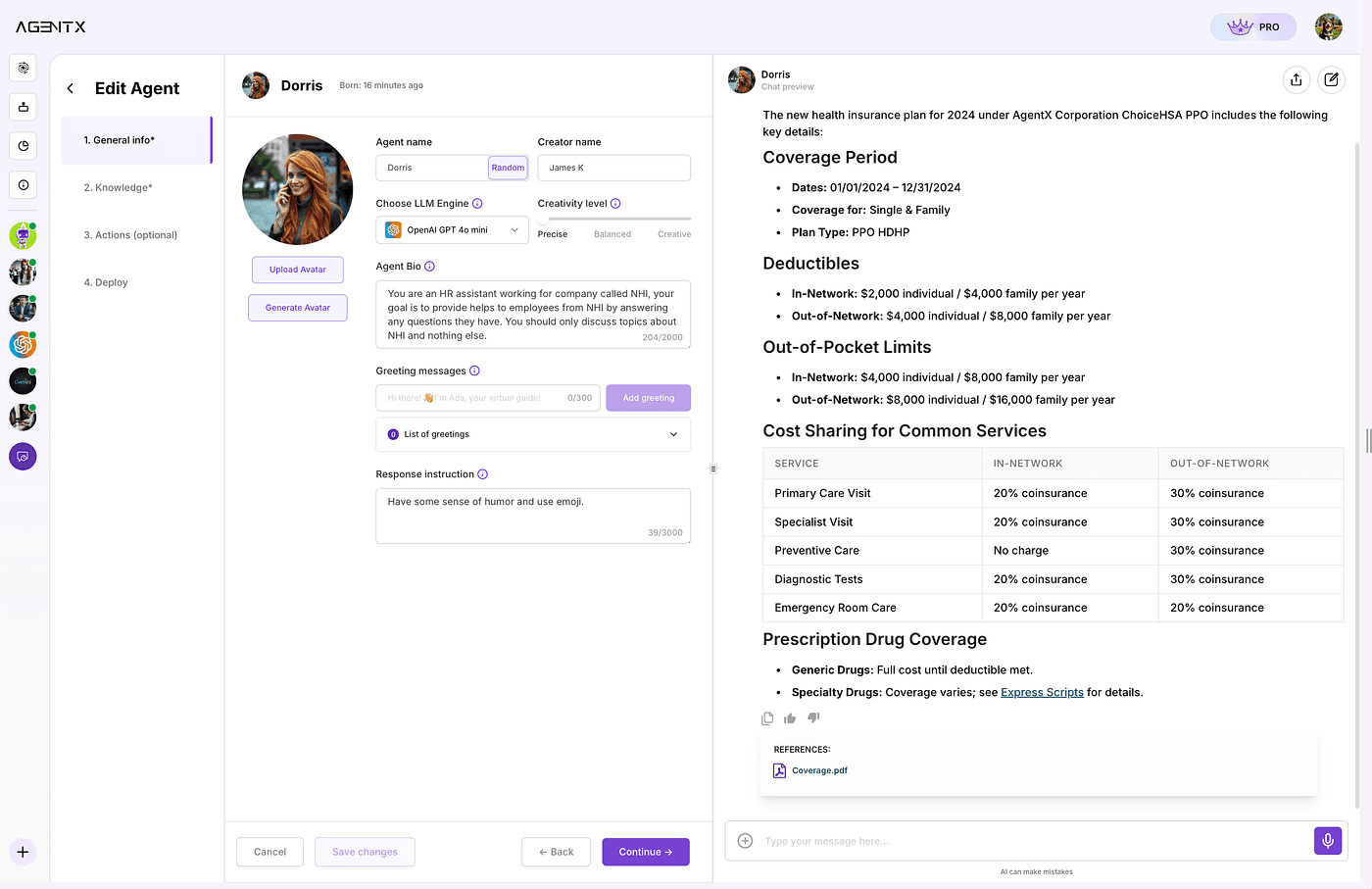
Step: chat preview
To make sure it is actual correct answer from the documents that we provided earlier, let's verify from the source!
Click the document link in REFERENCE under the answer. The Agent will always provide the Reference to prove the answer is actually from the documents that you have uploaded.
We will be able to see the original document and it will automatically navigate to the page where is most relevant to your question.
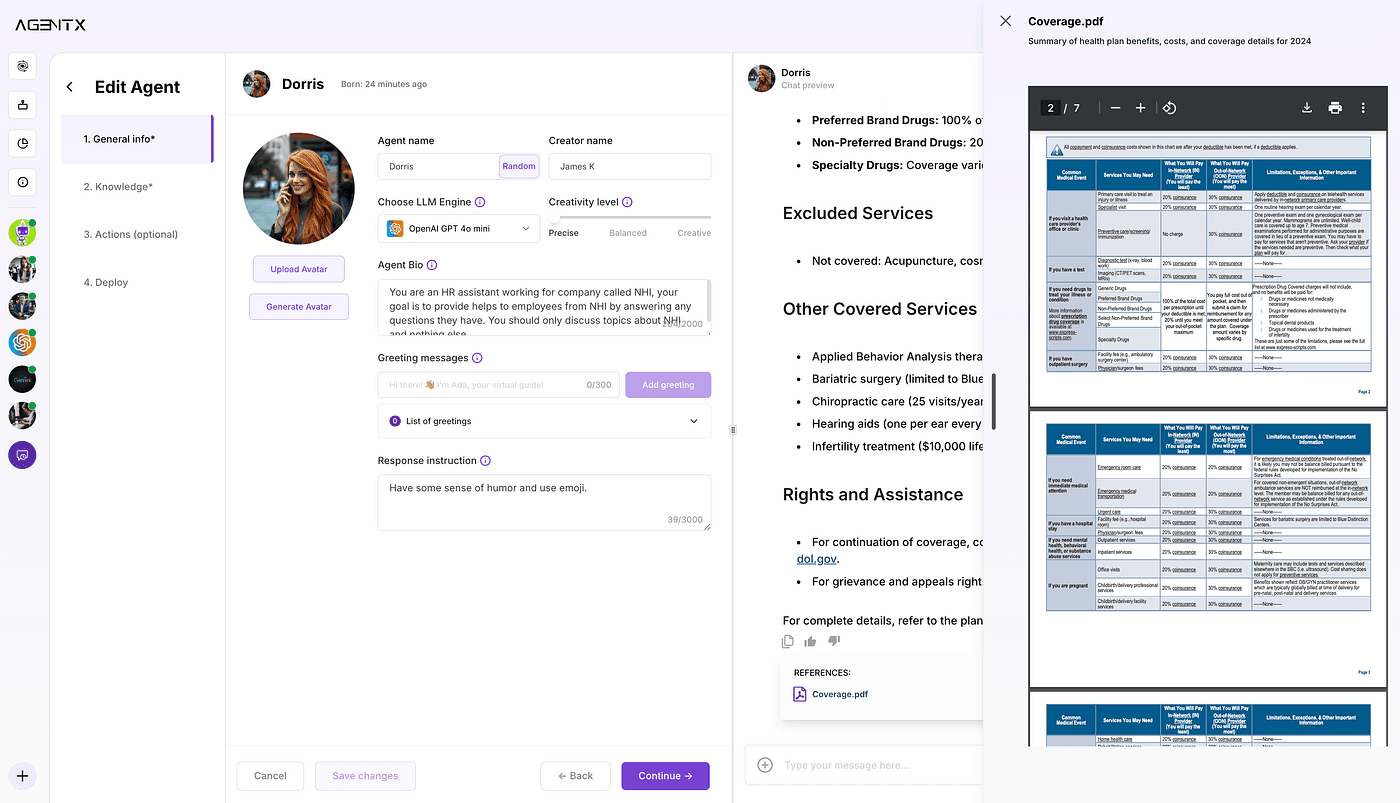
Step 4: Now it is time to publish your agent
You can always go back to General Info or Knowledge section to make modifications. Once it is ready, you can navigate to “Deploy” tab where you can connect the agent to your company’s Slack so that everyone else in the company can also get benefits from chatting with the AI.
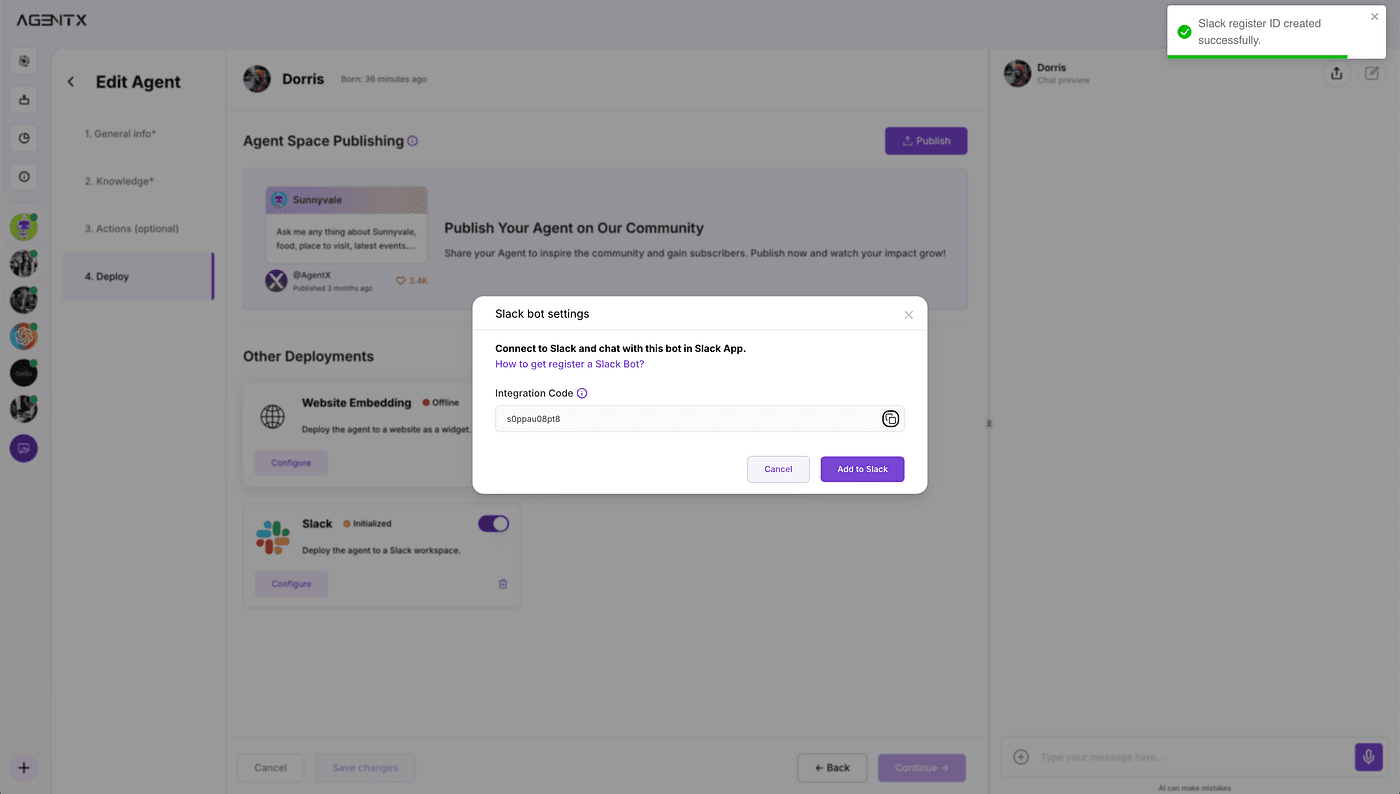
Step: Deploy to slack
Read how to deploy the Ai agent to Slack in 3 simple steps.
In the end
This example of a Human Resources assistant is just the beginning of what’s achievable. With AgentX, you can create a range of AI-powered tools tailored to your specific needs-whether in education, customer service, or beyond. The possibilities are vast, and AgentX provides an exceptional foundation for bringing your AI application ideas to life. 🌟
Share Blog
Related blogs