

CHATBOT
Get 5x Meeting Booked with Calendly and Cal.com powered by AI Agent

If you’ve ever played “calendar Tetris” just to set up a meeting, you know how time-consuming (and frustrating) it can be. Endless email threads, double-bookings, missed time zones-scheduling shouldn’t be this hard.
Good news: there’s a much better way. I will show you how to set it up step by step.
By connecting your calendar tools like Cal.com or Calendly with your Google Calendar, and adding a smart assistant to handle the details, you can get up to 5x more meetings booked, with way less effort.
Let’s break down how this works and why you’ll never want to go back.

Connect your Cal.com or Calendly to Google Calendar
Start by connecting your favorite scheduling tool, Cal.com or Calendly, to your Google Calendar. This step takes just a minute and instantly syncs your real-time availability.
Now, when someone wants to meet with you, they get a link showing exactly when you’re free. No guessing, no awkward back-and-forths, and no risk of double-booking. These tools even handle time zones and send automatic reminders.
Bring in a Smart AI Agent to help
Here’s where things get even smoother. Imagine if your scheduling tool could actively help manage your meetings - not just show your calendar, but actually help handle requests, suggest times, and book appointments for you.
That’s what a smart scheduling assistant does. Integrated with your calendar, it can:
Manage calendar events - book, reschedule, or cancel meetings as needed.
Talk to your guests - when someone reaches out, your assistant knows exactly when you’re available (and when you’re not), so it can suggest the perfect time.
Show an instant scheduling picker - no more clunky emails or waiting for replies. The assistant can pop up a real-time calendar picker right inside an email, website, or chat, so guests can book in seconds.
How This Looks in Real Life
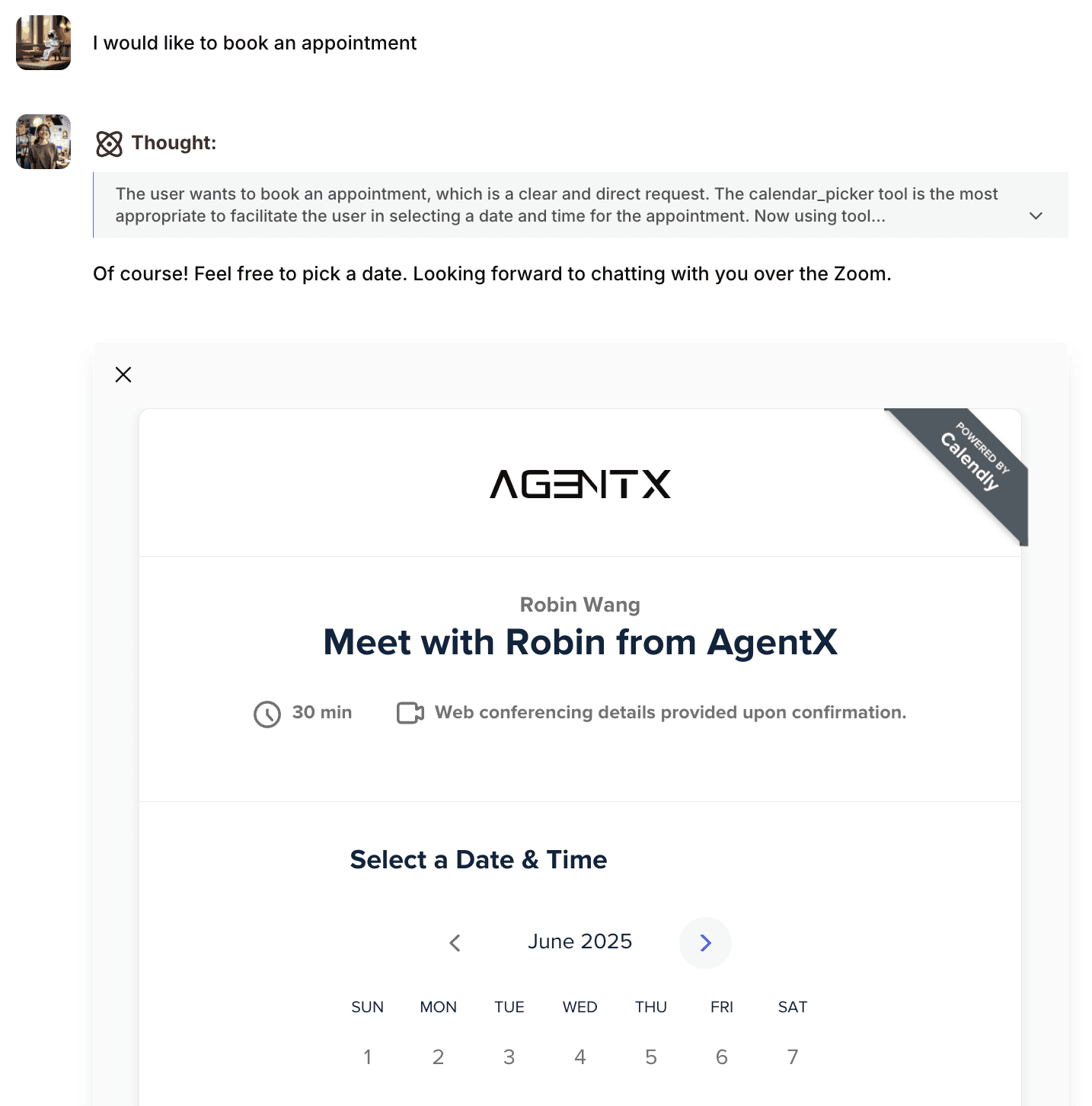
Picture this: A potential client chatted with your chatbot to set up a call. Instead of checking your calendar and sending options, your scheduling assistant jumps in:
Reads the request and finds openings on your calendar.
Replies with a link to your available times - automatically filtered for their time zone.
Displays an interactive UI right in the chat window, letting the client pick a time instantly.
How to set it up in 1 min with AgentX
If you are using Cal.com
Log in and go to Cal.com app here: https://app.cal.com/settings/my-account/profile
From there, you can see your username, for example:
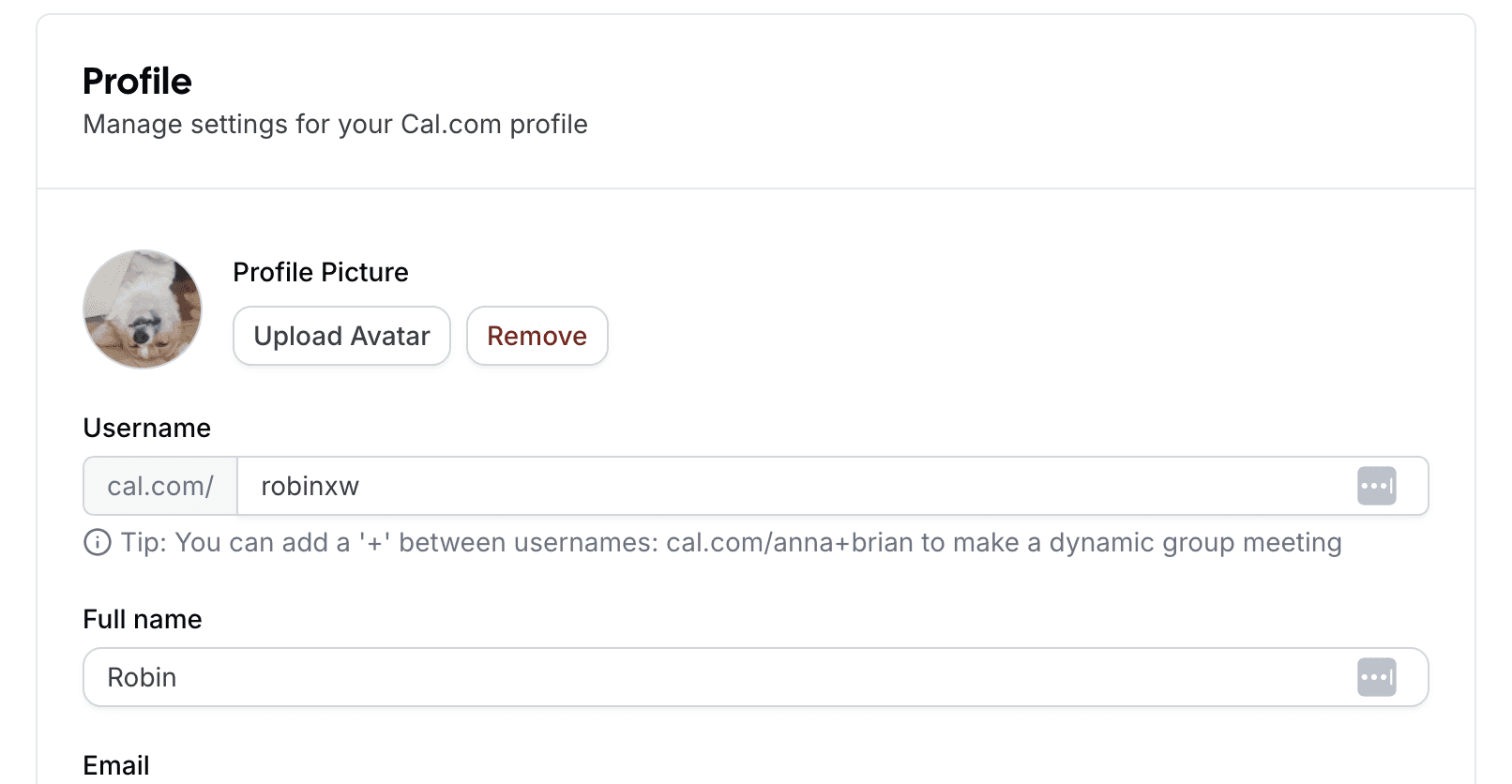
Then go to the API Key page and click +Add
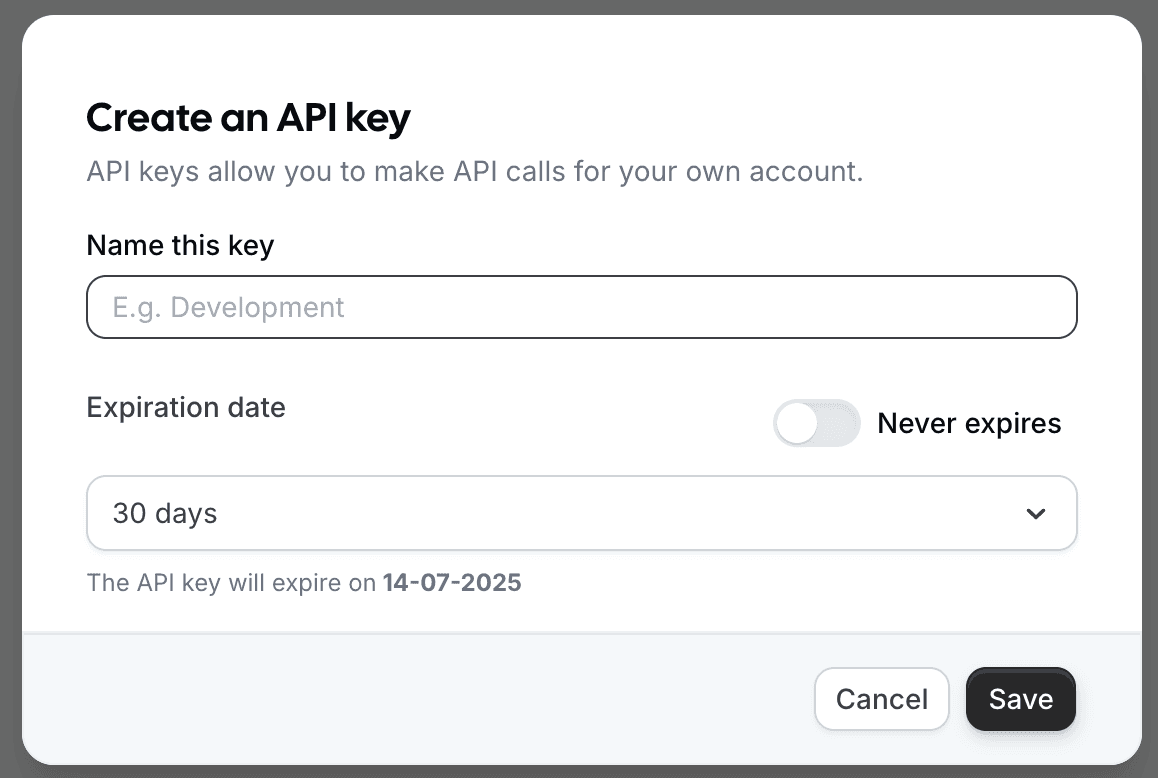
Add the API Key and Username into AgentX
Log in to AgentX and choose your AI agent and edit it.
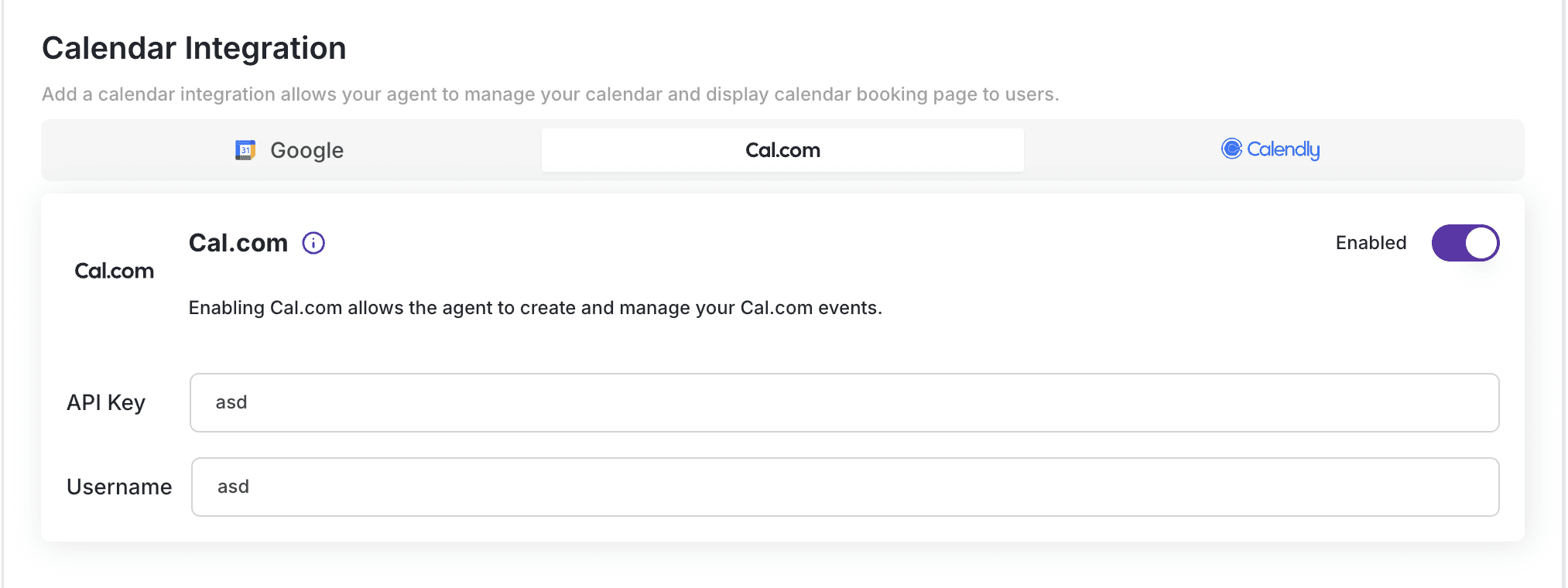
Navigate to Action -> Calendar Integration.
Choose Cal.com and copy and paste
API KeyandUsernameinto the appropriate fields.Click Save.
If you are using Calendly
Log in to Calendly and go to: https://calendly.com/integrations/api_webhooks
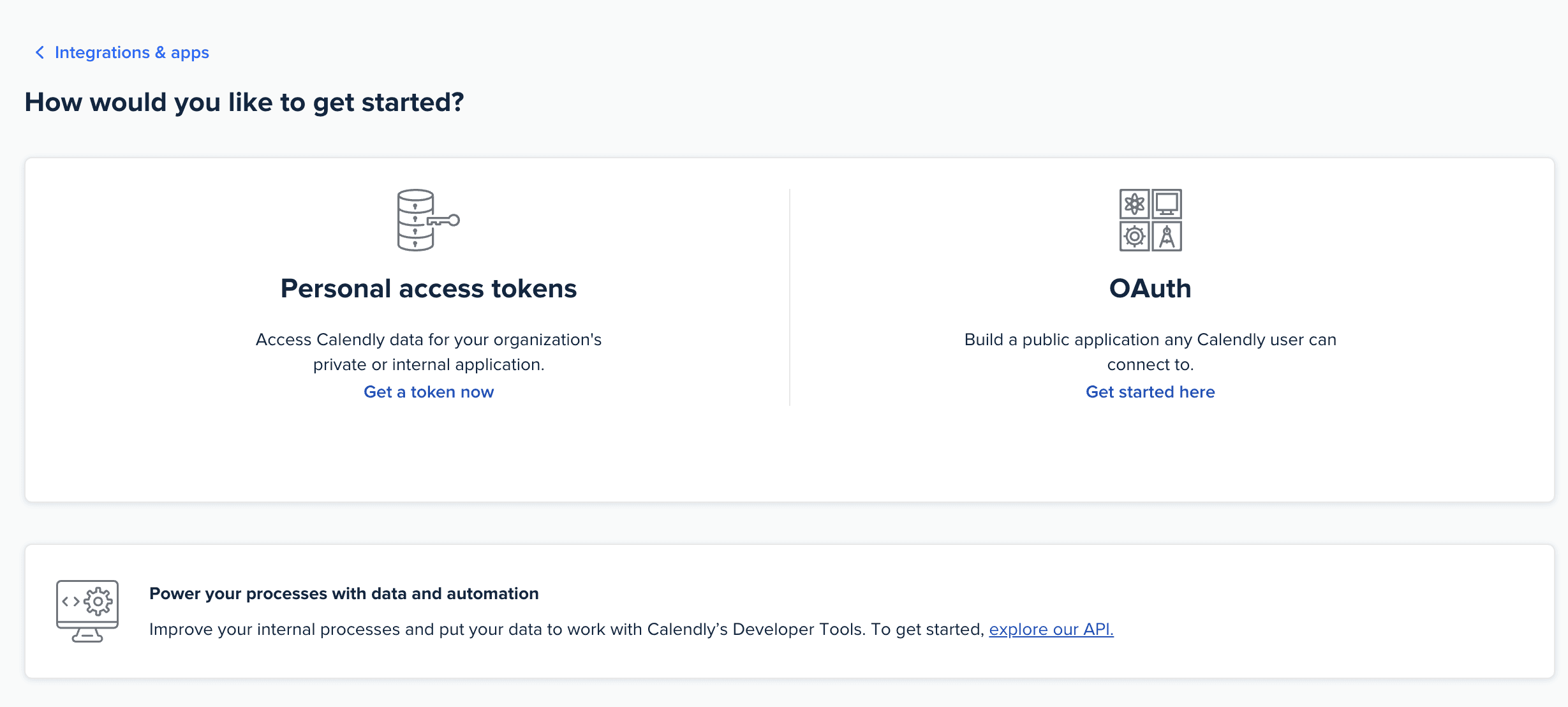
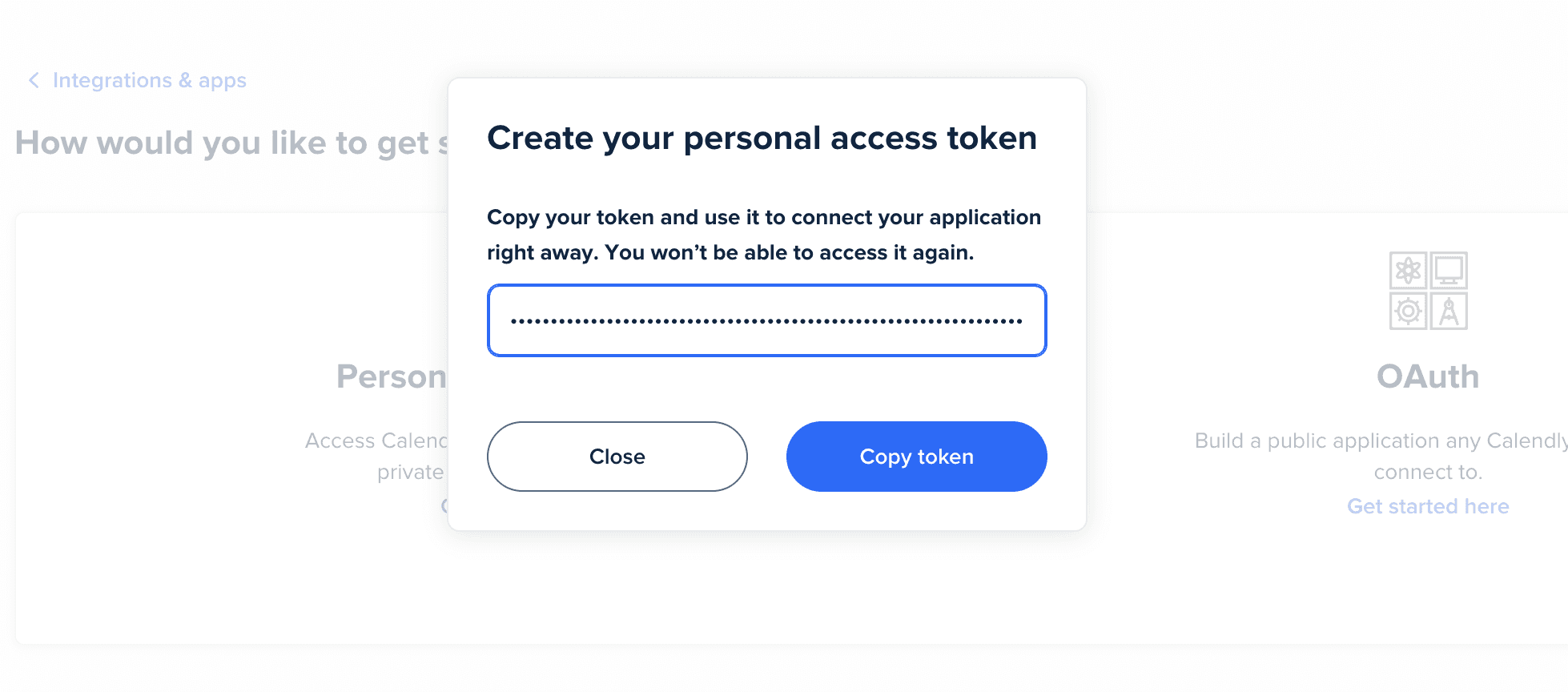
Choose Personal access tokens and create a new access token.
Copy the token - This is your
API key.
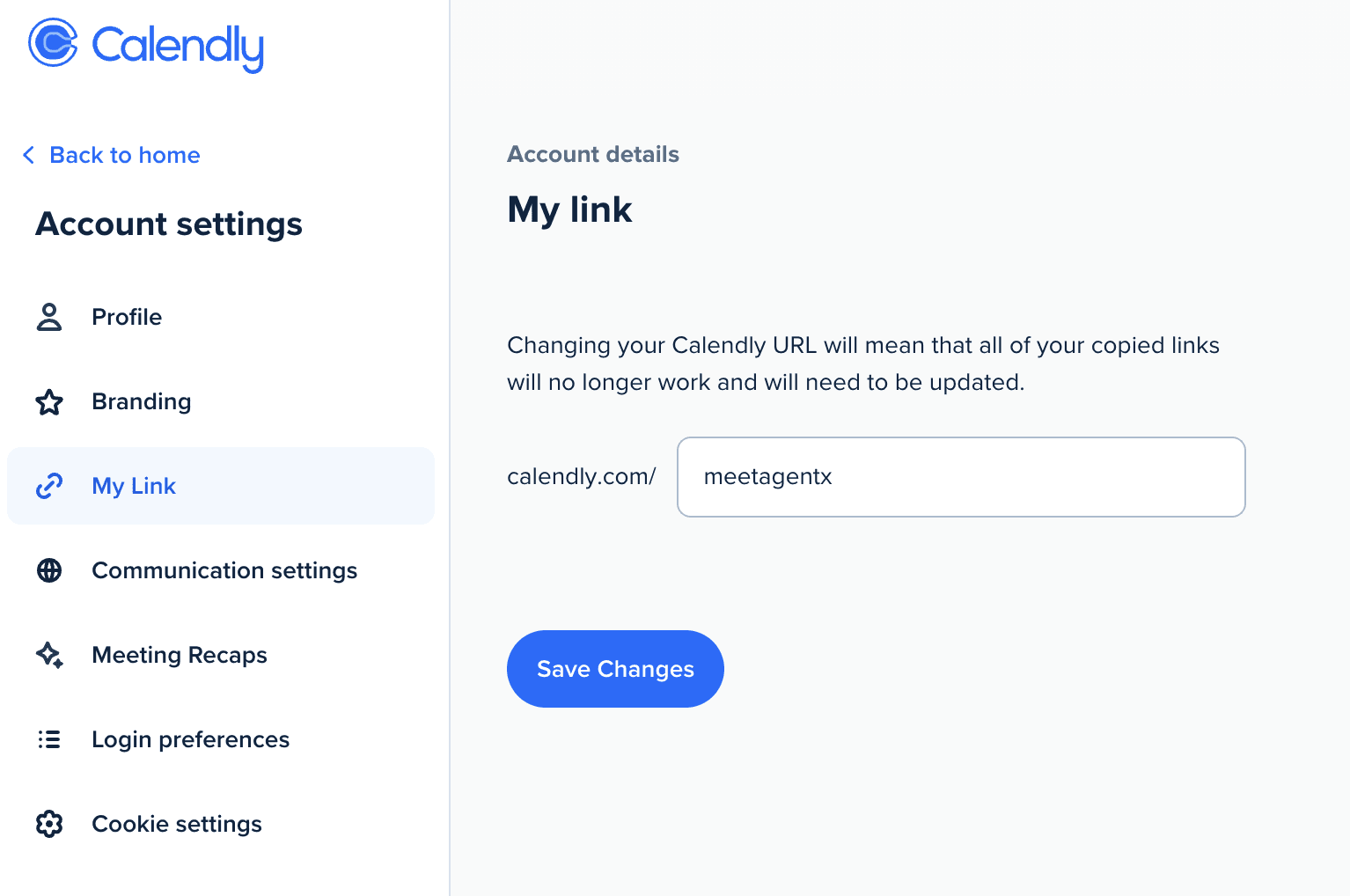
Now we also need to get our meeting name as our username.
And you will see the editable username like this. You may change it however you like.
Copy it - it is your
username
Add the API Key and Username into AgentX
Log in to AgentX and choose your AI agent and edit it.
Navigate to Action -> Calendar Integration.
Choose Calendly and copy and paste
API KeyandUsernameinto the appropriate fields.Click Save.
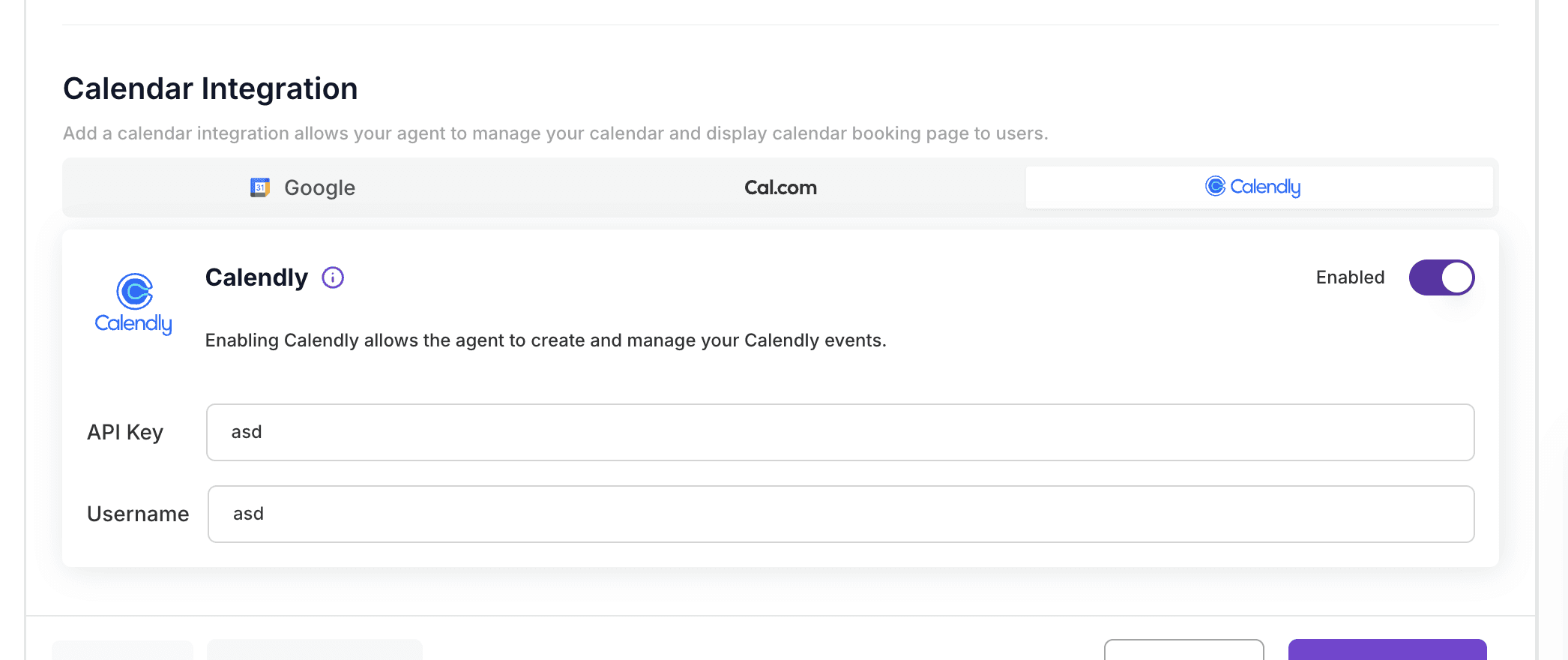
That's it! Now your AI Agent is successfully connected with your calendar!
Why You’ll Book More Meetings
Zero friction: It’s easy for guests to book, so fewer opportunities slip through the cracks.
Always up to date: Your real-time calendar means no embarrassing mix-ups.
Time saved: More meetings, less hassle. Period.
24/7: Always live.
No language barrier: AI Agents understand all languages that opens up your business coverage.
Ready to Book More (and Stress Less)?
The right calendar tool, paired with a smart assistant, can transform how you schedule meetings. Set it up once and watch your productivity soar.
Ready to try it? Sync up Cal.com or Calendly with your Google Calendar, add a smart AI Agent from AgentX, and get ready to see your calendar fill up (without filling up your inbox).
Share Blog
Related blogs