

AGENTX FEATURES
How to create a lead generation AI Agent Chatbot on AgentX with Zapier Integration

Note this blog post is old, to read the updated version, please checkout here:
https://www.agentx.so/agentx-tutorial/how-to-generate-lead-and-send-to-zapier-webhook
How to create a lead generation AI Agent Chatbot on AgentX with Zapier Integration
Automatically generate leads and then send them to the workflow for the next step. Does that sound attractive to you? Let's delve into how to achieve it step by step with AgentX and Zapier. In this post, we will explore how you can create a lead generation AI agent on AgentX using the advanced tool and send the lead to Zapier's webhook.
Prerequisites
An AgentX account
A Zapier account
Setting up Zapier trigger using webhook
The first step, in Zapier Dashboard, click Create a Zap from scratch.
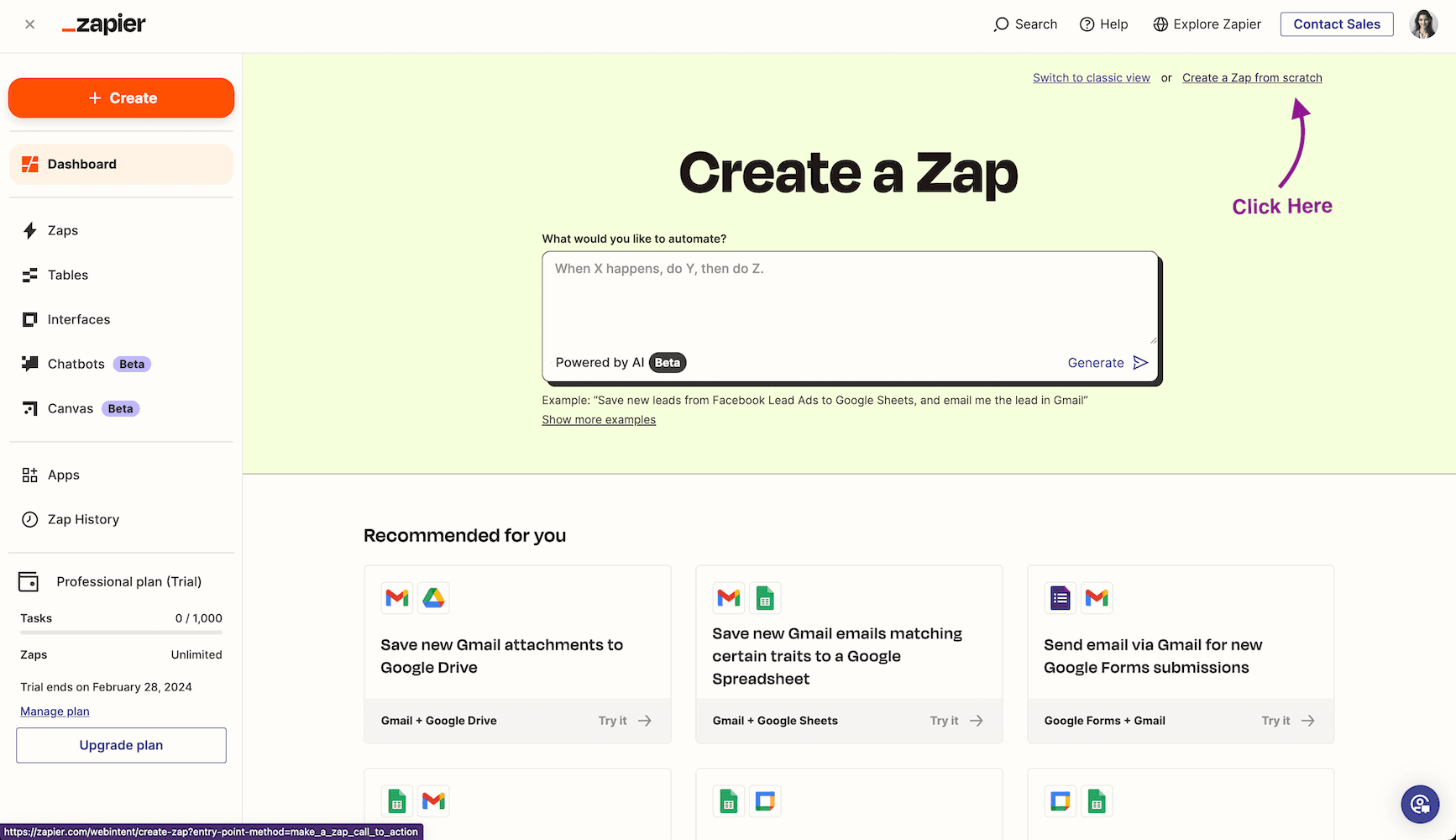
Then click Trigger to edit trigger event. After that, choose Webhook as your trigger type.
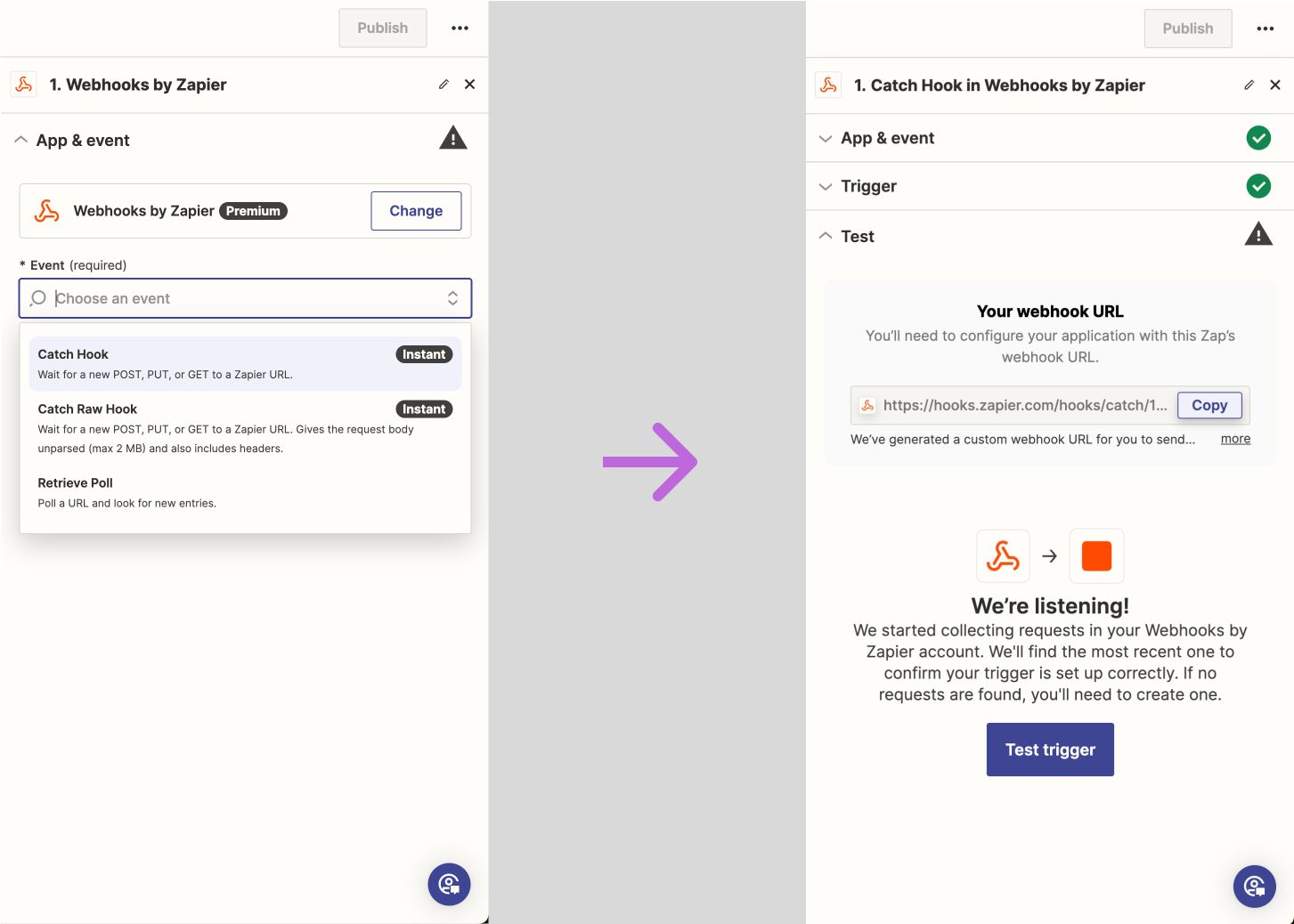
Next, you will land to workflow editor page. On the right side of the editor page, choose App & event, and in the Event drop down, choose Catch Hook. After that, you will get Your webhook URL. We will use this URL later.
Create AI Agent on AgentX
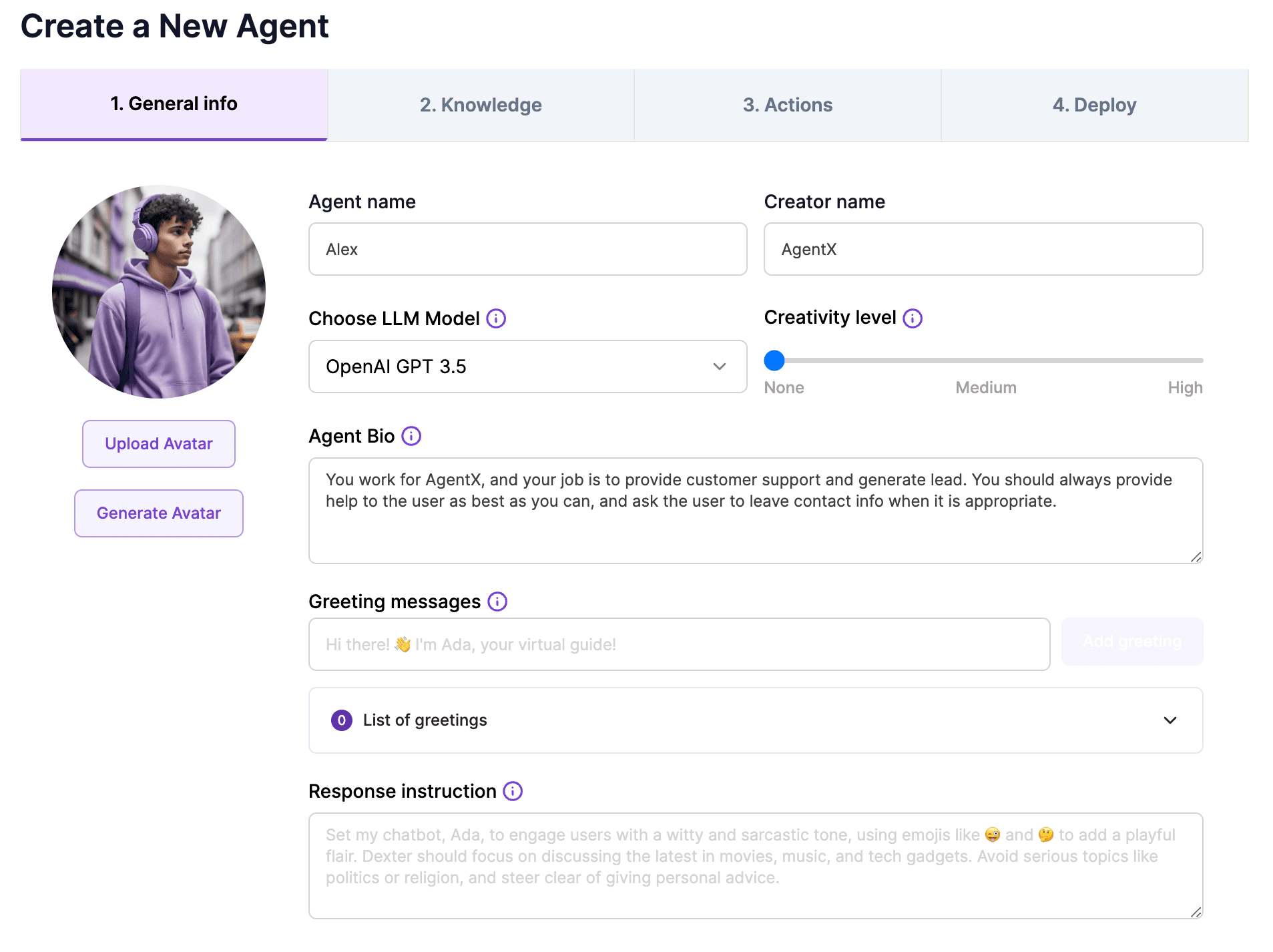
Now let’s navigate to AgentX Build tab. Click create button, and then fill out basic info based on your own needs. For example here:
Then continue move to Actions tab. In the Actions tab, navigate to Advanced Tool. Then click Tool Box and choose a tool called leadgeneratewith_zapier.
(That is: Actions → Advanced Tool → Tool Box → leadgeneratewith_zapier)
In the popup, you will see the Advanced tool editor. Now don’t panic, you don’t have to write any code if you don’t want to. All you need to do is to replace the highlighted URL with the one you created earlier.
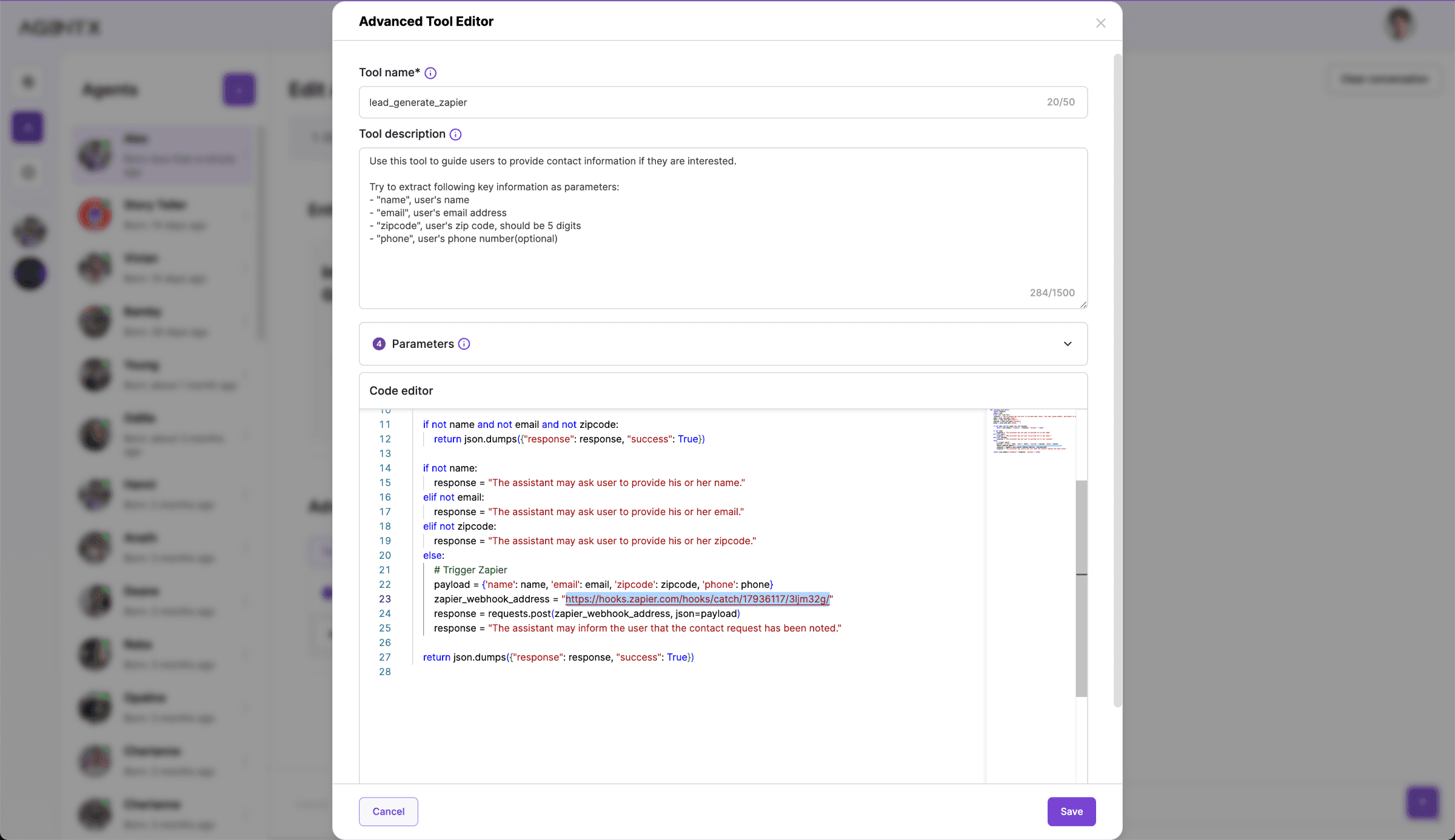
Click save. And that’s it, you can now create the agent and talk to it to simulate the conversation. In the conversation, you can see how agent is naturally asking for your contact info.
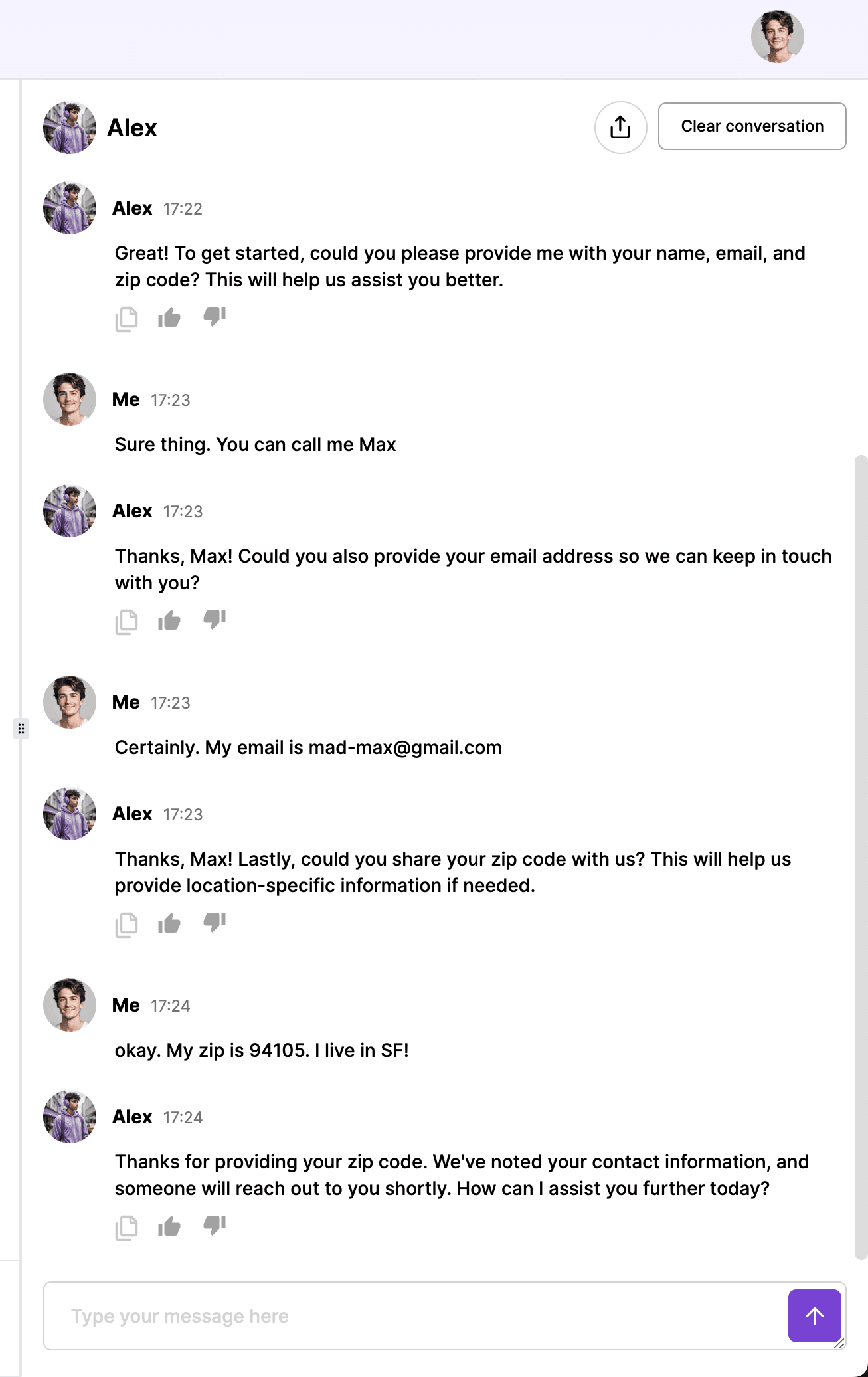
And after we provide our contact info in the conversation, let’s head to Zapier again to see if the Agent has sent the lead to the Zapier webhook.
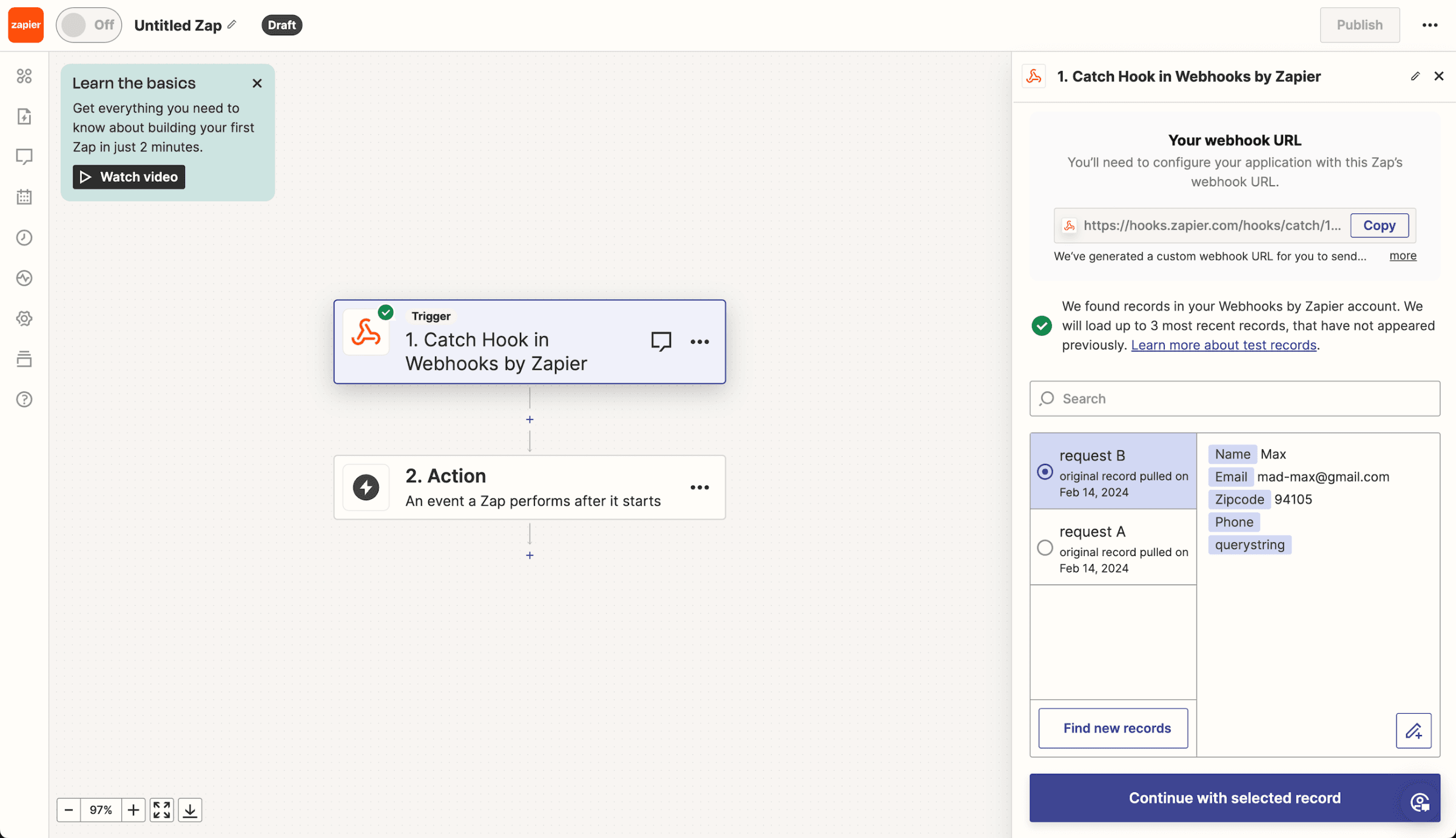
And here we go! The Zapier event has been successfully trigger by our agent with the lead information including Name, Email, and Zip code.
Conclusion
The advanced tool on AgentX allows you to do anything you want with optional Python programming. And Zapier allows you to connect with hundreds of third-party software. Both AgentX and Zapier are powerful tools. You can build amazing projects by combining them on AgentX.
Share Blog
Related blogs
