AGENTX FEATURES
How to create your Midjourney Discord server No-code for free

What is Midjourney on Discord?
Midjourney is an AI text-to-image generator that is on Discord server. It is one of the most successful Discord communities and popular AI image generator services. It had 16.45 million total users and 90,000 daily active users as of Nov 1st 2023.
Midjourney operates exclusively on Discord because it offers a strong community environment, bot integration, and cost efficiency. Discord’s platform fosters a sense of community, allowing users to easily share, discuss, and collaborate on their creations, which aligns with Midjourney’s goal of building a creative network. The bot-friendly nature of Discord simplifies Midjourney’s functionality, letting users generate and view AI images directly in chat without needing a separate app or website.
Additionally, using Discord helps Midjourney scale quickly and affordably, as the infrastructure and user base already exist on the platform. Discord's features make it an ideal environment for Midjourney to grow, evolve, and keep the user experience simple and interactive.
If you are thinking about creating your own Midjourney, you are at right place. AgentX provides exactly the technology you need to build the Midjourney-like image generator and install onto your Discord server so that your community can interact with it. The best part is - you dont need to write a single line of code.
Step-by-step on how to create an image generator
First, log in to AgentX, or register an account if you do not have one yet, it is free.
Once you logged in, go ahead click "+ New" button at top right corner, and then click Create Agent.

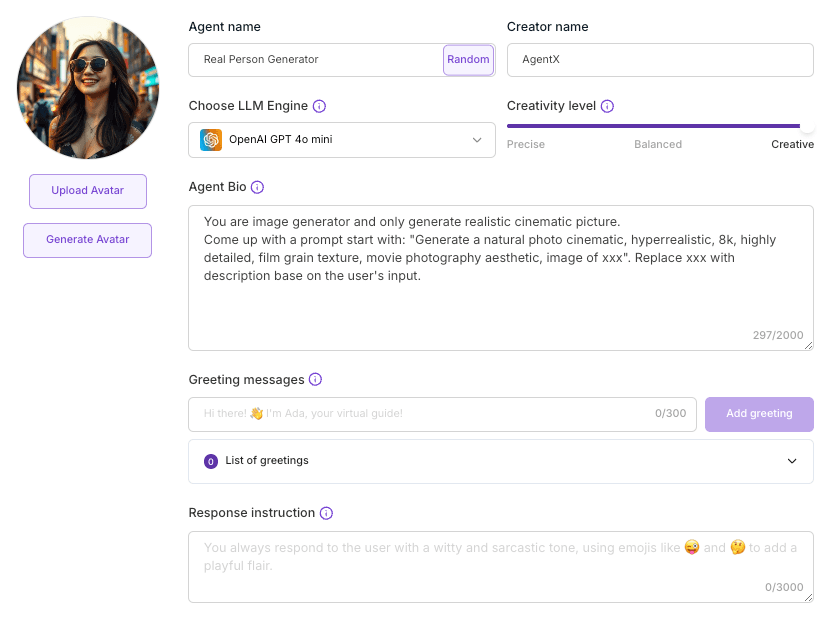
Next, in the Create Agent page, you can define the agent basic information. Such as Name, Avatar, Creativity Level, LLM Engine, Agent Bio, etc.
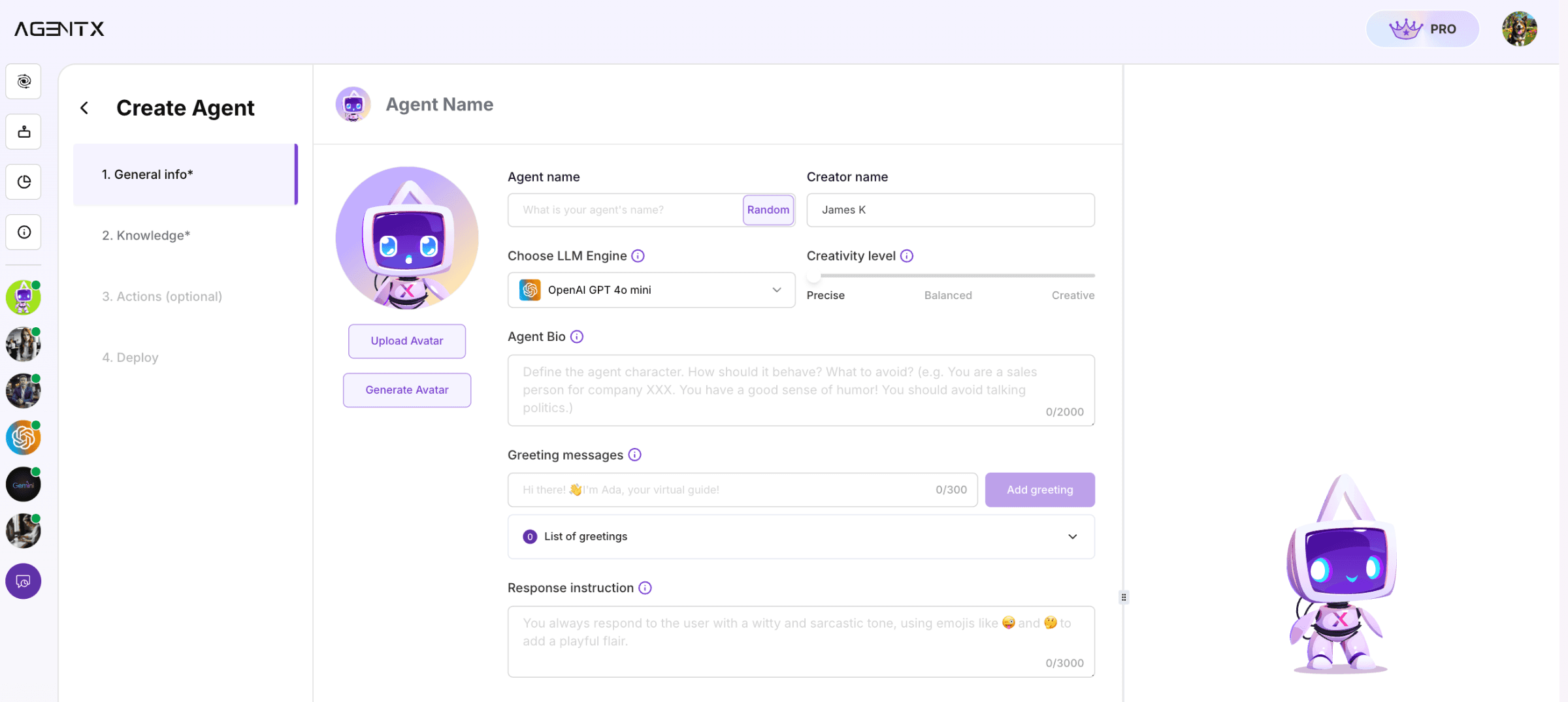
In this example, we are building an image generator AI agent. After pick a name and avatar for your AI agent. Next we will try to configure the agent to be able to generate images in the style or genres that you desired.
We will want a max creativity level, which indicates that the agent will be perform as creative as possible.
For LLM Engine, we will leave it as default - OpenAI GPT 4o mini. You can also choose other engine like Llama AI, Claude, or Gemini.
In Agent Bio, we will define the style of the image that we want the agent to always generate. It can be realistic movie style, cute toy style, or flat UI graphic style. In this case, we will go with realistic movie style. You can choose other style if you want.
In Agent bio, let's put:
After that, click Create to create the agent.
Next, click Action (optional) at left side panel. You will see an Enhanced Capability section. Check either SD Image Generator or Flux Image Generator to assign the image generation capability to your agent.
SD Image Generator - Powered by Stable Diffusion XL image generator. (Free)
Flux Image Generator - Powered by Flux image generator. (Requires upgrade tier)
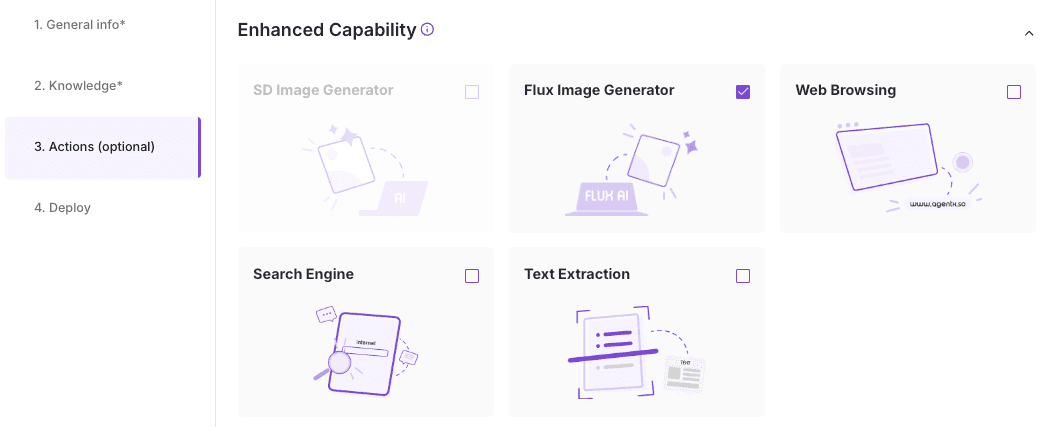
Do not forget to click Save changes.
Now let's test it out.
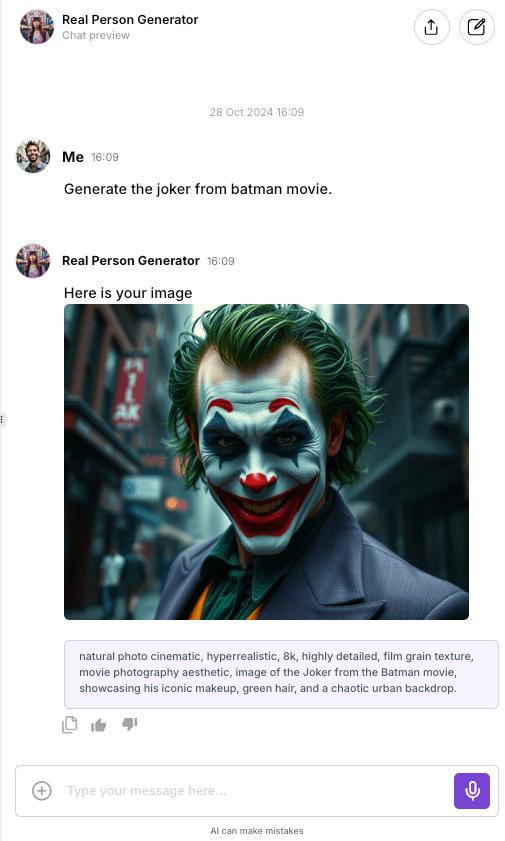
In the right side panel, under the Chat preview, let type an image that you want to generate. For example:
Here we go. It looks pretty cool. The result also includes the exact prompt it used to generate.
Deploy to the Discord Server
Now that you just created an AI agent for image generation, it is time to deploy your image generator agent onto your Discord server, so that people on your community can chat and generate image with it as well.
Follow this simple 4-step tutorial to deploy the AI agent to Discord server.
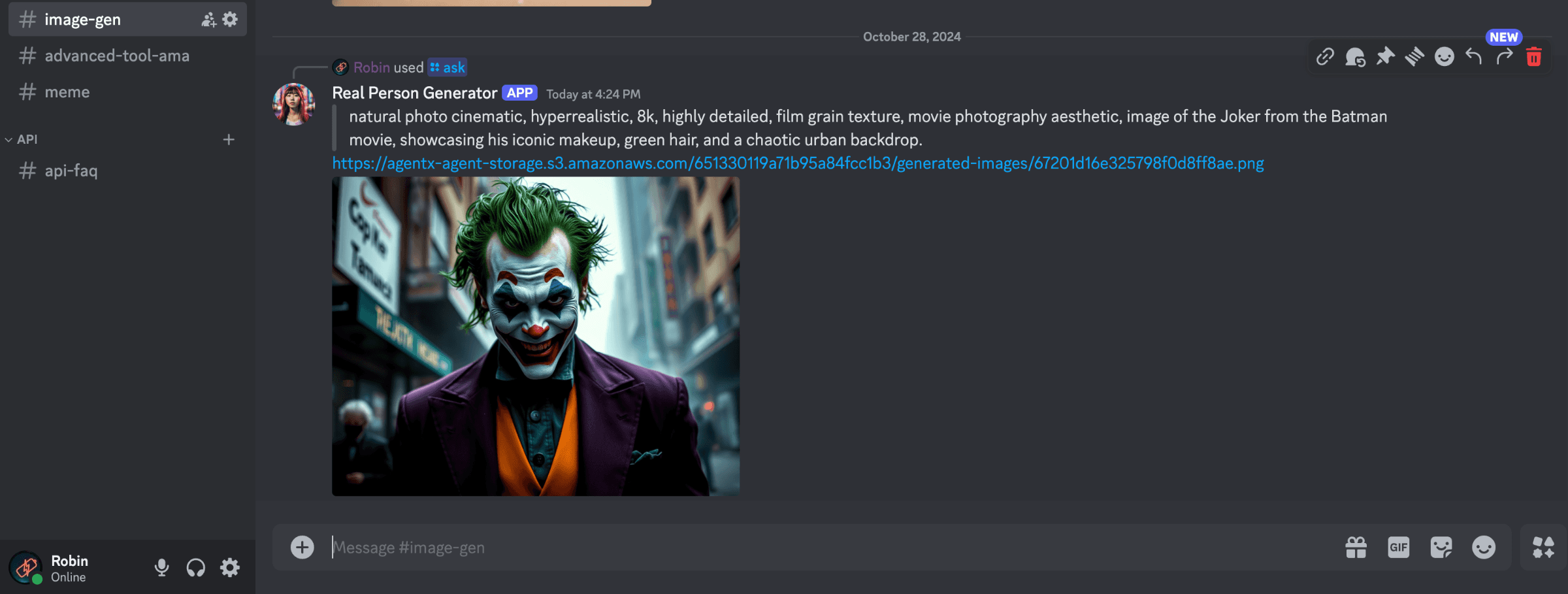
Once the AI agent is deployed to the Discord, we can test it by chat with it typing: /ask
Lastly
Awesome! Congrats! 🥳 You just build your first Midjourney-like Discord bot.
Now it is time to share it to your community.
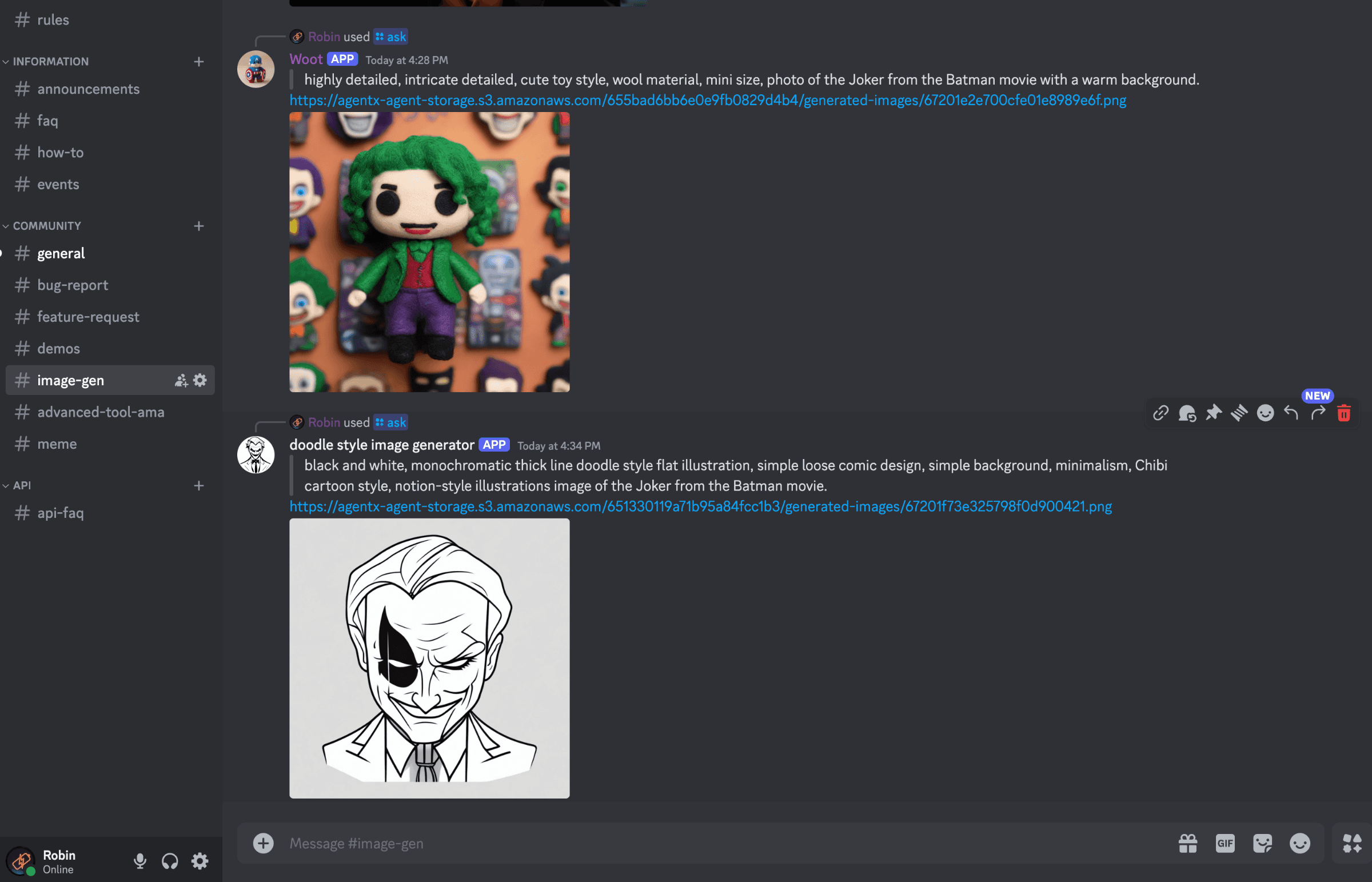
Note that AgentX allows user to deploy multiple AI agent onto a same Discord server. You can be very creative on what style of images you want to generate.
Here are the examples with different styled AI agent image generators.
Share Blog
Related blogs