

AGENTX FEATURES
🚀 PROTIP: How to Feed Website Knowledge into Your Agent (the Right Way)

If you want your Agent to know more than just the homepage of a website, you need to go deeper, and AgentX gives you the tools to do that easily.
✅ What Not to Do
Just pasting Single Webpage or subpage like:
https://www.agentx.so
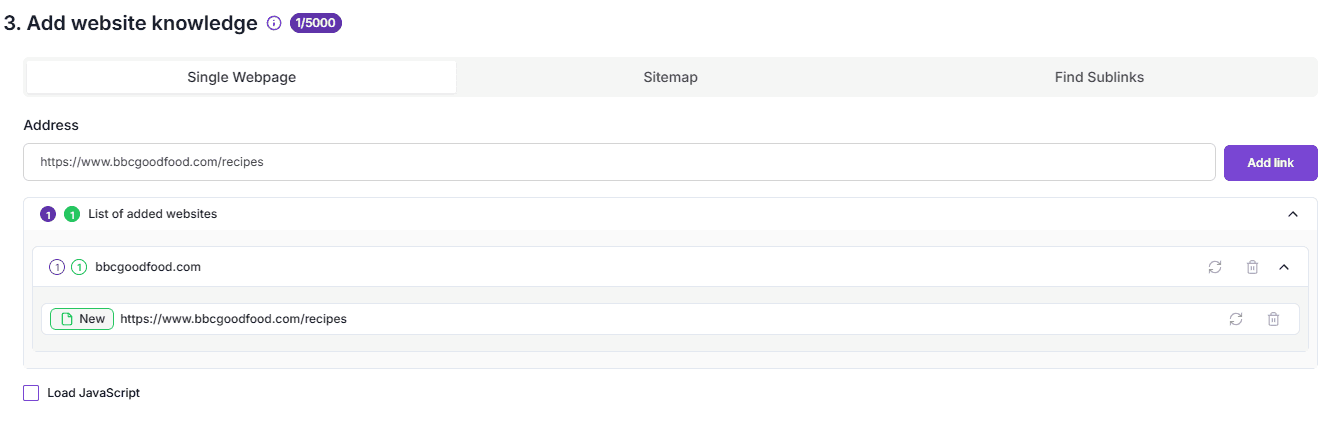
…will only teach your Agent the content of that one main page, not the full website with all subpages inside.
To teach your Agent from multiple pages within a site, use one of these tools:
🔗 Method 1: Find Sublinks (Best for browsing websites)
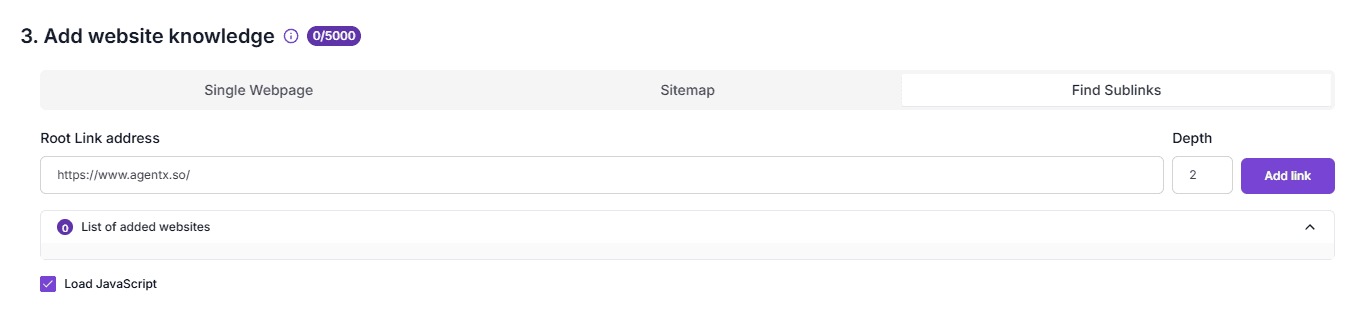
Step-by-step:
Paste the Root Link (main website link), like:
http://agentx.so/Choose the Depth
Think of this like how many “clicks” deep the tool should go from the homepage.
For example:
Depth 1 = only the links on the homepage.
Depth 2 = links inside those pages.
Depth 3 = even deeper into the site.
💡 Imagine you’re clicking links - that’s what “depth” means. Deeper = more pages.🧠 Tip: If you’re not sure, try depth 1 for a start.
Click “Add Link”
(Optional) Enable “Load JavaScript”
Some websites load their content using JavaScript.
Turning this on helps fetch those pages correctly, but it may take longer to process.
Don’t forget to save your progress.
🗺️ 2. Use a Sitemap - Quick & Full Import
Some websites have a sitemap - a file that lists every public page on the site.
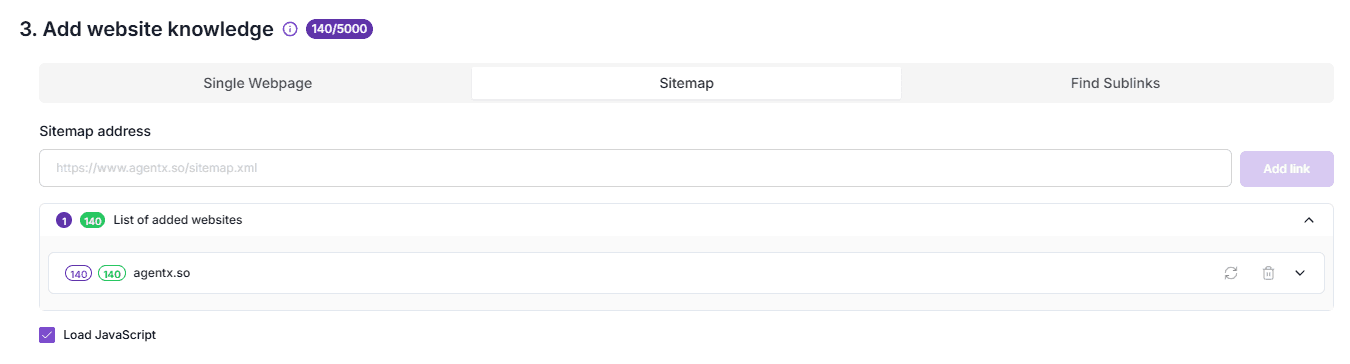
How to use it:
Pick the Sitemap tool
Paste the sitemap URL (e.g.
http://agentx.so/sitemap.xml)AgentX will scan all the listed pages and import them
💡 This method is fast and covers everything, but it may also bring in things you don’t really need.
🎯 3. Pick Only What Matters (Recommended!)
You don’t want to overwhelm your Agent with ads, login pages, or random footers.
Less is more. The most efficient method is:
Option A:
Add single pages manually - only the links you care about.
Example:
https://www.agentx.so/agentx-pricinghttps://www.agentx.so/post/MetaLlamaLLMshttps://www.agentx.so/post/NotionAgentXhttps://www.agentx.so/e-commerce
This gives you full control and keeps your Agent focused.
Option B:
Use “Find Sublinks”, then select only the subpages that matter before confirming.
That way, you’re still discovering pages automatically - but avoiding the noise.
💡 Final Tip
🔍 Using Find Sublinks is best for general sites where you want to explore a few levels deep.
🗺️ Using a Sitemap is ideal when you want to cover everything, and the site provides it.
🧠 Once you use one of these tools, your Agent will be able to understand and answer questions based on the full content of the website, not just one page.
Share Blog
Related blogs
