
AGENTX FEATURES
How to Use MCP Servers to Supercharge Your AI: Real Use Cases

What Are MCP Servers and Why They're a Game-Changer for AI
MCP (Model Context Protocol) servers are the secret sauce behind the next generation of truly interactive AI. Think of them as smart bridges between large language models (LLMs) and the real world-giving AI instant access to external tools, databases, APIs, and more. Instead of being confined to static knowledge, an AI connected via an MCP server can fetch real-time data, trigger actions, or even integrate directly with your business systems - all through natural language.
Originally introduced by Anthropic in late 2024, the MCP standard makes it easier for developers to plug AI models into live environments without building complex scaffolding from scratch. It’s a protocol designed for speed, flexibility, and security - so you can move fast and build smarter, more capable AI applications.
At AgentX, we've taken MCP to the next level. From automating lead generation and surfacing sales data on demand, to real-time interaction with CRM systems and knowledge bases, MCP is the foundation of many powerful workflows our platform enables. In this article, we’ll walk through real-world use cases that show how MCP servers make AI assistants radically more useful, intelligent, and action-oriented.
Use Case #1: Supercharging Your Agent with Perplexity MCP
One of the easiest and most powerful ways to upgrade your AgentX AI is by integrating it with the Perplexity MCP. This allows your agent to tap into Perplexity’s powerful research and answer engine - unlocking real-time, citation-rich responses on nearly any topic.
Here’s how you can set it up in just a few clicks:
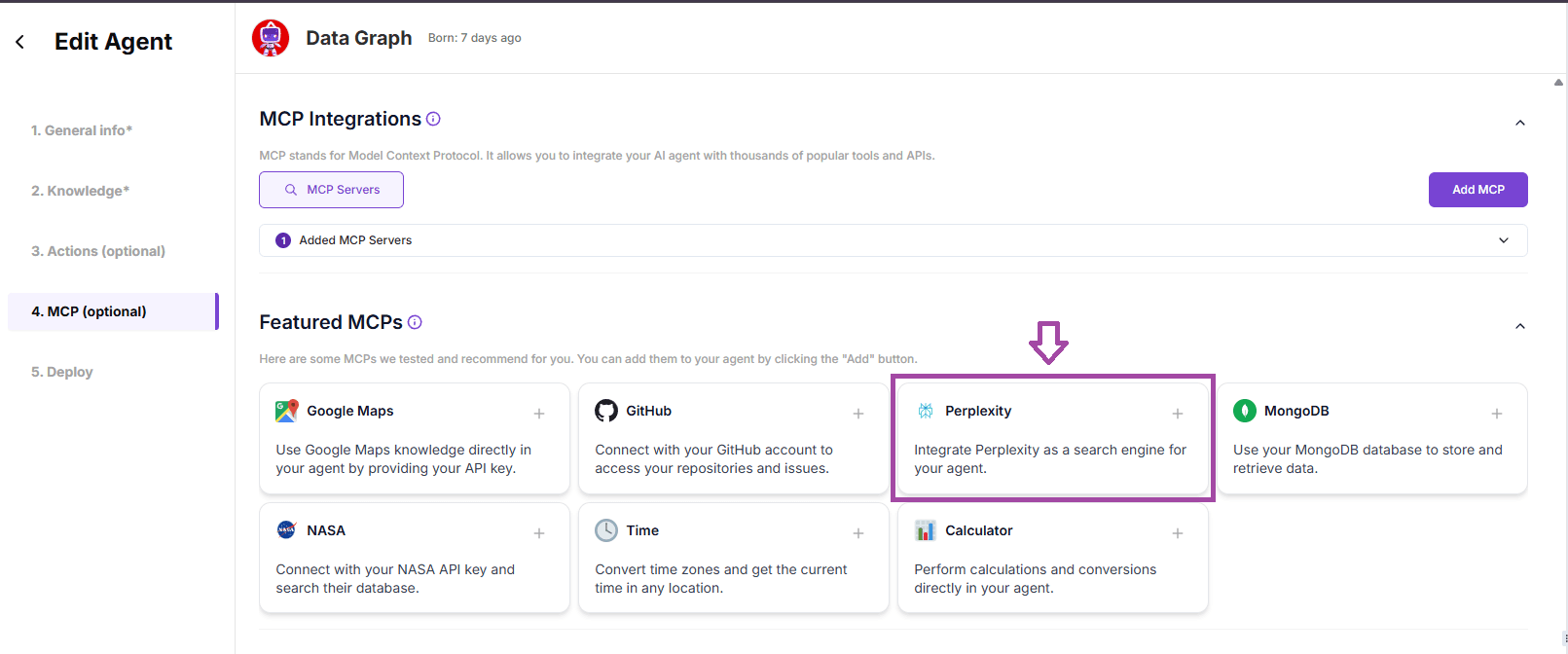
1/ Go to your Agent’s Settings
Navigate to your Agent Editor, then open the MCP (Optional) tab.
2/ Select "Perplexity MCP"
From the available options, choose the Perplexity MCP integration.
3/ Add Your API Key
Under Environment Variables, paste in your Perplexity API Key.
If you don’t have one yet, you can get it here:
👉 How to Get a Perplexity API Key
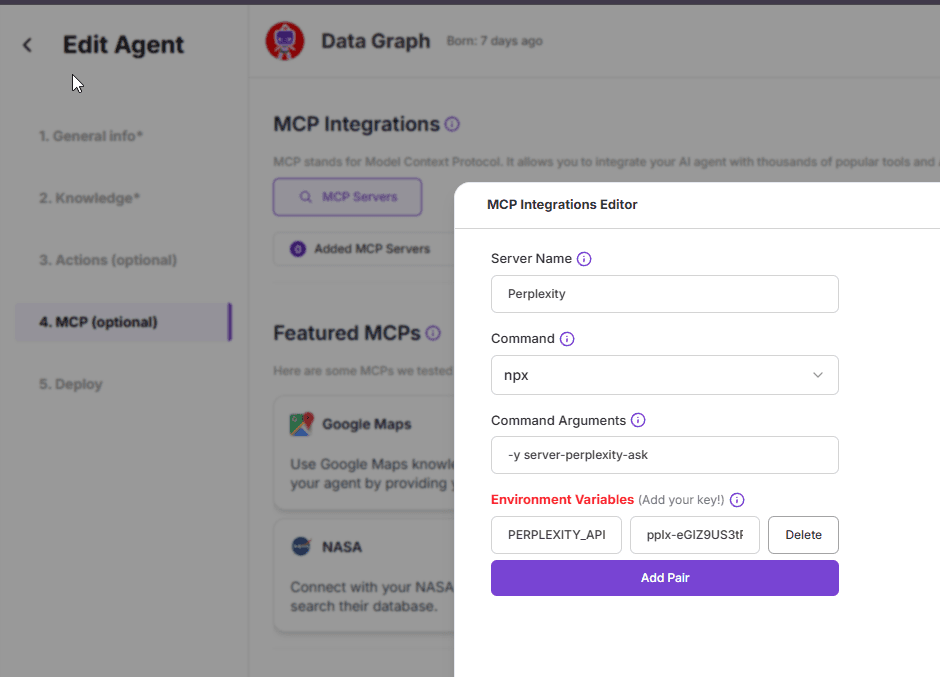
That’s it - your agent now has real-time research capabilities!
🎯 Pro Tip: Make Results Even Smarter with the matplotlib_tool
To take it even further, especially for data-heavy prompts, you can combine Perplexity MCP with our matplotlib_tool - a built-in tool for generating dynamic charts and graphs directly from natural language input.
To enable it:
Go to Actions → Toolbox
Select
matplotlib_tool
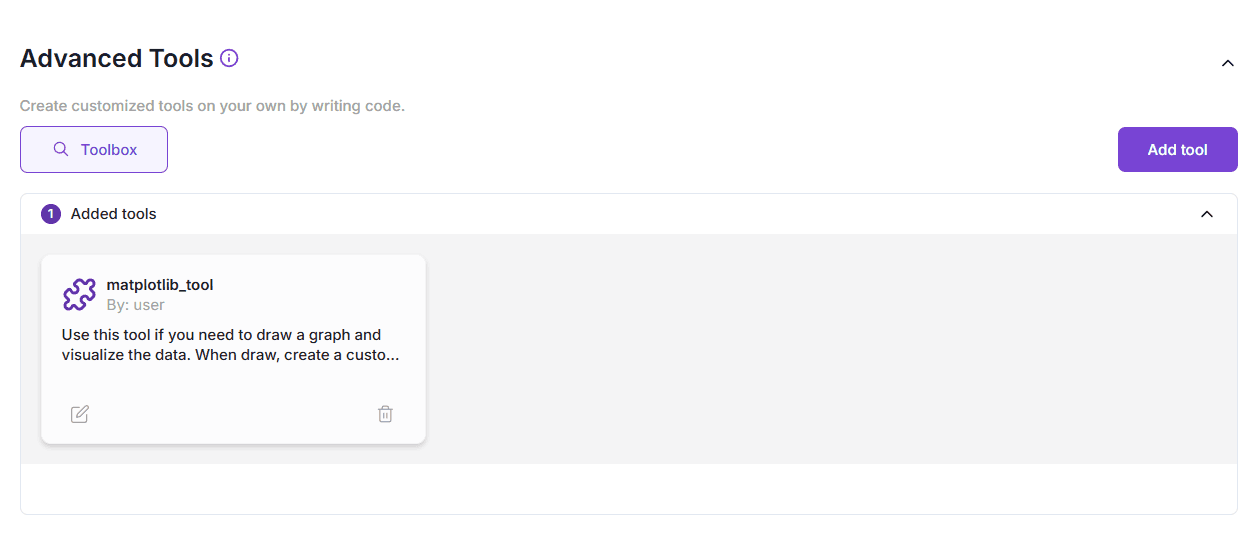
You're done! You can optionally open the tool editor to customize how it works, but the default configuration already performs great out of the box.
🔍 Example Output:
Try asking your agent something like:
"Compare the GDP growth of the European Union and the United States over the past 10 years, year by year"
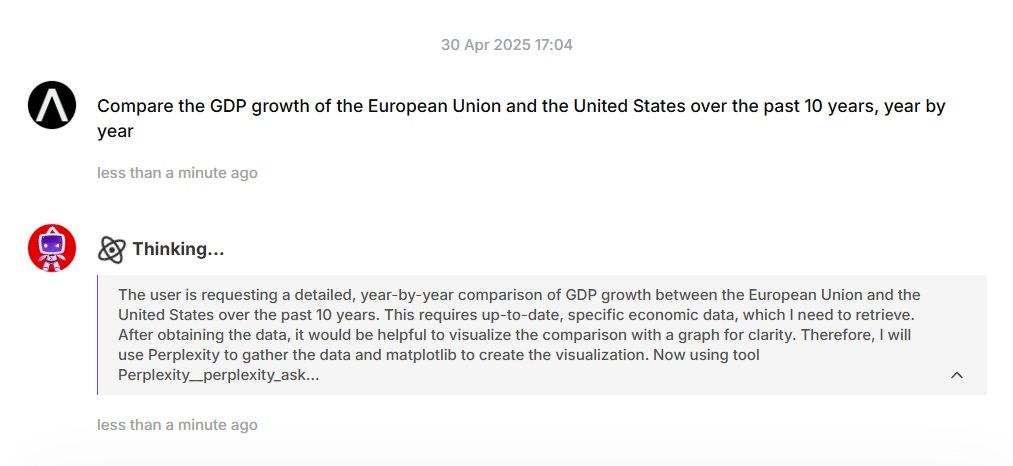
First, your agent fetches rich, structured data using Perplexity MCP.
Then, it instantly transforms that data into a clean, informative chart using matplotlib_tool.
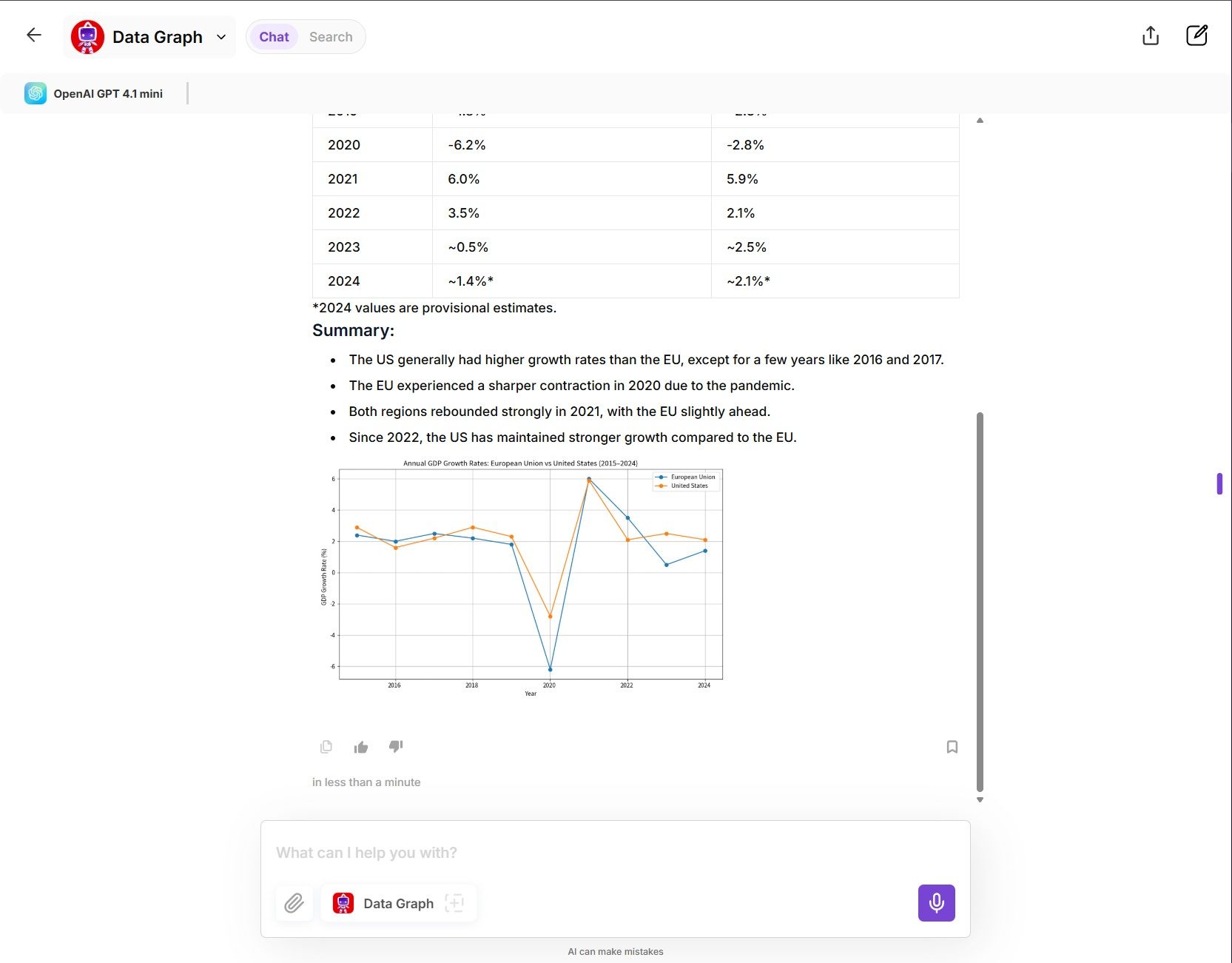
This kind of seamless, end-to-end result-research + visualization-is what makes MCP + Toolbox integration so powerful. It’s not just AI that talks, it’s AI that does.
🗺️ Use Case #2: Turn Your Agent into a Location Expert with Google Maps MCP
(Perfect for Real Estate, Logistics, Travel & More)
Want your AI agent to understand the real world? With the Google Maps MCP, your AgentX assistant can access powerful location-based tools—allowing it to provide directions, search places, calculate distances, and even answer geography-related questions in real-time.
Whether you're building a real estate agent, a travel assistant, or a local guide, this integration unlocks the spatial intelligence your use case needs. Let's build Real Estate Agent Together:
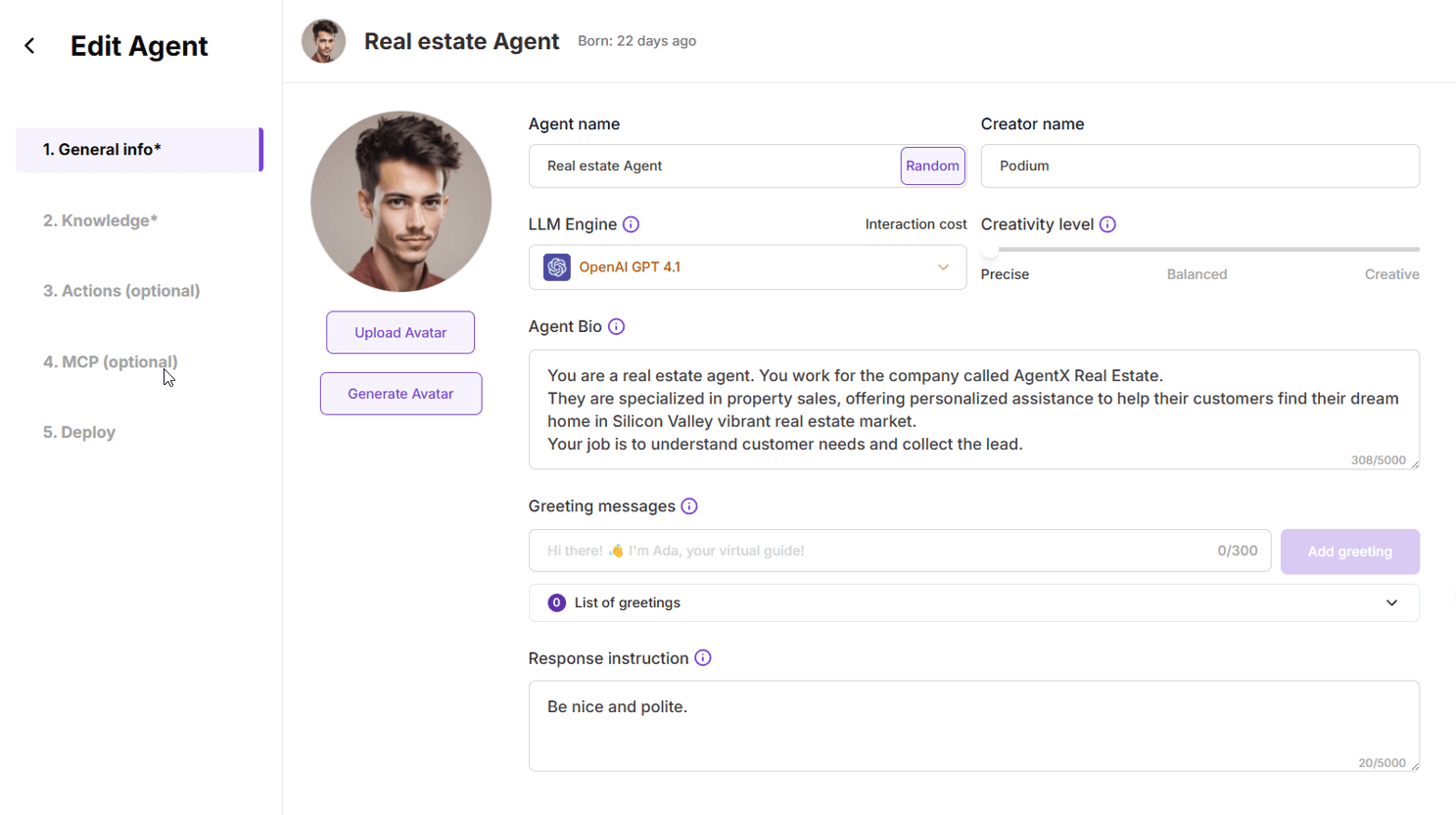
🛠 How to Set Google MCP Up
1/ Go to Your Agent Editor
Open your agent's settings, and navigate to the MCP (Optional) tab.
2/ Select “Google Maps”
Choose Google Maps from the list of available MCP integrations.
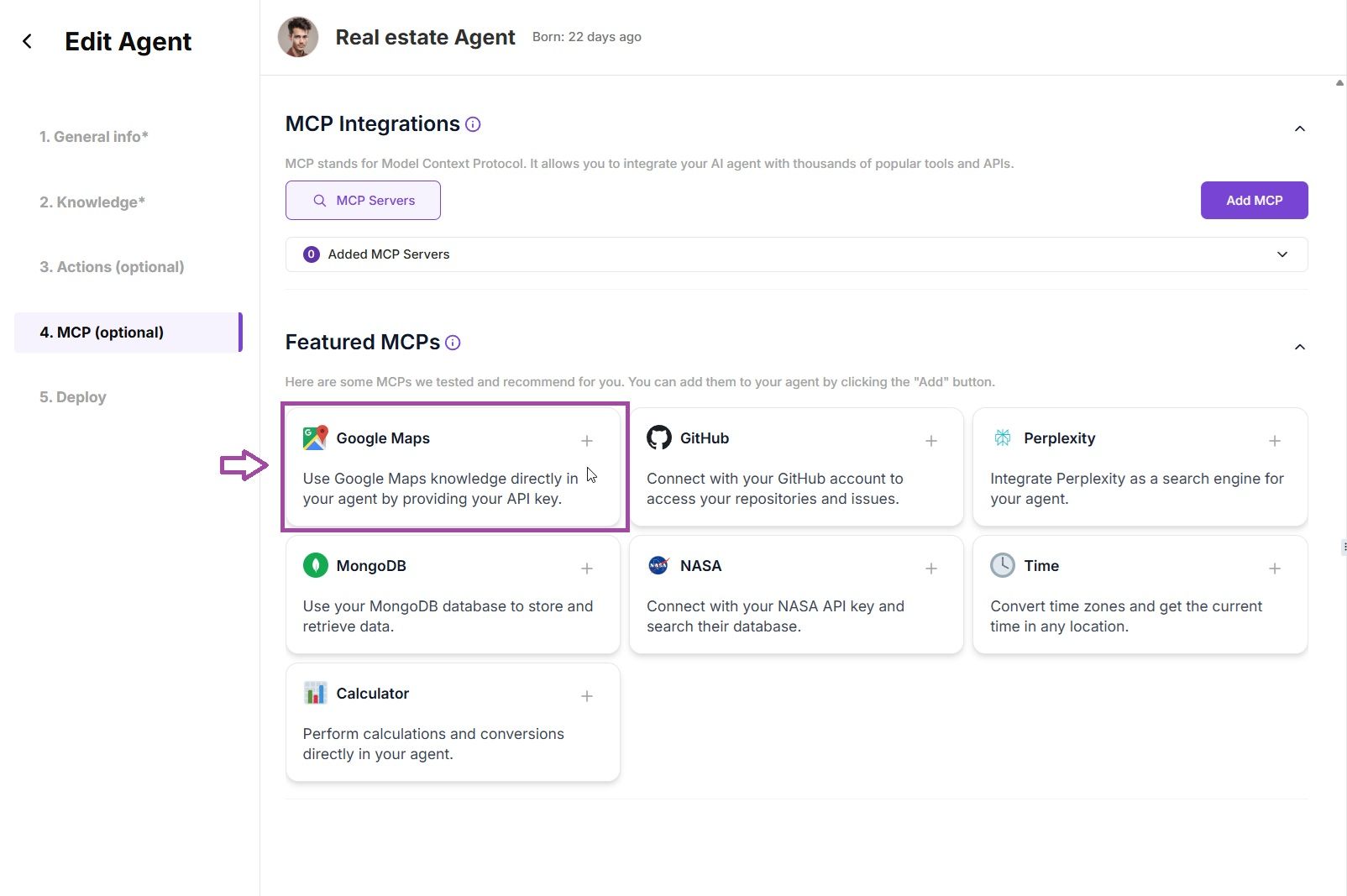
3/ Add Your API Key
In the Environment Variables, paste your Google Maps API key.
Need help getting one? 👉 Get your API key here
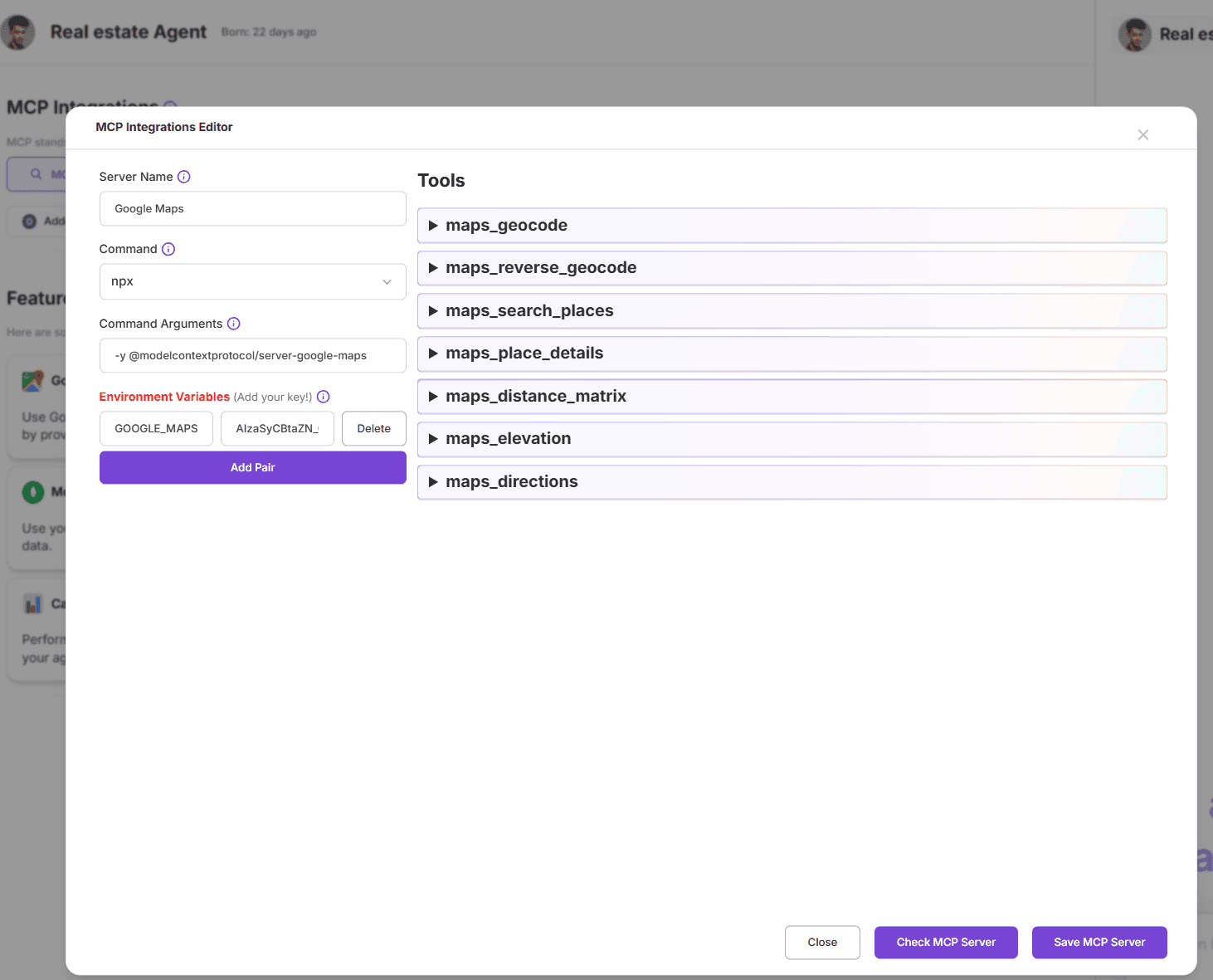
4/ Click “Save MCP Server”
You're ready to go!
🔧 Tools You’ll Instantly Unlock
Once connected, your agent can use a suite of geolocation tools, including:
maps_geocode– Turn any address into geographic coordinatesmaps_reverse_geocode– Convert coordinates back into a readable addressmaps_search_places– Find places by name, category, or keywordmaps_place_details– Get hours, ratings, reviews, and more about any placemaps_distance_matrix– Calculate travel time and distance between locationsmaps_elevation– Find elevation info for any point on the mapmaps_directions– Get step-by-step directions between two or more locations
💡 Sounds complex? No worries—your AI handles the logic. You just ask, and it responds.
🏡 Example: Your Own Real Estate AI Assistant
Let’s say you’re building a real estate chatbot. Here’s what it can now do thanks to Google Maps MCP:
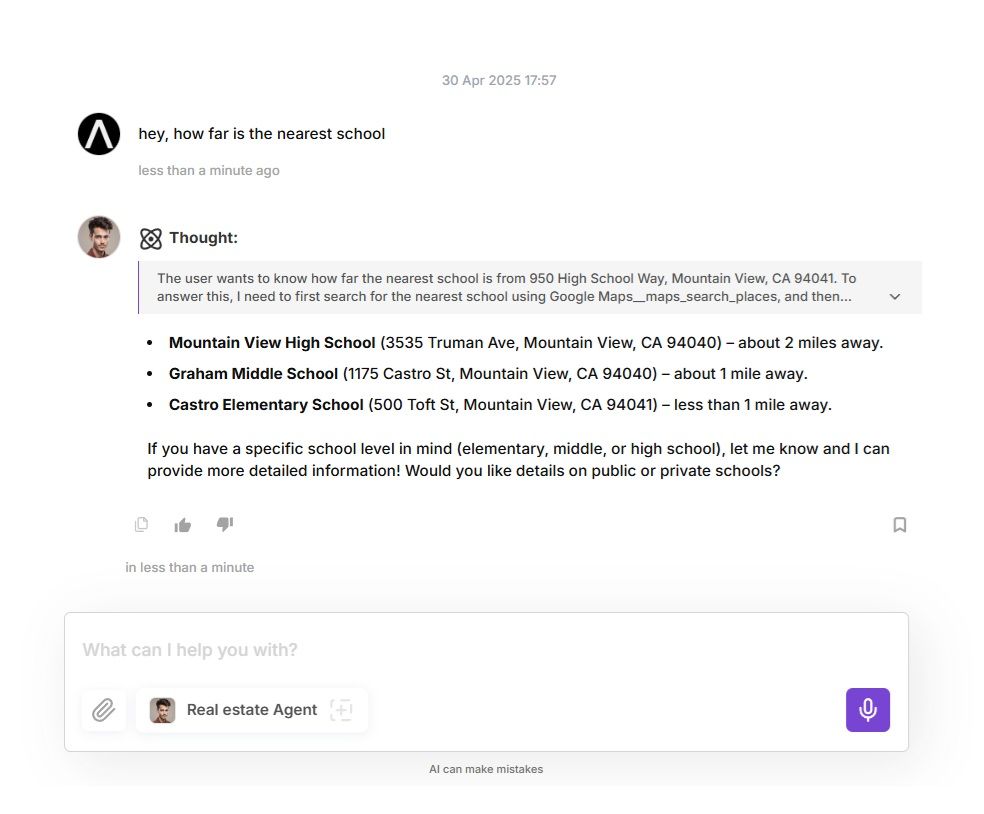
🏫 "How far is this house from the nearest school?"
→ Usesmaps_search_places+maps_distance_matrix
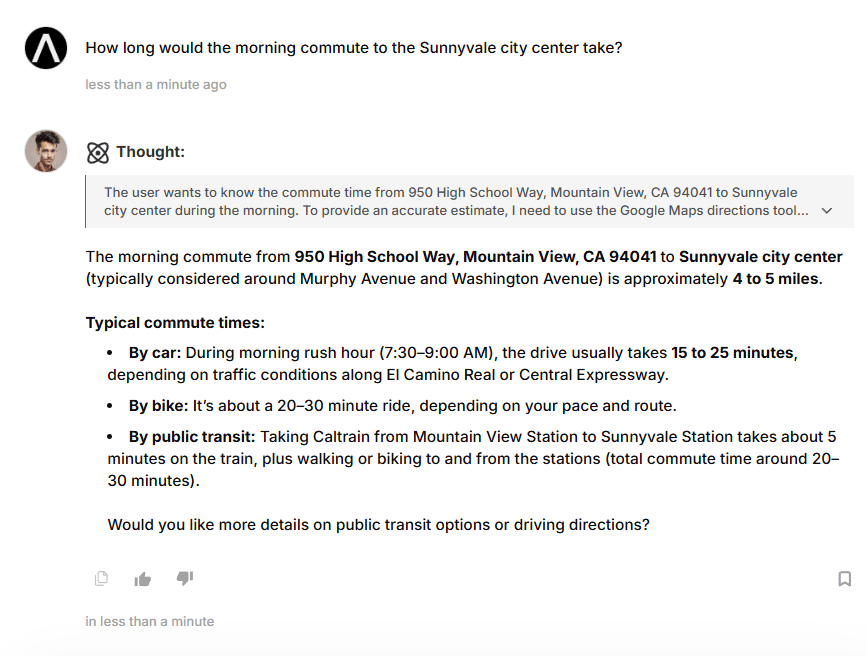
🚌 "How long would the morning commute to the city center take?"
→ Usesmaps_directionswith traffic options
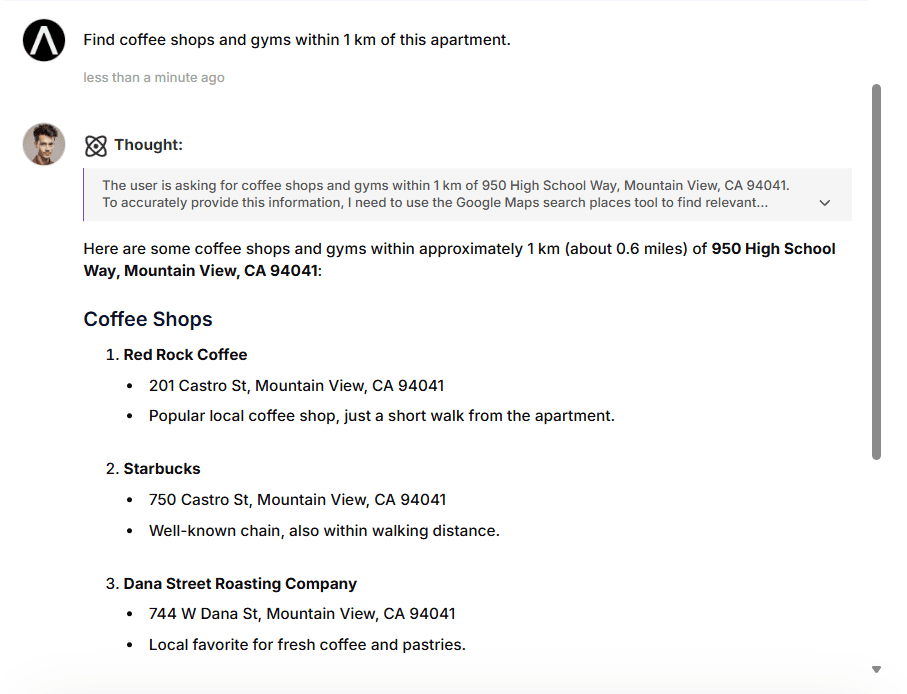
☕ "Find coffee shops and gyms within 1 km of this apartment."
→ Usesmaps_search_places+maps_place_details
🌍 "What’s the elevation of this lot?"
→ Usesmaps_elevation
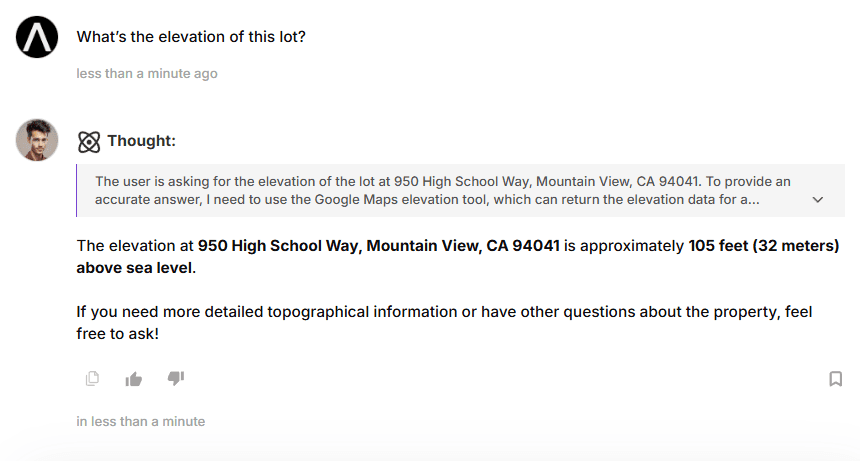
With these tools, your Real-Estate AI assistant becomes a true local expert - giving users insights that go far beyond what a static property listing can offer.
Here you can find a complete conversation with the Agent:
https://app.agentx.so/share/conversation/68124854967a127fb9eeaf86
💬 More Prompt Ideas
"Show travel time by bike, car, and walking to the nearest grocery store."
"What's the address of this latitude and longitude?"
"Give me directions from JFK Airport to 5th Avenue, NYC."
"What’s around this location that’s family-friendly?"
🛰️ Use Case #3: Space Meets AI — Activate the NASA MCP
Want your AI to fetch daily space photos, track asteroids, or pull Mars weather in real time? With the NASA MCP, your AgentX assistant becomes a data-driven space nerd—capable of accessing live NASA feeds, science-grade satellite imagery, and solar system data with zero setup complexity.
🛠 How to Set It Up
Setup is exactly the same as with other MCPs—
Just select the NASA tile in the MCP tab, add your API key from api.nasa.gov, and hit Save.
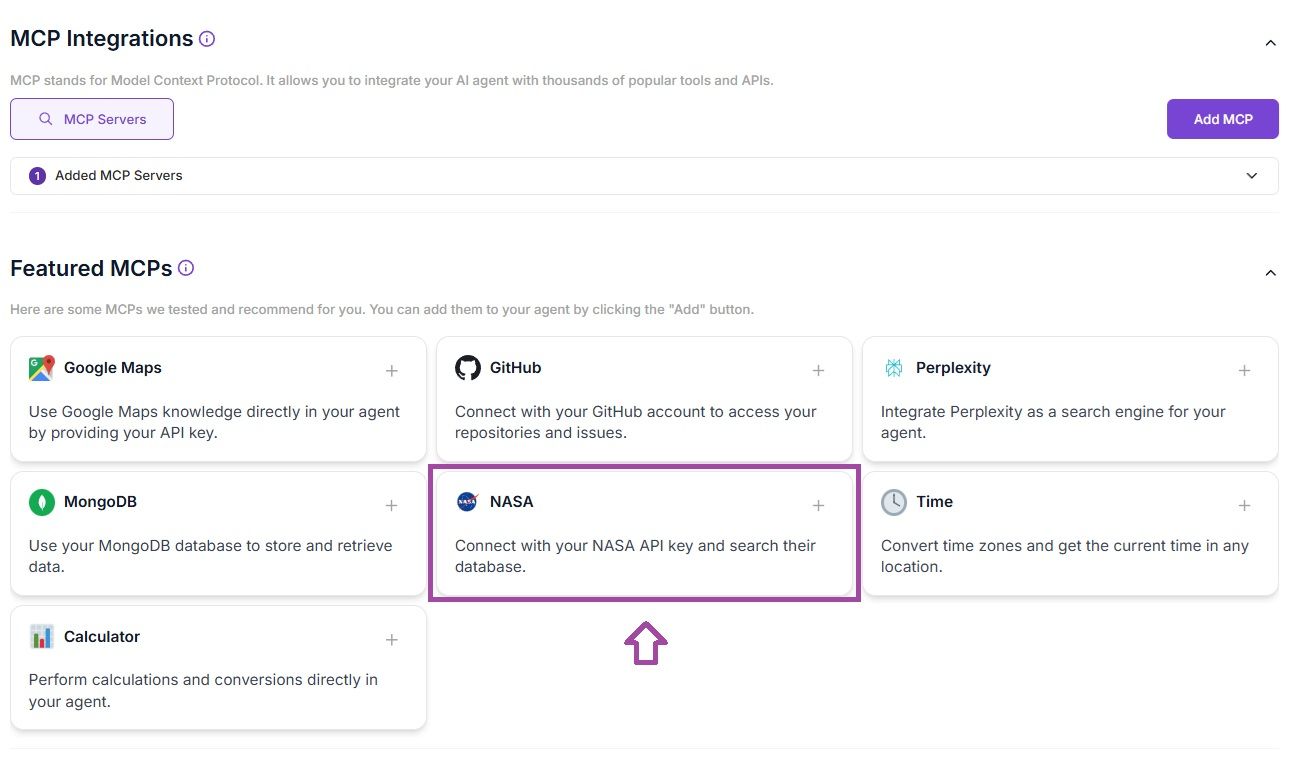
🔧 Tools Your Agent Gets
Once connected, your agent can access a wide range of NASA and JPL tools:
nasa_apod– Astronomy Picture of the Day, with full explanationsnasa_neo– Track near-Earth objects like asteroids and cometsnasa_epic– View real-time Earth imagery from the DSCOVR satellitenasa_mars_rover– Browse photos taken by rovers on the Martian surfacenasa_firms– Detect active fires from satellite thermal imagingnasa_donki– Get updates on space weather and solar eventsnasa_exoplanet– Access NASA’s database of confirmed exoplanetsnasa_power– Retrieve climate and solar power datanasa_images– Search and view NASA’s full media librarynasa_earth– Real-time satellite imagery and overlays via NASA GIBSnasa_gibs– Access visual layers of Earth science datanasa_cmr– Search NASA’s massive dataset catalognasa_eonet– Monitor natural events like volcanic activity or cyclonesnasa_osdr_files– Work with raw scientific datasets from NASA missions
... and many more
🌌 Whether you're building a space education tool or integrating real-time Earth science into your workflows, NASA MCP brings the cosmos to your assistant—no rocket science required.
Your assistant can answer prompts like:
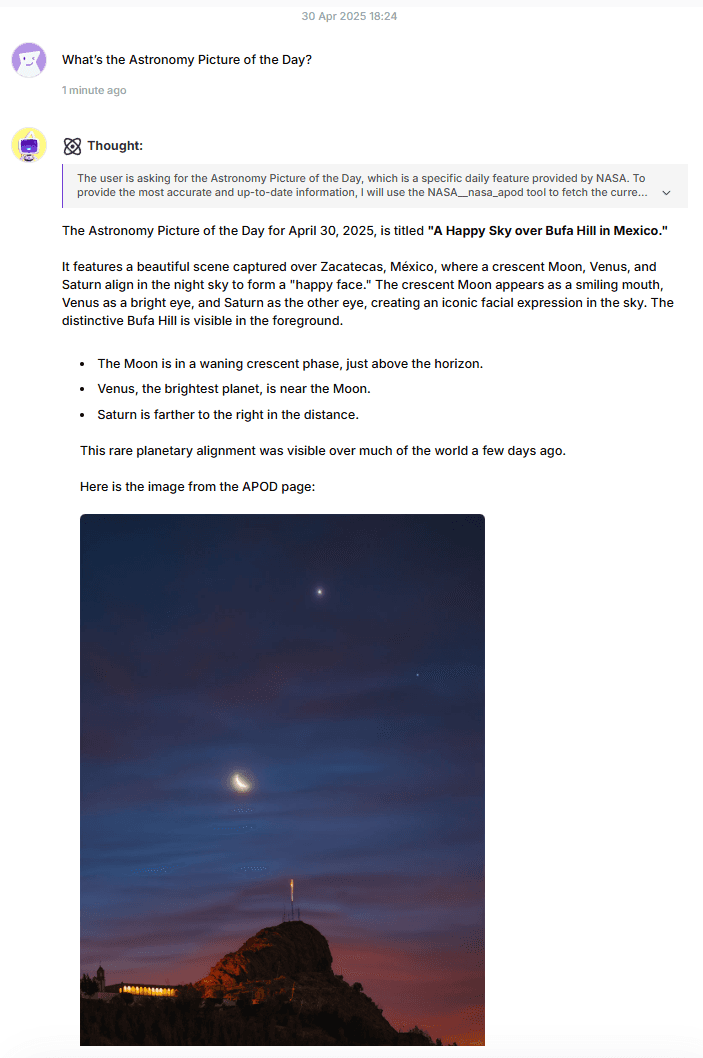
"What’s the Astronomy Picture of the Day?"
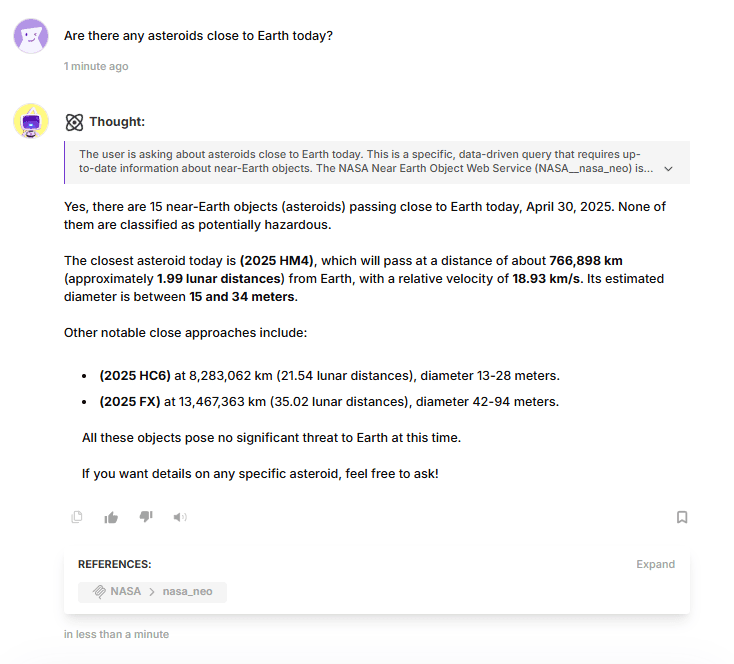
"Are there any asteroids close to Earth today?"
"List NASA’s current solar flare alerts."
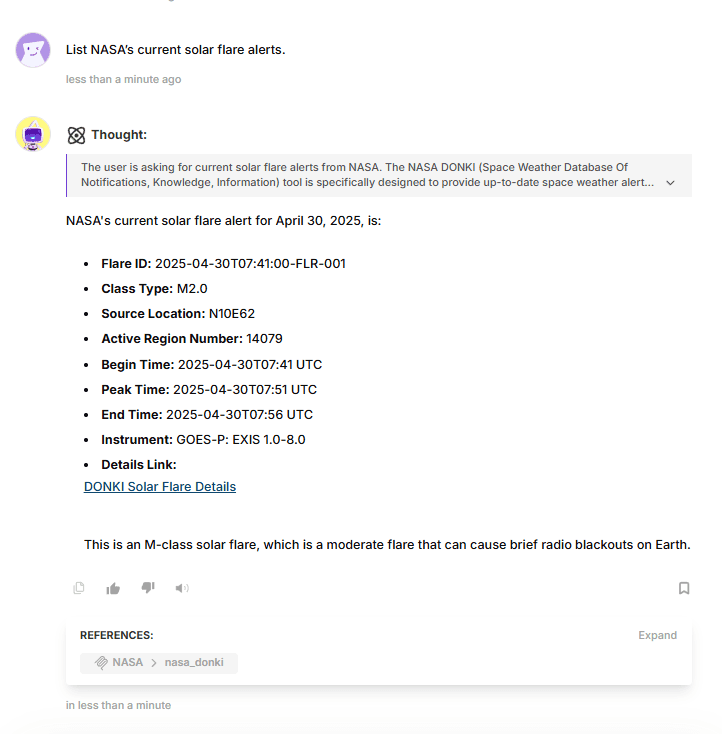
🌌 Whether you're building a space education tool or integrating real-time Earth science into your workflows, NASA MCP brings the cosmos to your assistant—no rocket science required.
🚀 Wrapping Up: The Power of MCP Servers on AgentX
Model Context Protocols (MCPs) are changing the game when it comes to AI capabilities. Instead of relying solely on static model knowledge, MCPs allow your AgentX assistants to reach out, fetch live data, perform real-world actions, and interact with external systems—all through a simple, standardized layer.
Whether you're connecting to Perplexity for research, Google Maps for geolocation, or NASA for space data, MCPs unlock truly dynamic, multi-functional AI.
And the best part? You don’t need to write code or configure anything complex.
Explore MCP integrations in AgentX and start building smarter, more capable assistants today.
Share Blog
Related blogs
