

AGENTX FEATURES
Integrate Google Calendar with AgentX to Schedule Meetings Effortlessly

Managing availability, booking meetings, and avoiding scheduling conflicts can be a time-consuming hassle - especially if you're juggling multiple conversations or leads. With AgentX’s Google Calendar integration, you can simplify the entire process by enabling your AI agents to check availability and schedule meetings directly within your chosen calendar.
Whether you're using AgentX for sales, support, or internal operations, this integration ensures that no opportunity is lost due to slow follow-up or missed slots. Once configured, your AgentX agent will automatically find the best available time, set up the meeting, create a Google Calendar event, and complete with confirmation.
Let’s walk through how it works and how you can set it up.
🚀 Why Google Calendar Integration Matters
Streamline scheduling: No more back-and-forth emails or missed follow-ups.
Real-time availability: Sync with your calendar to always book in your open slots.
Automated event creation: Let your agent create the event, send invites, and confirm with attendees.
Seamless experience: Everything happens in the background - no manual input needed after setup.
🔧 How to Integrate Google Calendar with AgentX
Connecting your Google Calendar to AgentX is quick and simple - it only takes one step.
Step 1: Connect Your Google Account
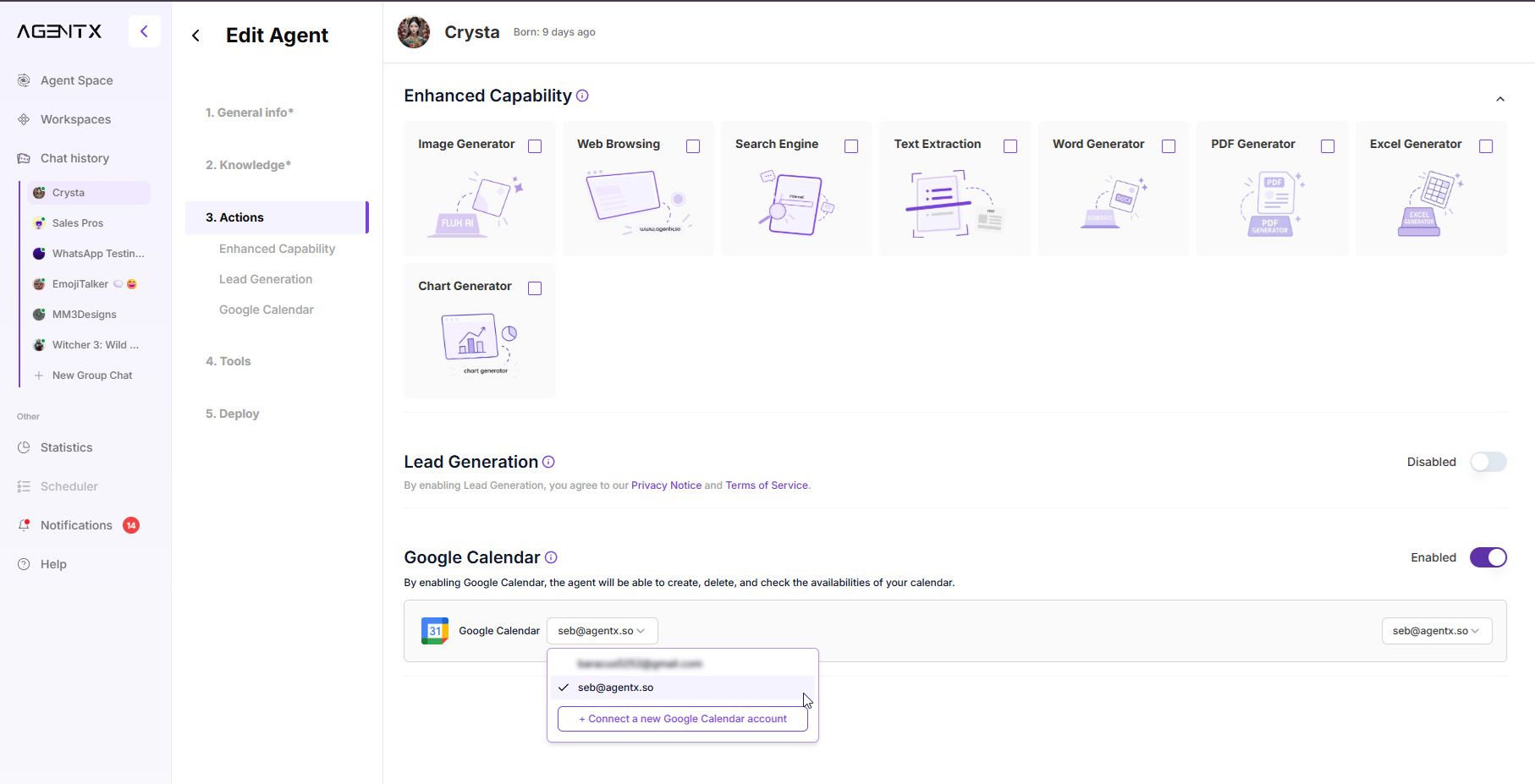
Open the settings for the Agent you want to enable scheduling for.
Click on "Actions", then scroll down to the "Google Calendar" section.
Toggle the feature on, then add your preferred Google account.
Select the specific calendar you'd like the agent to use for booking meetings.
📌 In the example below, we’ll connect the calendar used by a car dealership to manage customer appointments:

🤖 How It Works in Action
Once Google Calendar is connected, your Agent automatically handles scheduling during conversations. Let’s walk through an example:
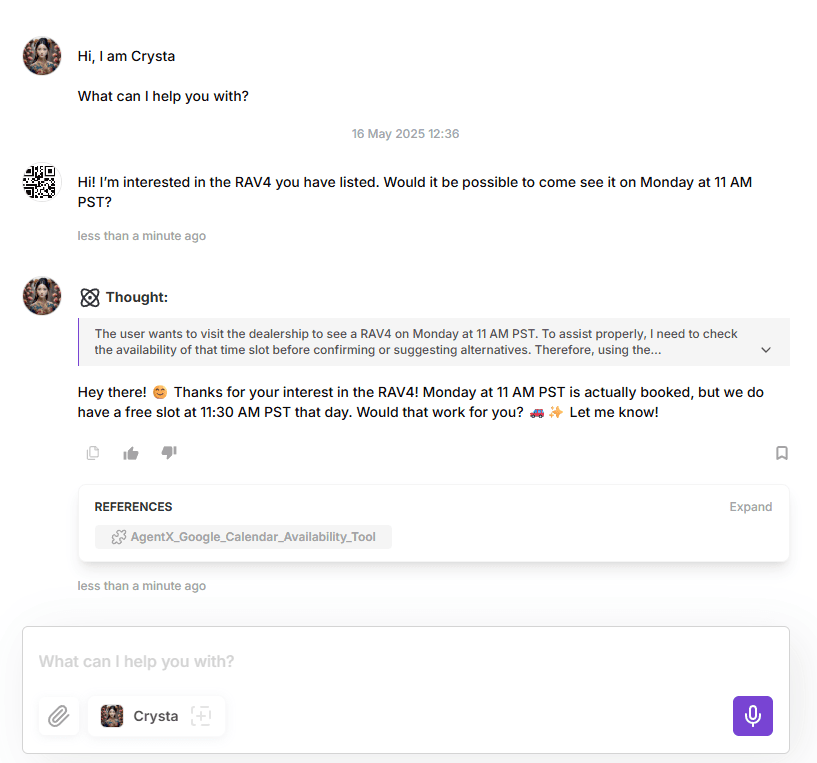
Customer wants to book a meeting
Customer: Hi! I’m interested in the RAV4 you have listed. Would it be possible to come see it on Monday at 11 AM PST?
If the slot is unavailable
AgentX: Hey there! 😊 Thanks for your interest in the RAV4! Monday at 11 AM PST is actually booked, but we do have a free slot at 11:30 AM PST that day. Would that work for you? 🚗✨ Let me know!
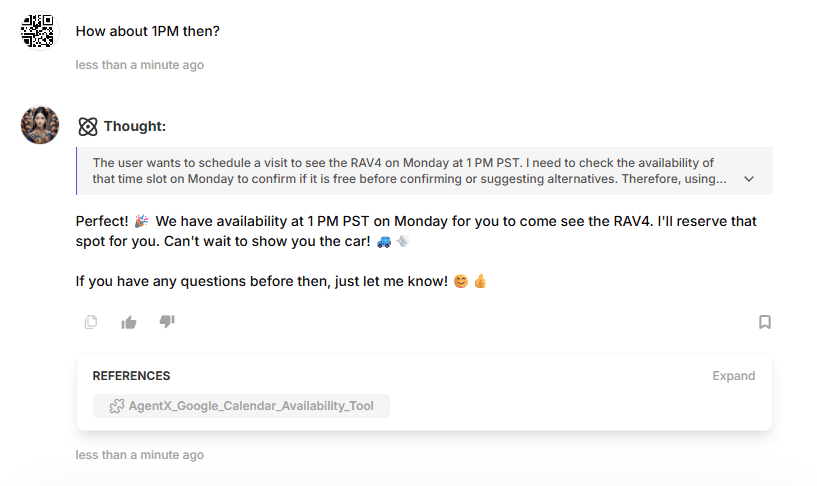
If the customer accepts
Customer: How about 1PM then?
AgentX: Perfect! 🎉 We have availability at 1 PM PST on Monday for you to come see the RAV4. I'll reserve that spot for you. Can't wait to show you the car! 🚙💨
📅 The Meeting Lands in Your Calendar - Automatically
As soon as your customer confirms the time, AgentX creates a Google Calendar event in your selected calendar. No manual steps, no double-checking - everything is handled instantly.
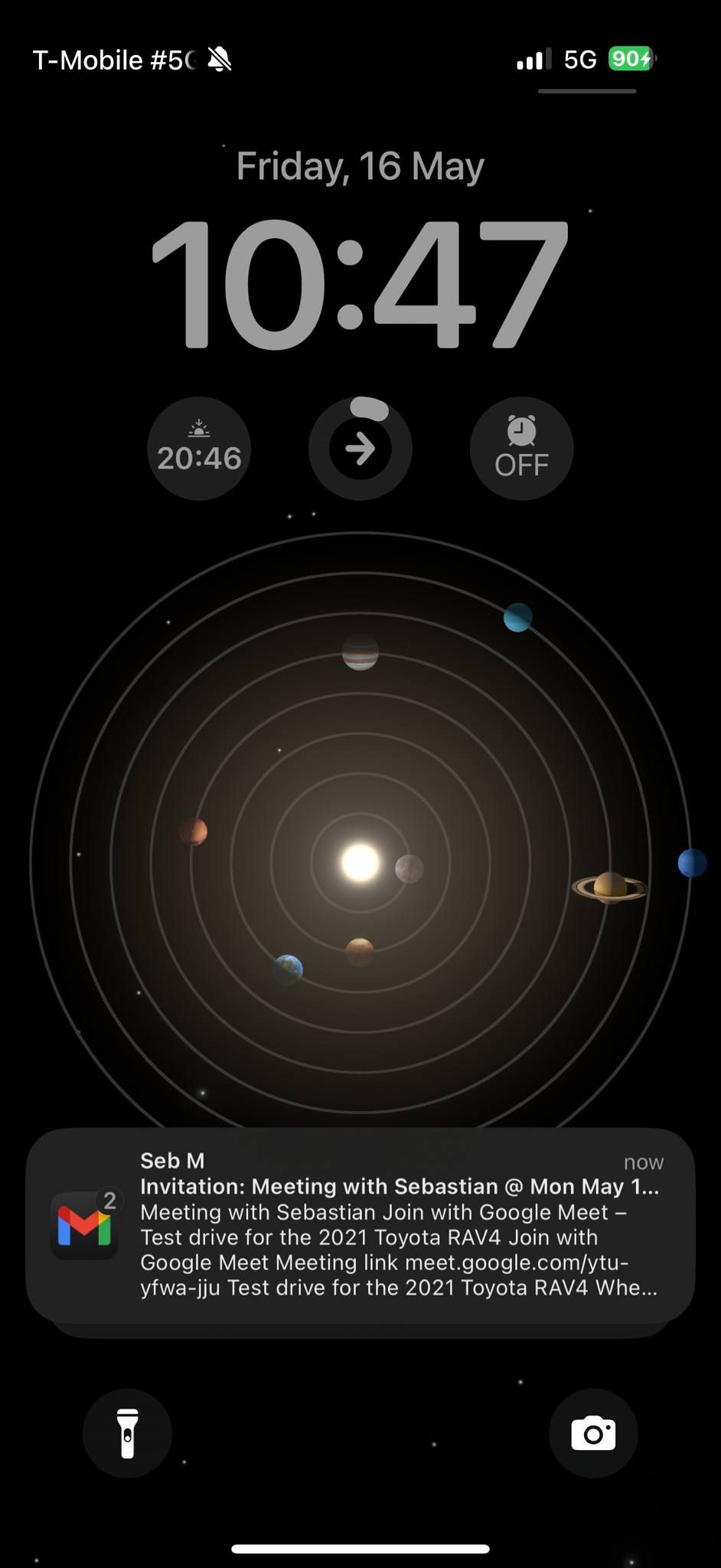
The event includes:
✅ Title and participant details
🕒 Exact date and time
📍 Location or video call link (e.g. Google Meet)
📝 Any notes captured during the conversation
✅ Ready to Activate?
Head over to your Agent settings and turn on Google Calendar scheduling to start automating your meetings today.
Share Blog
Related blogs
