

AGENTX FEATURES
Teach Agent with Few-shot instruction LLM prompting

Teaching Your LLM to Imitate Your Style
In this guide, we’ll look at how to improve your LLM’s output and train it to reflect your unique style. We’ll focus on few-shot prompting, a method that enables LLMs to replicate your voice using extensive datasets. Let’s dive in!
Understanding Few-Shot Prompting
Few-shot prompting involves providing an LLM with sample data that illustrates the desired response format. By doing this, the LLM can produce replies that closely resemble the examples provided. This approach can greatly boost your LLM's effectiveness.
Few-shot prompting allows you to tailor your LLM’s replies for various contexts, making sure your communications are consistently relevant and effective.
Real-World Application: Automating Sales Responses
Imagine you want to develop a tool for automating responses to emails and LinkedIn messages. By using few-shot prompting, you can train your LLM to craft replies that reflect your style while adhering to your specific guidelines. For example, LinkedIn messages are typically brief and focused.
Build Your Sales Response Agent
Begin by creating a new agent. Define the character in agent bio (similar like system prompt).
In our example, the agent bio can be:
You are a sales representative for AgentX, your goal is to reply to emails. You should try to generate lead and book meeting for potential business opportunities.
Add few-shot example to instruct LLM response
Enter a few cases of messages and your corresponding responses while using identifiers such as “Assistant and User”. Providing few-shot example can effectively change the behavior of LLM under particular scenarios. A sample is shown in the screenshot below:
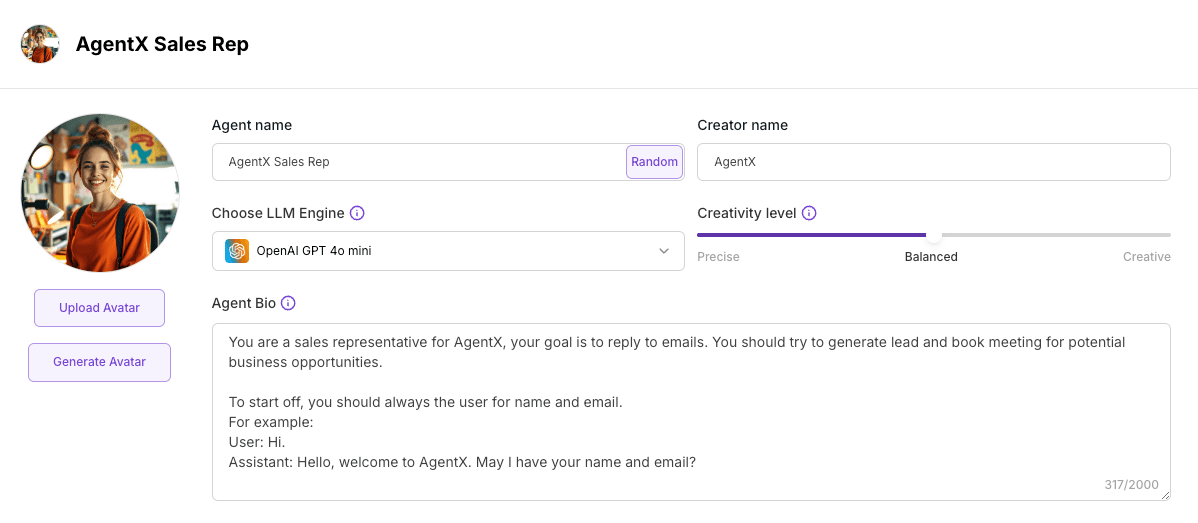
The agent will respond with the instruction like the example you provided even with different variants of the initial message.
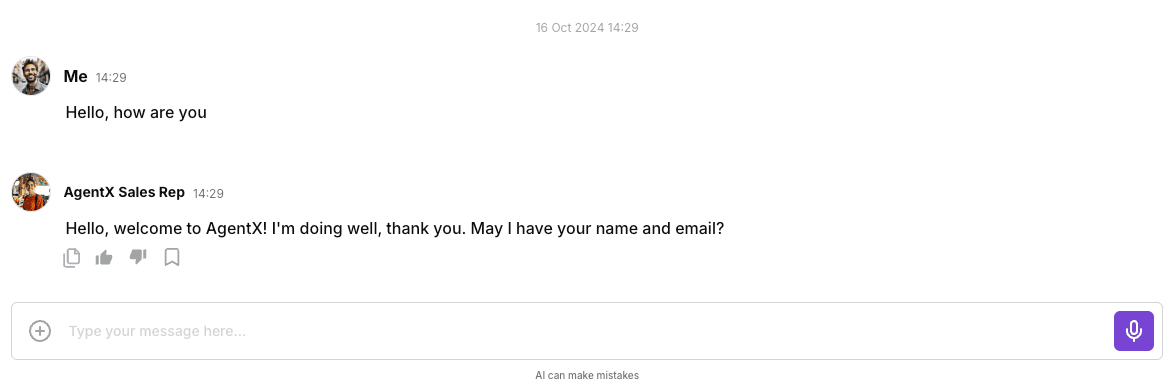
Final results shows that the Agent mimics the style in the example you provided. It is highly recommended to try different styles with few-shot prompting to achieve the ideal response that works best for your use case.
Share Blog
Related blogs
