

AI AGENT TRENDS
The 5 Best Free AI Tools to Chat with Any PDF

Searching for specific information within lengthy PDF documents can be an incredibly time-consuming task, whether for business, academic, or professional purposes. Fortunately, AI-powered tools that offer conversational interactions and can interpret information from PDFs have significantly simplified this process.
In this guide, we will explore the top AI-powered tools that allow for easy conversation with any PDF document. By uploading a PDF document, these tools can provide answers to your inquiries. If you're keen on discovering more about these tools, keep reading!
🏆🏆🏆 Winner of the best PDF AI chat tool 🎆🎆🎆
AgentX is the best free PDF chat tool that allows you to chat with a large number of PDFs and make it available to your friends or customers.
Best Free AI Tools to Chat with PDFs
AgentX
AgentX allows you to upload up to 50 documents at the same time for free to train an AI agent. Only email login is required. The AI agent will then possess knowledge of these 50 documents such as PDFs, word documents. Additionally, you can add links to website and supplement the document knowledge. After training, you can chat with the AI agent which will answer from the knowledge. Just like below demonstrating an AI agent trained with the 5 executive orders published this year.
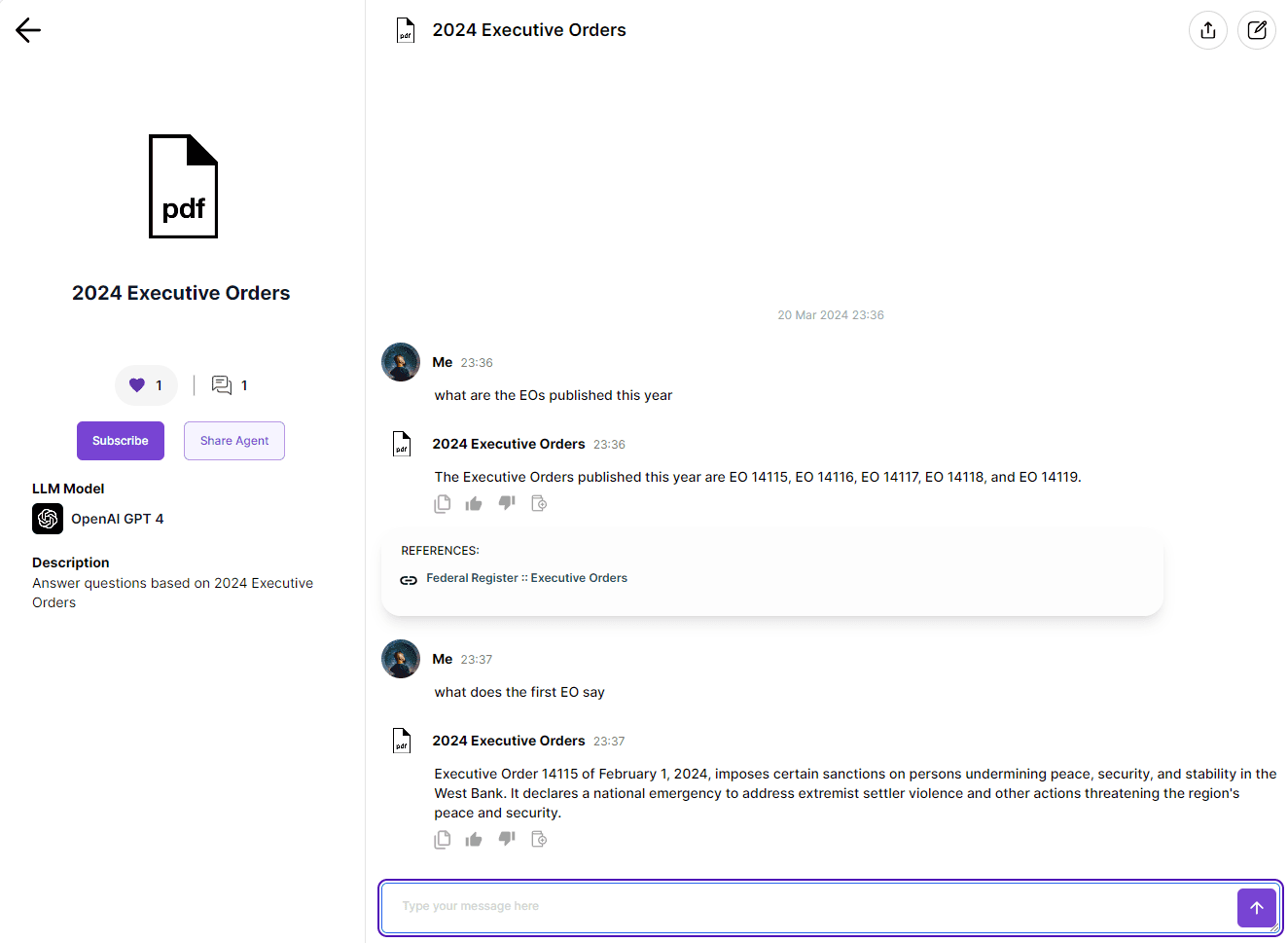
If you would like to share the AI agent with friends, just one-click publish it to “Agent Space” and pass a link to your friends. Also, you can publish this AI agent to your website just by copying and pasting a short code.
Key Features
Free access to premium language models including ChatGPT 4, Gemini, Claude 3
Large number simultaneous documents upload and training
RAG (retrieval augmented generation) algorithm delivers insightful knowledge without hallucination
Accurate citation on which content the answer is based on
Publish to multiple channels with a breeze
Easy sharing with friends
Easy deployment to websites
PROs & CONs
Pros: Excellent choice of language models, great knowledge base, best publishing choices
Cons: chat app integrations are forthcoming
AskYourPDF
AskYourPDF allows for the quick upload of PDFs, leveraging a ChatGPT-powered tool to swiftly extract pertinent information. Regarded as a quality tool for interacting with PDF content, AskYourPDF provides answers to your questions by analyzing the topics within the uploaded document. Acting as an instructor, it aids in deepening your grasp of intricate ideas presented in the file.
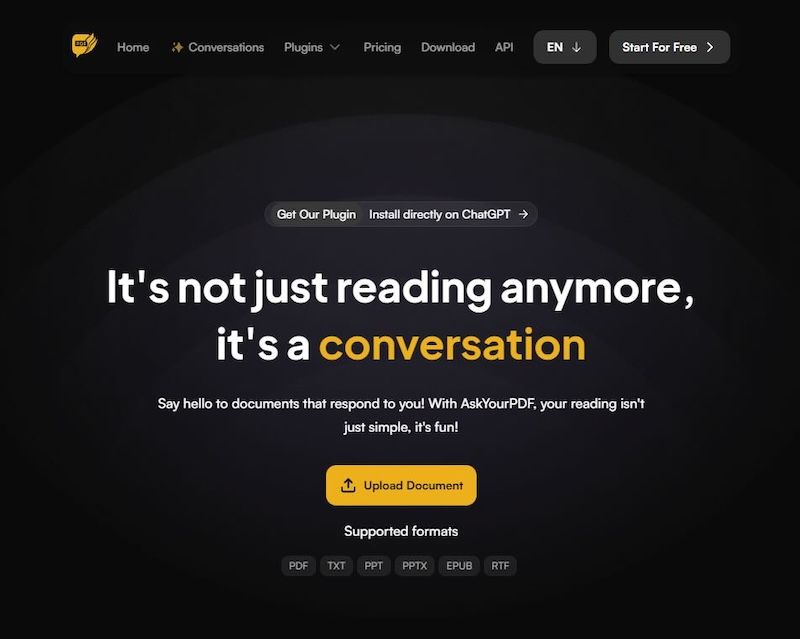
The advanced technology of this tool simplifies the navigation and comprehension of even the most intricate documents. By utilizing AskYourPDF's chat system, you can interact with PDFs more dynamically and effectively, enhancing the educational experience.
Moreover, AskYourPDF supports a variety of file types beyond PDFs and allow for uploads of files up to 15 MB for basic plan. You also have the option to distribute a unique link in PDF format for future reference by others. Privacy concerns are addressed as your chat history with the tool remains confidential, ensuring no other users have access to it.
Key Features
Plugin available for paying users and requires ChatGPT subscription
This tool allows for the addition of notes, text highlighting, and commenting within documents.
Facilitates document annotation and collaboration with others.
PROs & CONs
Pros: Allow you to make highlights and notes on PDF
Cons: Free plan limited to ChatGPT 3.5, 1 document (less than 100 pages and 15MB), 50 questions, 3 conversations per day
PDFgear
PDFgear offers a free alternative to Acrobat AI. Its chatbot feature, PDFgear Copilot, enables users to engage with PDF documents in a conversational manner.
With its proficiency in summarizing and analyzing extensive PDF documents like legal contracts, manuals, and textbooks, PDFgear Copilot serves as a valuable resource for essay writing and translating PDFs through AI.
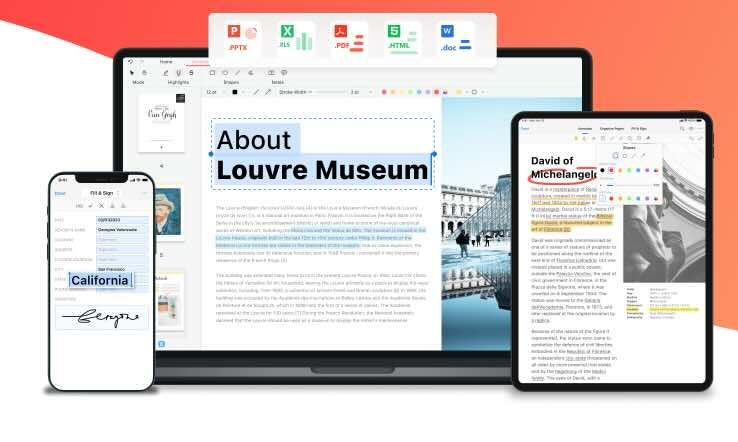
PDFgear can condense a PDF document into concise, easily understandable sentences through natural language processing, pulling out key information from the text. It also enables you to comprehend or modify PDF documents by inputting commands in natural language. It also provides PDF editing functionalities such as adding annotations, comments, highlighting text, extracting pages, and converting documents into PDF format.
Key Features
Comment, annotate, and edit one PDF with natural language
Does not store privacy information
PROs & CONs
Pros: Allow you to comment, annotate, and edit one PDF with natural language
Cons: You have to download and install software
PDF.AI
PDF.ai offers a distinctive feature where you can generate documents and interact with the chatbot, each within its own tab. Your uploaded documents and conversation history are readily available on your dashboard.
For every response it gives, PDF.ai includes the source page numbers for full transparency. You can easily navigate to the specific page in the document by clicking on these sources.

With the free account, you're limited to uploading just one PDF, making it suitable primarily for trial purposes.
Key Features
Fairly easy to use
Good reference tool to point to specific part of the PDF
PROs & CONs
Pros: Direct reference from PDF
Cons: Free plan limited to 1 PDF upload of no more than 10 MB
ChatPDF
ChatPDF is a good AI-powered PDF summarization tool, allowing you to interactively converse with your PDF file. You can easily upload a PDF from your computer or import it using a URL.
Moreover, ChatPDF offers an online PDF search functionality, enabling users to find PDFs on the internet. The tool is equipped with multilingual support and utilizes ChatGPT 3.5.
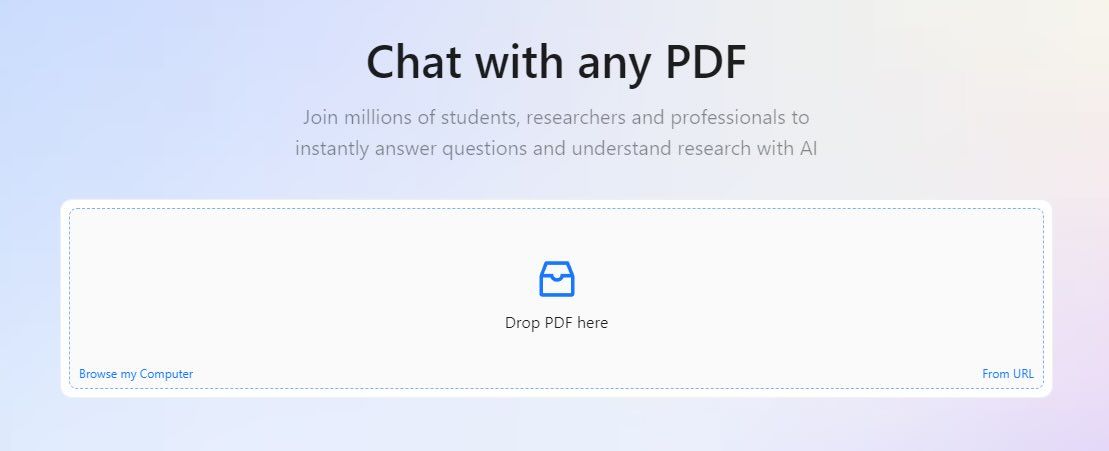
ChatPDF provides features for exporting and preserving chat histories. The free version restricts file uploads to 2 per day each up to 120 pages. Upgrading to the Plus plan allows for an expansion of these limitations.
Key Features
Chats with multiple PDFs.
Offered for students, researchers, professionals
Provide references
PROs & CONs
Pros: Chat with multiple PDFs
Cons: Free plan limited to 2 PDFs per day each up to 120 pages
FAQs
Is there a free AI tool to chat with PDF?
Yes, there are multiple free AI tools to chat with PDF, such as
AgentX
LightPDF
AskYourPDF
PDFgear
ChatPDF
Is AgentX free?
Yes, AgentX’s free plan allows users to chat with up to 50 documents at the same time. In addition, you receive free access to ChatGPT 4, Gemini, Claude 3, AI image generation, AI video generation. You can even create different AI agents for your own needs.
Final Verdict
We hope you have gone through the list and made up your mind. Our pick is definitely AgentX for its outstanding functionality and minimal cost. Let us know what you think is the best.
Share Blog
Related blogs