
PDF Generator
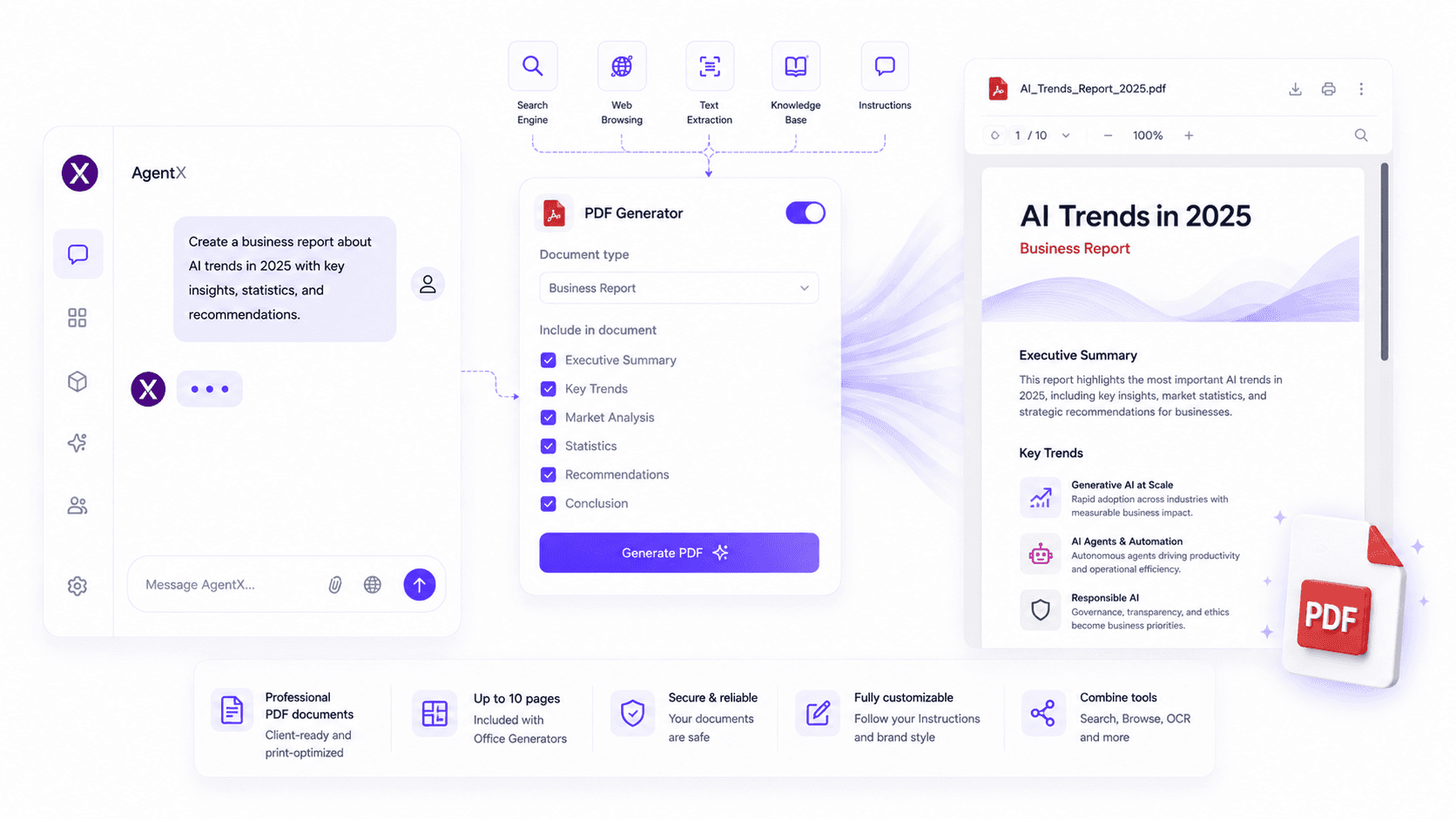
Generate professional PDF documents directly from your AI agent. Create reports, proposals, research papers, invoices, summaries, and other ready-to-share documents with a single prompt.
The PDF Generator enables your AI agent to create downloadable PDF documents based on user instructions or conversation context. Whether you need business reports, client deliverables, meeting summaries, or research documents, AgentX automatically formats your content into a professional PDF file.
Features
The PDF Generator allows your AI agent to:
Generate downloadable PDF documents
Create reports from natural language prompts
Export AI conversations as professionally formatted PDFs
Automatically structure long-form content
Generate client-ready documents in seconds
Combine with Search Engine to create research reports using live web data
Use Web Browsing to include information from specific websites
Transform uploaded documents processed with Text Extraction into polished PDF reports
How to use
Create or edit your AI agent.
Open the Integrations tab.
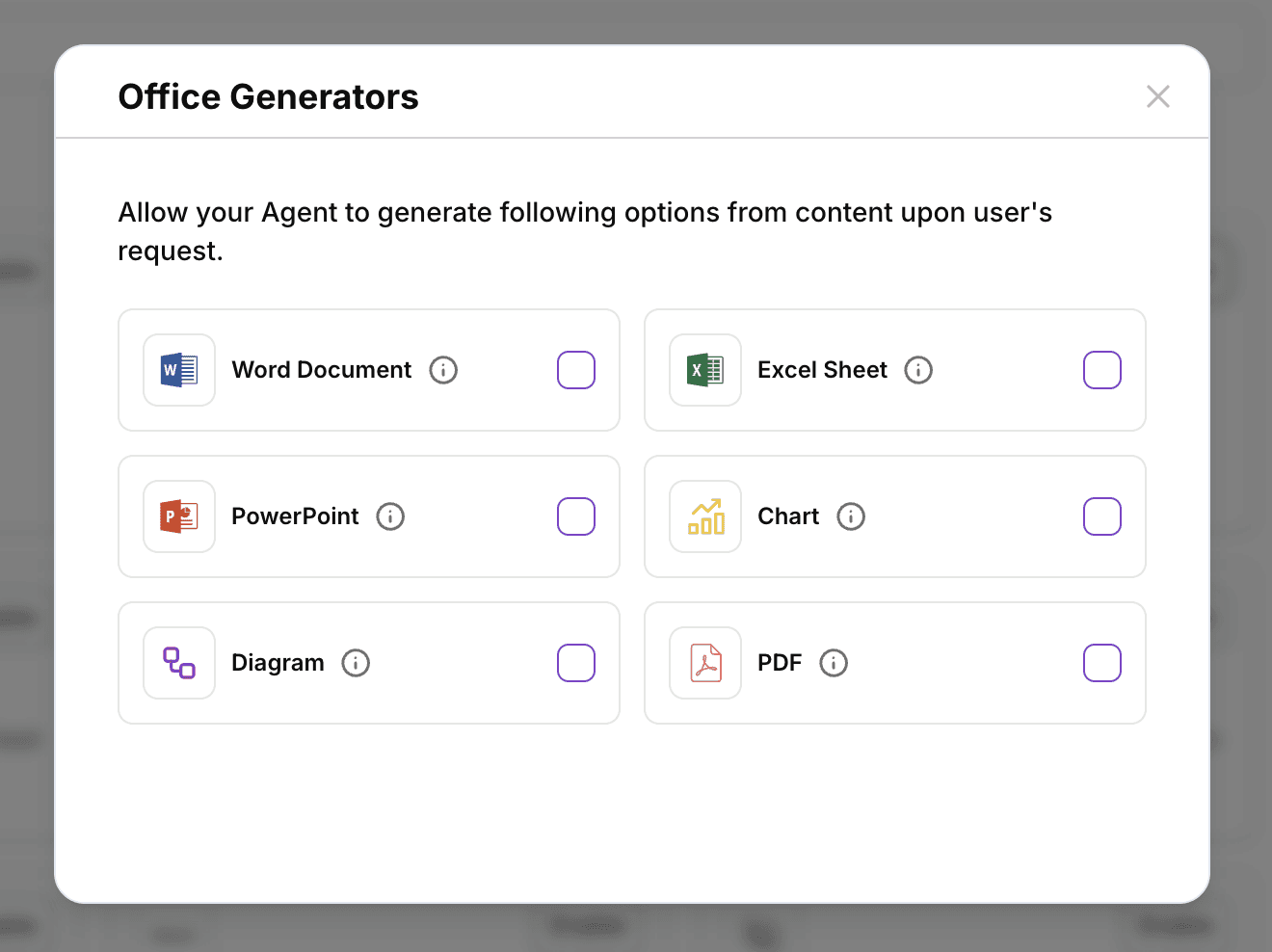
Enable Office Generators (PDF Generator).
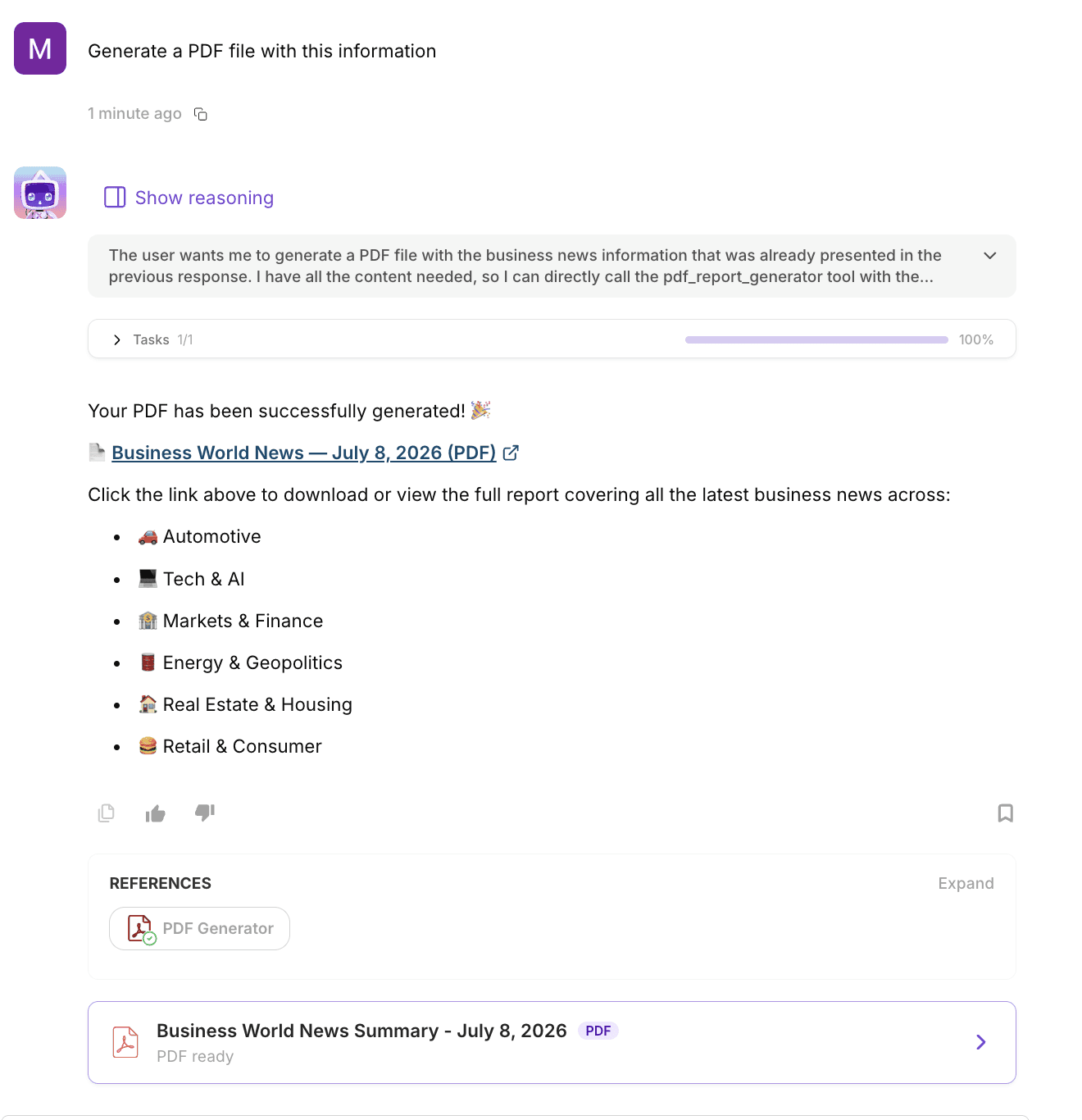
Ask your AI agent to generate a PDF document.
Your agent will automatically create and return a downloadable PDF file.
💡 New to AgentX? Learn how to configure document generation in our AI Agent Tutorial
Limits
Included with Office Generators
Supports documents up to 10 pages
Need larger documents? Contact us to discuss higher limits.
Best practices
Clearly describe the document structure, sections, and intended audience.
Combine Search Engine with PDF Generator to create up-to-date research reports.
Use Web Browsing to gather information from specific websites before generating your PDF.
Combine with Text Extraction to convert uploaded PDFs, invoices, or scanned documents into structured reports.
Use your agent's instructions to maintain consistent formatting, branding, and document templates.
Common use cases
PDF Generator is ideal for creating:
Business reports
Research papers
Client deliverables
Executive summaries
Meeting reports
Project documentation
Proposals
White papers
Internal documentation
AI-generated reports
FAQ
How do I enable PDF Generator?
Open your AI agent, navigate to Integrations, and enable Office Generators, which includes PDF document generation.
What file format is generated?
Your AI agent generates downloadable PDF (.pdf) documents that are ready to share, print, or archive.
Can my AI agent generate reports automatically?
Yes. PDF Generator can create complete reports from prompts, conversations, uploaded documents, or information gathered using Search Engine and Web Browsing.
Can I customize the PDF layout?
Yes. Use your agent's Instructions to define the structure, headings, branding, formatting, and writing style of generated documents.
Can I generate PDFs from uploaded files?
Absolutely. Combine Text Extraction with PDF Generator to extract information from uploaded documents and automatically generate professional PDF reports.
🚀 Ready to generate professional PDF documents?
Enable PDF Generator and let your AI agent create polished, ready-to-share PDF documents in seconds.