

CHATBOT
How to Publish AI Chat Bot on Wix Website?

Introduction
Previously, you successfully created your AI chat bot on AgentX. Congrats! Deploying your AI chat bot can’t be more easier.
AgentX offers three modes for publishing: Agent Space, Website, and Chat Apps (coming soon). In a different blog, we introduced ways to publish your AI chat bot to Agent Space and some Websites (e.g., using HTML, WordPress, Webflow, Shopify, Squarespace, Weebly ). In this blog, we will show you how to publish your AI chat bot to a website built through Wix.
Step 0: Copy JavaScript Code Provided by AgentX
You just created your AI chat bot on AgentX. In order to publish it to your website, you need to copy and paste a short piece of code into your website’s back end. This short piece of code, as shown below, can be found under the “Deploy” tab. If you do not remember how to get here. Check out blog 1 and blog 2 .
Step 1: Remove Pre-installed Chat Bots
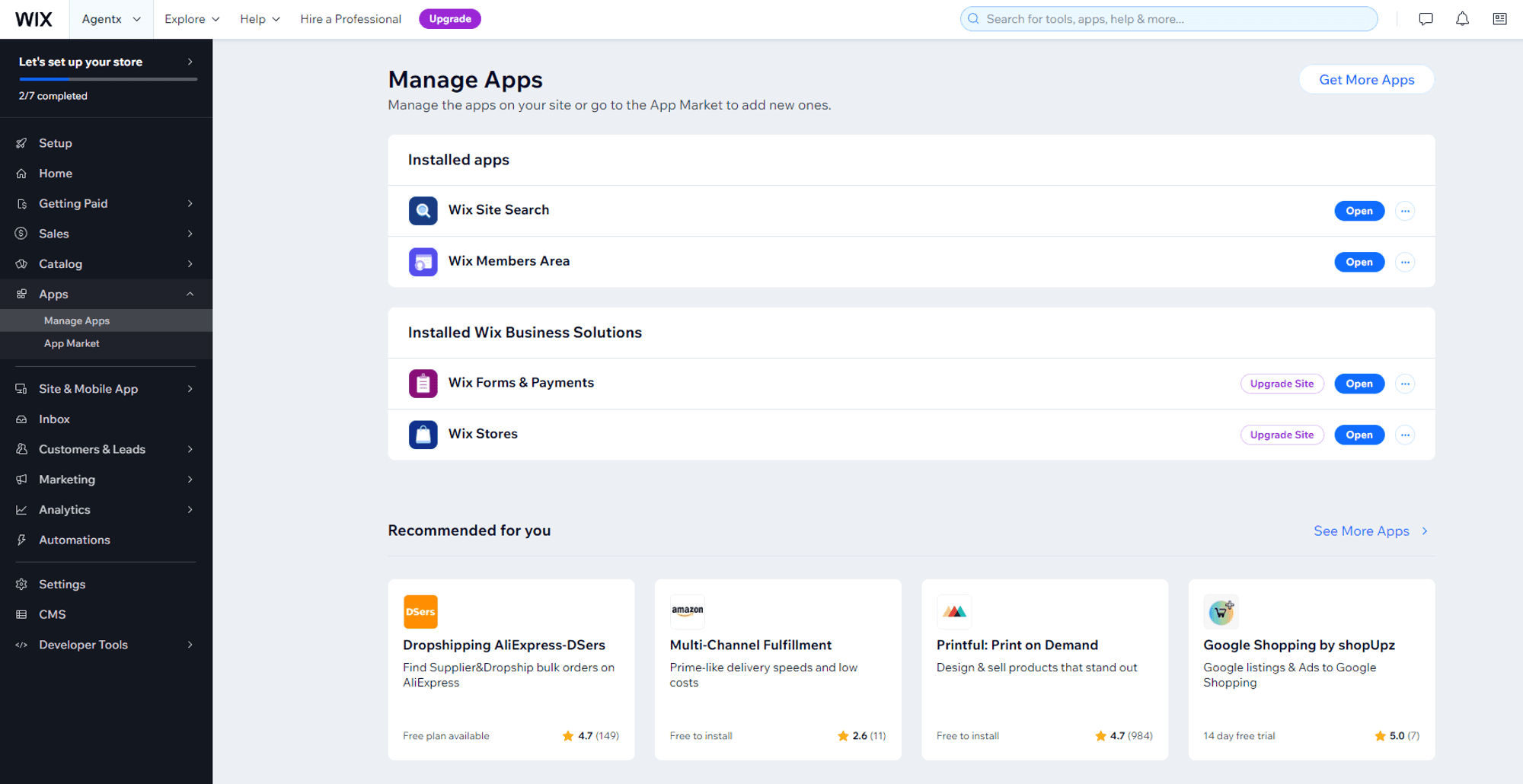
Make sure there is no pre-installed chat bot. Obviously, you don’t want to have chat bots stacking up on each other. Typically, you can remove pre-installed chat bots from your Wix Dashboard under Apps → Manage Apps → Delete

Step 2: Navigate to “Custom Code”
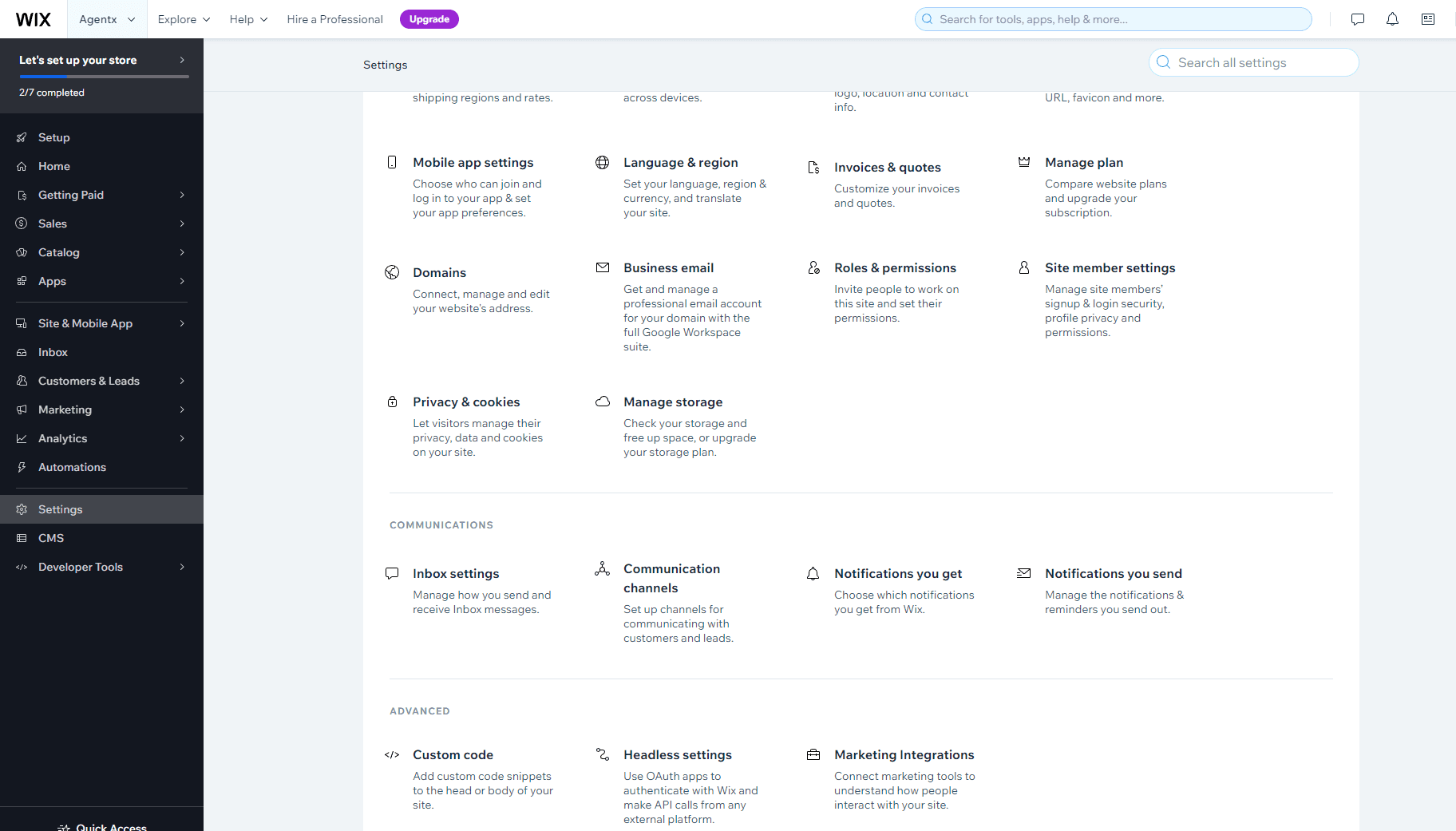
Still from the Wix Dashboard, click “Settings” from the left and scroll down to the bottom to find “</> Custom Code” and click on it.
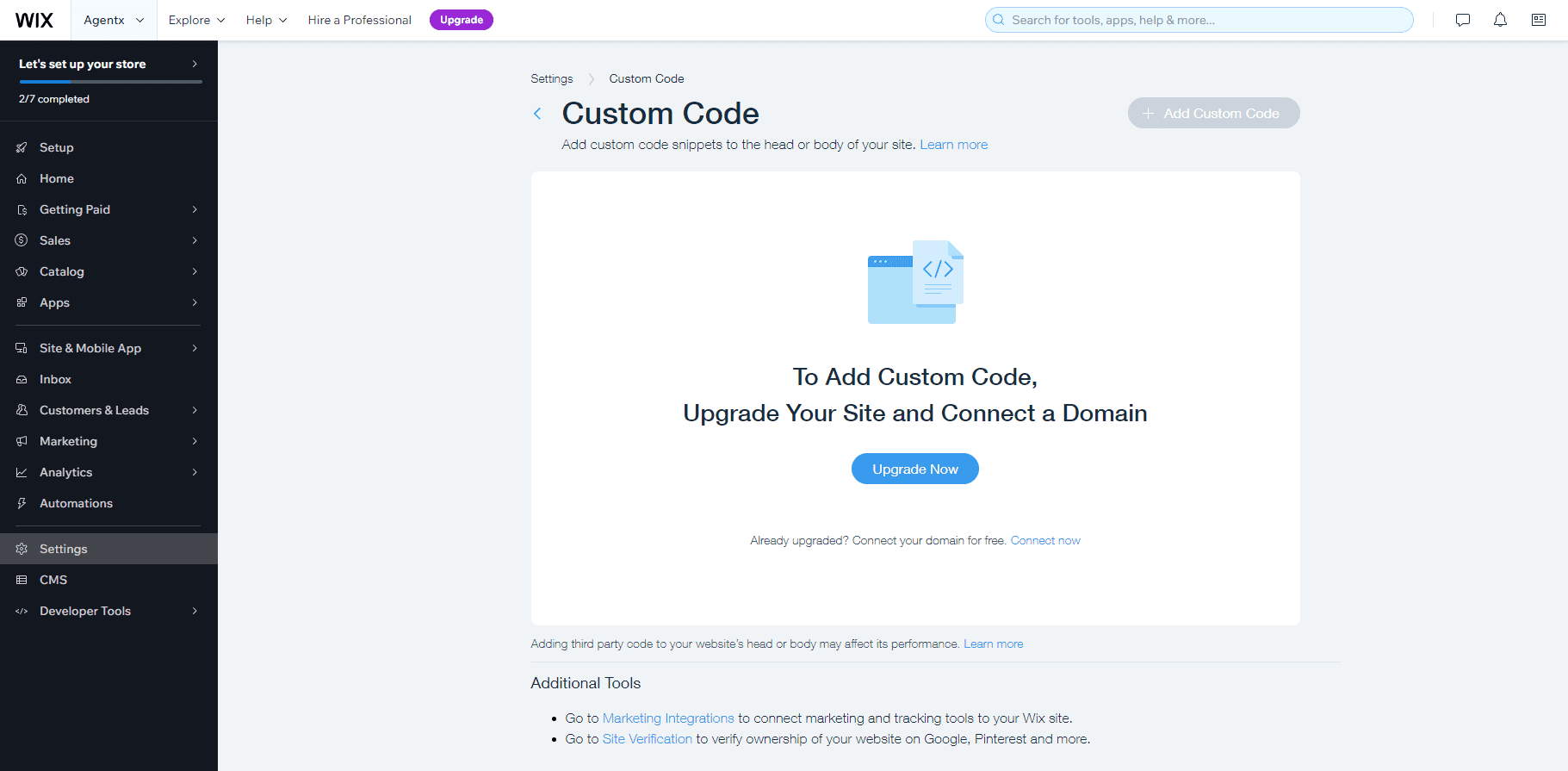
If you have not already done so, Wix requires upgrade to payment plan and connection to a domain before allowing you to use this “Custom Code” function.
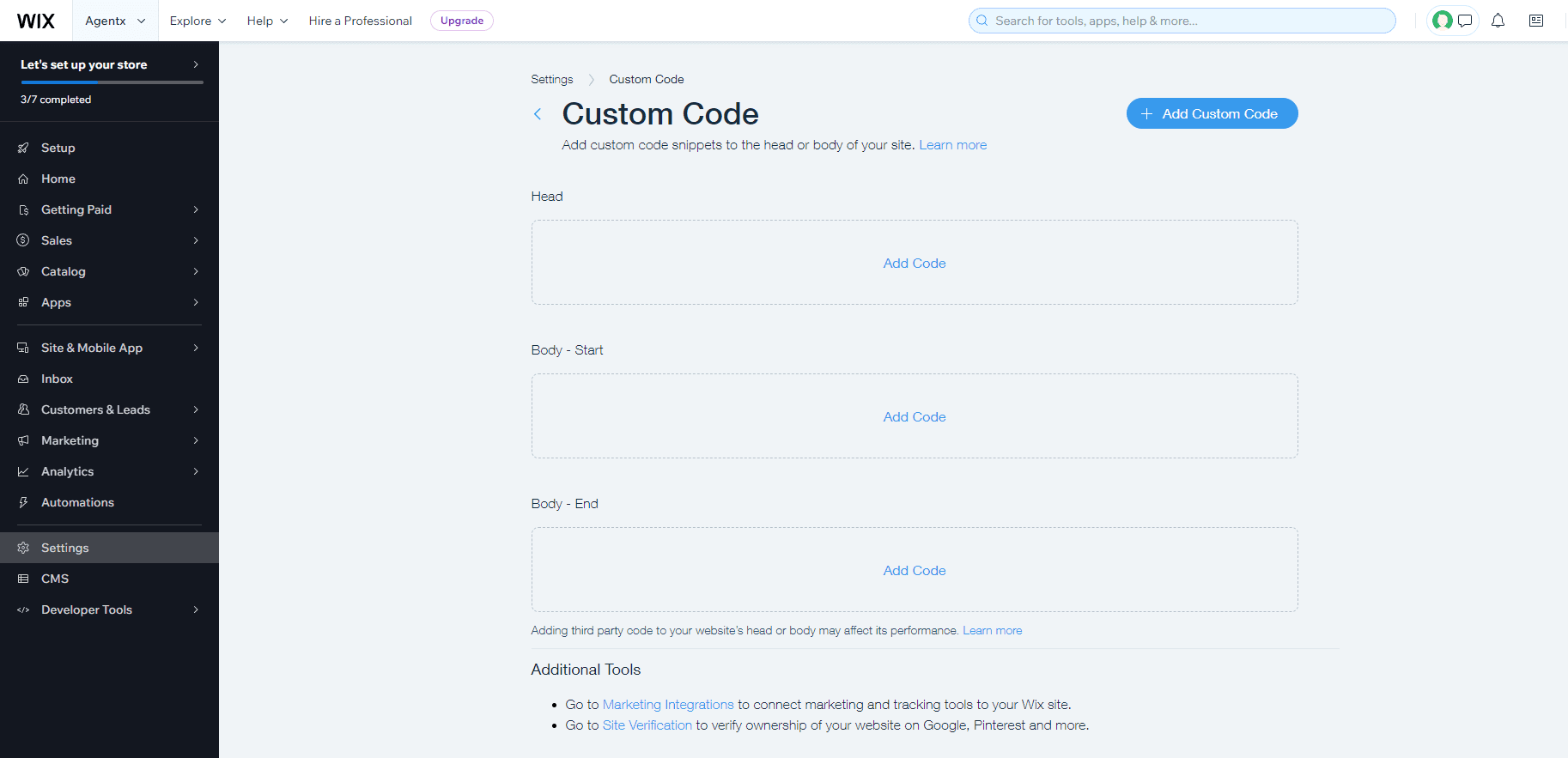
Step 3: Click the Middle “Add Code” Block
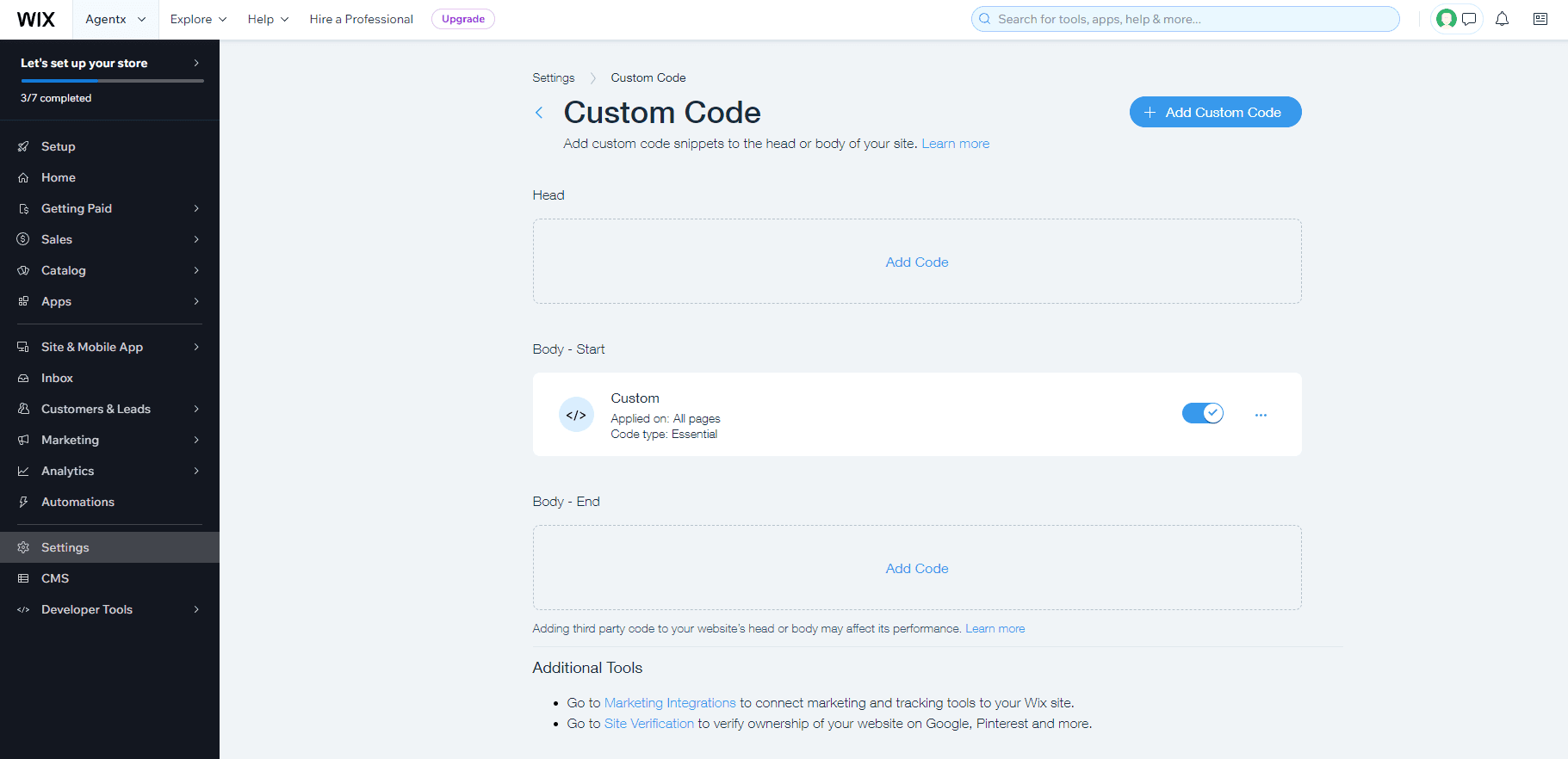
As you can see below, Wix allows custom code insertion at three different places: (1) in “Head” (2) in “Body - Start” and (3) in “Body - End”. Remember that your AI chat bot’s JavaScript code copied from AgentX needs to be inserted between the “Body - Start” and “Body - End”. Thus, click on the “Add Code” link in the middle.
The custom code will show as enabled.
Step 5: Visit Your Website to Watch Your AI Chat Bot in Action

Congrats on publishing your AgentX AI Chat Bot on your Wix website!
Still having questions or comments ? Leave us a message here. We has a dedicated support team available to assist you with any issues and ensure your success !
Share Blog
Related blogs