
PowerPoint Generator
Generate professional PowerPoint presentations directly from your AI agent. Create presentation decks, business reports, sales pitches, training materials, and client-ready slides in minutes.
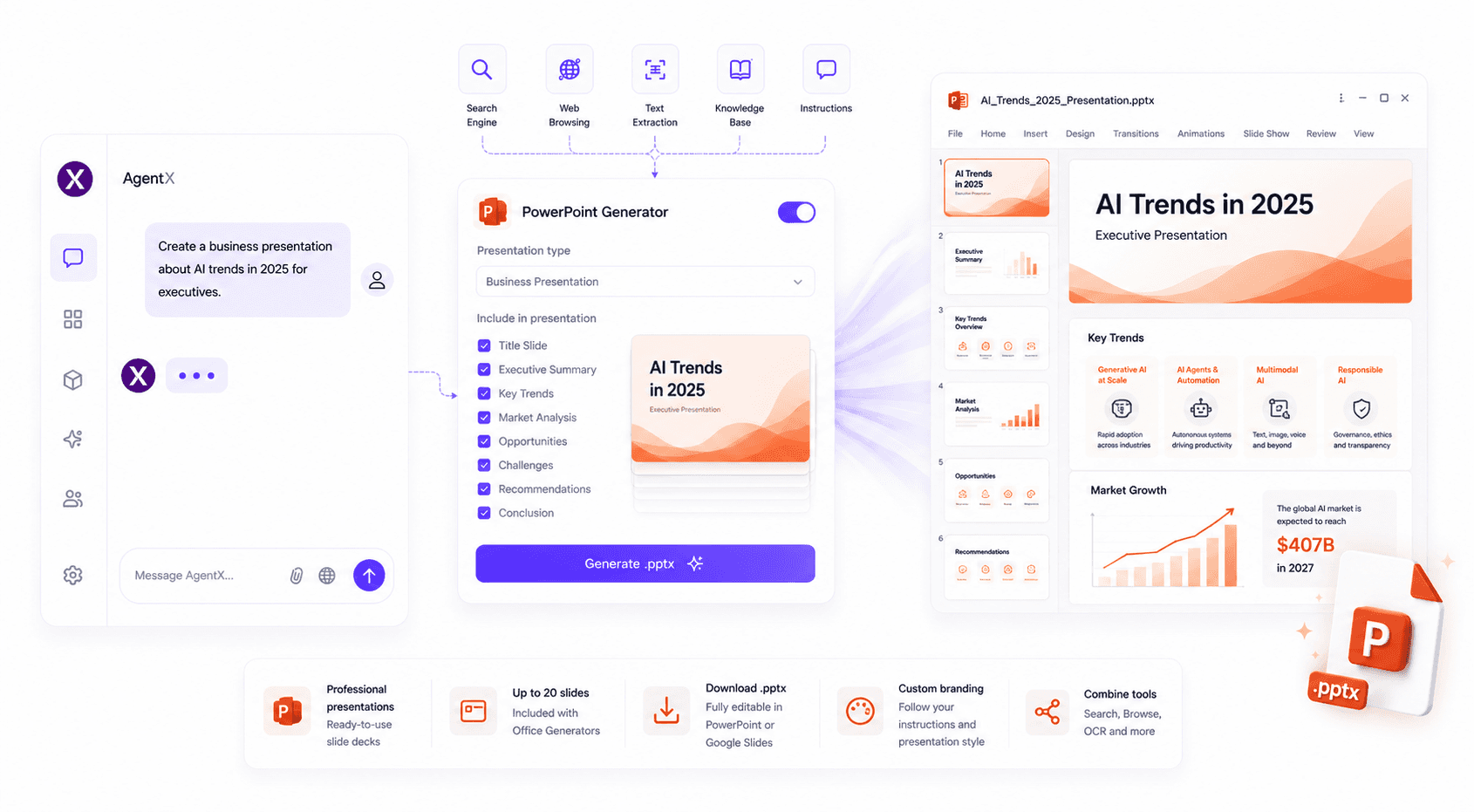
The PowerPoint Generator enables your AI agent to create downloadable Microsoft PowerPoint (.pptx) presentations from user instructions or conversation context. Whether you need a business presentation, investor pitch deck, training material, or project update, AgentX automatically organizes your content into a structured slide deck.
Features
The PowerPoint Generator allows your AI agent to:
Generate Microsoft PowerPoint (.pptx) presentations
Create complete slide decks from natural language prompts
Automatically organize content into presentation slides
Generate speaker-ready presentations with structured layouts
Create business, sales, training, and educational presentations
Combine with Search Engine to build presentations using the latest information from the web
Use Web Browsing to include information from specific websites
Convert uploaded documents processed with Text Extraction into presentation slides
Follow your custom instructions to maintain consistent branding and presentation structure
How to use
Create or edit your AI agent.
Open the Integrations tab.
Enable Office Generators (PowerPoint Generator).
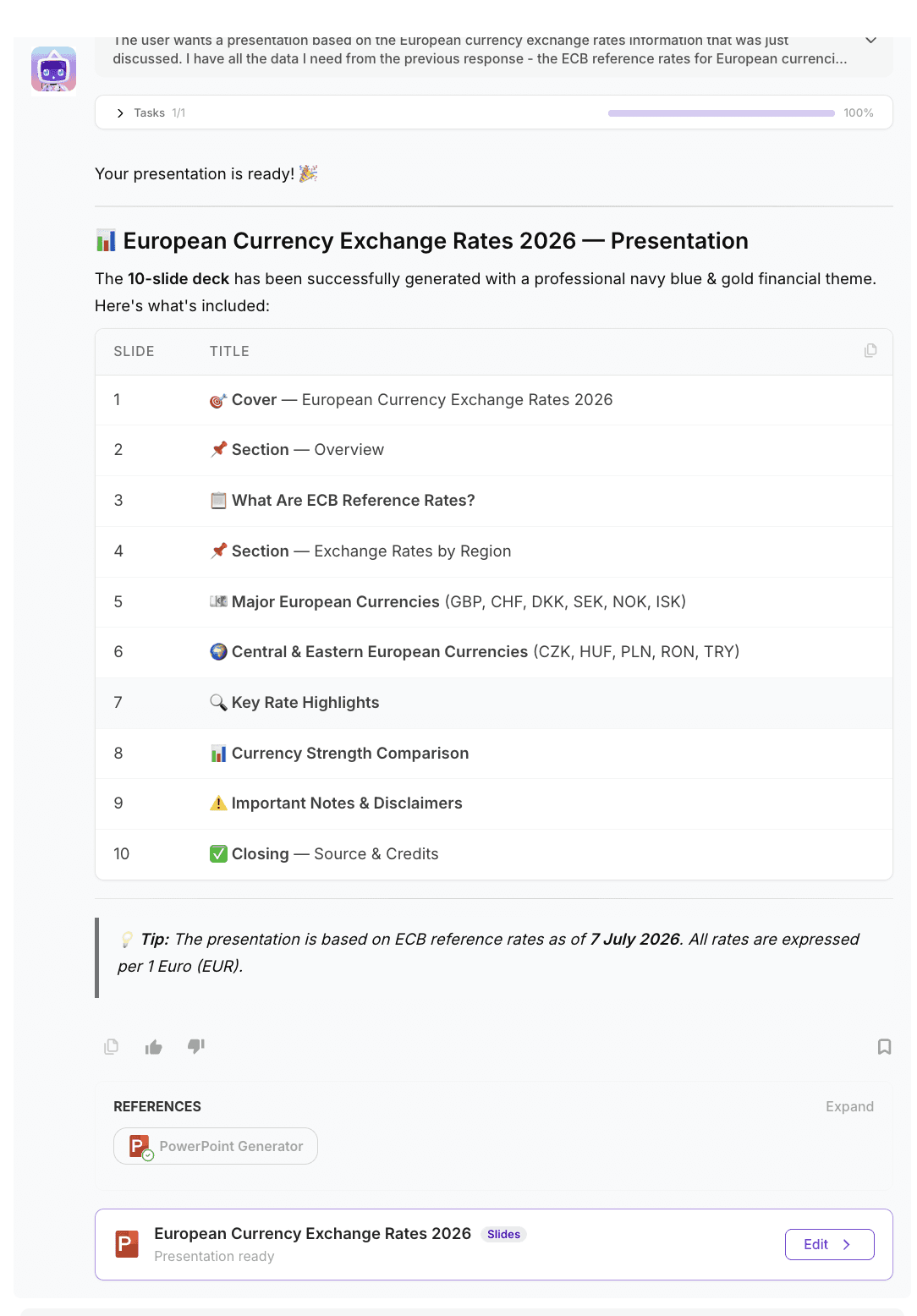
Ask your AI agent to generate a presentation.
Your agent will automatically create and return a downloadable
.pptxpresentation.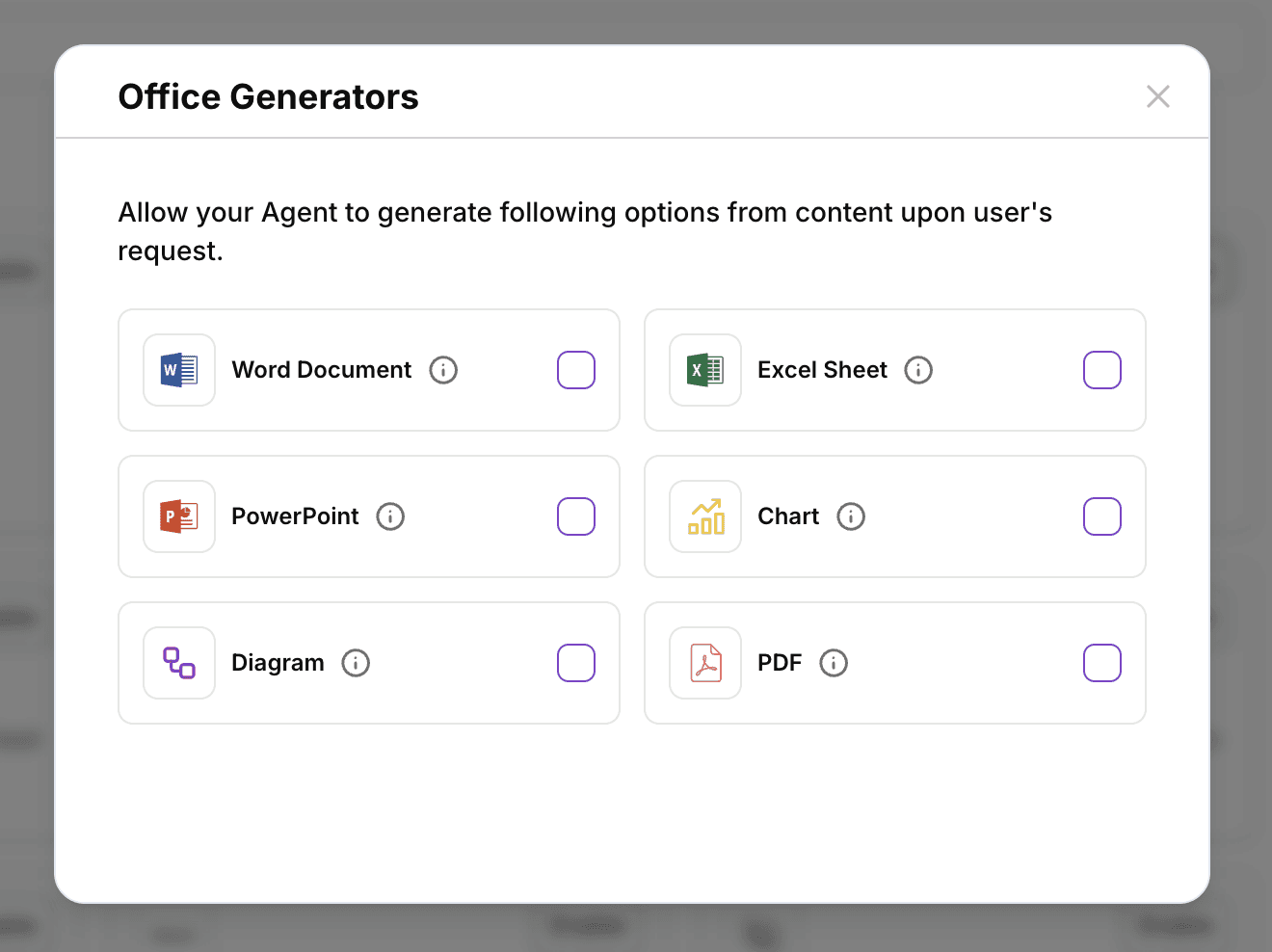
💡 New to AgentX? Learn how to build AI-powered presentation workflows in our AI Agent Tutorial.
Best practices
Clearly describe your audience, presentation goal, and preferred slide structure.
Combine Search Engine with PowerPoint Generator to create presentations using up-to-date information.
Use Web Browsing to gather information from specific websites before generating your presentation.
Combine with Text Extraction to transform PDFs, reports, or research documents into presentation slides.
Use your agent's instructions to apply consistent branding, tone of voice, and presentation layouts.
Common use cases
PowerPoint Generator is perfect for creating:
Business presentations
Sales pitch decks
Investor presentations
Training materials
Project updates
Marketing presentations
Educational slide decks
Research presentations
Internal company presentations
AI-generated presentations
FAQ
How do I enable PowerPoint Generator?
Open your AI agent, navigate to Integrations, and enable Office Generators, which includes PowerPoint presentation generation.
What file format is generated?
The tool creates downloadable Microsoft PowerPoint (.pptx) presentations that can be edited in Microsoft PowerPoint, Google Slides, Keynote, and other compatible presentation software.
Can my AI agent generate presentations automatically?
Yes. PowerPoint Generator can create complete presentation decks from prompts, conversation context, uploaded documents, or information gathered using Search Engine and Web Browsing.
Can I customize presentation layouts?
Absolutely. Use your agent's Instructions to define slide structure, presentation style, branding, and formatting preferences.
Can I create presentations from PDFs or documents?
Yes. Combine Text Extraction with PowerPoint Generator to extract information from reports, PDFs, or scanned documents and automatically generate presentation slides.
🚀 Ready to generate presentations with AI?
Enable PowerPoint Generator and let your AI agent create professional presentation decks in minutes.