

CHATBOT
6 Best Tips To Make Your AI Agent Chatbot More Engaging And More Human

Hey there! If you're looking to revamp your chatbot or start using AI for your business, you're in the right place.
We've put together our top six tips to help you out. We'll cover everything from choosing the right AI model and setting simple logic to optimizing document knowledge and using sitemaps for easy link gathering. Plus, I'll show you how engaging users with FAQs and trying out lead generation can take your chatbot to the next level.
Let's dive in and make your chatbot an amazing tool for your business!
1️⃣Choose the Right AI model
AgentX currently offers the best 10 AI models in the world to power your AI agent. Check out their pros and cons in the table below. Even better, you can now test the performance of these AI models by chatting with them at the same time and compare on AgentX.
For businesses, we recommend these top picks: GPT-4o, GPT-4, Google Gemini 1.5 Pro, Anthropic Claude 3 Opus, Meta Llama 3 70B.
Model | Pros | Cons |
|---|---|---|
GPT-3.5 | Versatile, robust, good general-purpose AI | Can sometimes produce less accurate results in complex queries |
GPT-4 | Improved performance, better handling of complex tasks | Higher computational cost |
GPT-4o | Cost-effective, fast responses | Slightly less powerful than GPT-4 |
Claude 3 Haiku | Focus on safety and ethics, good natural language understanding | Limited by conservative constraints to ensure safety |
Claude 3 Sonnet | Strong alignment with human values, excellent text generation | May lack flexibility due to strict ethical guidelines |
Claude 3 Opus | High accuracy and precision, robust ethical safeguards | Potentially less versatile in broader applications |
Google Gemini Pro | Exceptional accuracy, integrated with Google services | May have higher operational costs |
Google Gemini 1.5 Pro | Versatile, good integration with Google ecosystem | Slightly lower performance compared to Gemini Pro |
Meta LLaMA 3 8B | Balanced performance, open research focus | Less powerful compared to larger models |
Meta LLaMA 3 70B | High performance, adaptable for various uses | Requires significant computational resources |
While most models are free to use, four of them are available only to paying users (Startup Plan & above). To optimize the chatbot performance for your business, GPT-4o is a good starting point.

2️⃣Set Simple Logic In Onboarding Info
One key chatbot function is guiding users to navigate through your content. Leveraging the "Onboarding Info" of AgentX chatbot will bring your users to the right resource, whether a specific product page or a promotion campaign. Here are two examples that you can try on your chatbot.
Example A: Conditional Trigger
Ask your AgentX chatbot to perform a specific action (e.g., provide texts, URL links, images, GIFs) when a condition is satisfied (e.g., a keyword is mentioned in chats).
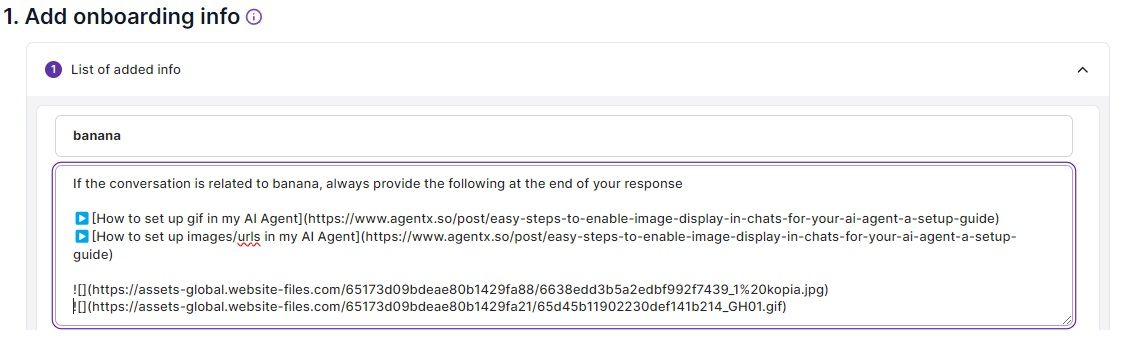
Below are the settings used in the above screenshot. Assuming you are a banana seller, the settings tell the chatbot to display a specific combination of text, URL links, image, and GIF whenever a user chats about banana.
If the conversation is related to banana, always provide the following at the end of your response
▶️[How to set up gif in my AI Agent](https://www.agentx.so/post/easy-steps-to-enable-image-display-in-chats-for-your-ai-agent-a-setup-guide)
▶️[How to set up images/urls in my AI Agent](https://www.agentx.so/post/easy-steps-to-enable-image-display-in-chats-for-your-ai-agent-a-setup-guide)

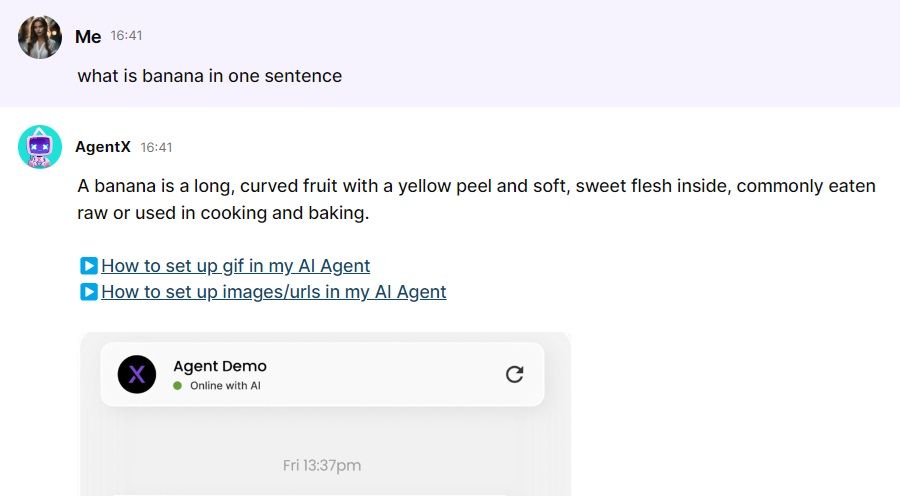
And the chatbot does exactly what it is asked to perform: appending the URL links, image, and GIF to its response.
Example B: Logic Steps
Tell your AgentX chatbot to execute actions according to logic steps by setting them up in Onboarding Info. This way, your chatbot can perform simple logic tasks like a human agent and deliver the most appropriate content to your users.
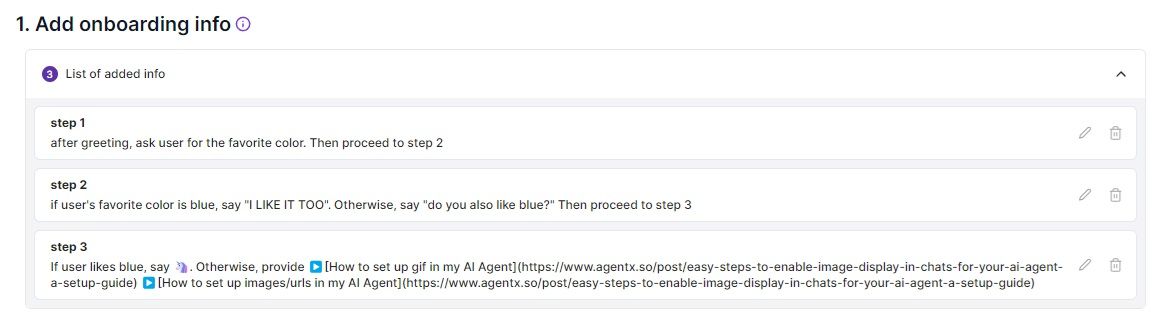
Below are the settings used in the above screenshot. Step 1 is set to execute after the greeting, Step 2 is set to execute after Step 1, and Step 3 is set to execute after Step 2. At Step 3, either an emoji or two URL links will be provided. As usual, images/GIFs may be provided in preset responses.
step 1
after greeting, ask user for the favorite color. Then proceed to step 2
step 2
if user's favorite color is blue, say "I LIKE IT TOO". Otherwise, say "do you also like blue?" Then proceed to step 3
step 3
If user likes blue, say 🦄. Otherwise, provide
▶️[How to set up gif in my AI Agent](https://www.agentx.so/post/easy-steps-to-enable-image-display-in-chats-for-your-ai-agent-a-setup-guide)
▶️[How to set up images/urls in my AI Agent](https://www.agentx.so/post/easy-steps-to-enable-image-display-in-chats-for-your-ai-agent-a-setup-guide)
3️⃣Optimize Document Knowledge
Document knowledge is perfect for uploading manuals, guidelines, and literatures. You may use the same technique to embed URL links in documents.
For example, the following knowledge is uploaded in a document.
How to eat banana?
We provide a guide [here] https://www.agentx.so/post/how-to-effortlessly-add-ai-agents-to-discord-integrate-gpt-4-gemini-1-5-pro-and-claude-3
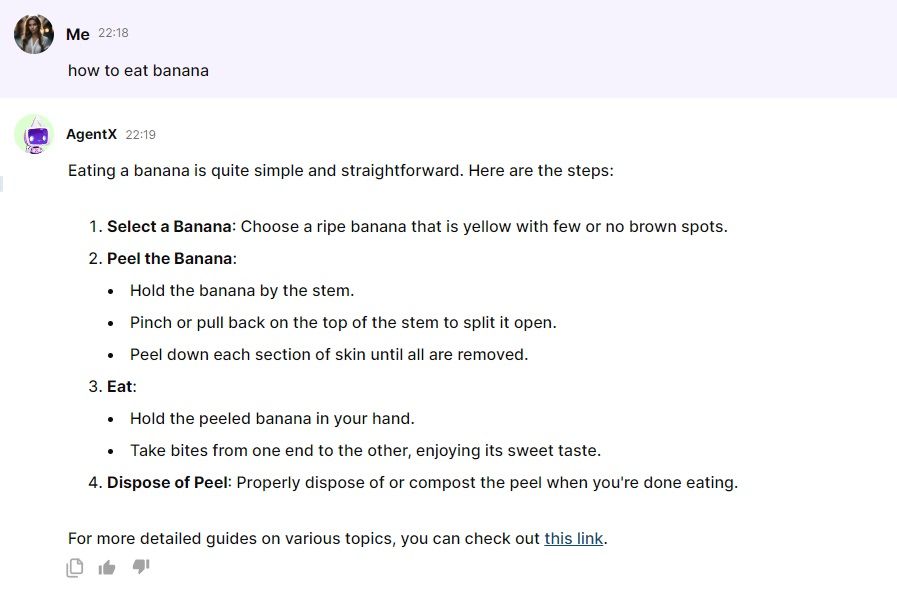
Accordingly, the chatbot will add the question and answer including the URL link provided in the document as part of its knowledge to answer questions. As shown below, the chatbot indeed provides the embedded link in its response that draws the document knowledge.
Though Q and As are typically added to the FAQ section for easy view and edit, it is also feasible to include them in document info or website knowledge. The table below explains the differences and helps you to pick one that best fits your purpose.
Document Info | Website Knowledge | FAQ | |
|---|---|---|---|
Q and A number | Too many | Any, as long as published on website | A handful |
Embed URL links | N/A | ||
Embed image | Not yet | N/A | |
Embed GIF | Not yet | N/A | |
How close does the answer follow the knowledge | Answer uses document info along with other knowledge | Answer uses website knowledge along with other knowledge | Answer closely follows FAQ knowledge |
One important tip for using document knowledge is to avoid feeding irrelevant information. Irrelevant information may cause the chatbot to give inaccurate answers. As such, make sure your document is easy to follow and AI-readable.
4️⃣Locating Website Links Through Sitemap
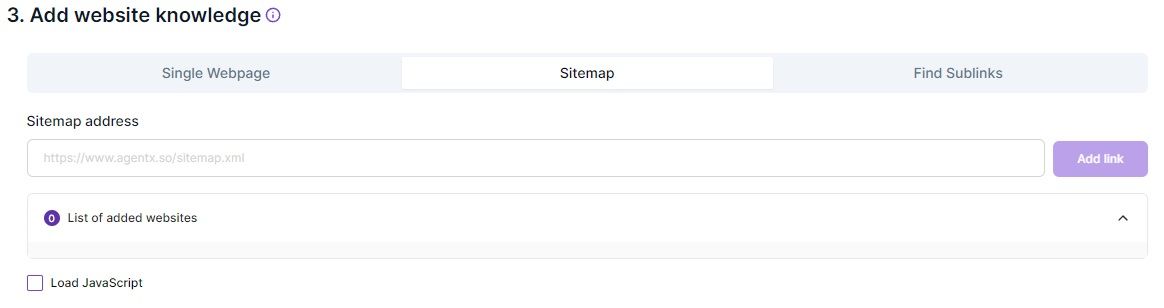
The easiest way to capture all webpages on your website is to use sitemap, which is a URL link that ends with ".xml". Also remember to check "Load JavaScript" if that applies. After capturing the URLs for the webpages, do a sanity check and remove URLs that do not contain any meaningful content for the purpose of training chatbot.
5️⃣Engage Users With FAQ
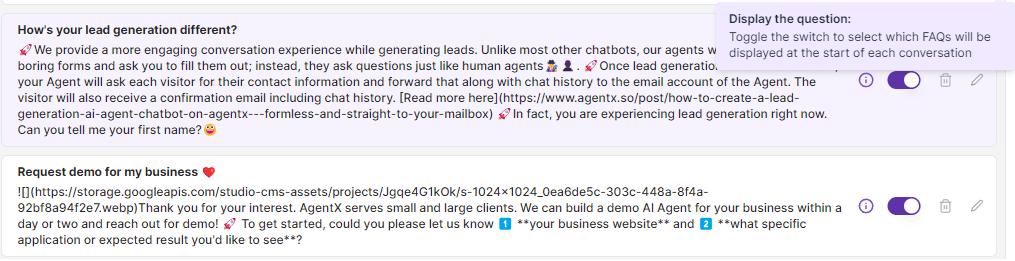
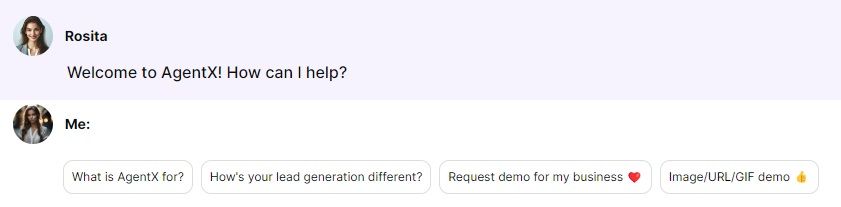
Each FAQ comes with a toggle which can make it a conversation starter. It is recommended to toggle for the most common questions, so that users can start engaging with your chatbot with just one click. And your chatbot will respond with the best you can offer to capture their attention. To that end, AgentX allows you to use URL links, images, GIFs, emojis in FAQ answers.
Check out our chatbot Rosita live, and here are some of its settings.
6️⃣Must Try Lead Generation
AgentX's lead generation is the best in class and a must-have feature for business owners. Different from traditional robot-like chatbots, it is formless and straight to your email notification.
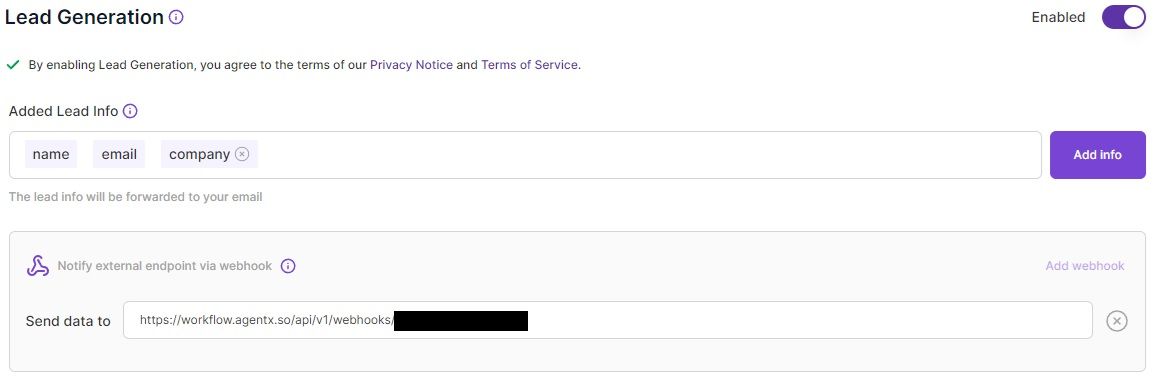
Enable lead generation from the settings and pick default parameters or create your own. The AI chatbot will ask users based on the chosen parameters and send you the lead along with chat history. Optionally, add your own webhook to integrate with your existing system and process the leads.
Share Blog
Related blogs
