How to deploy AI agents to Slack Workspace
Learn how to deploy AI agents to Slack workspace. Boost your team productivity by creating and deploying a powerful AI agent for the whole company.
In this tutorial, you will learn how to deploy your AI agents to a Slack. After the deployment, your teammates will be able to interact with your agent directly through Slack channel or private message.
Deploying AI agents to Slack Workspace
AgentX allows creators to deploy AI agents to multiple channels that includes the most popular business productivity chat platform - Slack. Here is the step by step guide of how to deploy your AI agents onto your Slack workspace.
If you have not yet created an AI agent on AgentX, check out here - how to create an AI agent. You will need to have at least one AI Agent to deploy to Discord.
Step 1 - Pick an agent and enable Slack integration.
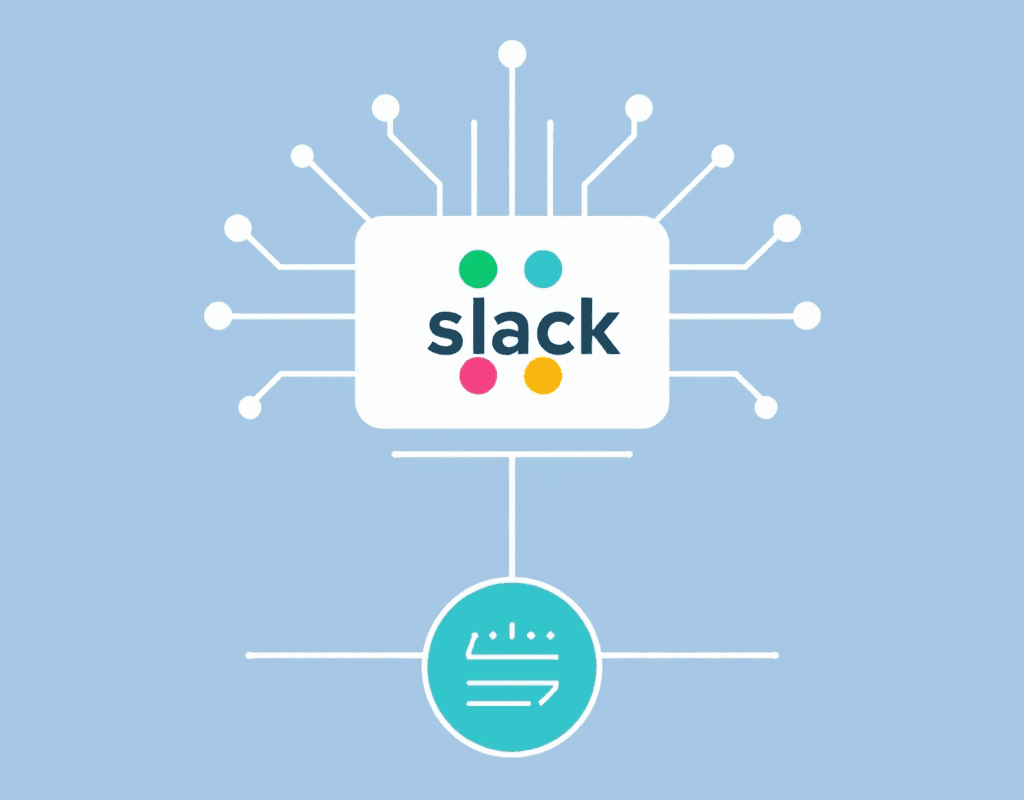
Navigate and log in to AgentX main app. Pick an AI agent and click Edit.
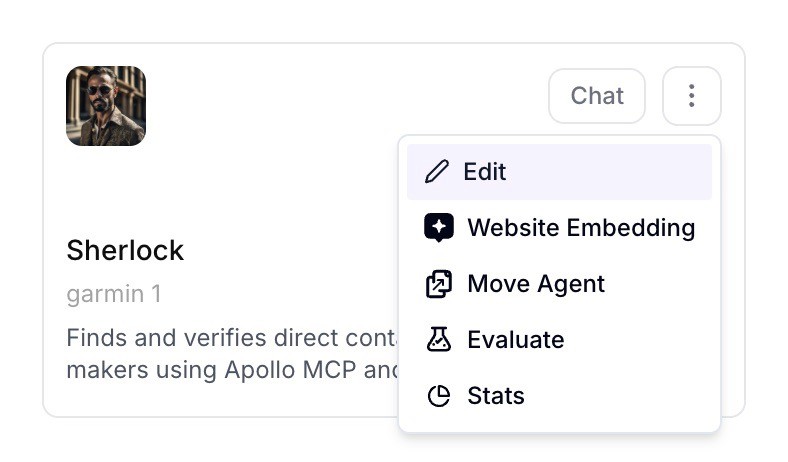
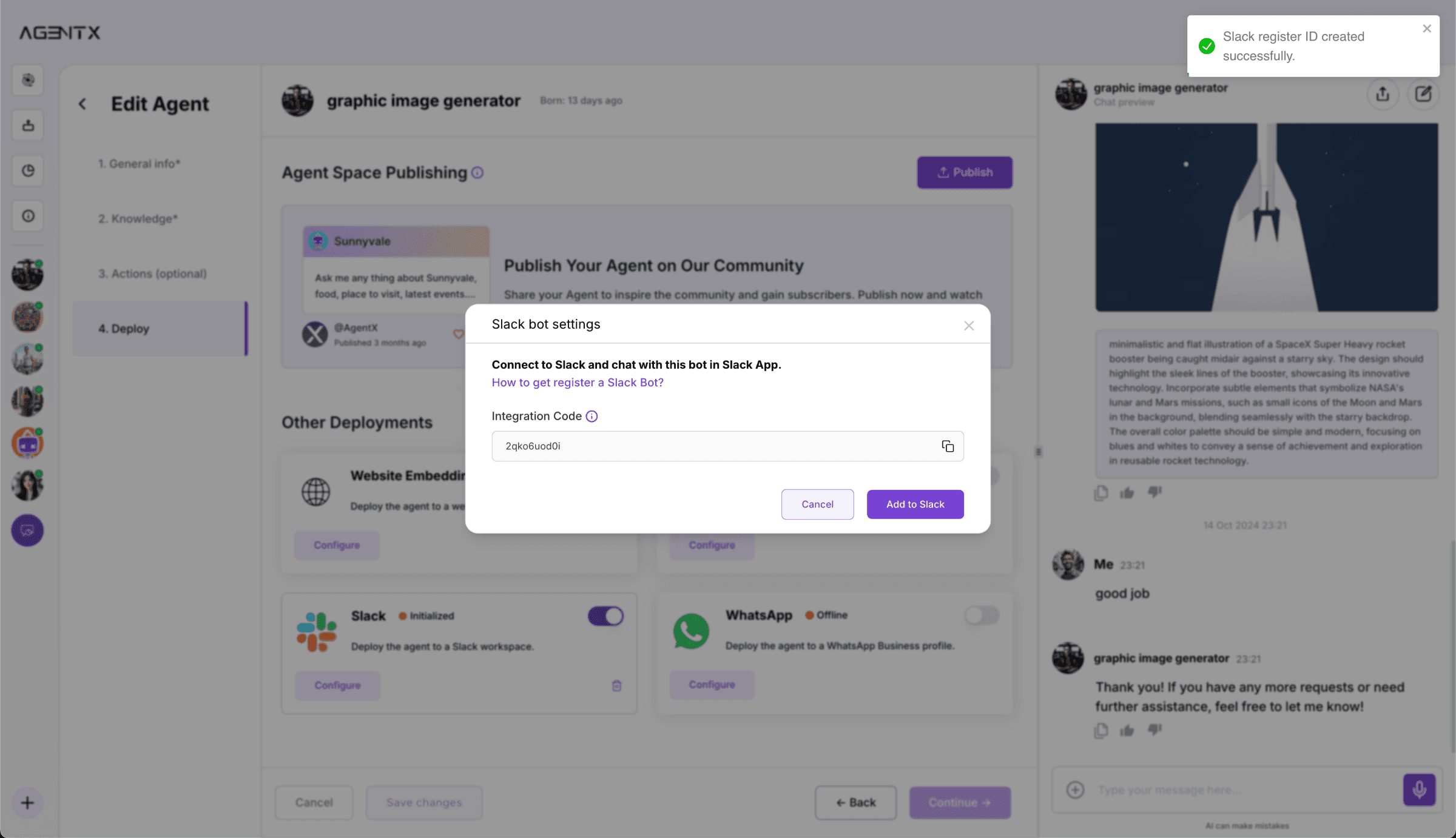
After that, select Deploy tab on the left-hand side. You will see the Slack option in Other Deployments. Click Configure on Slack card.
You will see a popup window with a random Integration Code. In this example is 2qko6uod0i. Copy the Integration Code and select “Add to Slack”, which will take you to the Slack page to create a Slack App.
Step 2 - Connect to Slack workspace
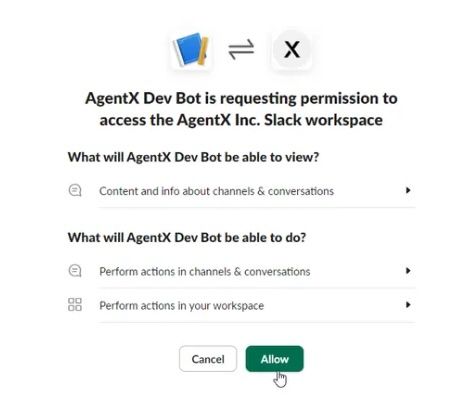
Click Add to Slack, and it will lead you to the Slack workspace.
Click Allow to allow AgentX integrate the AI agent to your workspace.
Step 3 - Lastly register your agent on Slack (Do not skip)
Now it is the time to activate your agent on Slack.
After clicking Allow button, you have successfully added AgentX APP to your Slack workspace. Now it is the time to activate your agent.
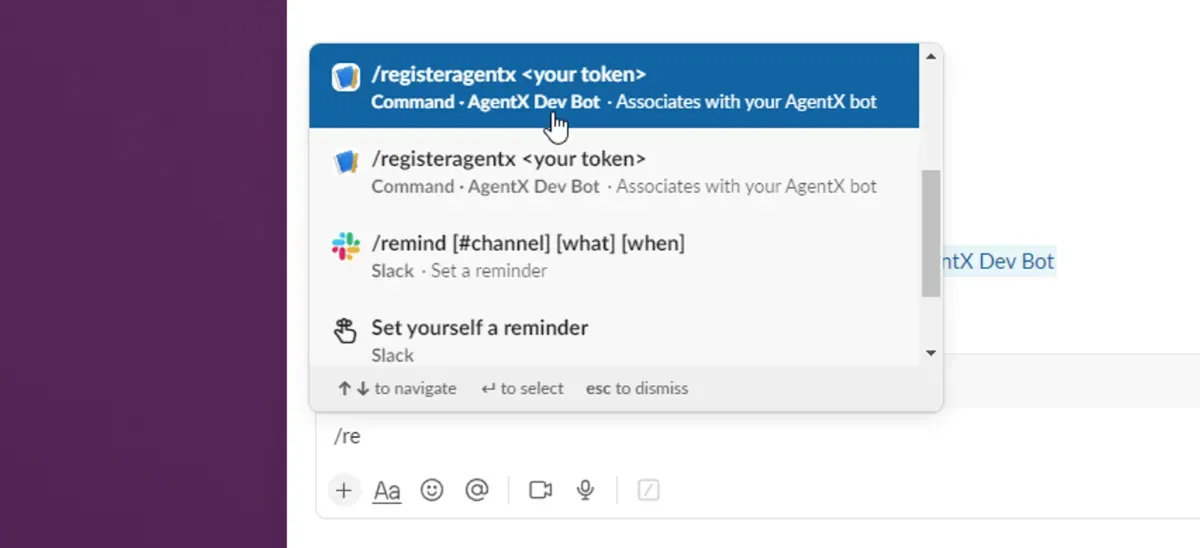
Click the AgentX app that you just added to the Slack and type the register command:
In the previous step, the example integration code is 2qko6uod0i
So the example command will be:
Your integration code will be different.
After the register command, you will see a confirmation message indicates the successful connection with the AI agent you choose to register.
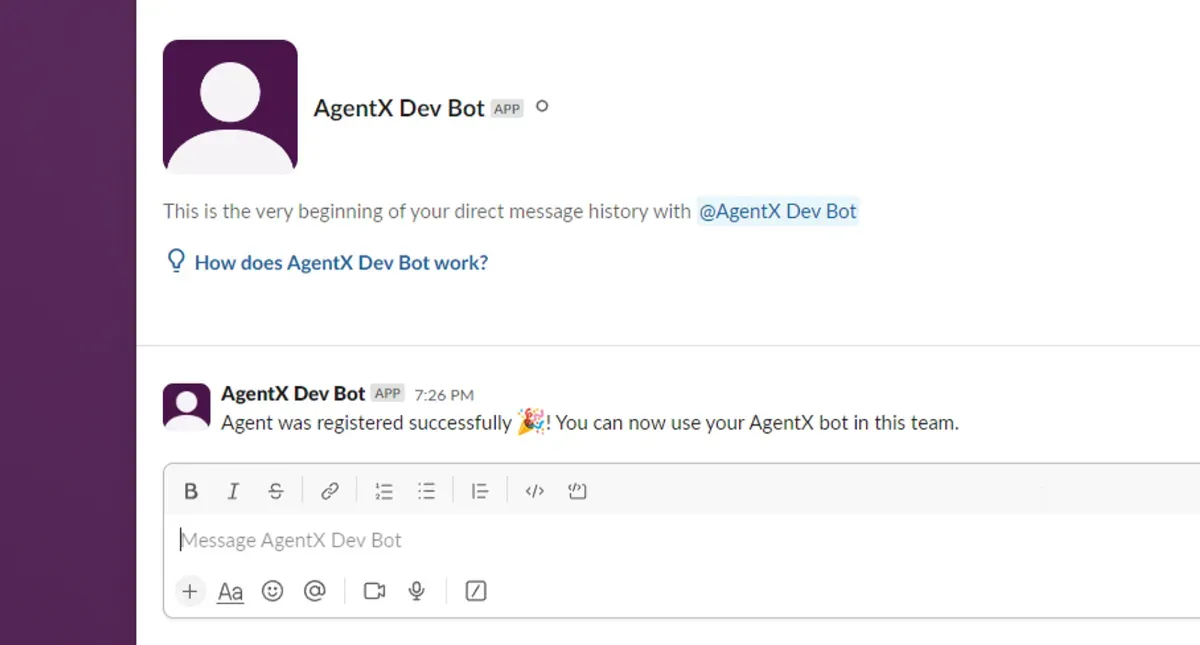
Congrats!
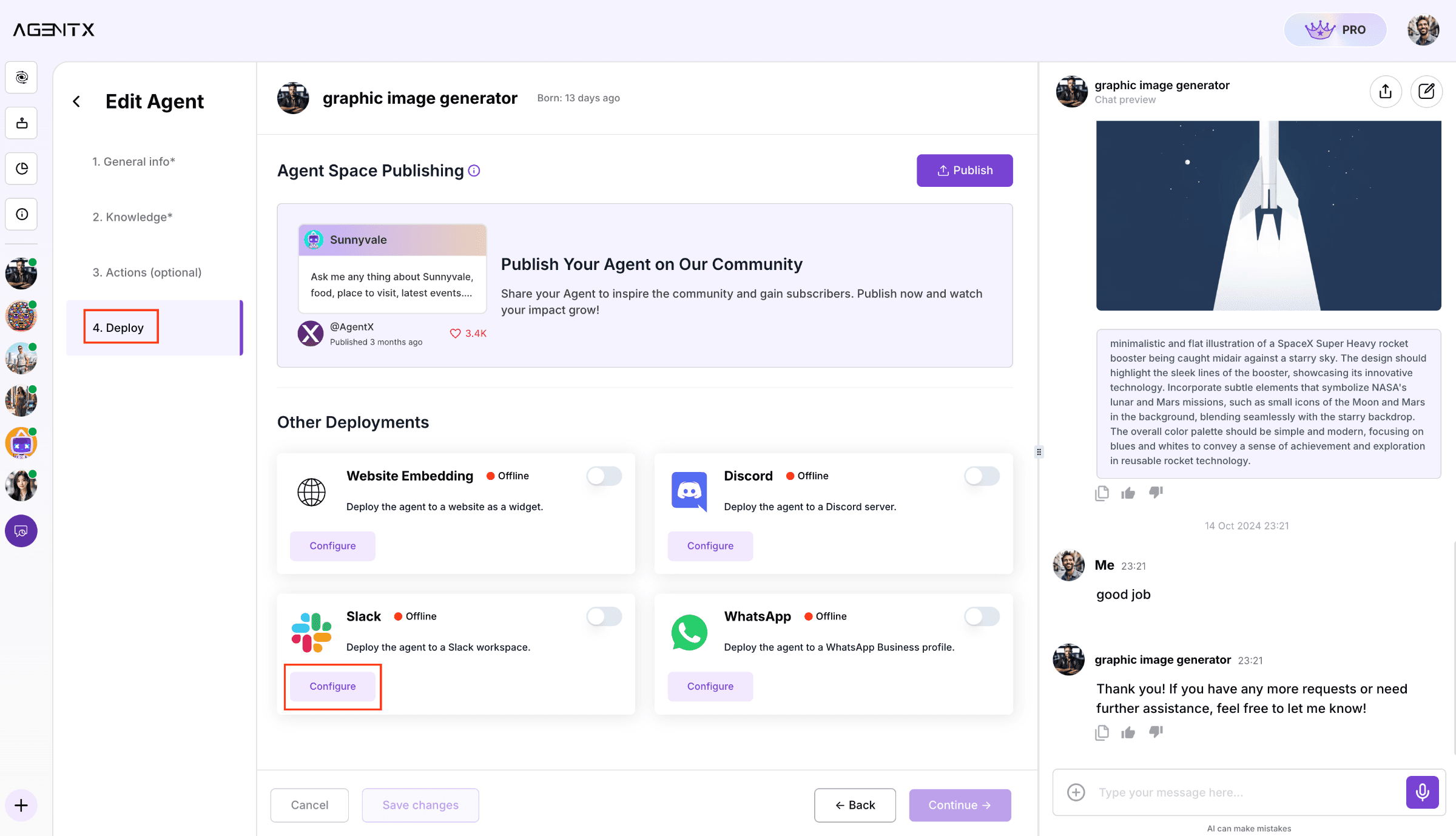
You can now talk to your AI Agent directly from Slack. Try asking questions from knowledge it has been trained with.
You can chat with it by sending direct message to the agent, or you can @ it in the channel.
Slack AI Agents have the potential to transform your work efficiency, adding automation, engagement, and functionality. With AgentX, creating powerful and customized AI Agents has never been easier.
Check out the example here: