Skip to content

AgentX tutorial

How to deploy AI agents to WhatsApp Business Account

deploy and connect the AI agent to your WhatsApp business account(WABA). After the connection, your agent will be able to handle conversations from your WhatsApp business account and interact with your customers.
2 min read

In this tutorial, you will learn how to deploy and connect the AI agent to your WhatsApp business account(WABA). After the connection, your agent will be able to handle conversations from your WhatsApp business account and interact with your customers.

Why WhatsApp

A WhatsApp Business account helps businesses enhance customer engagement with real-time communication, automated messages, and product catalogs. It’s secure, user-friendly, and cost-effective, making it ideal for improving customer service and boosting sales. The platform's extensive global user base allows businesses to reach a wider audience, while its end-to-end encryption ensures secure interactions. It is adopted by millions of businesses and consumers around the globe.

If you have not yet created an AI agent on AgentX, check out here -how to create an AI agent. You will need to have at least one AI Agent to deploy to Discord.

Connect AI agent to your WhatsApp Business Account

Step 1
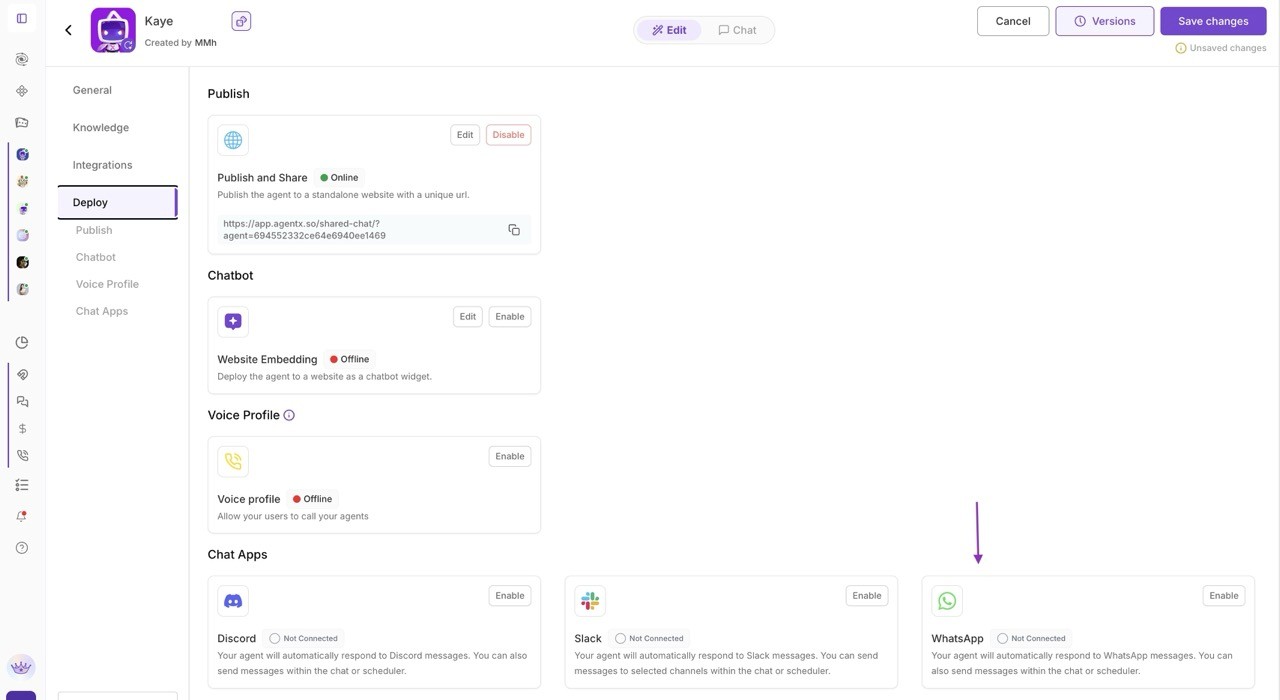
Navigate to Agent edit -> Deploy, and click Configure to setup your WhatsApp integration.

Step 2

After that, you will see a popup window where you can login and connect your Facebook account. This popup window is WhatsApp embedded signup flow, you can follow the steps to verify and finish the onboarding process.
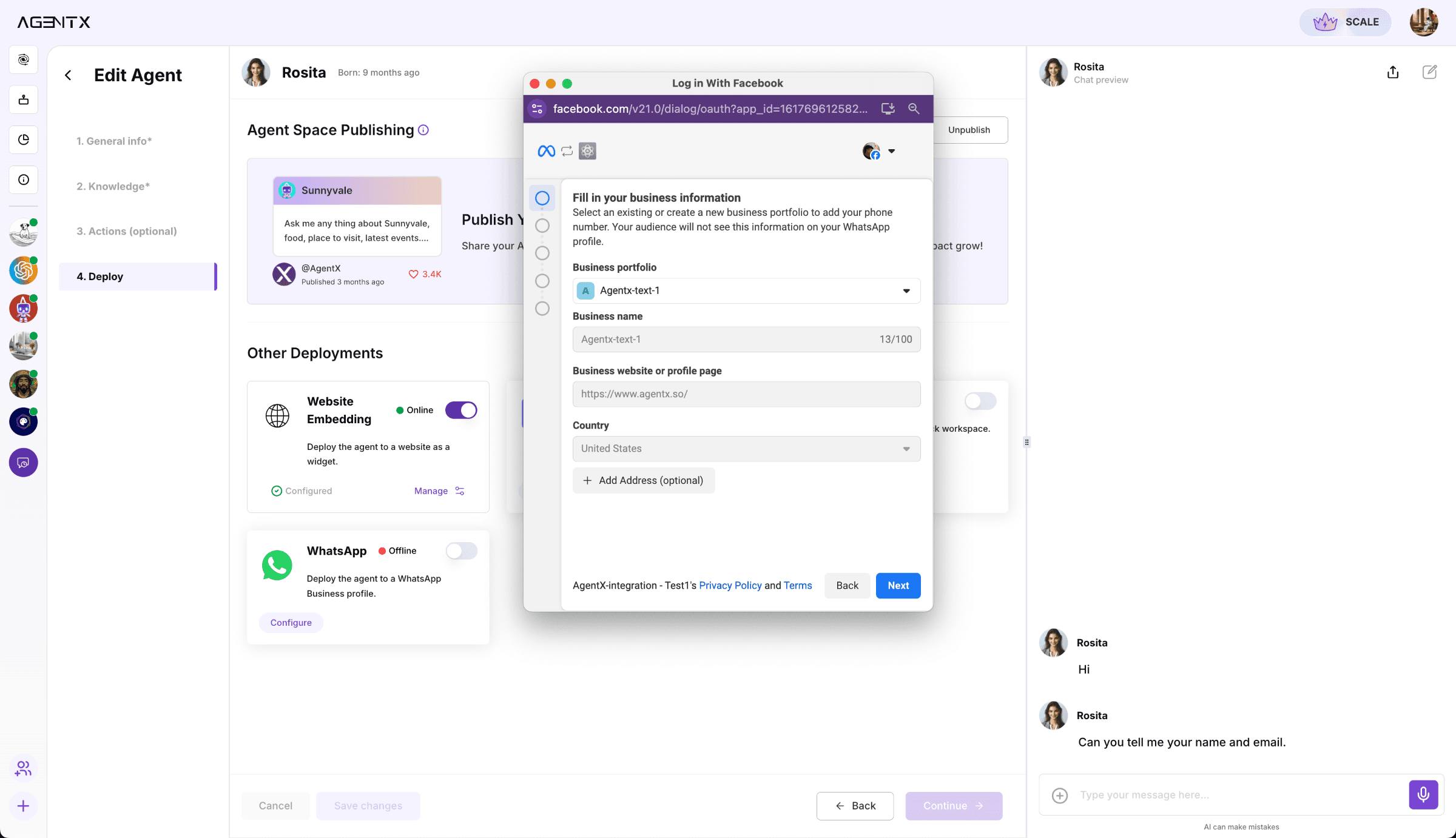
AgentX-whatsapp-embedded-signup

Step 3

Test it by sending a message from your personal WhatsApp account to your WhatsApp Business Account that is connected to the AI agent.
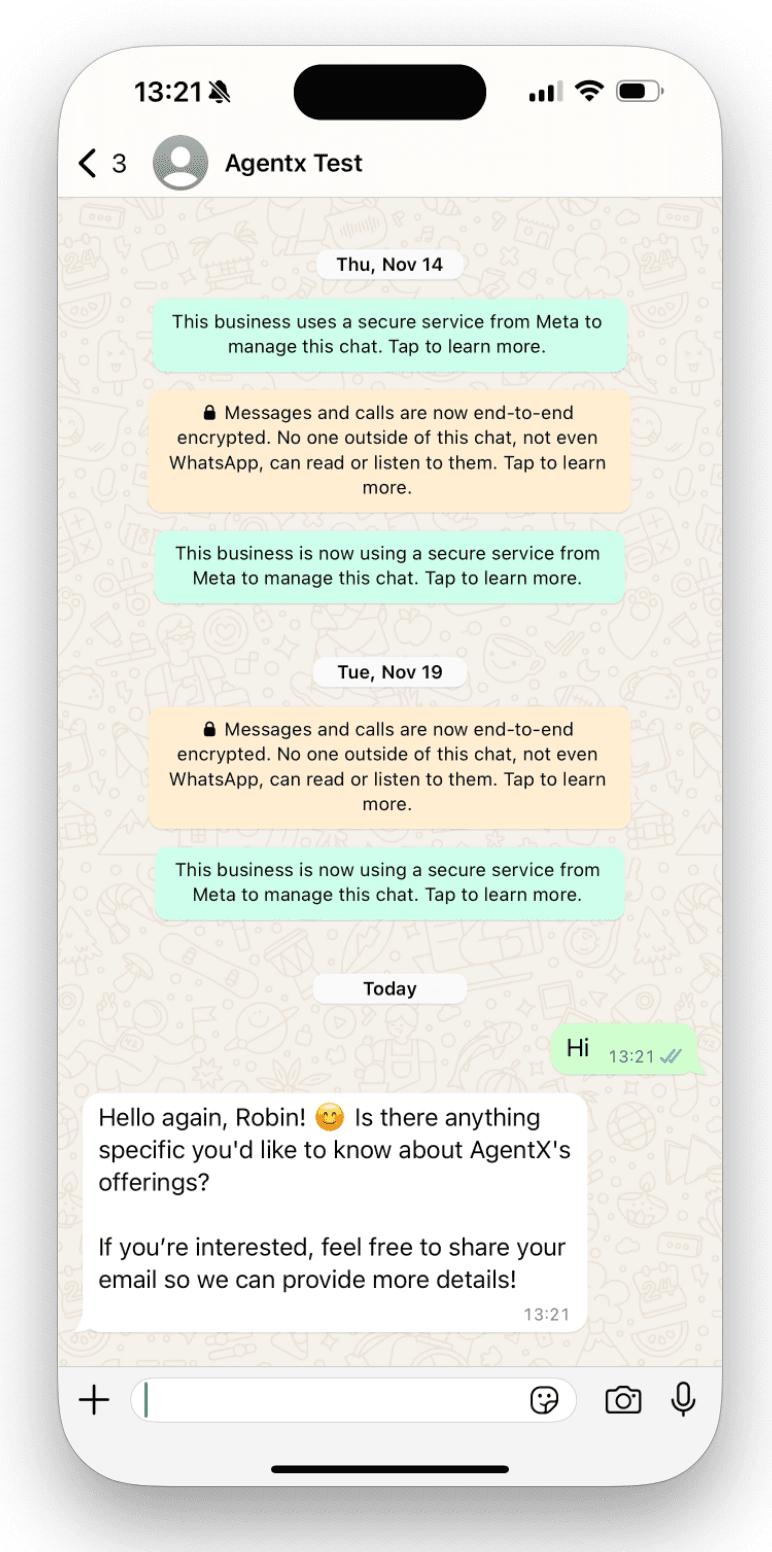
Whatsapp ai agent test

End

By integrating an AI agent with your WhatsApp Business account and applying fine-tuning, you can significantly enhance your business operations. The AI agent can manage customer inquiries, automate responses, and process orders around the clock, all while supporting multiple languages to cater to a diverse customer base. This ensures smooth communication across regions, improves personalized interactions, and allows the agent to understand customer needs and provide tailored recommendations. The integration optimizes workflows, reduces response times, and enhances customer satisfaction, saving valuable time and resources. Leveraging WhatsApp's global reach with AI's multilingual capabilities allows businesses to scale efficiently.

More tutorials

All tutorials

Creating a Custom Tool in AgentX

Learn how to quickly create custom API-powered tools in AgentX using natural language and automatic code generation.

Read

Custom Branding for Agent Emails

You can now choose between AgentX branding, completely custom branding with your own logo and identity, or a clean unstyled option — all available for both Lead Generation emails and regular agent-sent messages. Configuration is now unified and easier to access, making it simple to keep every outgoing email consistent with your brand.

Read

How to add a MCP to your AI Agent

MCP (Model Context Protocol) allows you to connect your AI application to any desired third-party app as long as it supports it. Here is a step-by-step tutorial on how to set it up and connect with your AI agent. We will give an example on YouTube MCP.

Read

How to Automate Agent Tasks with AgentX

Discover how to automate your AgentX agents - from daily AI news briefings to fully autonomous SDR outreach - so your business runs on autopilot.

Read

How to Build AI Agent Workforce in AgentX

With AI Agent Workforces, you’re not limited to a single AI agent - you can build a whole team of specialists

Read

How to build an AI Agent - beginner's guide

Creating your first AI agent in AgentX, tuning prompts, instructions, and building knowledge bases. AgentX offers a no-code platform to create powerful AI agents for various use cases. Customize your agent’s bio, greeting, and response style, add knowledge bases, and enable optional features like lead generation or image generation. Once built, deploy your agent across multiple platforms, including websites, Slack, and Discord.

Read

Start your AI automation journey today

Sign up for AgentX and let AI handle your routine tasks. No credit card needed.