
How to deploy AI agents to Discord server
Learn how to deploy AI agents to Discord server. Build a Midjourney like Discord server with AI agent powered by LLM and AI image generator. Boost your Discord community interaction.
In this tutorial, you will learn how to deploy your AI agents to your Discord server. After the deployment, your server member can interact with your agent directly on your Discord. You can even build a Midjourney type of server using AgentX.
Deploying AI agents to Discord server
AgentX allows creators to deploy AI agents to multiple channels that includes one of the most popular chatting platform - Discord. Here is the step by step guide of how to deploy your AI agents onto your Discord server.
If you have not yet created an AI agent on AgentX, check out here - how to create an AI agent. You will need to have at least one AI Agent to deploy to Discord.
Step 1 - Create a New Application on Discord
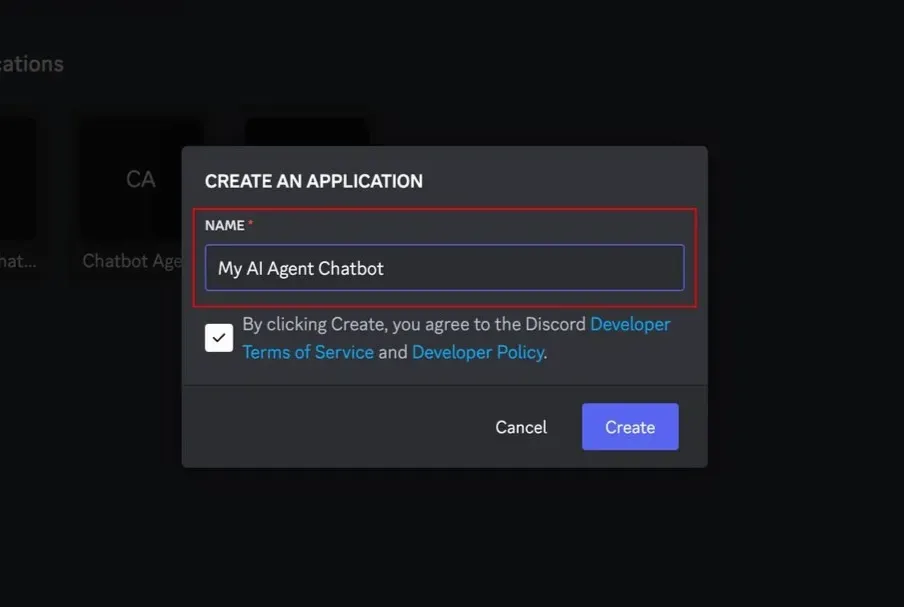
Navigate to https://discord.com/developers/applications and select “New Application”. Give your application a name and click “Create”.
Step 2 - Set up token and permission
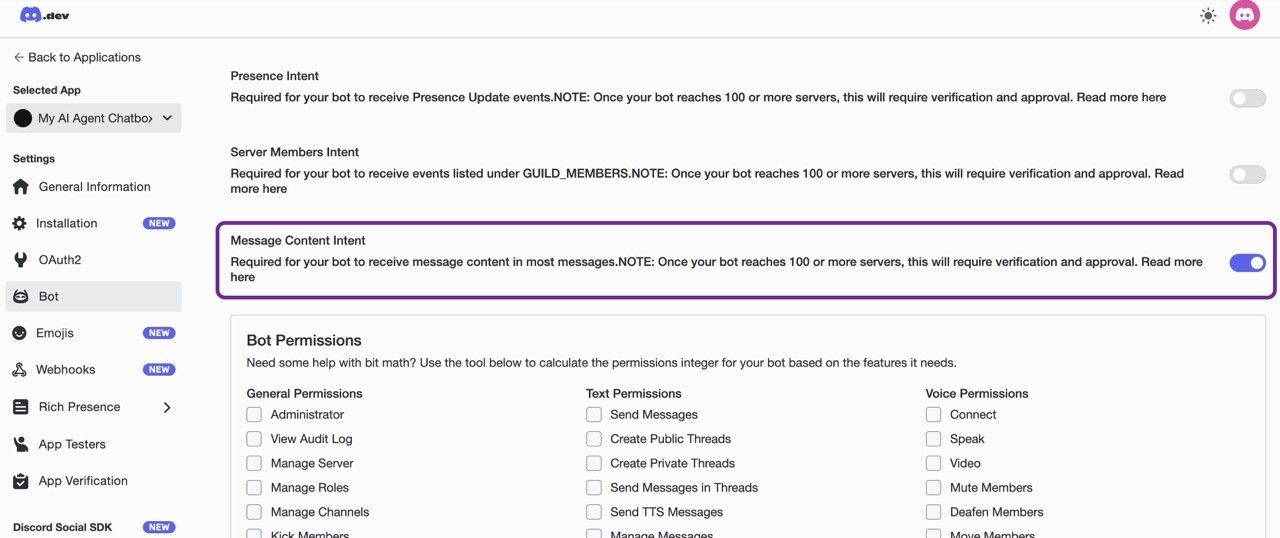
In your newly created Application, go to the "Bot" tab in the left sidebar.
Enable "Message content intent" to allow receiving message content.
Click Save now to save this change before proceeding.
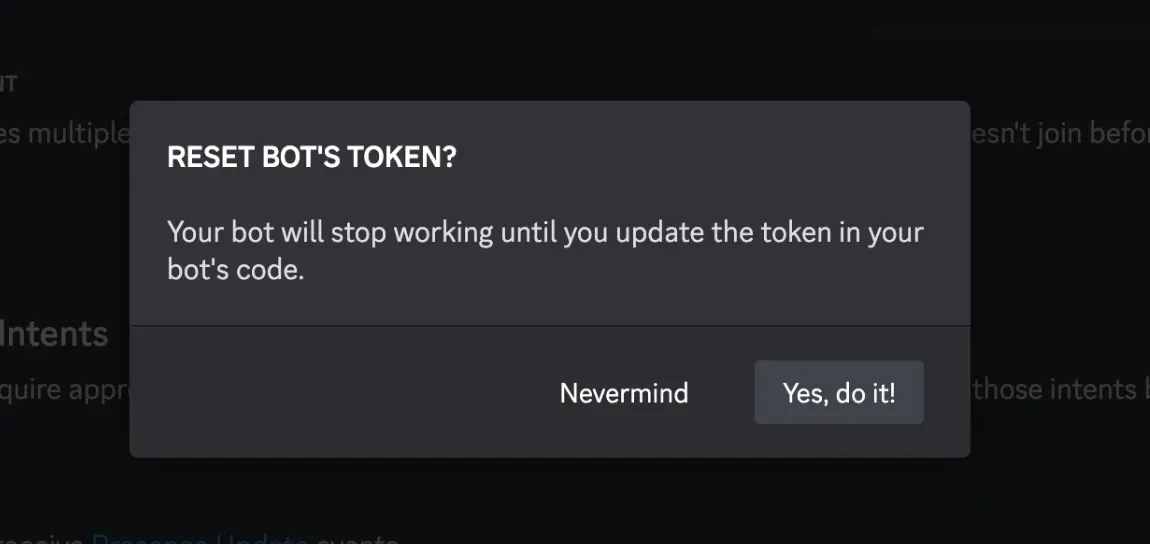
Next, if you do not have Token, generate one by clicking "Reset Token".
See highlights in the screenshot below.
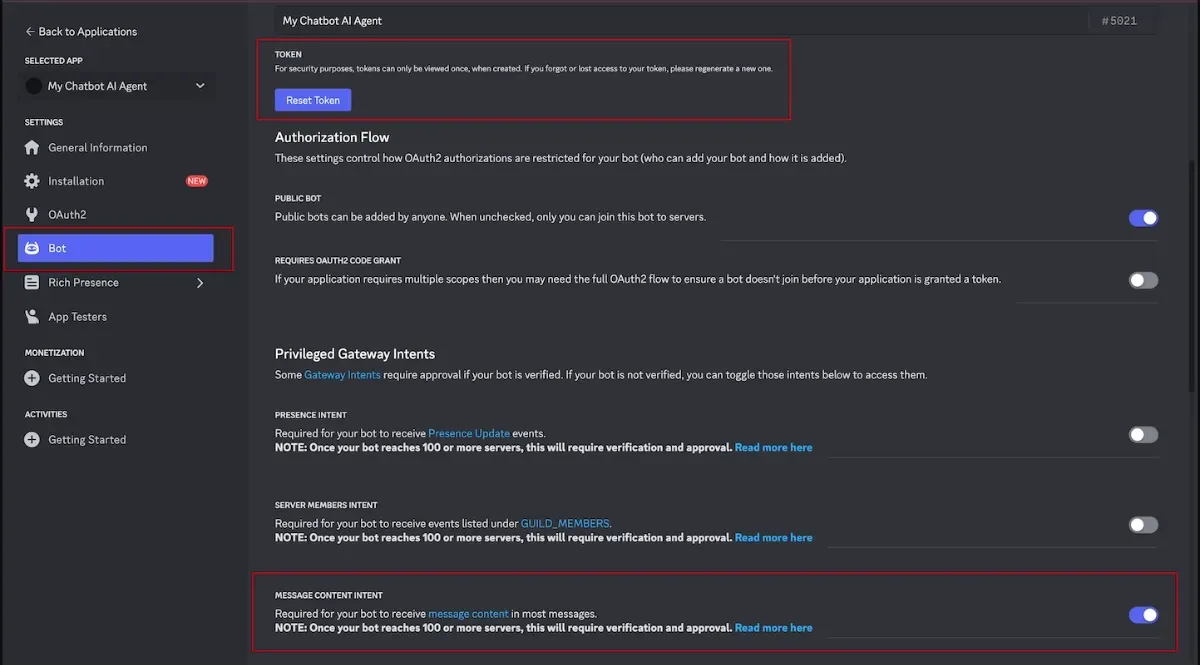
Confirm “Yes, do it!” to create a new token, and then copy the token.
Step 3 - Add the token to your AI agent on AgentX
Navigate and log in to AgentX main app. Pick an AI agent and click Edit.
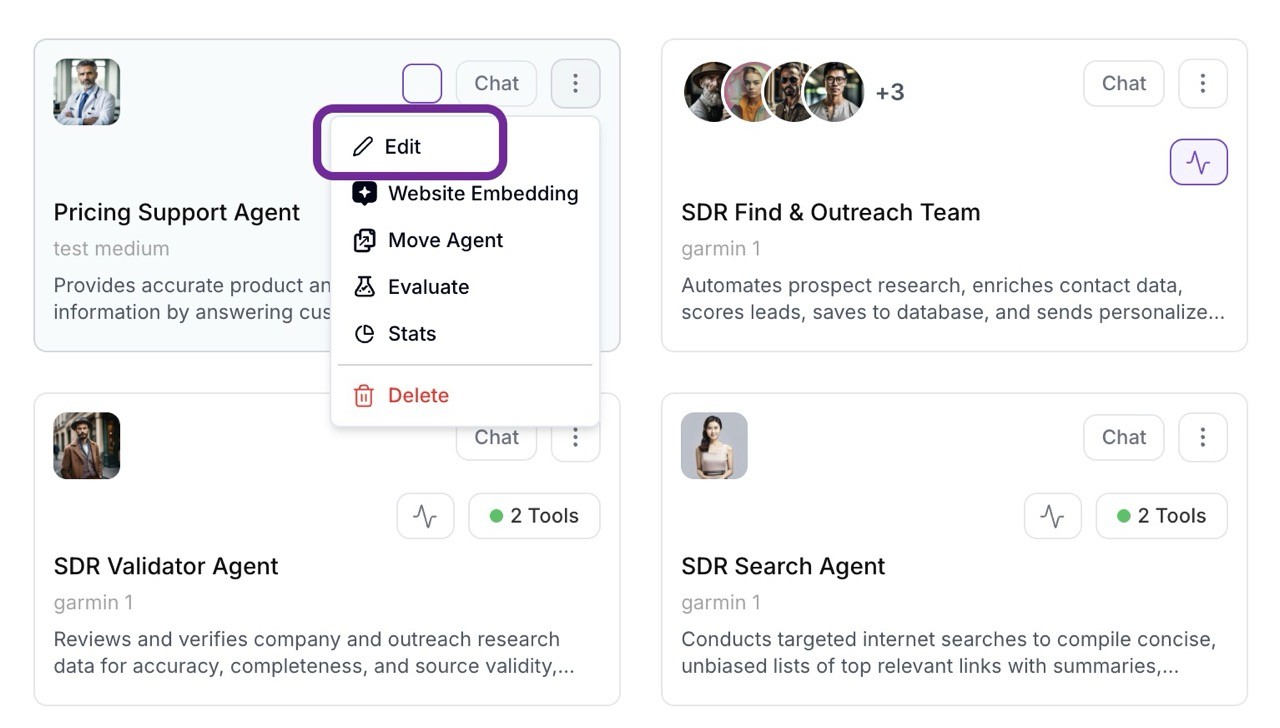
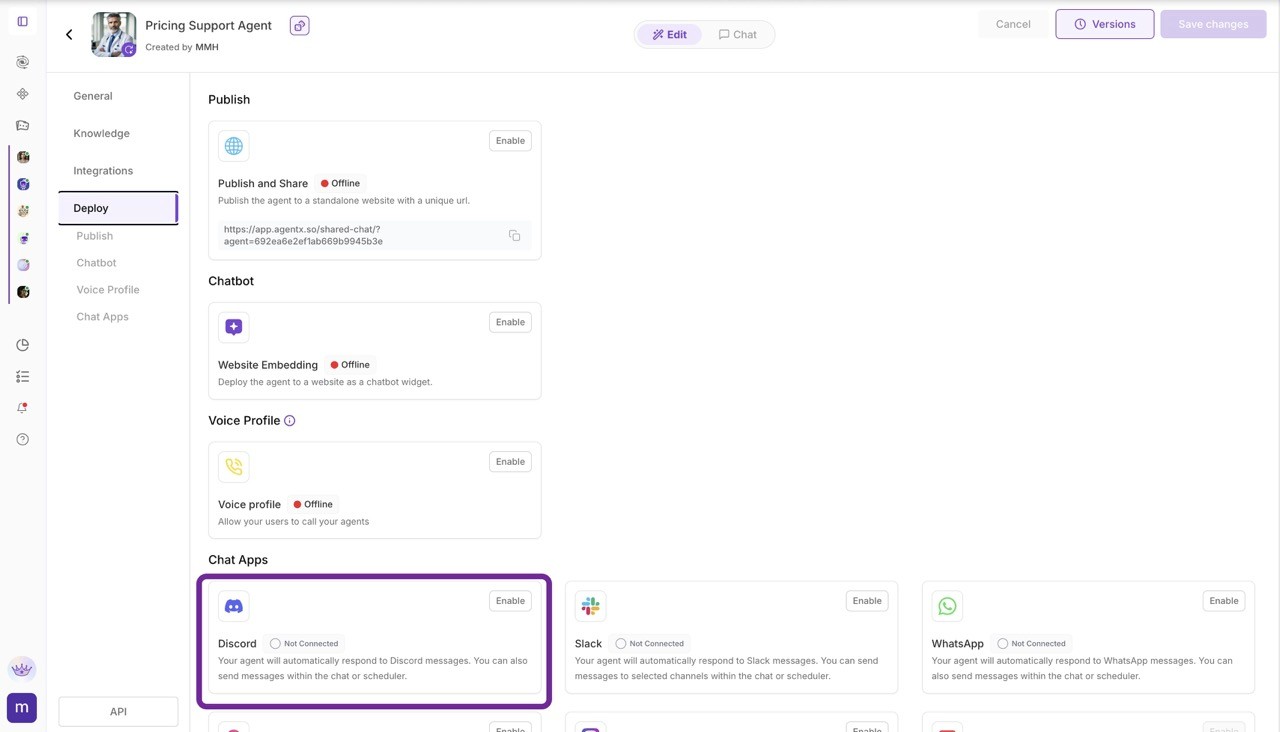
After that, select Deploy tab on the left-hand side. You will see the Discord option in Other Deployments. Click Configure on Discord card.
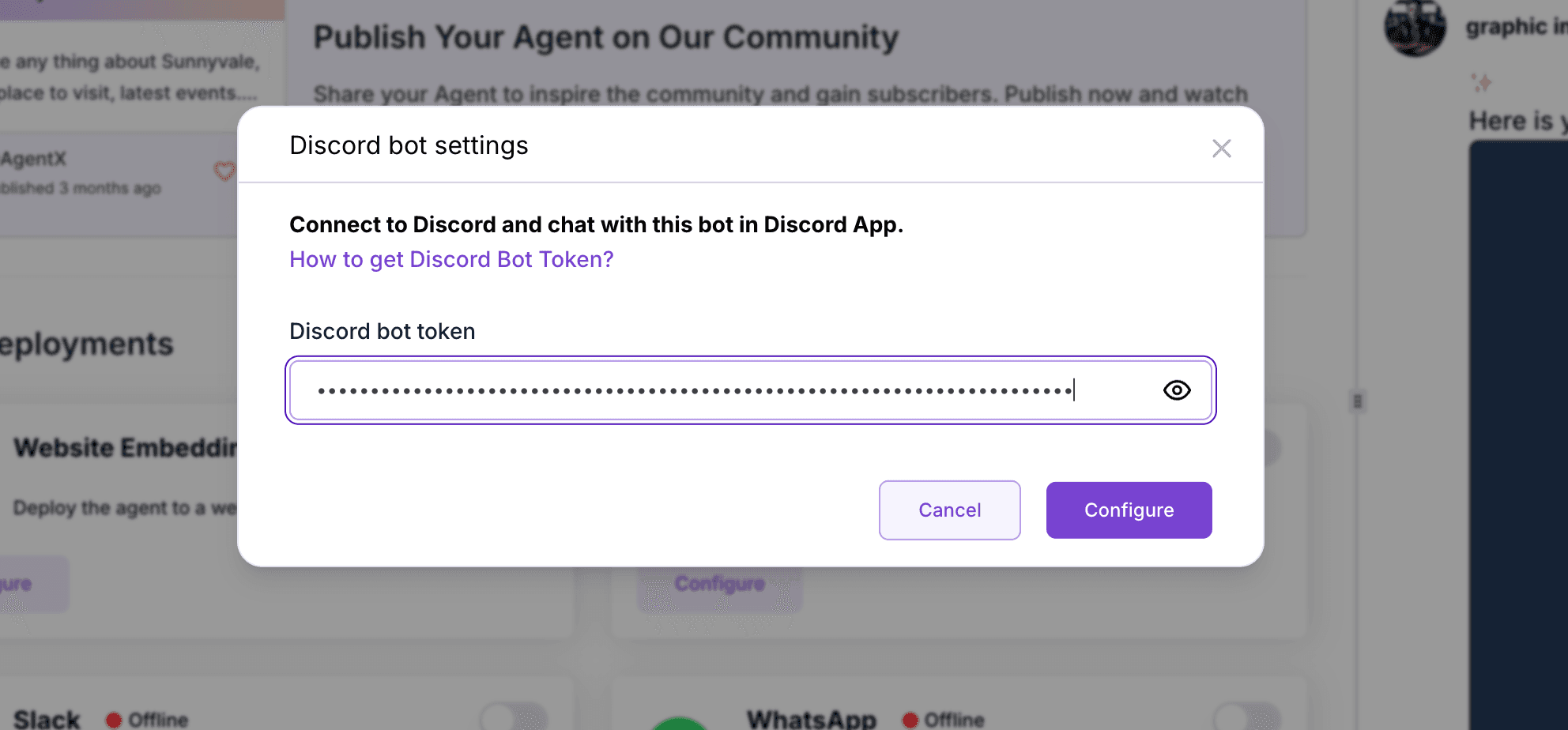
Copy and paste your Discord Token that you got from previous step into the popup form, and then click Configure.
Step 4 - Add bot to a server
After the integration is successfully configured, you can add the Agent to your server by clicking "Add Bot to a Server".
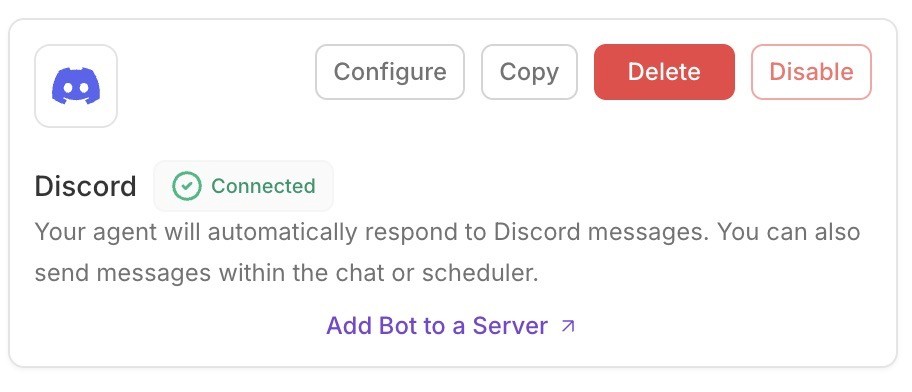
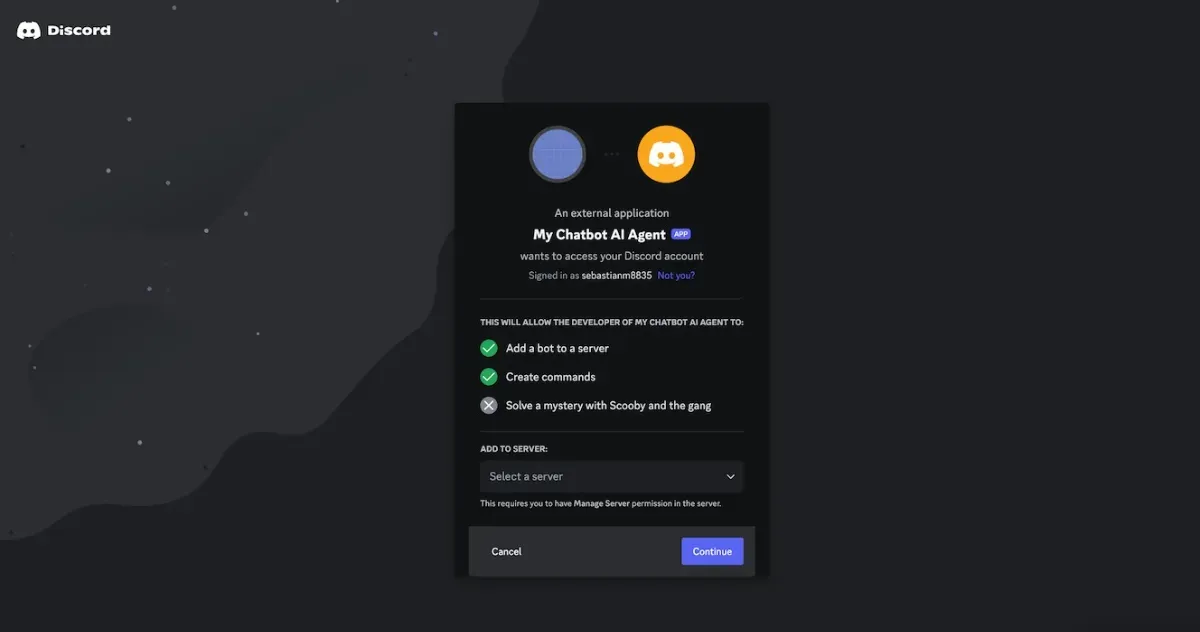
The link will redirect you to your Discord panel, where you need to choose one of your servers to place your AI Agent.
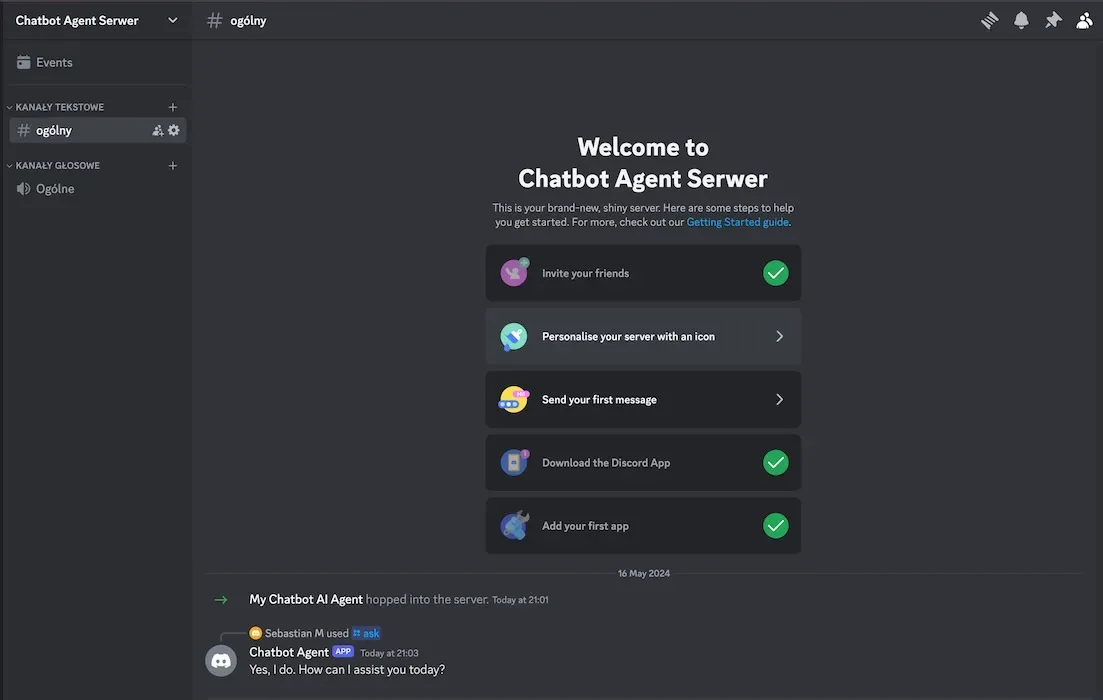
Voilà, your Discord Chatbot Agent is ready!
You can now talk to your AI Agent in group chat using the /ask function or chat directly via Direct Message!
End
Discord AI Agents have the potential to transform your server, adding automation, engagement, and functionality. At AgentX, we make AI agents accessible for everyone anytime one any channels. Create a Discord AI Agents that your community loves on AgentX now.
