

How to add a MCP to your AI Agent
MCP (Model Context Protocol) allows you to connect your AI application to any desired third-party app as long as it supports it. Here is a step-by-step tutorial on how to set it up and connect with your AI agent. We will give an example on YouTube MCP.
MCP
MCP (Model Context Protocol) allows you to connect your AI application to any desired third-party app as long as it supports it. To learn more about it, read "what is MCP?" and "MCP best practice".
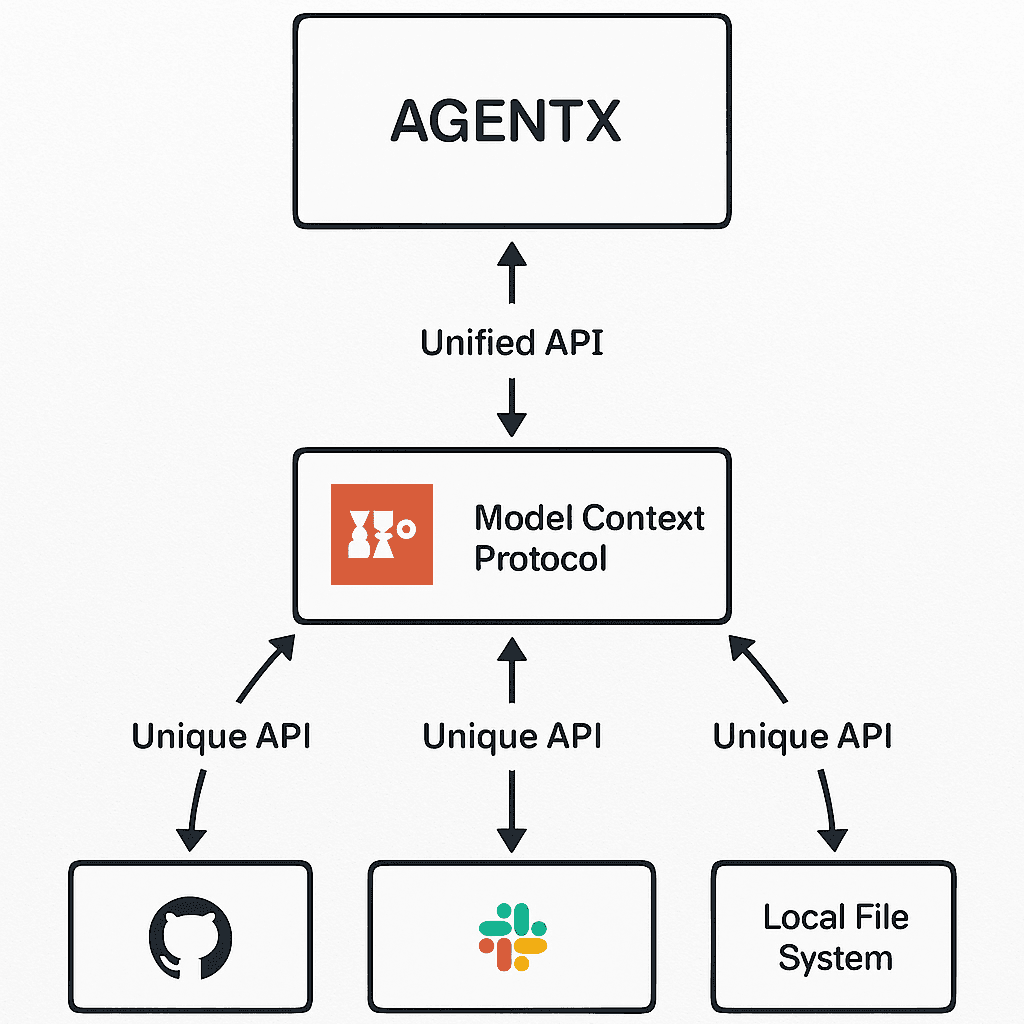
We will go over how to add any MCP servers to your AI agent on AgentX. And step-by-step show you and explain how each options is and works.
Create a new agent or select a existing agent(check out: how to create an AI agent if you do not have one yet).
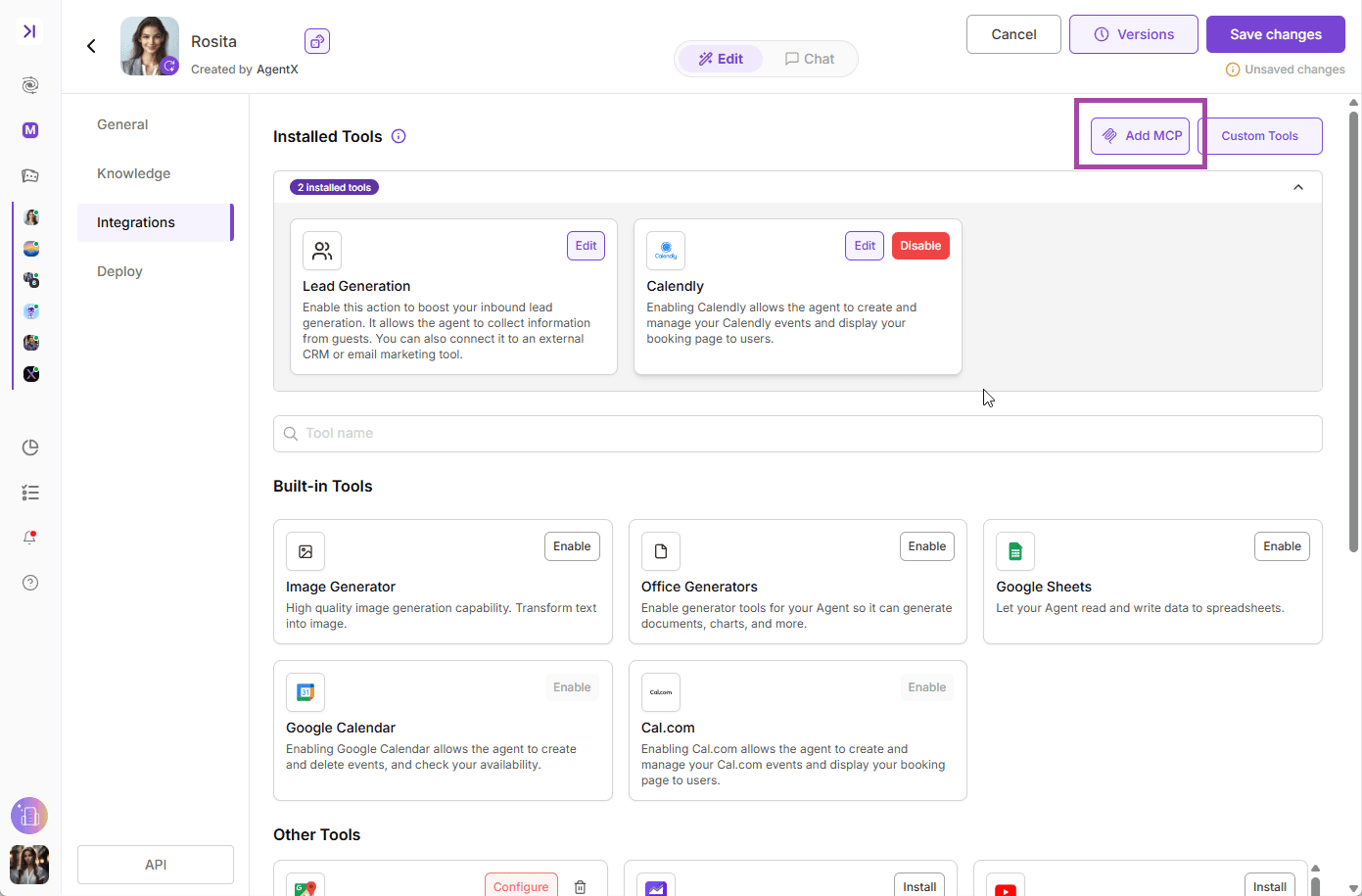
In edit agent, choose INTEGRATIONS
You can search among MCP servers that we already have integrated 🔍
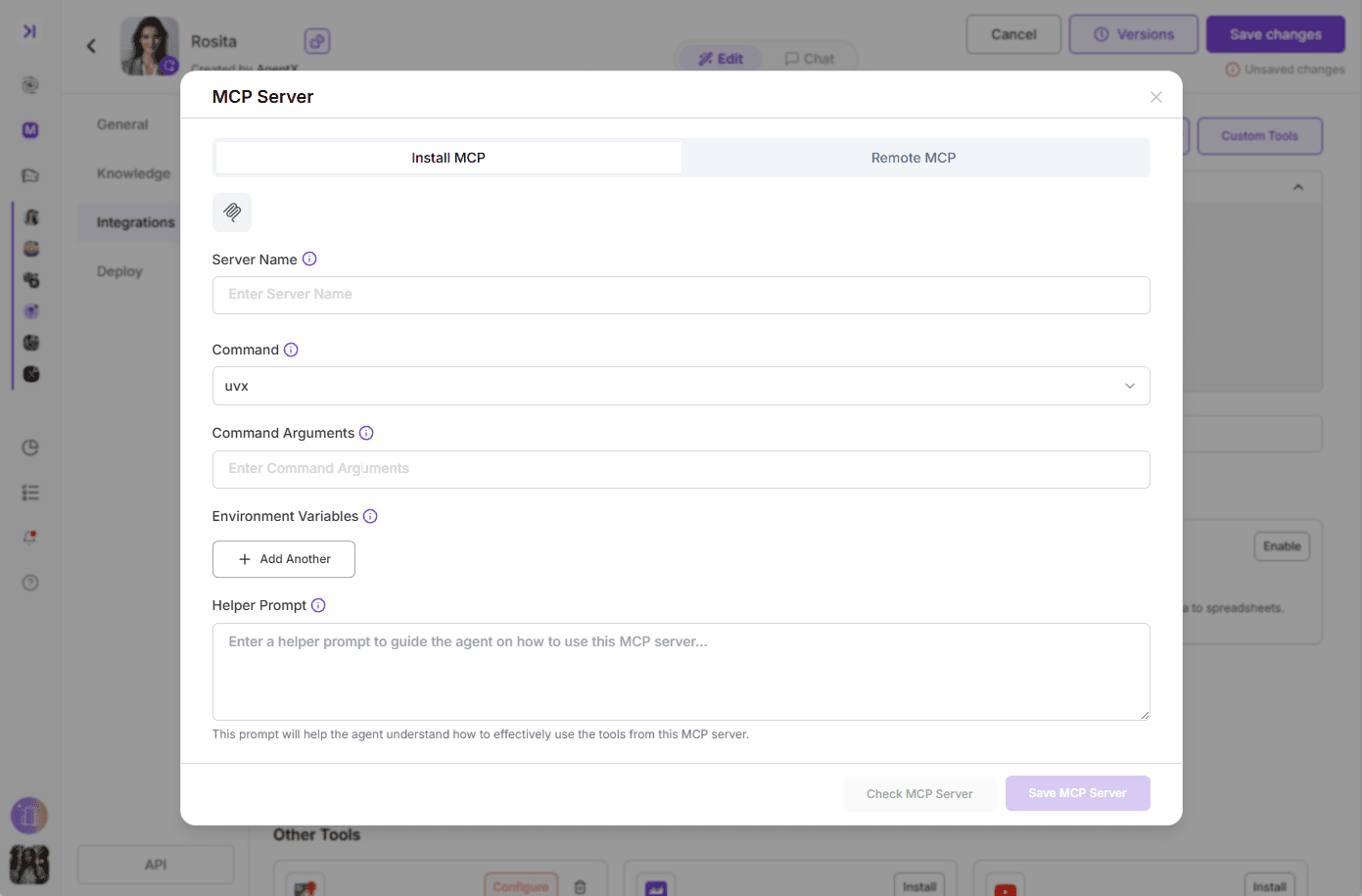
or click Add MCP button to the right side allows you to add any MCP that you found online, as long as they support uvx, npx, or sse.
Add Featured MCP
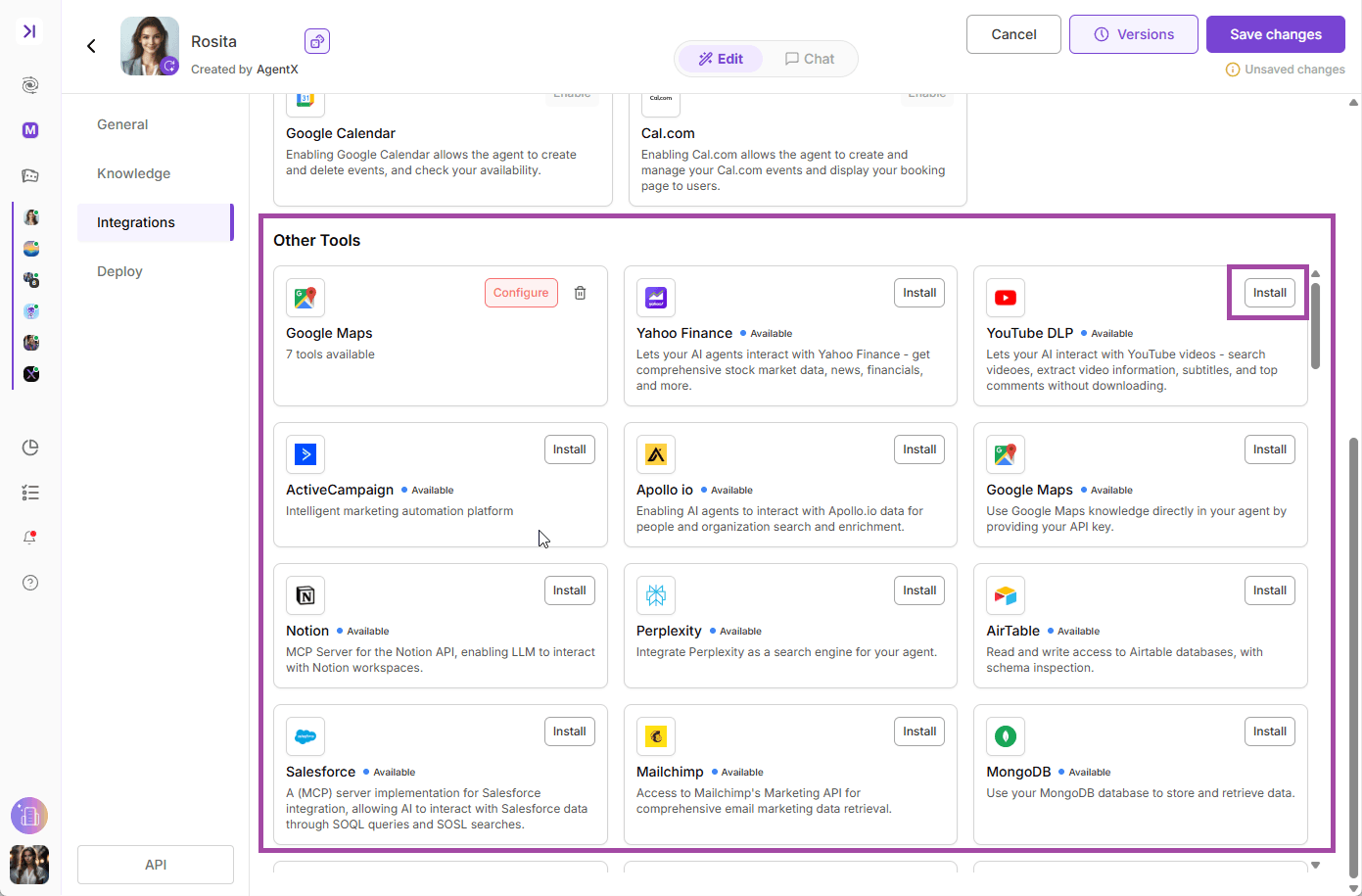
The Featured MCP is the list of curated MCP servers presented by AgentX. You can also find information like its origin, detailed README, website, author etc. here. You can find them among other tools
For example, you can add the YouTube DLP to your agent. (About YouTube MCP). This MCP allows your AI agent to interact with YouTube videos, which means your AI agent will be able to search videos, extract video information, subtitles, and top comments from url.
Click "Install" button to add the MCP to your Agent.
It will pop-up a setup window looks like this. Give it a name and click "Check MCP Server"
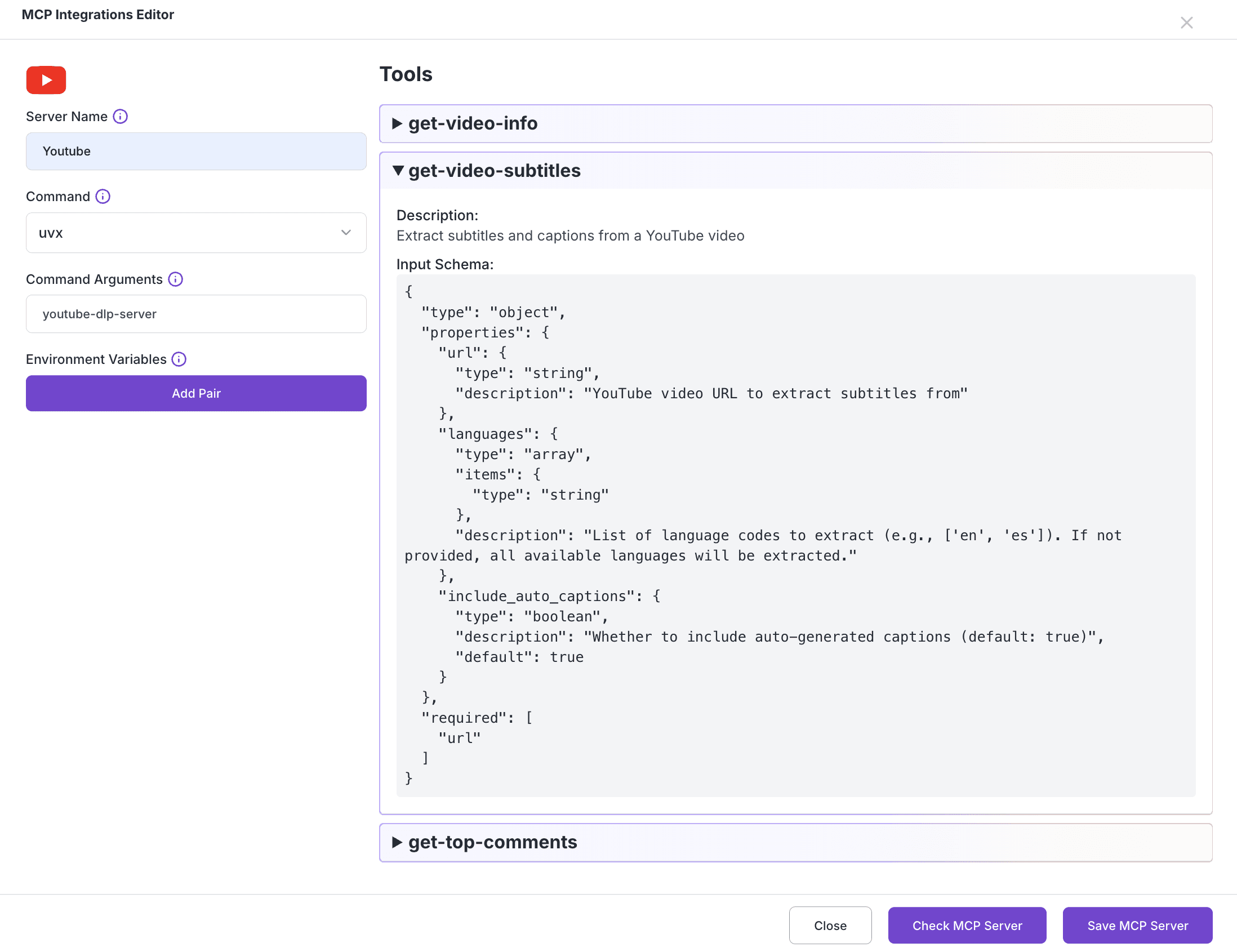
You can see the server returns with tools it comes with. The list of tools it returns is the list of new capabilities that your AI agent will get.
In this example, your AI agent will be assigned get-video-info, get-video-subtitles, and get-top-comments tools that comes with this YouTube MCP.
Now let's click "Save MCP Server".
If the MCP is successfully saved and enabled, you will see it in integrations like this:
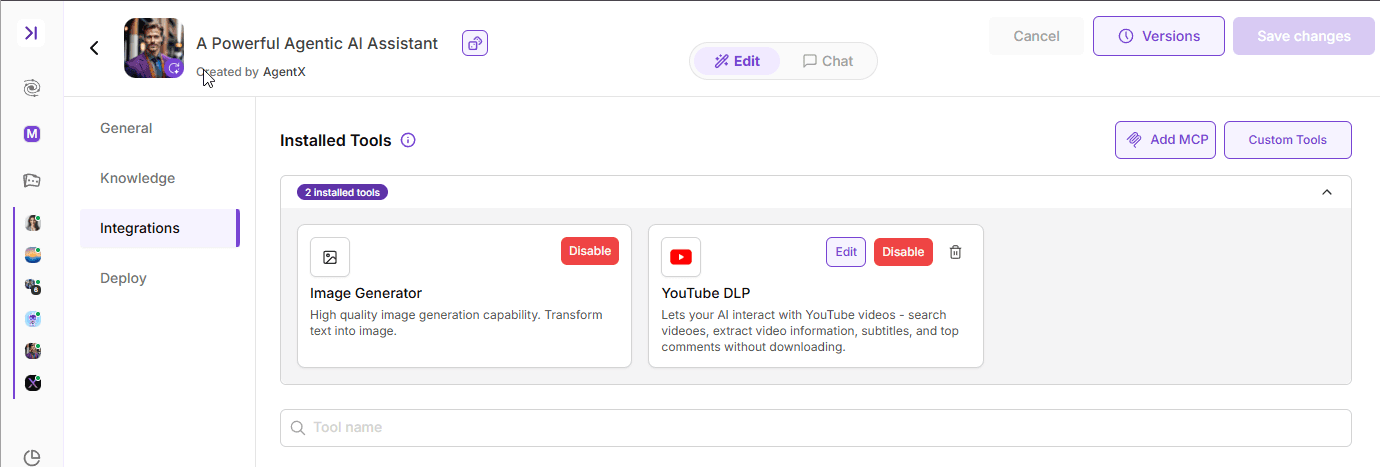
And of course, you can disable the added MCP server by click 🗑️, and you will be able to quickly add it back from MCP Servers later on.
Now let's see how this YouTube MCP can bring change to your AI Agent.
Let's ask the agent about what this video about https://www.youtube.com/watch?v=dQw4w9WgXcQ&ab_channel=RickAstley
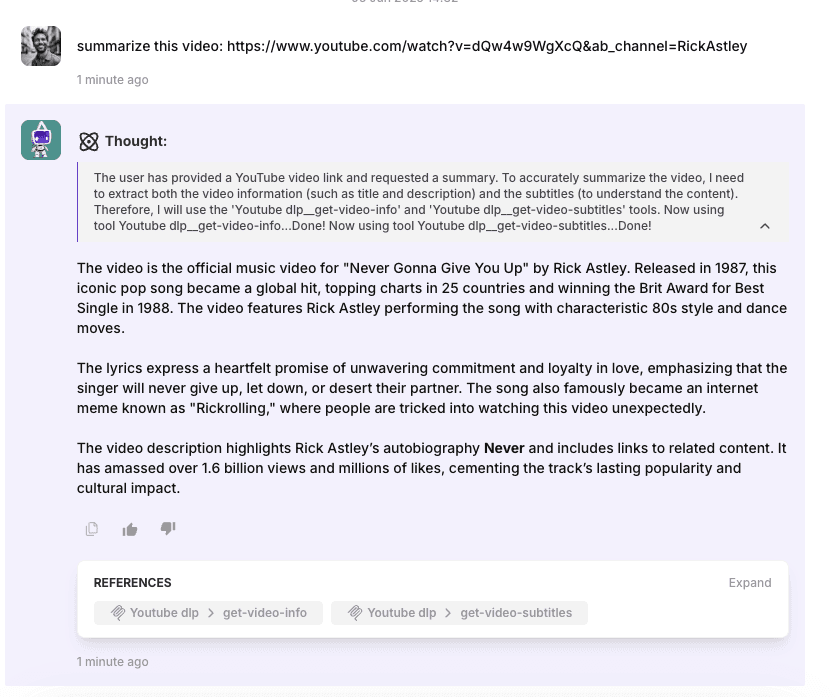
You can see that the AI Agent leverages the newly added MCP tool to get the video information and subtitles, and then incorporate the data to respond to you.
Congrats! You just created an AI agent that is able to understand YouTube video without writing a single line of code! Now you can kick back and enjoy the video.
End
This is just one example out of 1000+ MCP tools. AgentX is committed to provide curated MCP server list and the reliable platform for you to host and grow your AI agents.
We will add more open sourced MCP servers to the list that is free licensed. Check out our GitHub for MCP hub.
Feel free to reach out to let us know what MCP you would like to have next. Contact
