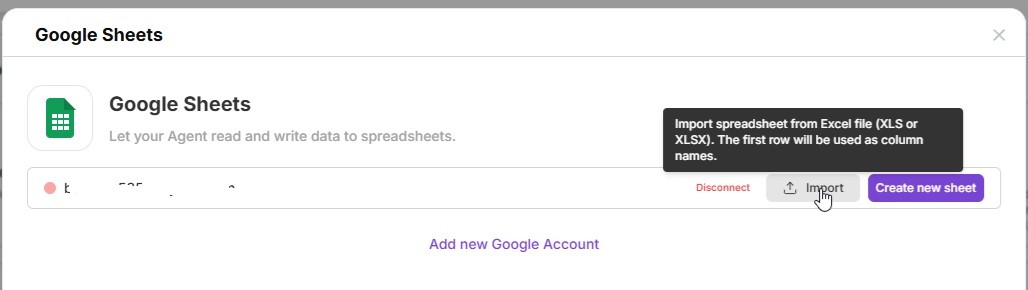
Your AI Agent can automatically save data - for example, extract invoice details using OCR and record them directly into a Google Spreadsheet.
This integration lets you automate data collection, keep everything organized, and **eliminate manual entry -**perfect for handling invoices, customer records, or reports.
Google Sheets with AgentX
With Google Sheets connected, your Agent becomes a smart automation assistant that updates your tables in real time, ready for analysis or sharing.
🧩 Step-by-step setup
- Create a new Agent or edit one of your existing ones.
- Go to Integrations Open the Built-in Tools tab in your Agent’s settings.
- Select “Google Spreadsheet” Find Google Spreadsheet in the list and click Enable.
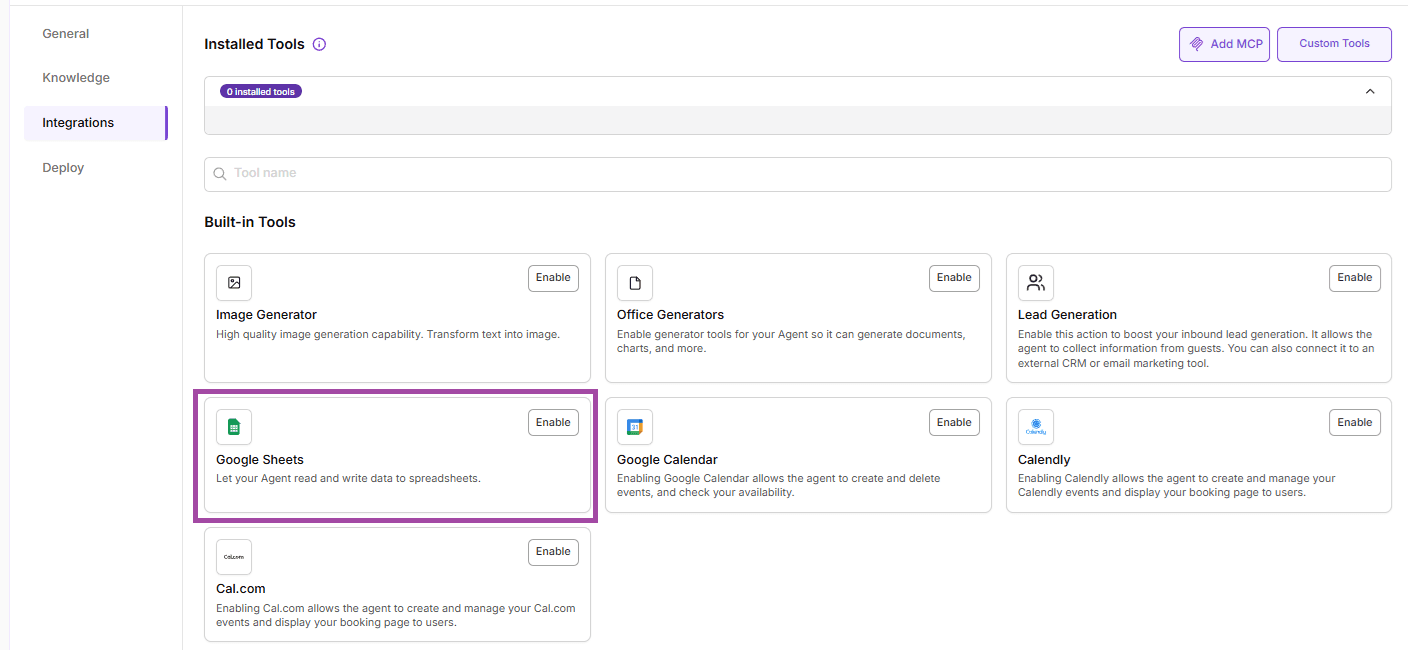
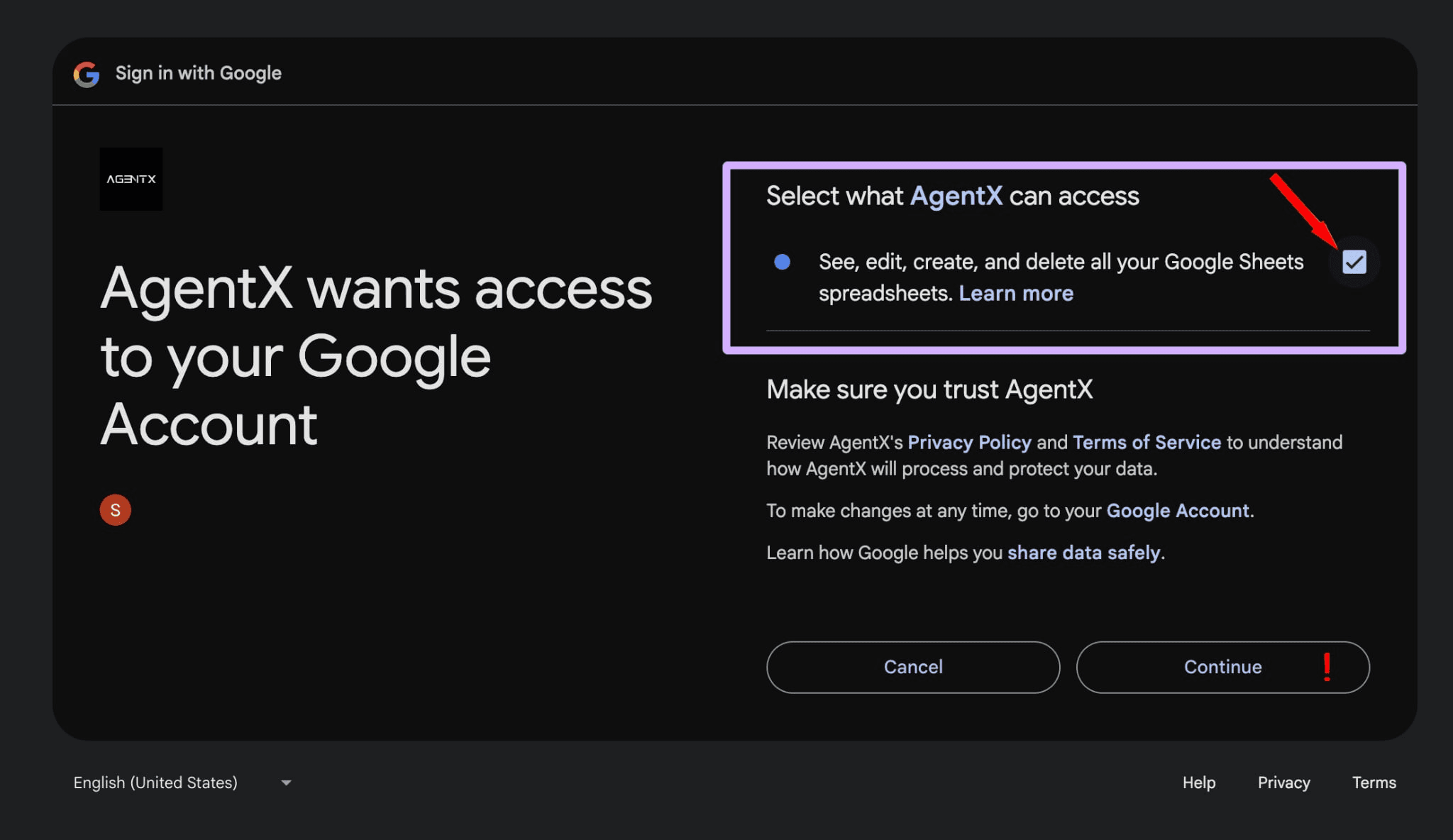
- Add your Google account Click Add New Account and connect your Google account.
- ⚠️ Important: When connecting, make sure to allow AgentX full access to your Google Sheets - permission to view, edit, and delete spreadsheets is required. Without this, your Agent won’t be able to save data.
- Add a new sheet After connecting your account, click Add New Sheet
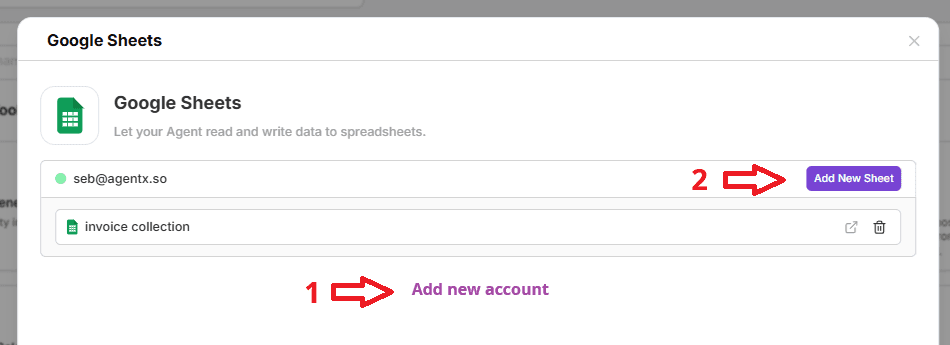
- and set up your columns, e.g.:
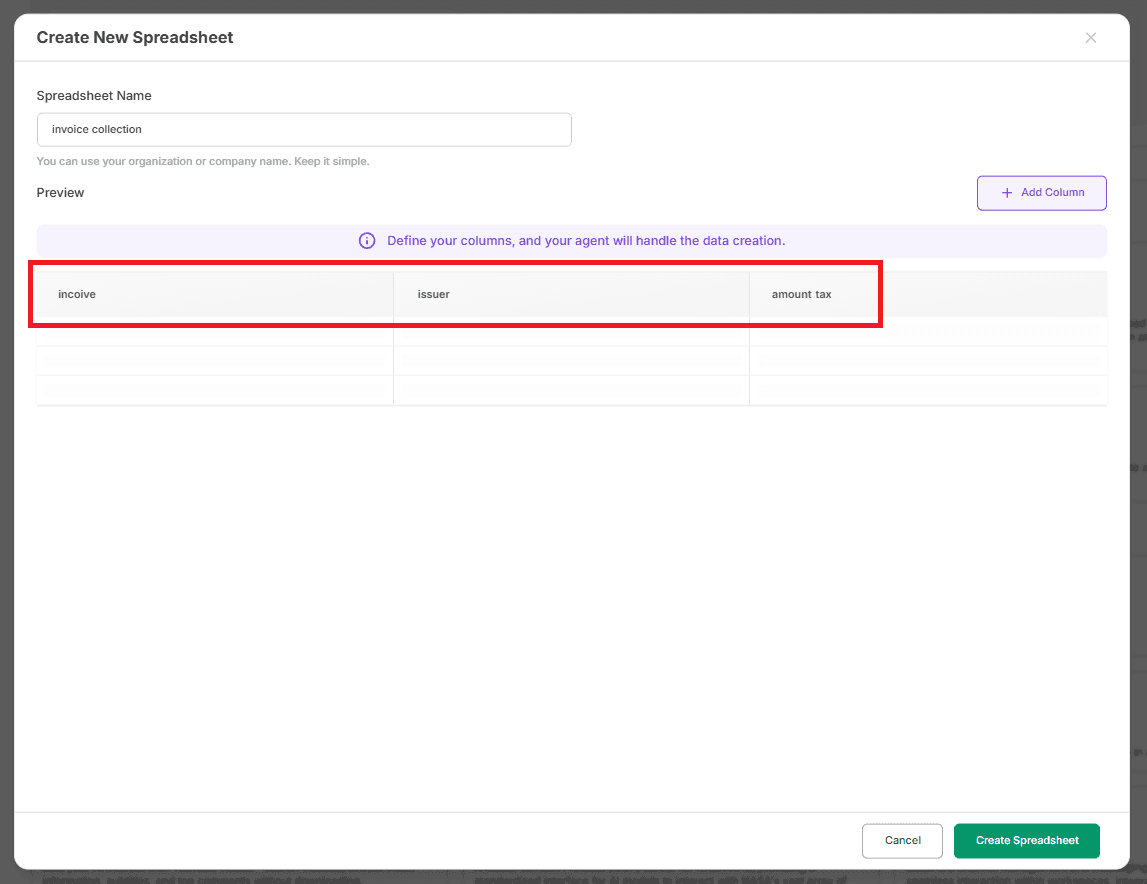
- Save the setup Click Save - that’s it! Your AI Agent can now extract invoice data and automatically record it in your Google Spreadsheet.
🧩Alternative option
You can upload ready to use file