
Creating a Custom Tool in AgentX
Learn how to quickly create custom API-powered tools in AgentX using natural language and automatic code generation.
AgentX gives you the ability to extend your agents with powerful Custom Tools. These tools allow your agent to call external APIs, run Python logic, and fetch real-time data - all generated automatically from natural language.
The Custom Tool Builder converts your description into production-ready Python code, so you can integrate any service in minutes.
Follow this quick guide to build your first tool.
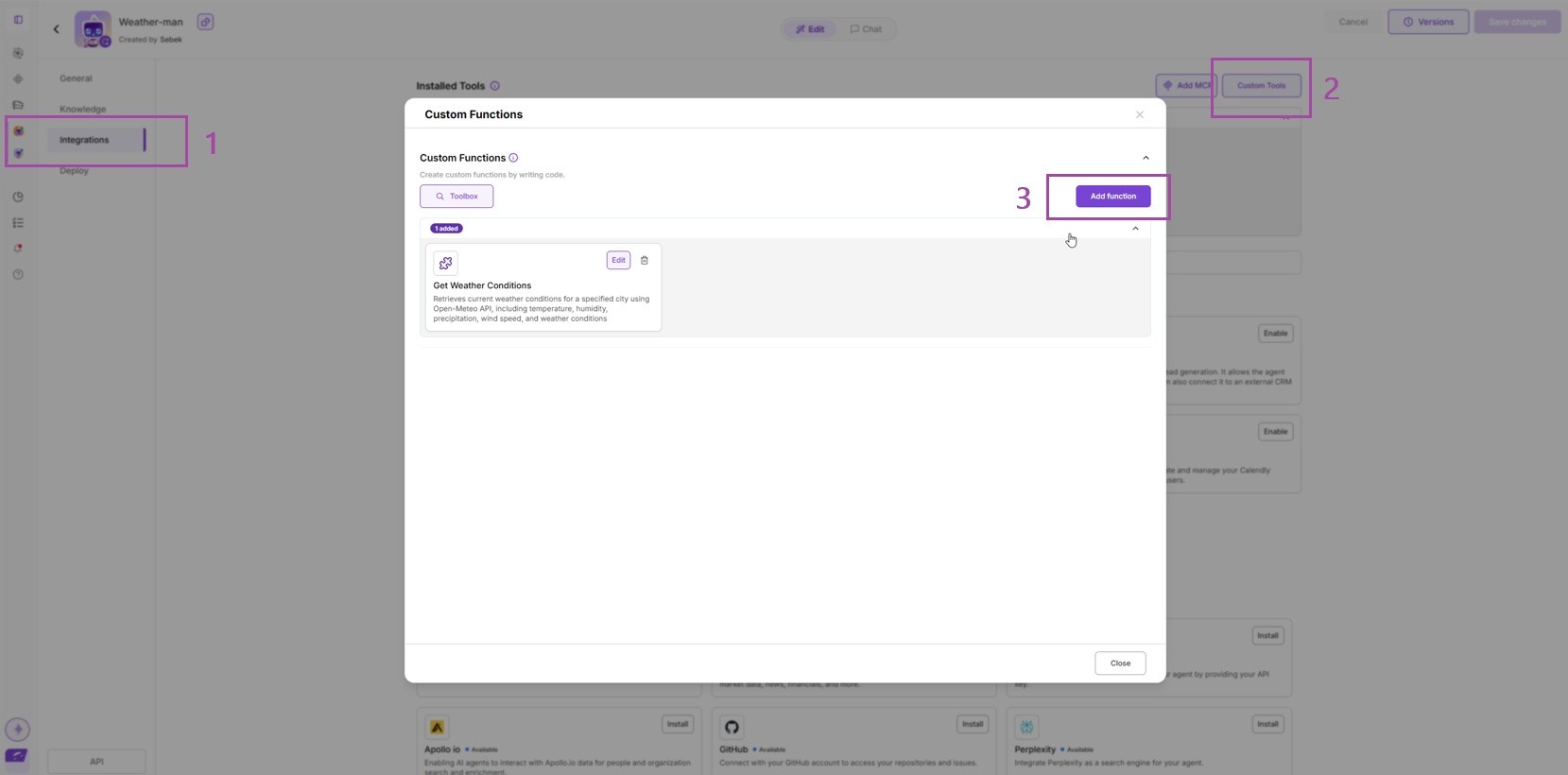
1. Open Integrations → Custom Tools
In your agent workspace, go to Integrations and open the Custom Tools section.
This is where you manage and create tools for your agent.
2. Describe What You Want to Build
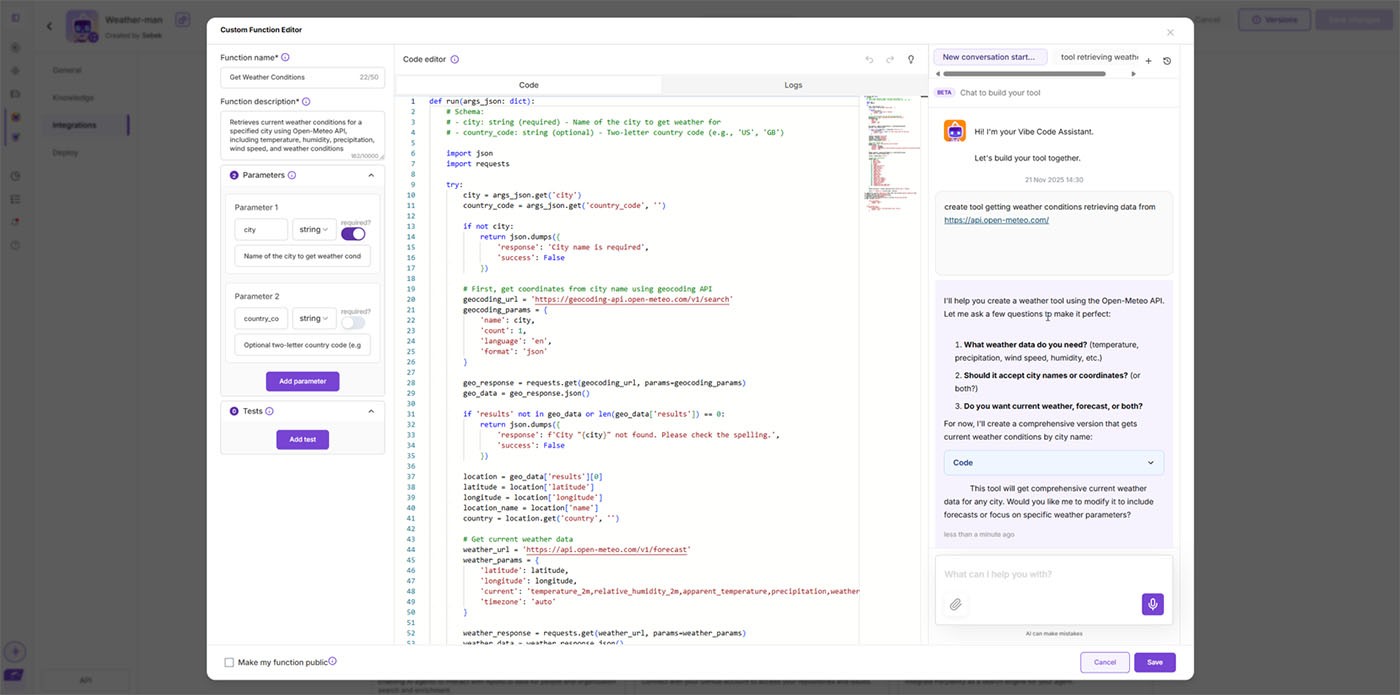
Just type a sentence describing your tool’s purpose - no coding required.
Example:
“Create a tool that retrieves weather data from api.open-meteo.com.”
The more specific you are, the more precise the generated code will be.
3. Let the C2C Agent Generate the Code
AgentX automatically writes a complete Python function for you, including:
API request
Error handling
Output formatting
Schema definitions
You can review or edit the code anytime.
4. Save and Test Your Tool
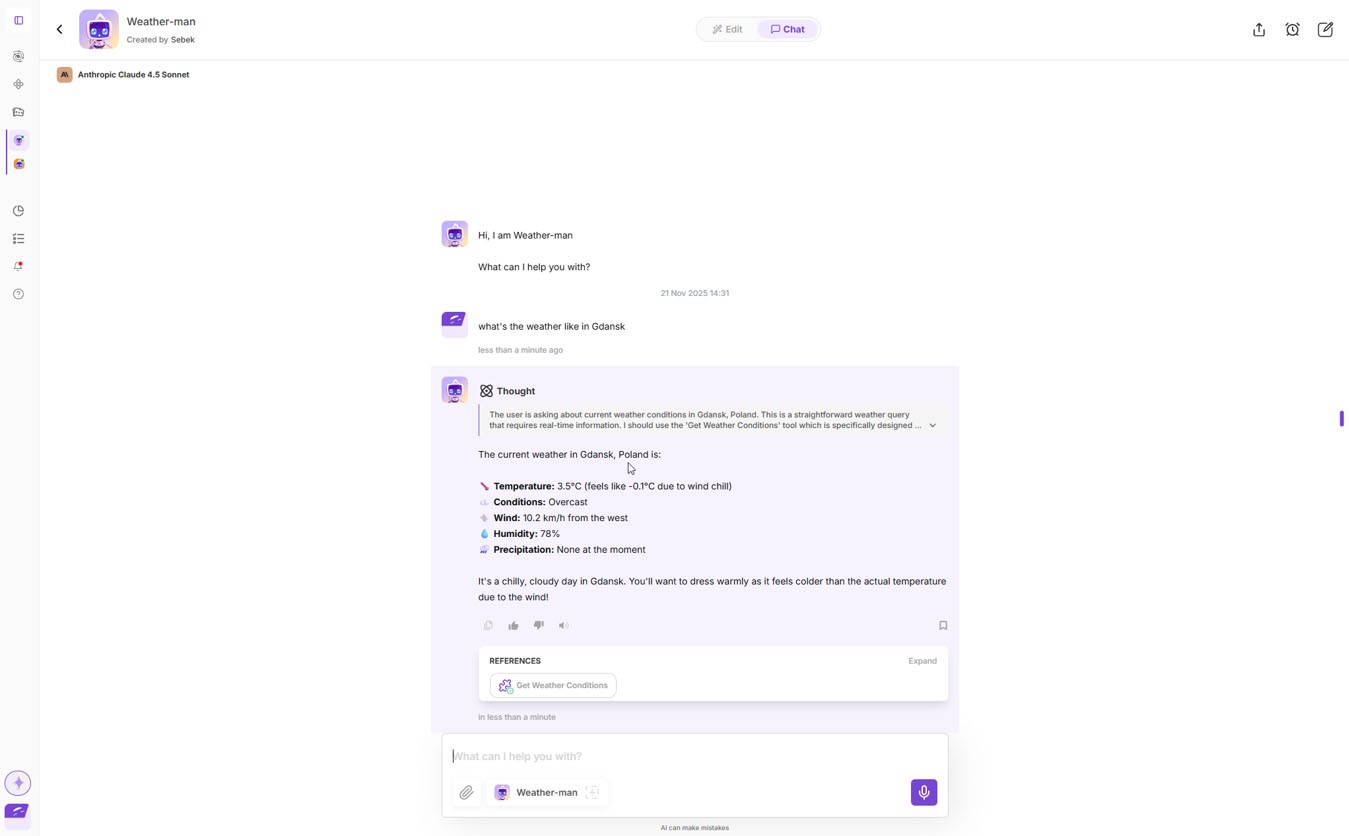
Click Save, open your agent’s chat, and ask a question that triggers the tool.
Example:
“What’s the current weather in Gdańsk?”
Your agent will call the tool, fetch live data from Open-Meteo, and return structured results.
That’s It - Your First Custom Tool Is Ready
With AgentX, creating integrations is as simple as describing them.
You can now:
Connect any external API
Build internal automations
Add data retrieval, calculations, or ML workflows
Give your agent superpowers with zero setup overhead
It's like your own MCP Tool
