
How to Automate Agent Tasks with AgentX
Discover how to automate your AgentX agents - from daily AI news briefings to fully autonomous SDR outreach - so your business runs on autopilot.
In our previous tutorial on sending emails with AgentX, we showed you how to enable your agent to deliver updates and briefings directly to your inbox. Now let’s take it one step further: automation.
Instead of running an agent manually every time, you can schedule it to run automatically at specific times - perfect for daily reports, reminders, or recurring business tasks.
Setting up task automation
Step 1: Create your agent (or hire the example one)
You can automate any agent you already own, so if you’ve created your own, you can skip this step.
For the sake of this tutorial, we’ll continue with the AgentX AI Briefing agent from our previous guide. If you want to follow along, simply click +Hire in your workspace menu to add it. You can Create a new agent if you wish.
Step 2: Open the Automate Panel
Go to your Agents list and click on the Automation icon next to your chosen agent.
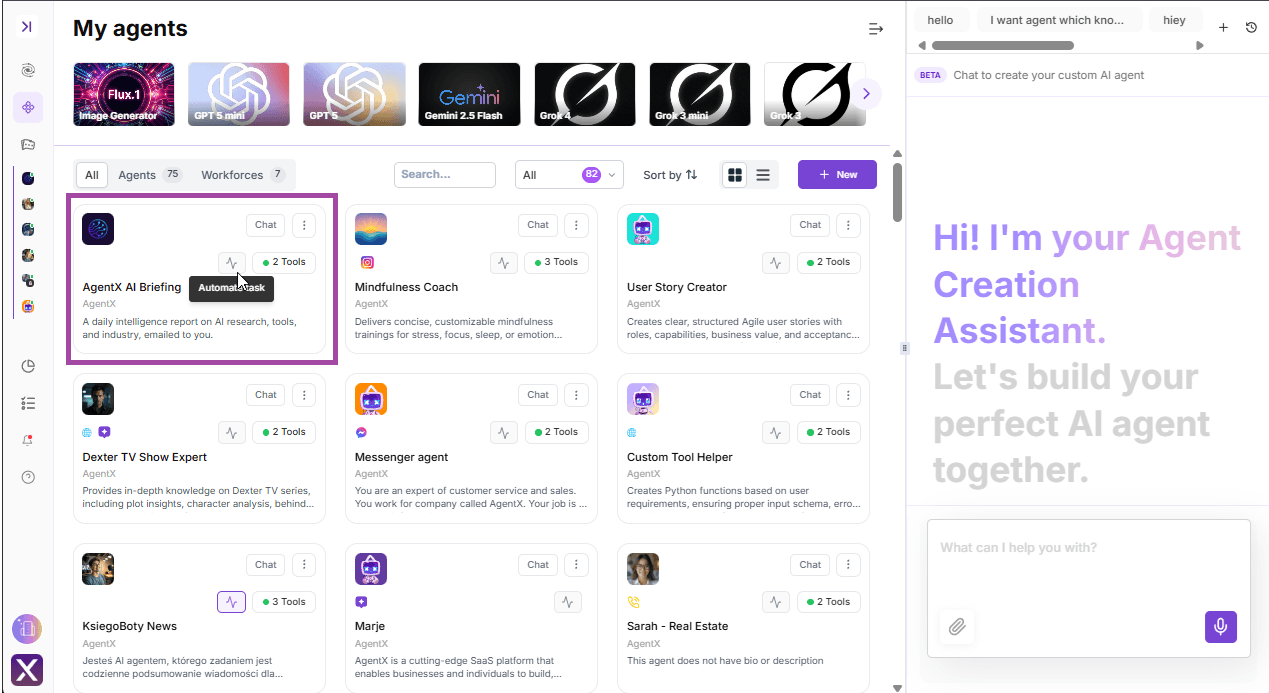
Step 3: Set the Instructions
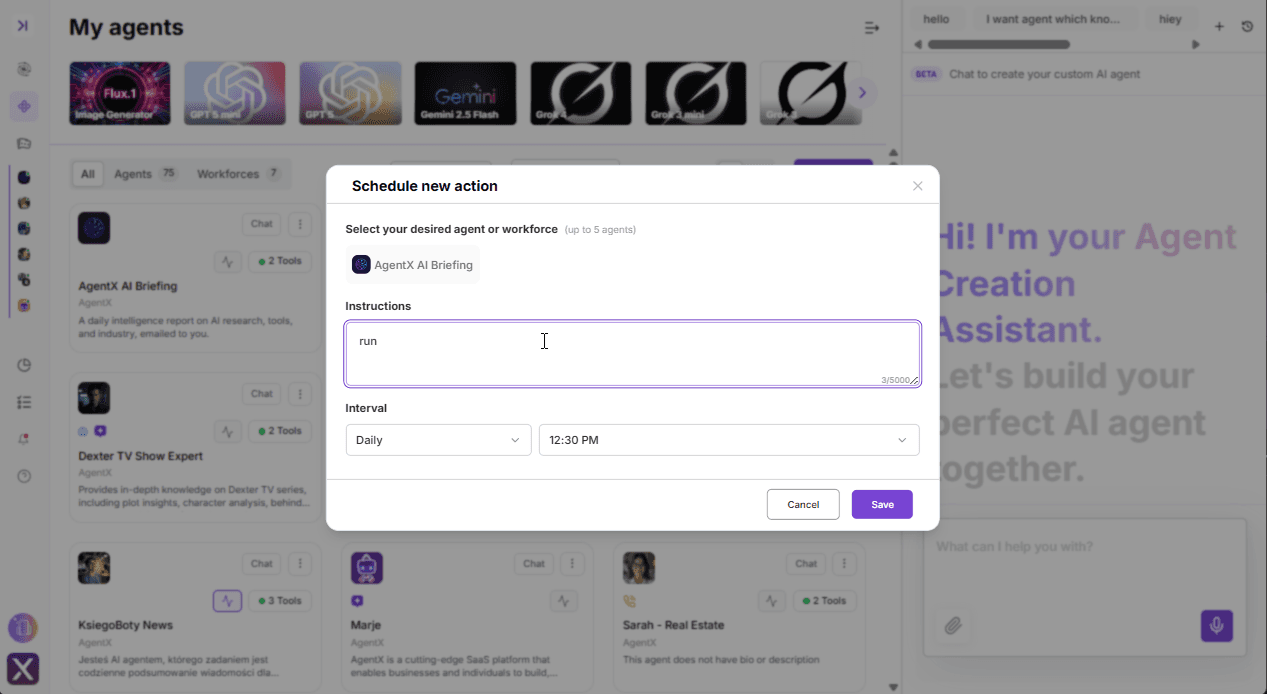
In the automation setup, type your instruction. For our example with the AgentX AI Briefing agent, just enter:
run
Step 4: Choose the Interval
Set your preferred schedule. For this example:
Interval: Daily
Time: 12:30 PM
Click Save and you’re done.
Step 5: Enjoy hands-off automation
From now on, your agent will automatically run every day at 12:30 PM. In this case, you’ll receive a fresh daily portion of curated AI news-without lifting a finger.
Managing your scheduled tasks
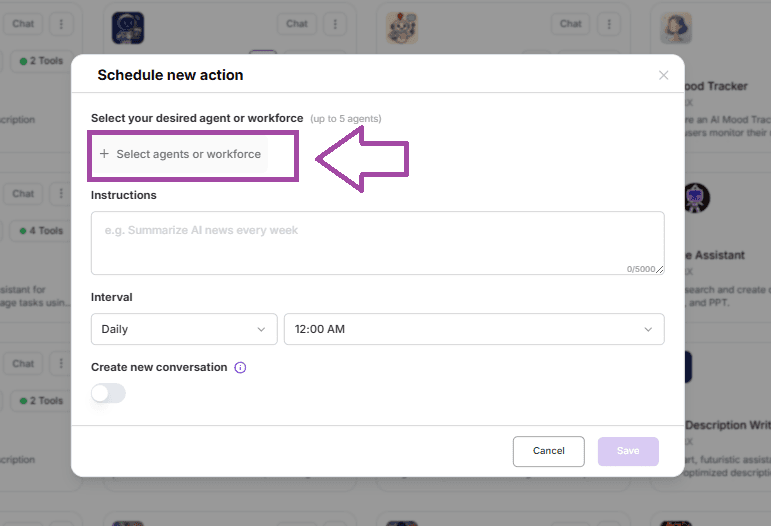
You can view and manage all of your automations by going to the Scheduler in the left-hand menu. This is your control center, where you’ll see which agents are running, when they’re triggered, and what actions they perform.
From this place you can also schedule actions for your Agents and Workforces - just simply Select desired Agent or workforce.
💡 Pro tip for businesses: Automating tasks isn’t limited to briefings. You can set up agents to:
Send daily sales reports to your team.
Email customer support summaries to clients after every chat.
Deliver weekly marketing updates or executive dashboards.
Trigger reminders for deadlines, meetings, or compliance checks.
Automate your Agent SDR team, letting them handle lead qualification, outreach, and follow-up emails completely on autopilot while you focus on closing deals. With automation, your AI SDR agents keep your pipeline warm 24/7, ensuring no opportunity slips through the cracks.
With automation, AgentX becomes a true always-on assistant that handles repetitive tasks for you—and even runs parts of your sales development process independently.
❓Still have questions? Our team is here to help: [email protected]
