Skip to content

AgentX tutorial

How to find Cal.com API Key and connect to your AI Agent

Cal.com is a fully customizable scheduling software. Find out how to find the API key and connect it with AI agent on AgentX.

1 min read

Trying to coordinate a meeting can feel like a never-ending puzzle-countless messages, overlapping appointments, and time zone headaches make the whole process far more complicated than it should be. Scheduling shouldn’t require so much effort or guesswork.

Here is step by step guide on how to setup Cal.com with your AI Agent

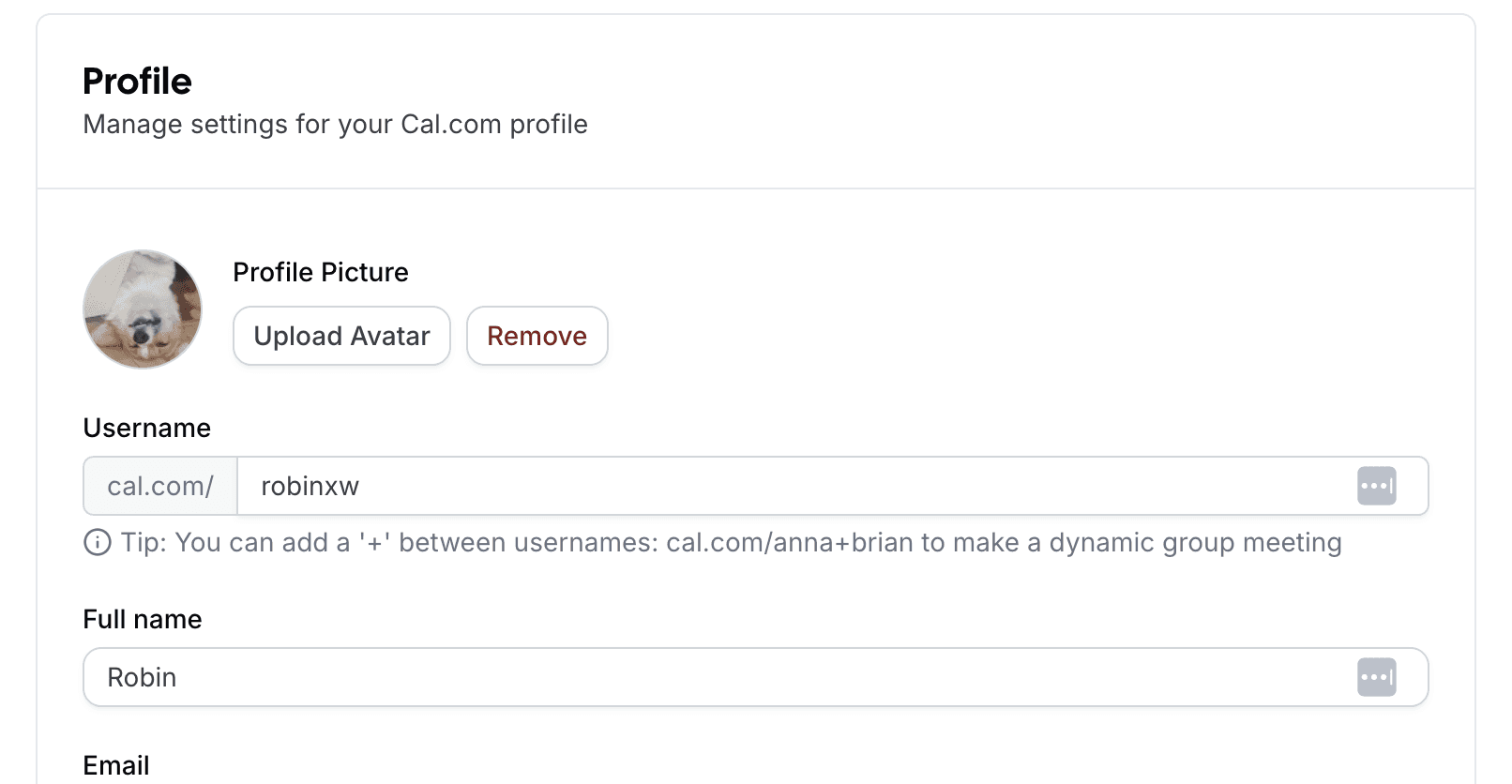
Cal.com profile
Cal.com profile

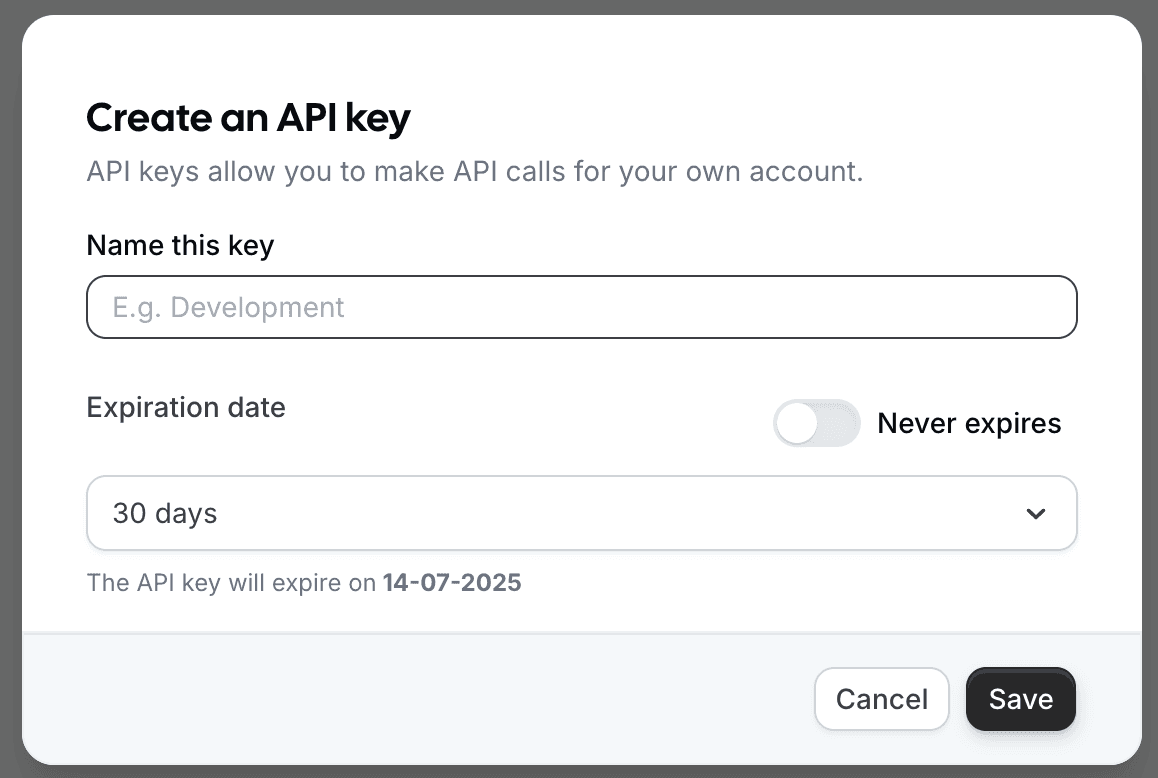
Find API Key

Cal.com API key generate

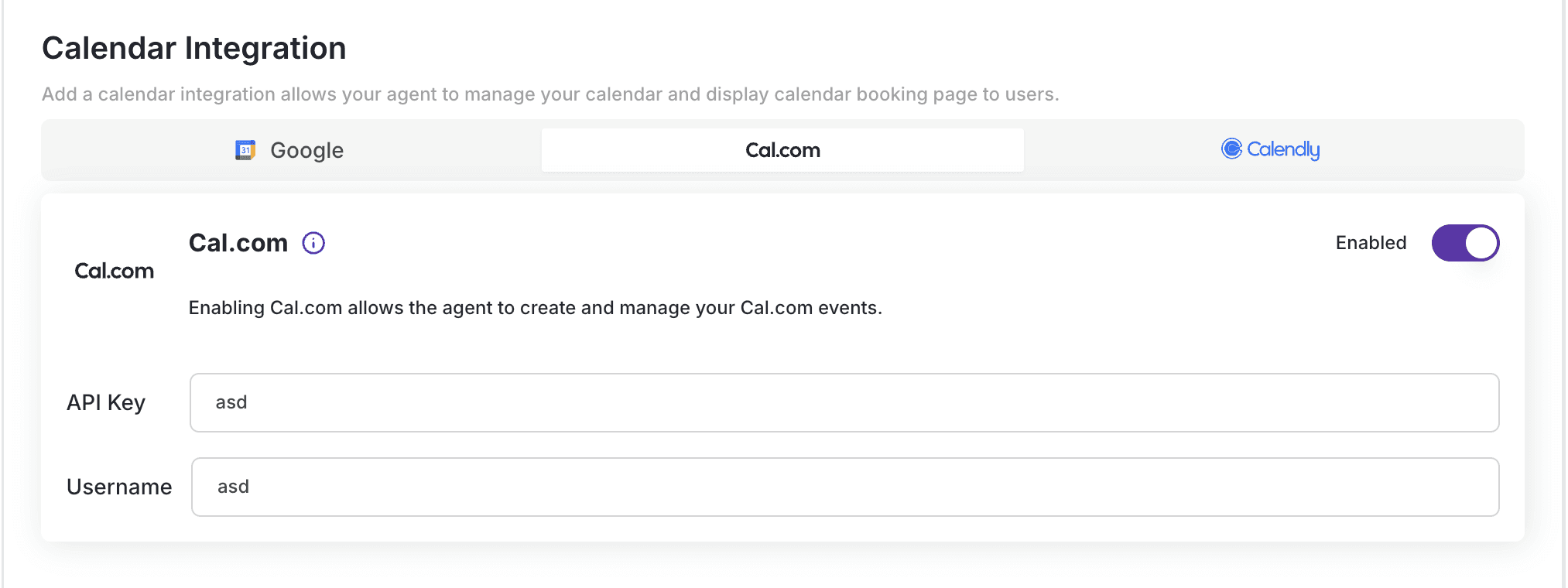
Add the API Key and Username into AgentX

  • Sign up with AgentX if you do not have an account yet, it's free, no credit card needed đź’ł!
  • Log in to AgentX and choose your AI agent and edit it.
  • Navigate to Integrations-> Calendar Integration -> Cal.com and copy API Key and Username into the fields.
  • Flip on Enable and Click Save.
AgentX integrated with Cal.com

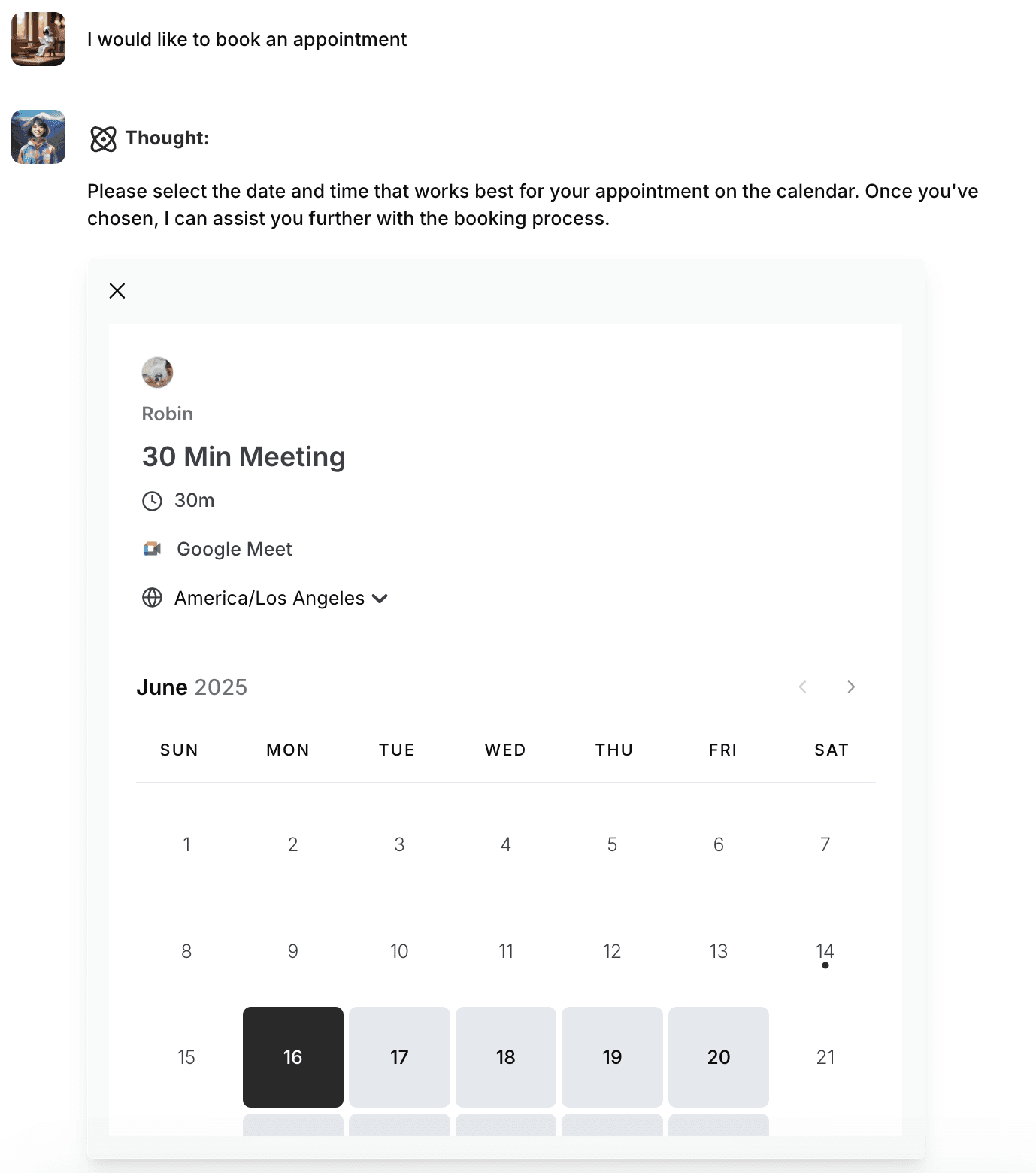
That's it. Now let's see it in action!
More tutorials

All tutorials

Creating a Custom Tool in AgentX

Learn how to quickly create custom API-powered tools in AgentX using natural language and automatic code generation.

Read

Custom Branding for Agent Emails

You can now choose between AgentX branding, completely custom branding with your own logo and identity, or a clean unstyled option — all available for both Lead Generation emails and regular agent-sent messages. Configuration is now unified and easier to access, making it simple to keep every outgoing email consistent with your brand.

Read

How to add a MCP to your AI Agent

MCP (Model Context Protocol) allows you to connect your AI application to any desired third-party app as long as it supports it. Here is a step-by-step tutorial on how to set it up and connect with your AI agent. We will give an example on YouTube MCP.

Read

How to Automate Agent Tasks with AgentX

Discover how to automate your AgentX agents - from daily AI news briefings to fully autonomous SDR outreach - so your business runs on autopilot.

Read

How to Build AI Agent Workforce in AgentX

With AI Agent Workforces, you’re not limited to a single AI agent - you can build a whole team of specialists

Read

How to build an AI Agent - beginner's guide

Creating your first AI agent in AgentX, tuning prompts, instructions, and building knowledge bases. AgentX offers a no-code platform to create powerful AI agents for various use cases. Customize your agent’s bio, greeting, and response style, add knowledge bases, and enable optional features like lead generation or image generation. Once built, deploy your agent across multiple platforms, including websites, Slack, and Discord.

Read

Start your AI automation journey today

Sign up for AgentX and let AI handle your routine tasks. No credit card needed.