Zapier helps link important web applications in your workflow, allowing for seamless data synchronization. AgentX works with all apps supported by Zapier, such as Slack, Google Sheets, Notion, AirTable, and Zoho CRM, among others.
Zapier Integrations: To see a complete list of all the integrations you can set up with Zapier, check out the "AgentX Integrations" in the Zapier Knowledge Base.
Important Features of AgentX Integration with Zapier
Zapier utilizes Zaps to link various apps and services. Each Zap consists of a trigger step and at least one action step. A trigger is an event that initiates the Zap, while an action is what the Zap executes. Once you activate a Zap and a trigger event occurs, Zapier automatically performs the corresponding action steps for you.
Create an AgentX Zap: To use AgentX Zap, you will need an AgentX account and a Zapier account.
Connect AgentX to Zapier
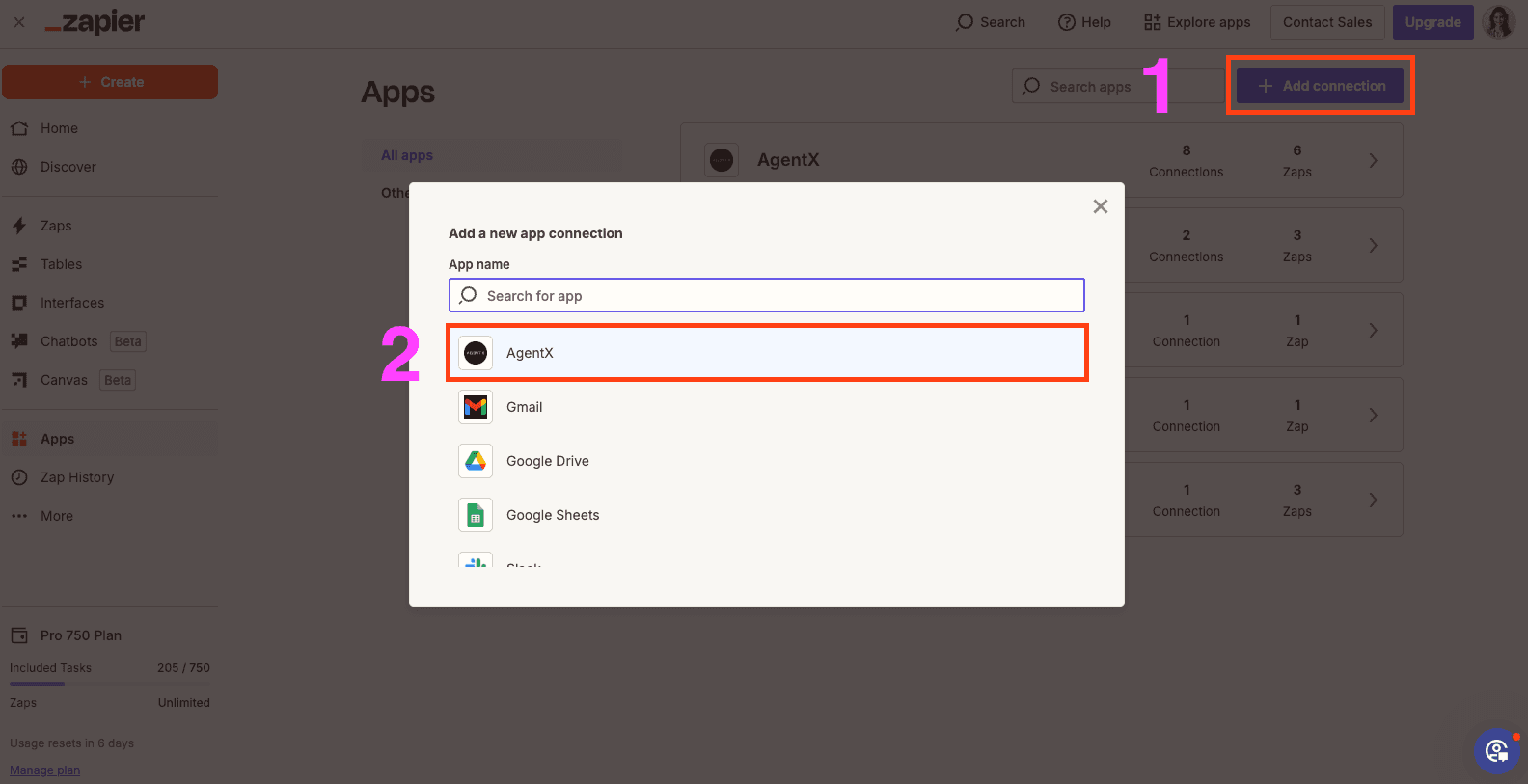
Log into Zapier, click My Apps on the left-hand side of the screen, and then click Add Connection. Type AgentX into the Search bar, then click the AgentX logo.
You will need an API Key from your AgentX account. You can find API Key in AgentX main app and click icon at top right corner.
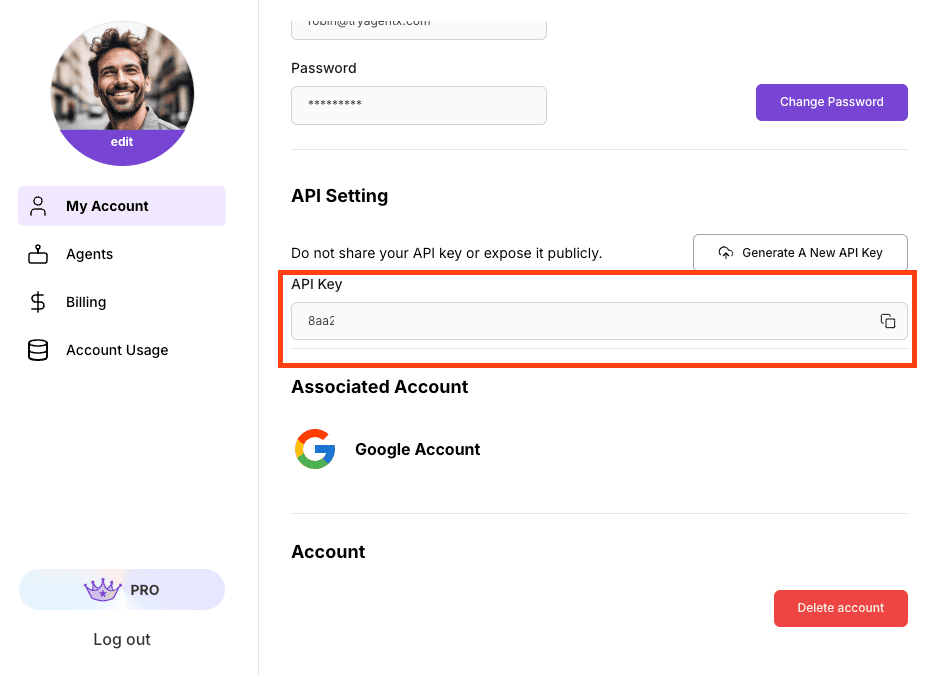
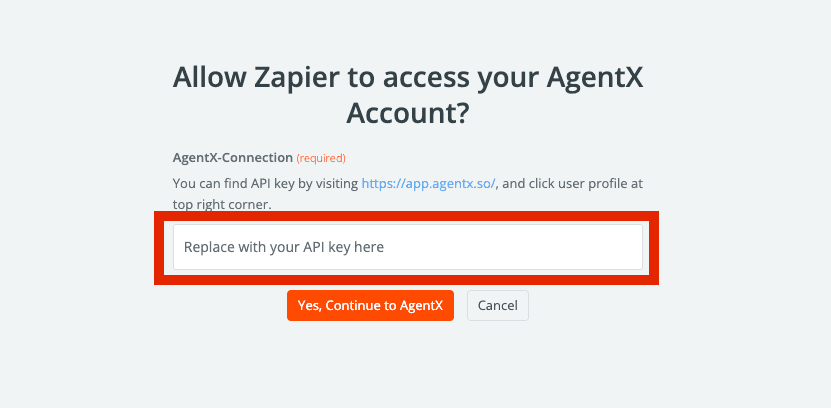
Copy and paste your API Key to Zapier connection.
The AgentX-Zapier Integration includes the following AgentX-based events that you can use to connect AgentX with any Zapier-supported app(s):
Supported Trigger Steps
The supported trigger steps for AgentX include:
| TRIGGER | DESCRIPTION |
|---|---|
| NEW AGENT | Triggers when a new agent is created. |
| NEW CONVERSATION | Triggers when a new conversation started with an agent. |
| MESSAGE FROM USER | Triggers when there is a new message sent to the conversation. |
| REPLY FROM AGENT | Triggers when there is a new reply from agent to the conversation. |
Supported Action Steps
The supported action steps for AgentX include:
| ACTION | DESCRIPTION |
|---|---|
| Create Conversation | Create a brand new Conversation with an Agent with no chat history. |
| Send a Message to a Conversation | Send a message to a conversation and expect response from the agent. |
| Find Message | Finds a Message in the conversation. |
| Search Agents | Search Agents that you are allowed to access to. |
| Search Conversations | Search Existing Conversations with the Agent. |
| Find or Create Conversation with an agent | Search Existing Conversations with the Agent. |
Note: AgentX-Zapier does not have Create Agent action Zap yet.