
How to Connect AgentX Lead Gen to ActiveCampaign CRM
AgnetX makes it incredibly simple to generate leads using AI agents and automatically sync those leads into your favorite CRM — including ActiveCampaign.
AgnetX makes it incredibly simple to generate leads using AI agents and automatically sync those leads into your favorite CRM - including ActiveCampaign.
This guide will walk you through enabling Lead Generation in AgentX and linking it with your ActiveCampaign CRM in just a few minutes.
💡 What is the Lead Generation Feature in AgentX?
When building your AI agent (see our how to build tutorial), you can enable the Lead Generation action to collect user inputs like name, email, phone number, company, and more.
This turns every conversation into a lead capture opportunity - fully automated and branded.
✅ Step-by-Step: Connect to ActiveCampaign CRM
1. Enable Lead Generation in Your Agent
Go to app.agentx.so
Open the edit view of the agent you want to enable lead collection for
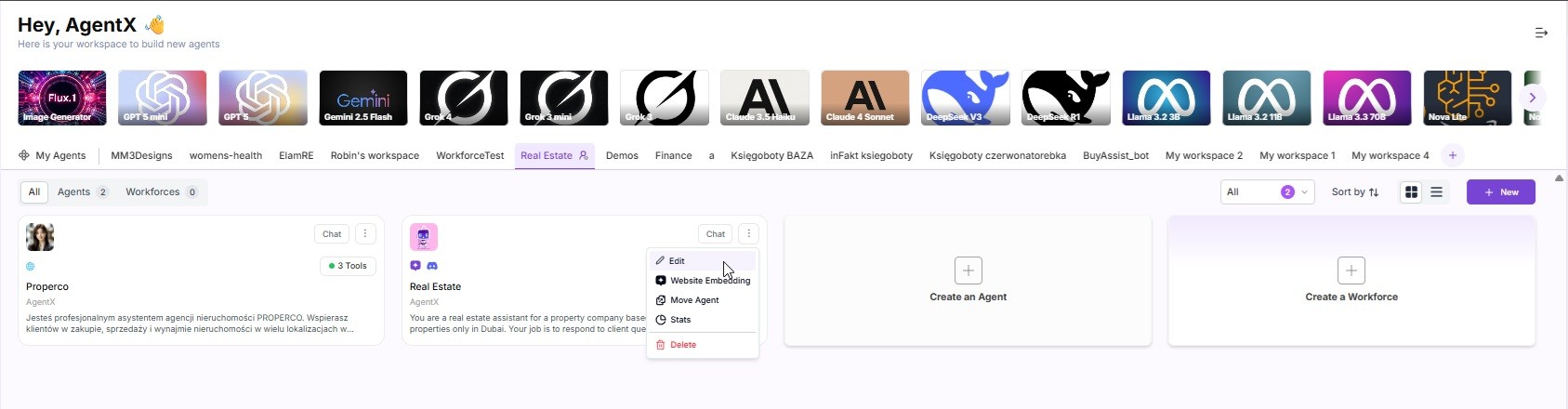
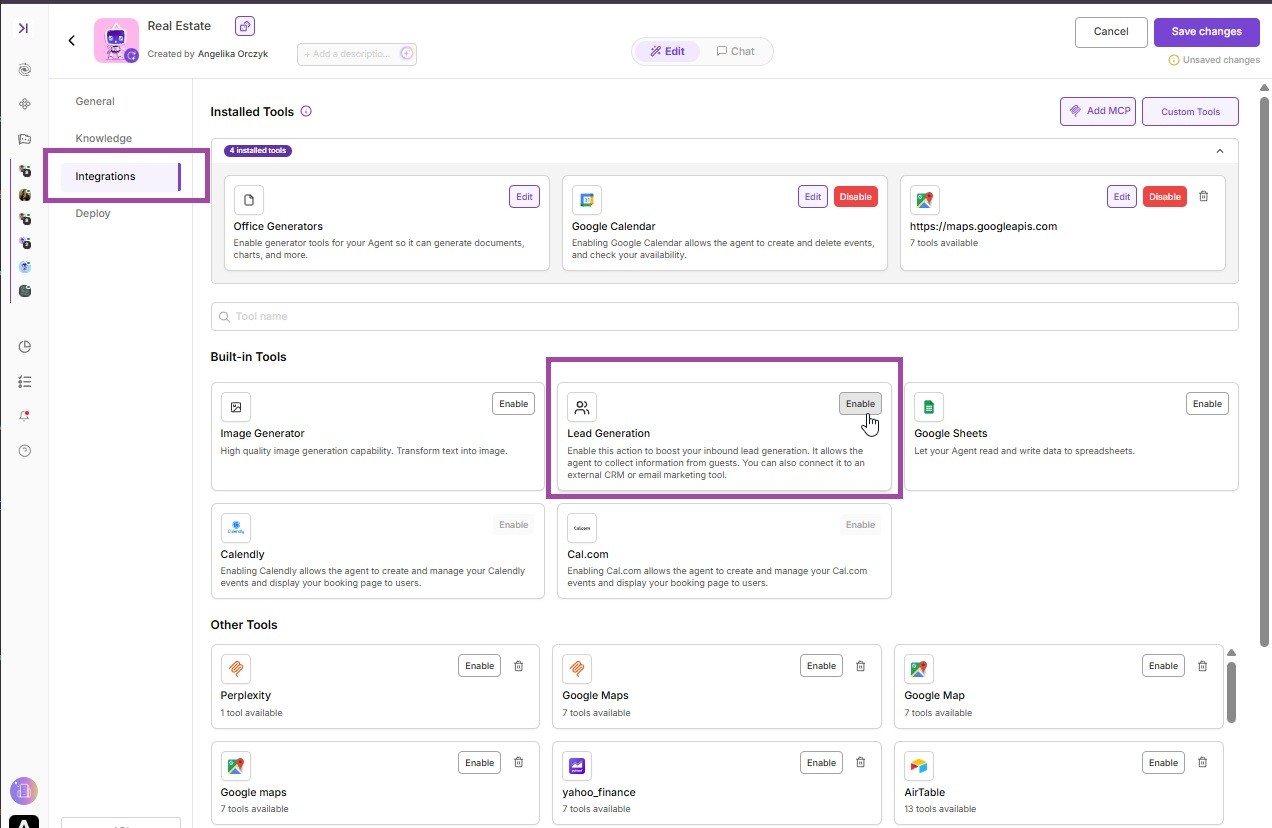
Go to the Integrations tab
Select Lead Generator
Add the info you want to collect (like name, phone number, email, etc.)
Select ActiveCampaign as the external CRM
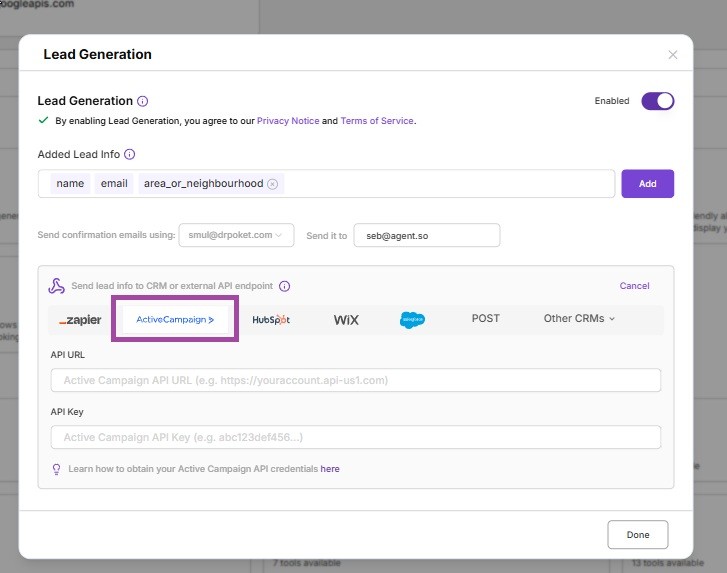
As you can see, there are two input fields:
API URL
API Key
2. Get Your ActiveCampaign API Credentials
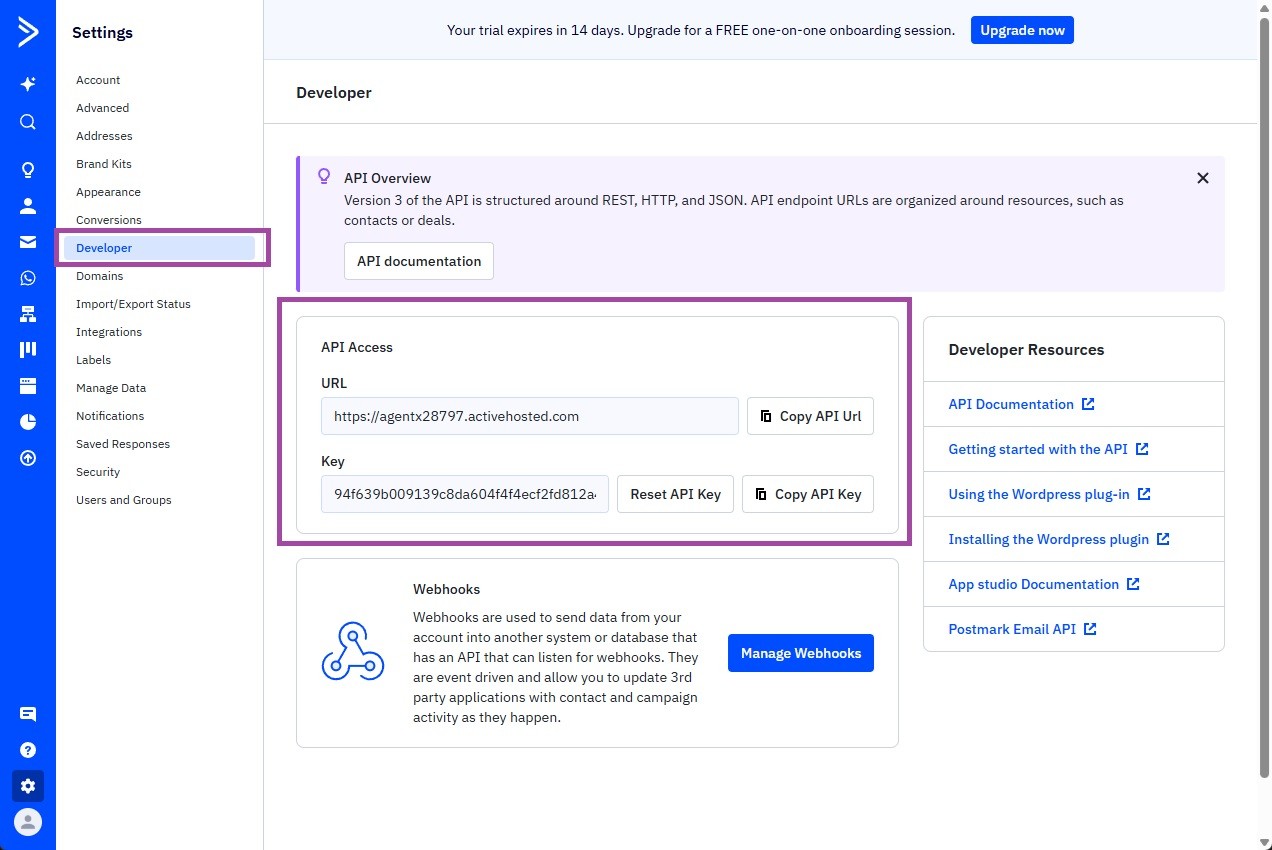
To connect AgentX to ActiveCampaign, you’ll need your API Key and API URL.
Here's how to find them:
Log into your ActiveCampaign account
Click on the Settings (gear icon) in the bottom-left corner
Navigate to the "Developer" tab
Copy your API URL and API Key
📝 Keep these handy - you’ll need to paste them into AgentX.
3. Add ActiveCampaign to AgentX Integrations
Paste your API URL and API Key
Don't forget to save the changes.
✅ That’s it!
From now on, whenever your AI agent captures a lead, it will be pushed directly to your ActiveCampaign contact list - automatically.
Need help setting it up? Contact us at [email protected], or explore more on www.agentx.so.
Let your agent work 24/7 and push leads directly into your CRM funnel!
