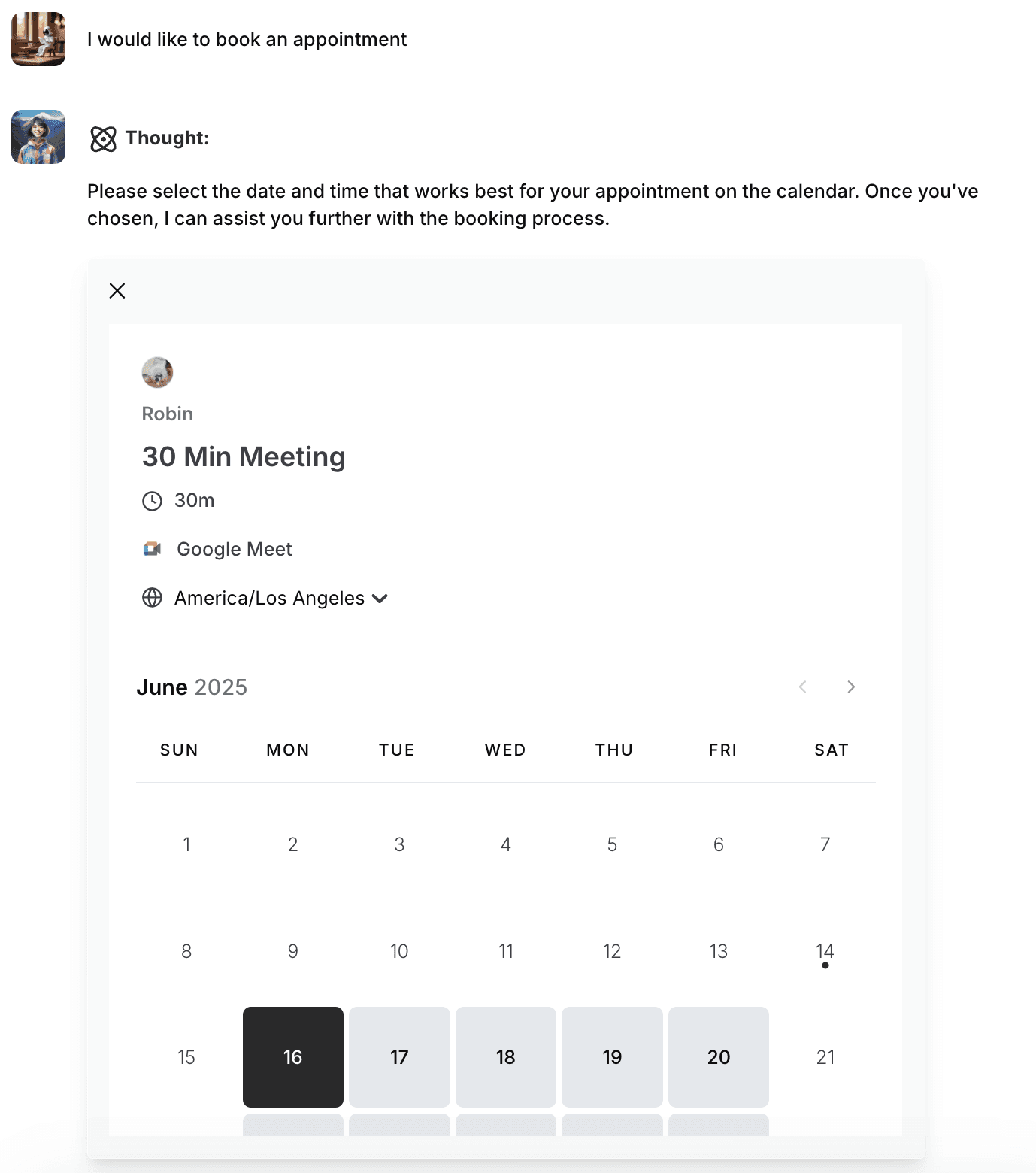
How to find Cal.com API Key and connect to your AI Agent
Cal.com is a fully customizable scheduling software. Find out how to find the API key and connect it with AI agent on AgentX.
Trying to coordinate a meeting can feel like a never-ending puzzle-countless messages, overlapping appointments, and time zone headaches make the whole process far more complicated than it should be. Scheduling shouldn’t require so much effort or guesswork.
Here is step by step guide on how to setup Cal.com with your AI Agent
Log in and go to Cal.com app
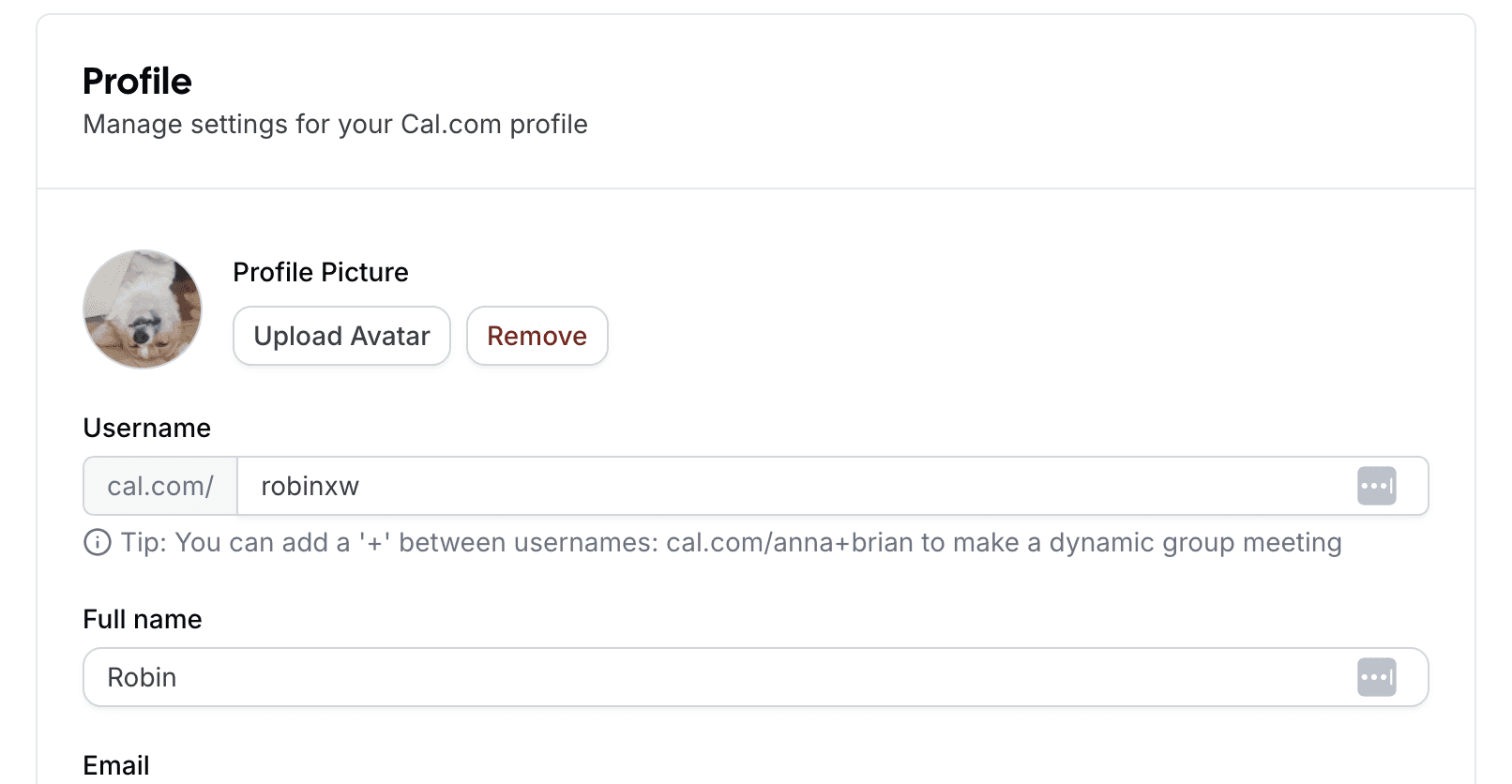
Navigate to my account, here: https://app.cal.com/settings/my-account/profile
From there, you can see your
usernamefor example:
Find API Key
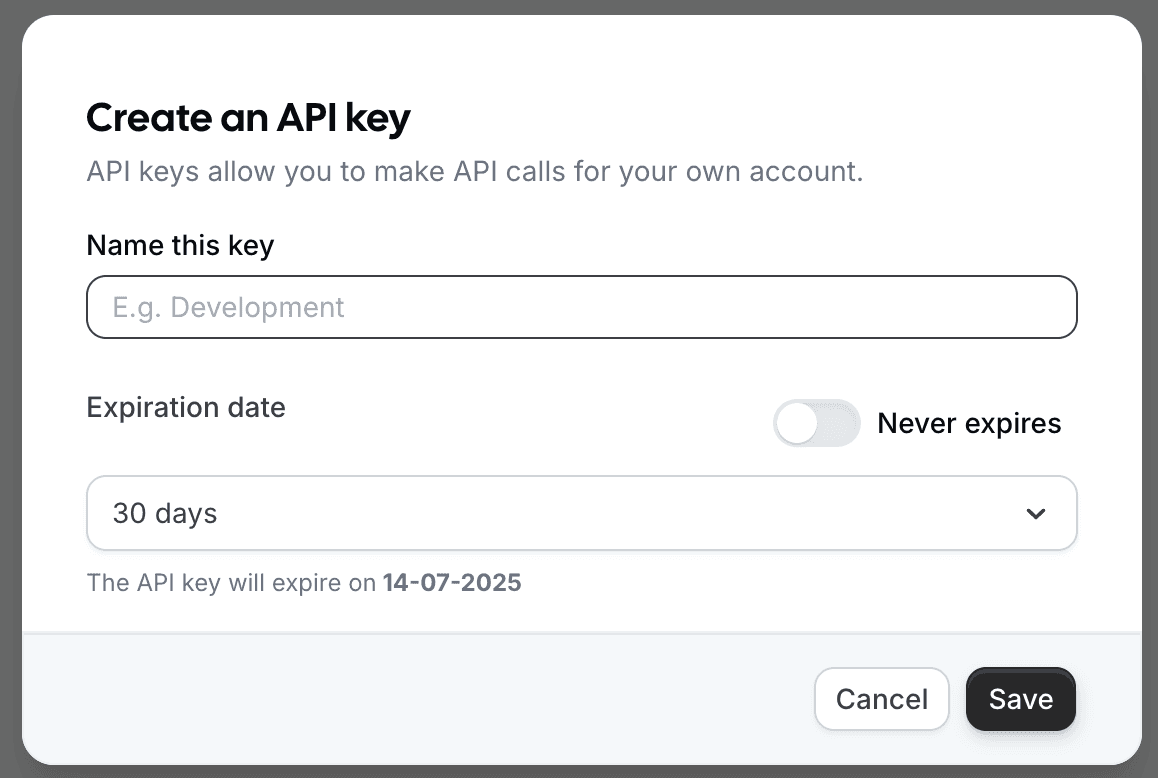
Go to API Key page from the left sidebar in setting page.
Click +Add
We suggest to flip on
Never expires.
Add the API Key and Username into AgentX
Sign up with AgentX if you do not have an account yet, it's free, no credit card needed 💳!
Log in to AgentX and choose your AI agent and edit it.
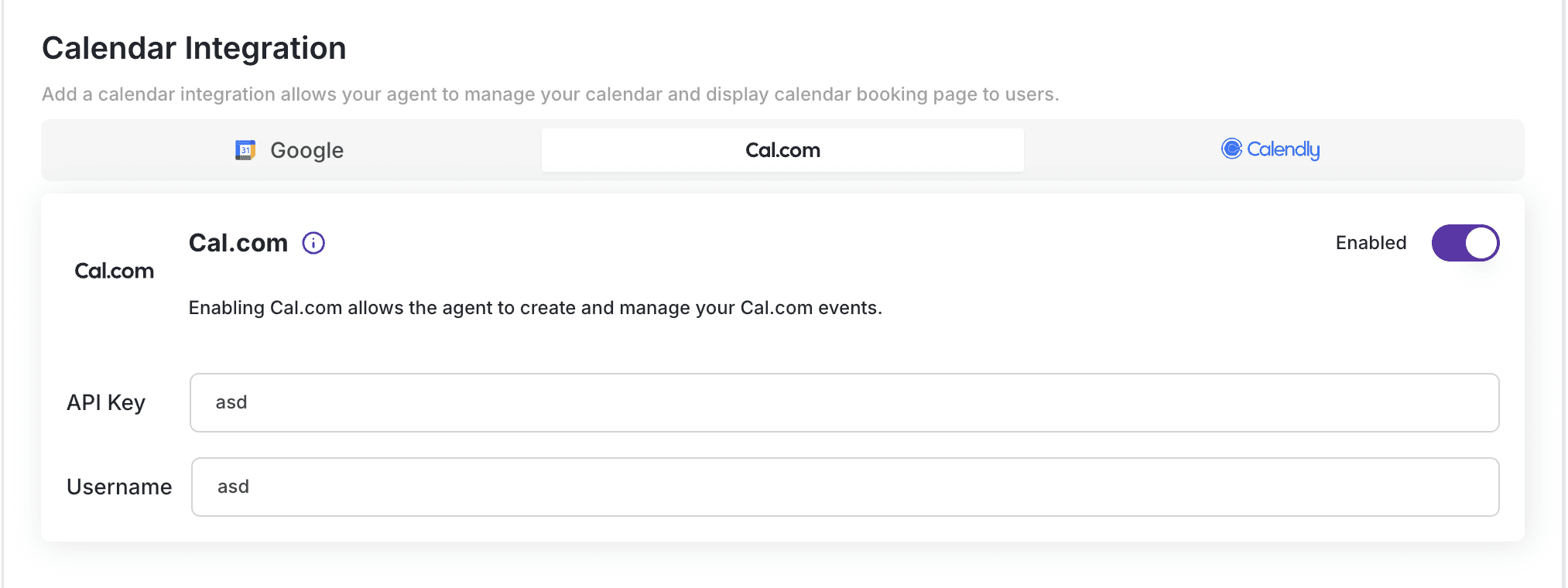
Navigate to Integrations-> Calendar Integration -> Cal.com and copy
API KeyandUsernameinto the fields.Flip on
Enableand Click Save.
That's it. Now let's see it in action!