

How to generate lead and send to Wix CRM
This guide explains how to enable lead generation in AgentX and connect it to your Wix Studio contact list. First, enable the "Lead Generation" action in AgentX. Then, obtain your Wix API Key, Account ID, and Site ID, and enter them into AgentX's settings. This will allow your agent to automatically send collected leads directly to your Wix CRM.
This tutorial shows step by step how to enable the lead generation feature and connect it to your Wix, so that the leads go straight to your Wix Studio contact list.
WIX | AgentX
In the agent build process (see how to build tutorial), Lead Generation action allows agent to collect information from the visitors and turn them into your quality leads seamlessly. You can go to Actions tab and enable "Lead Generation" option.
Connect to Wix CRM contact list
All generated leads will be sent to your email. You can also add the leads to your Wix CRM automatically by setting up Wix credentials.
1. Get your API key from Wix
Log in to your Wix account and navigate to - https://manage.wix.com/account/api-keys
Then click Generate API Key.
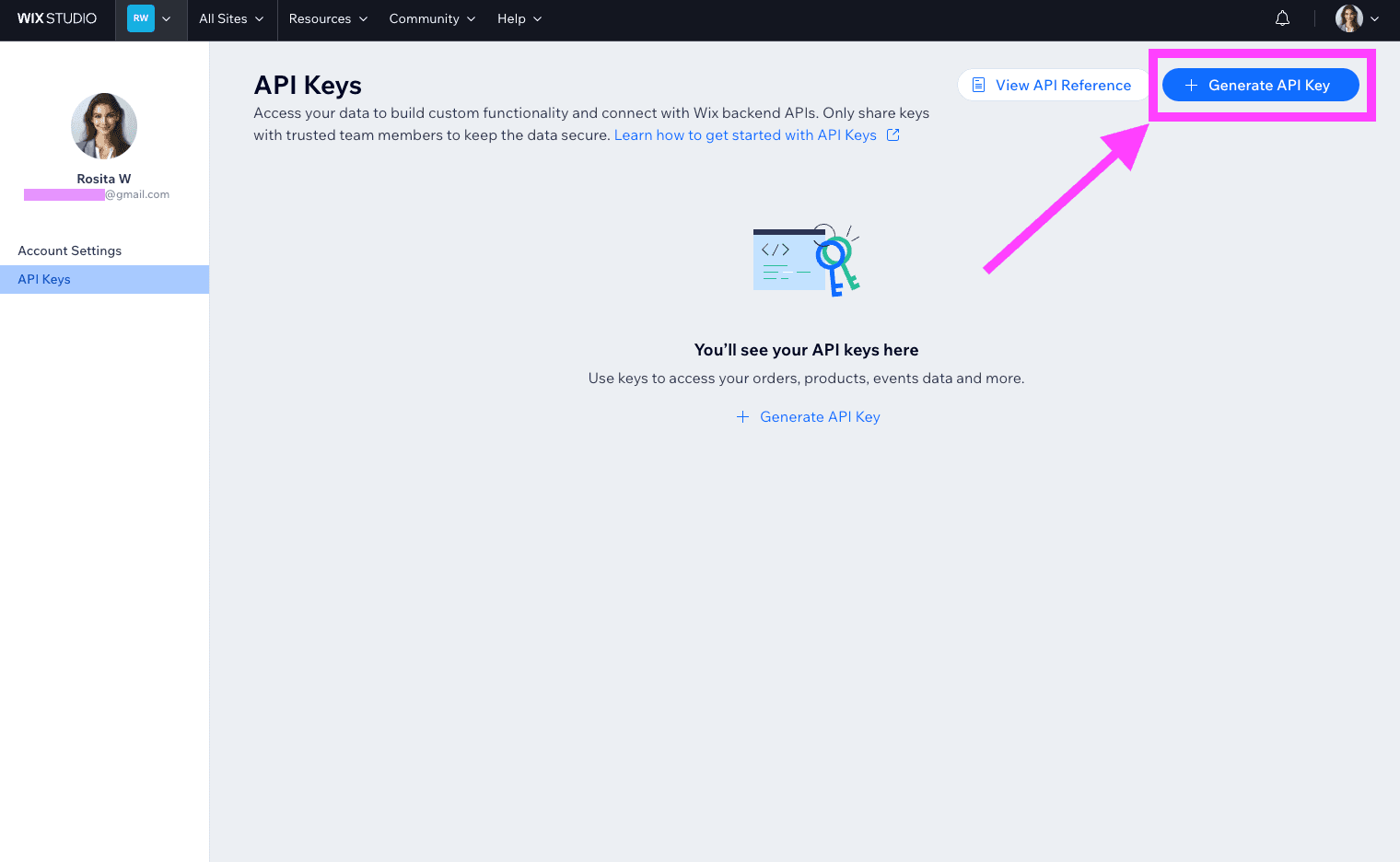
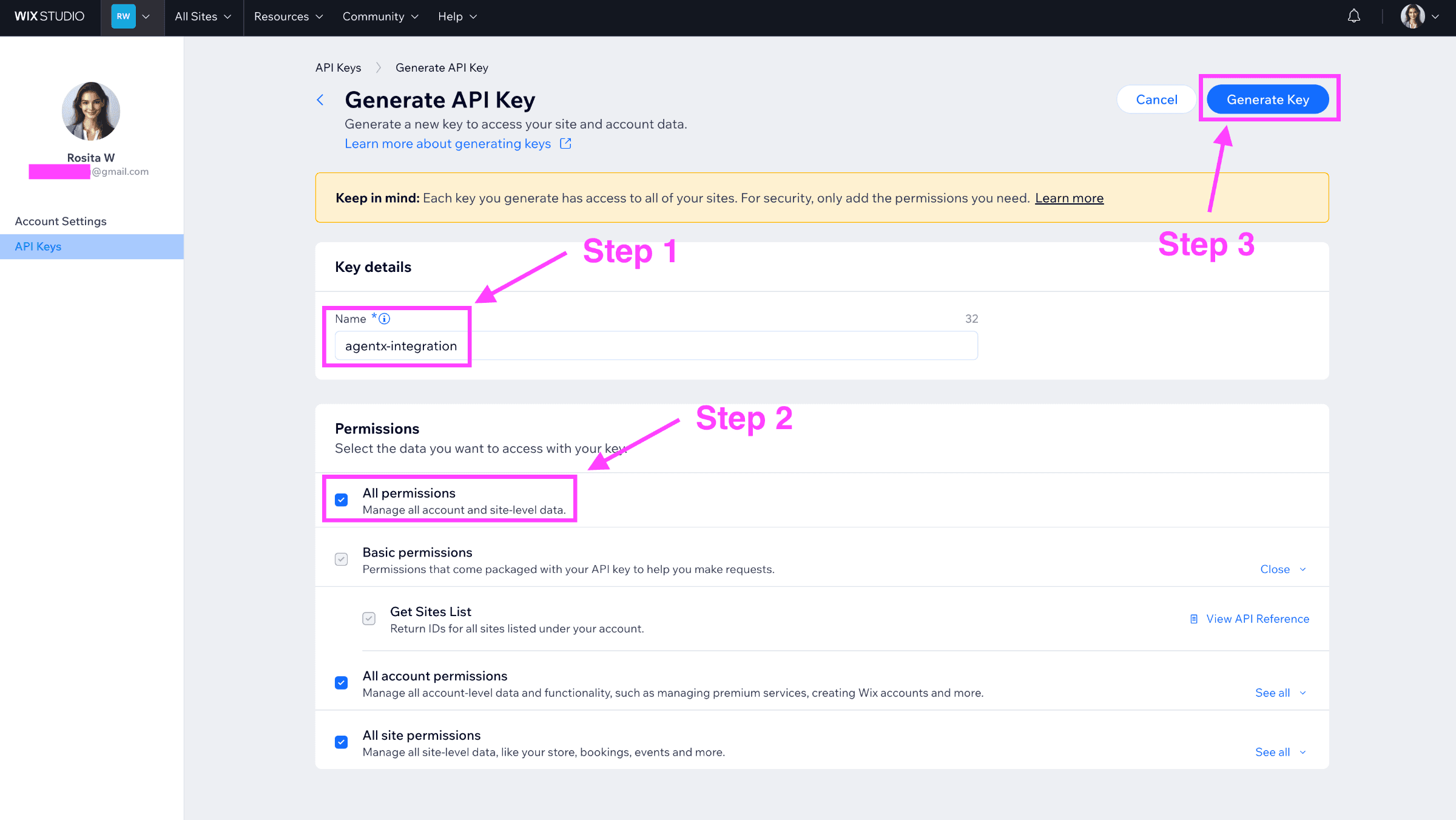
After that name the API key to agentx-integration, check All permissions (important), and then click Generate Key.
Copy the Token (aka API Key) somewhere to not lose it.
2. Get your Account ID
Now you can go back to https://manage.wix.com/account/api-keys to get your Account ID.
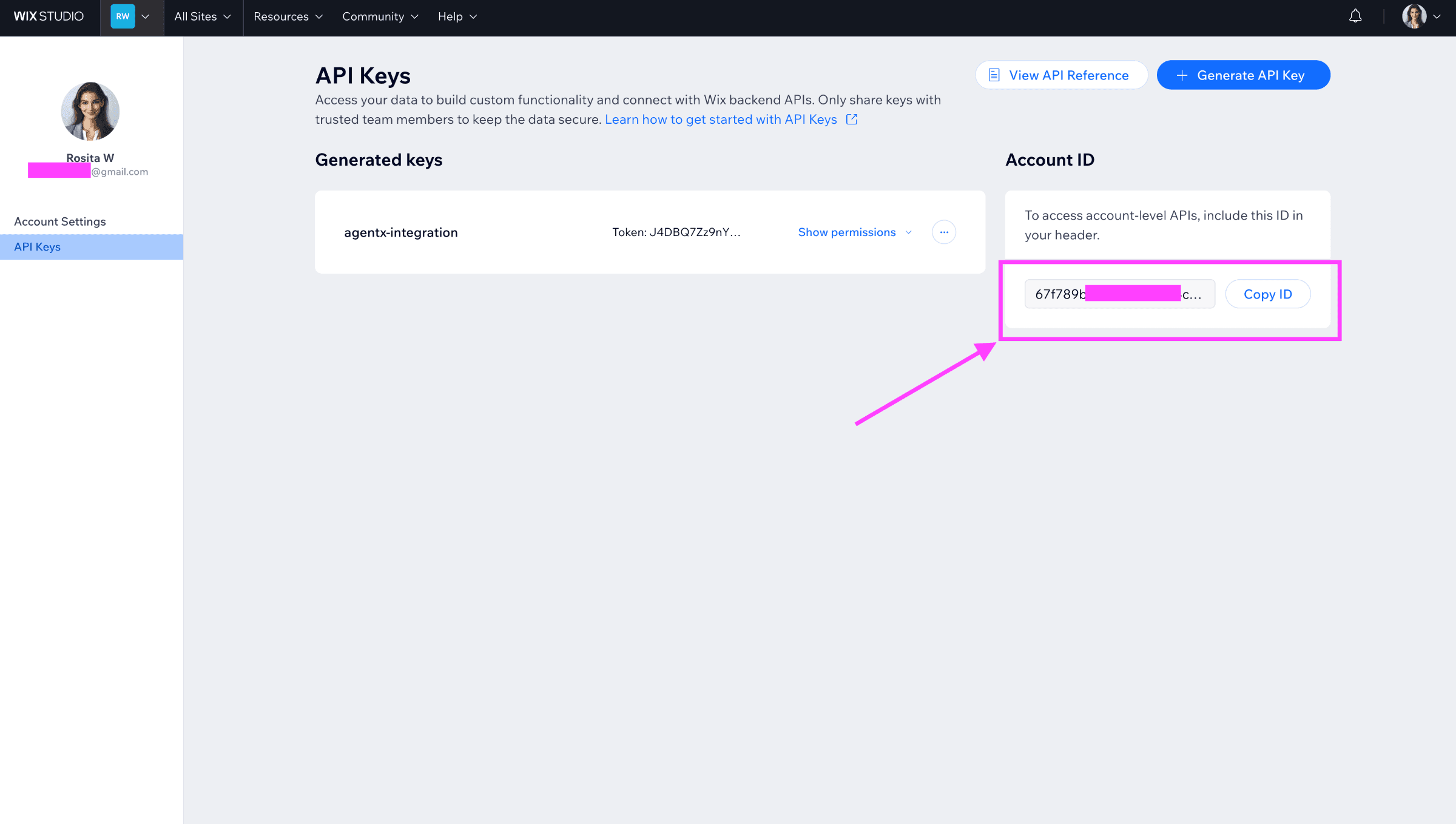
Copy the Account ID somewhere to not lose it.
3. Get your Site ID
Now navigate to your site.
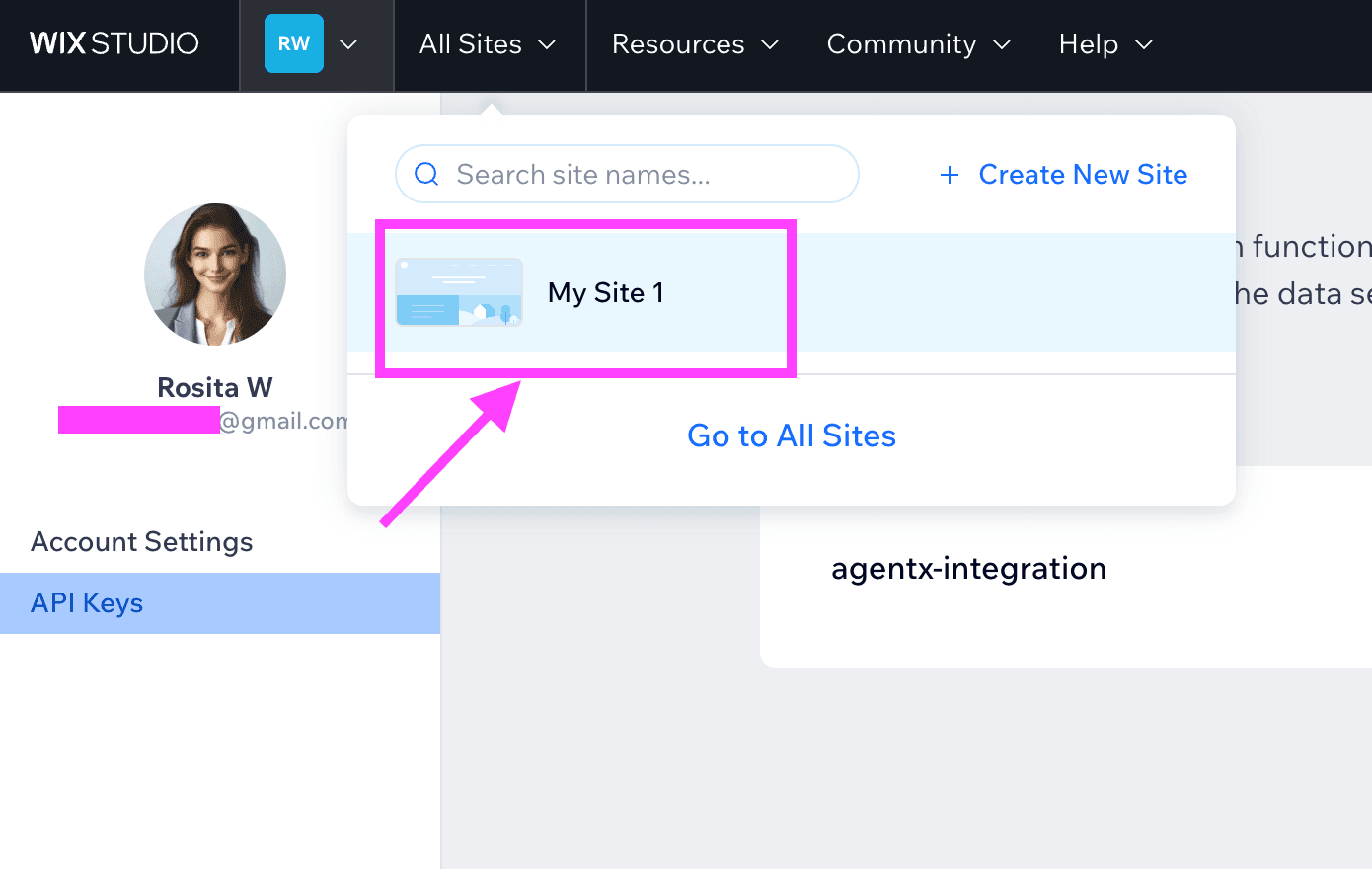
After that get the Site ID from the url, see:
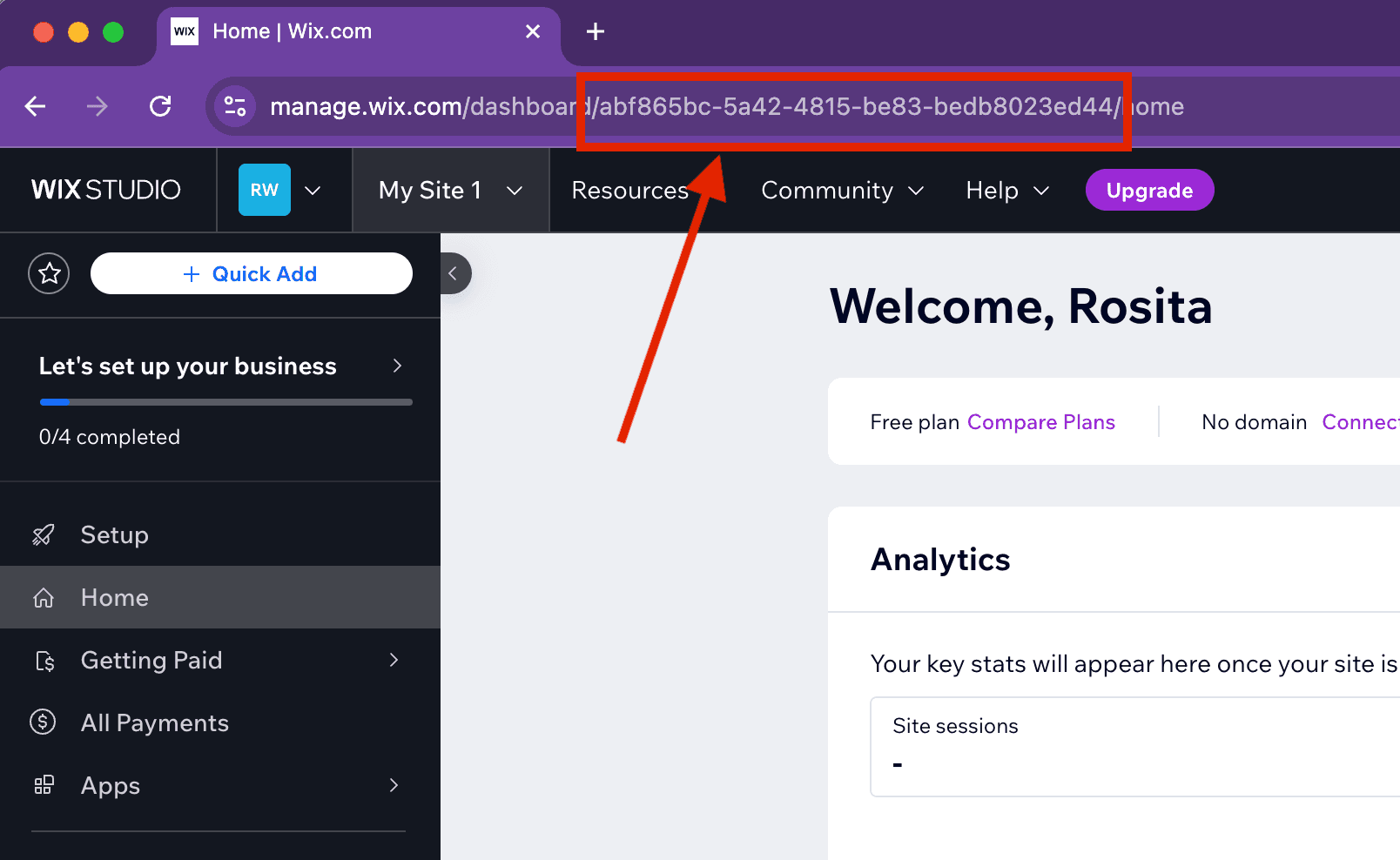
Copy the Site ID somewhere to not lose it.
4. Add all three credentials to AgentX
Next, go back to AgentX build Actions tab. Click Add an endpoint. Fill the following fields like:
Choose Wix tab
API Key: copy and paste the token(aka API Key) you got from the previous step here
Account ID: copy and paste the Account ID here
Site ID: copy and paste the Site ID here
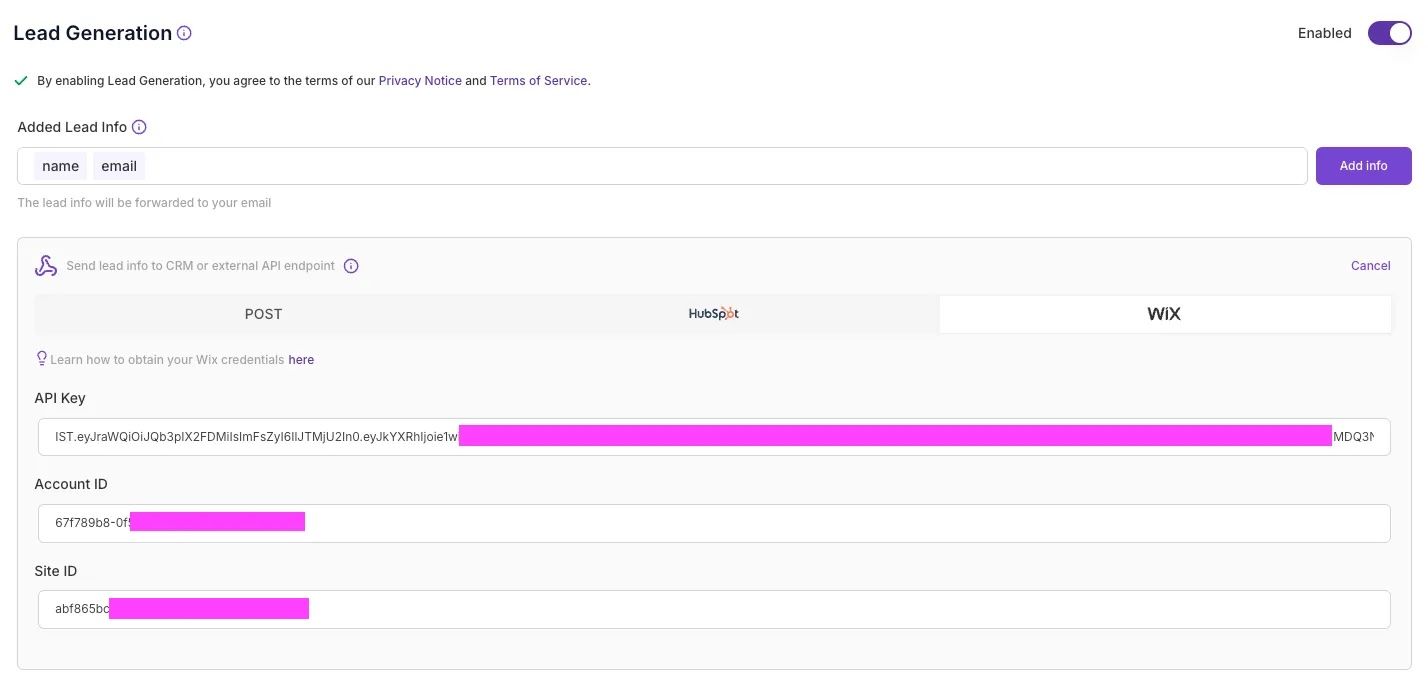
Don't forget to save the changes.
🎉 Congrats, now your agent is able to generate leads and send to your Wix CRM directly.
